

Over 10 million WordPress sites rely on a single plugin to transform how they build pages. Understanding the question “What is Elementor?” reveals why it has become the go-to choice for creators worldwide.
By the end of this article, you’ll know exactly how this drag-and-drop builder works, what separates the free version from Pro and whether it’s the right fit for your next project.
What is Elementor?
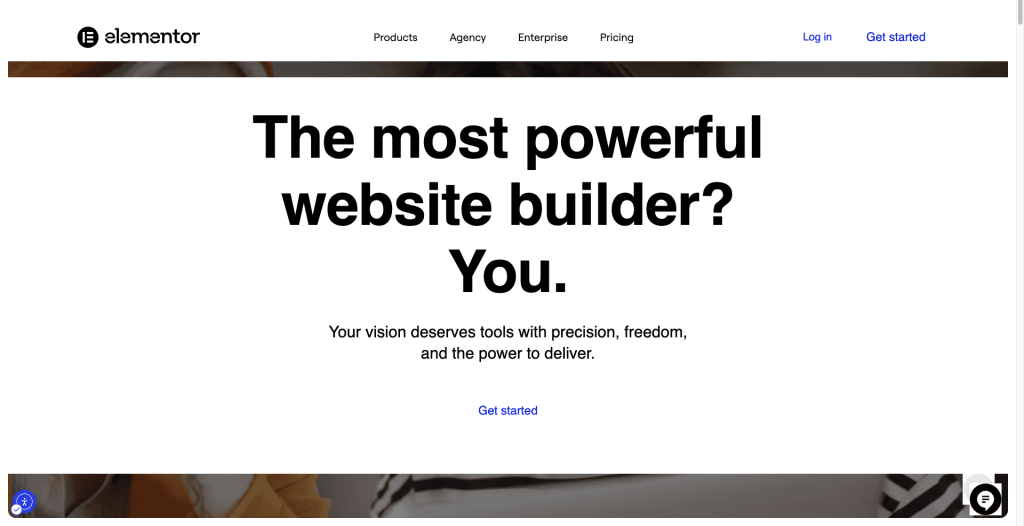
What is Elementor and why has it captured the attention of bloggers, agencies and Fortune 500 companies alike? At its core, Elementor is a WordPress plugin that lets you design pages visually by dragging widgets onto a canvas rather than wrestling with code.
Founded in 2016 by Yoni Luksenberg and Ariel Klikstein, the platform set out to democratize web design, and the numbers suggest it succeeded.
According to BuiltWith statistics, Elementor powered 5.07% of the top one million websites globally as of February 2025.
That’s not a niche tool; that’s an industry standard. Whether you’re launching a personal blog or an enterprise storefront, understanding what Elementor is helps you decide if this builder fits your workflow.
- Visual drag-and-drop editing with live preview
- Over 40 free widgets plus 90+ in the Pro version
- Theme Builder for headers, footers and archive templates
- AI-powered content, code and image generation
Think of Elementor like a digital Lego set: you pick pre-built blocks, snap them together and customize colors and shapes until your vision takes form.
The difference? You’re building a fully functional website, not a plastic castle. This guide walks you through core features, Pro upgrades and real-world trade-offs so you can make an informed choice.
Understanding Elementor’s Core Features and Benefits
Before diving into advanced tools, you need a clear picture of the question, “What is Elementor?” offering at its foundation. The free plugin alone delivers a surprisingly robust toolkit, enough for many small projects. Yet knowing where limits exist helps you plan ahead.
Elementor’s core strength lies in three pillars: a visual editor, responsive design controls and seamless theme compatibility. Each pillar addresses a specific pain point that traditional WordPress editing leaves unresolved. Let’s break them down.
Drag-and-drop Visual Editor
The drag-and-drop editor is where the magic happens. You see changes in real time, no toggling between preview tabs. According to Elementor’s official documentation, the editor includes over 40 free widgets covering headings, images, buttons, galleries and carousels.
Contextual editing lets you copy any element, column or section and paste it anywhere on your site. Hotkeys speed up repetitive tasks and right-click menus offer quick access to styling options. For those wondering what Elementor’s secret sauce is, this workflow efficiency is a big part of the answer.
- Inline editing: Click text and type directly on the canvas.
- Multi-select: Batch-move or style multiple widgets at once.
- Copy-paste between sites: Reuse designs across projects.
One limitation: heavy use of widgets can increase DOM output, potentially slowing page load. Elementor addresses this with lazy loading and asset caching, but you should still audit performance on content-heavy pages.
Responsive Design Capabilities
Mobile traffic now accounts for over half of global web visits, so responsive design isn’t optional. Elementor provides device-specific controls for desktop, tablet and mobile views. You can adjust font sizes, hide elements or rearrange columns per breakpoint.
That said, some users report limited granular control on mobile. You can’t always hide a single widget on phones without custom CSS workarounds. If pixel-perfect mobile layouts are critical, test thoroughly before launch.
“Elementor’s responsive mode covers most use cases, but edge-case mobile tweaks may require additional CSS.”
Understanding what Elementor’s responsive approach is helps you set realistic expectations. For standard business sites, the built-in controls are usually sufficient. Complex layouts may need extra attention.
Integration with WordPress Themes
Elementor works with any theme that follows WordPress Codex standards. However, pairing it with a lightweight starter theme, like Elementor’s own “Hello” theme, minimizes conflicts and maximizes speed.
Compatibility issues can arise with heavily styled themes that inject their own CSS. When that happens, you may see design clashes or broken layouts. The practical takeaway: choose a minimal theme or one explicitly built for Elementor.
| Theme Type | Compatibility | Performance Impact |
|---|---|---|
| Minimal starter (Hello, Astra) | Excellent | Low overhead |
| Multi-purpose themes | Good | Moderate overhead |
| Heavily styled themes | Variable | Potential conflicts |
Support for Third-Party Add-ons: The Power of Element Pack Pro
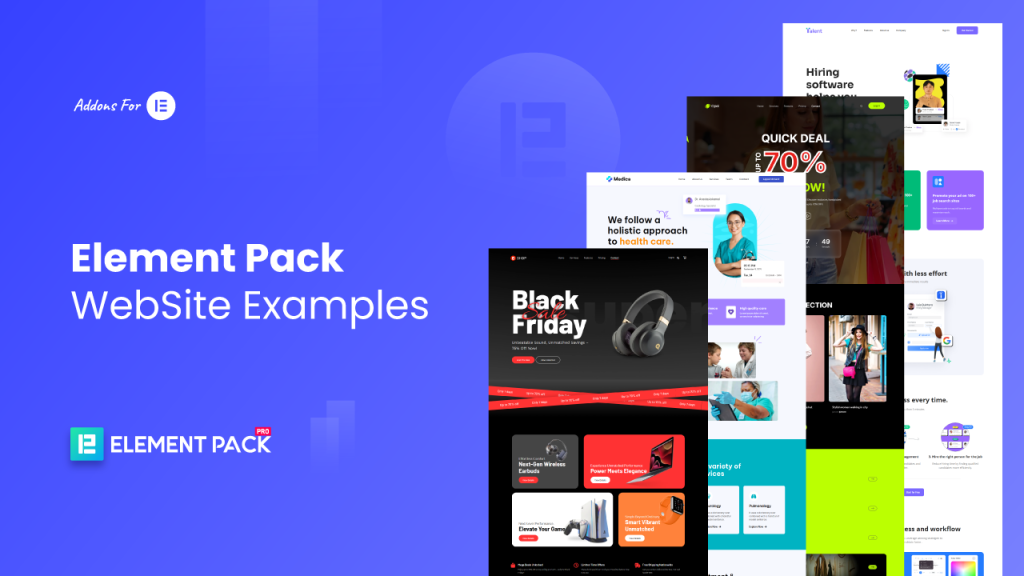
While the core plugin is incredibly powerful, one of the most compelling answers to the question “What is Elementor?” lies in its massive community of developers. Elementor was built with an open-source spirit, leading to a thriving marketplace of third-party add-ons that fill almost any niche requirement.
At the forefront of this ecosystem is Element Pack Pro, a flagship product developed by BdThemes. It is widely recognized as the most comprehensive and ultimate addon, designed to push the boundaries of what is possible within the Elementor editor.
Why Element Pack Pro is the Industry Standard
While many add-on packs offer basic widgets, Element Pack Pro is built for scale and professional-grade design. It doesn’t just add elements; it adds capabilities.
- The World’s Largest Widget Library: With over 300+ premium widgets, it covers everything from basic UI elements to advanced dynamic data handling.
- Massive Asset Library: Users get instant access to over 2,700+ ready-made design assets, including blocks, pages and headers. This allows you to go from a blank canvas to a high-end website in minutes rather than days.
- Live Copy-Paste: This standout feature lets you copy a design from the Element Pack demo site and paste it directly onto your own website, a massive time-saver for agencies.
- Visibility Controls: Choose who sees what content based on over 35 conditions (like device type, user role or specific dates), transforming a static page into a personalized user experience.
Advanced Capabilities for Professionals
Element Pack Pro is particularly favored by developers because it bridges the gap between no-code ease and complex functionality:
| Feature | What it Does | Why it Matters |
| Backdrop Filter | Adds sophisticated blur and glassmorphism effects. | Elevates the aesthetic to a modern, “Apple-style” look. |
| WooCommerce Plus | Includes dedicated widgets for cart, checkout and product grids. | Essential for building high-converting, branded e-commerce stores. |
| Dynamic Grid & Carousel | Pulls content automatically from posts, products or custom fields. | Ideal for news sites or directories that update frequently. |
| Notation & Tooltips | Adds interactive cues and highlighted notes to text. | drastically improves user navigation and technical documentation clarity. |
Performance and Efficiency
Despite its massive size, Element Pack Pro is built with a modular architecture. You can deactivate every widget you aren’t using with a single click, ensuring your site remains lightweight and fast. This “Elements Control” panel is crucial for maintaining high SEO scores and fast loading times on complex projects.
By leveraging Element Pack Pro, you aren’t just adding more buttons to your sidebar; you are equipping your Elementor setup with a professional toolkit that is used by over 2 million website creators globally to build better, faster, and more creative web experiences.
Knowing what Elementor’s ideal environment, lightweight themes and optimized hosting set you up for smoother builds.
Exploring Elementor Pro: Advanced Features for Professionals
With the basics covered, the next question is whether upgrading makes sense. What is Elementor Pro adding that justifies the cost? In short: full site control, dynamic content and marketing tools that the free version simply can’t match.
Elementor Pro pricing starts at $59 per year for a single site, scaling to $399 for agencies managing up to 1,000 sites. According to Kinsta’s review, Pro is considered one of the most cost-effective premium plugins for WordPress users. Let’s explore the headline features.
Theme Builder for Comprehensive Site Design
Theme Builder transforms Elementor from a page builder into a full site builder. You can design custom headers, footers, single-post templates and archive layouts, all without touching theme files.
- Create a sticky header with a transparent background on scroll.
- Design unique blog post layouts with author bios and related posts.
- Build category archive pages that match your brand.
This feature alone answers the question of what is Elementor Pro’s biggest draw for agencies. Instead of juggling multiple plugins, you consolidate design control into a single interface.
Dynamic Content and Pop-up Creation
Dynamic content pulls data from custom fields, user profiles or post metadata and displays it automatically. Imagine a real-estate site where property details populate from a database, no manual updates needed.
Pop-ups in Elementor Pro go beyond simple modals. You can trigger them on exit intent, scroll depth or after a set time. A SaaS startup using exit-intent pop-ups reported a 12% increase in email sign-ups within one quarter.
“Dynamic content and smart pop-ups turn static pages into personalized experiences.”
If you’re still wondering what Elementor can do at the pro level, dynamic content is a compelling answer for data-driven sites.
WooCommerce Integration for Online Stores
Elementor Pro integrates seamlessly with WooCommerce, letting you visually design product pages, cart layouts and checkout flows. You’re not stuck with default WooCommerce templates.
- Custom product grids with hover effects
- Branded checkout pages that reduce cart abandonment
- Upsell and cross-sell widgets placed exactly where you want them
For store owners wondering what Elementor’s role in e-commerce is, the answer is full creative control without hiring a developer. Trade-off: complex stores with thousands of SKUs should test performance carefully, as widget-heavy pages can slow load times.
How Elementor Enhances Web Design for Beginners and Experts
Understanding what makes Elementor’s appeal across skill levels is key to understanding why it dominates the market. Beginners love the no-code simplicity; developers appreciate the extensibility. Both groups find value, though in different ways.
Ease of Use for Non-Technical Users
If you’ve never written a line of HTML, Elementor’s visual interface feels intuitive. Drag a heading widget, type your text, adjust the font. Done! Templates and blocks provide starting points so you’re not staring at a blank canvas.
The learning curve is gentle. Most users report building their first page within an hour. That accessibility is central to what is Elementor’s mission: democratizing web design.
- Pre-built templates for landing pages, portfolios, and blogs
- Step-by-step onboarding wizard
- Extensive help center with video tutorials
Limitation: Non-technical users may struggle with performance optimization or custom CSS tweaks. Plan for a learning phase if your project demands advanced customization.
Advanced Customization for Developers
Developers aren’t left out. Elementor supports custom CSS, JavaScript injection and an open-source codebase licensed under GPLv3. You can extend functionality with custom widgets or hooks.
Elementor AI even generates code snippets, HTML, CSS or JavaScript, based on text prompts. A freelance developer used this feature to cut widget development time by 30%.
“For developers, what is Elementor becomes a rapid prototyping tool rather than a limitation.”
Trade-off: Relying heavily on custom code can introduce maintenance overhead. Document your customizations to avoid headaches during updates.
Comparing Elementor Free vs. Elementor Pro: Which is Right for You?
Now that you understand what Elementor offers at each tier, the practical question is which version best fits your needs. Budget, project scope and growth plans all factor in.
Feature Comparison and Pricing
| Features | Free | Pro |
|---|---|---|
| Widgets | ~30 | 90+ |
| Theme Builder | No | Yes |
| Pop-Up Builder | No | Yes |
| WooCommerce Widgets | No | Yes |
| Premium Support | No | Yes |
| Price | $0 | From $59/year |
Elementor Free is a solid foundation for personal blogs or simple portfolios. Pro becomes essential when you need forms, dynamic content, or full theme control. Understanding Elementor’s pricing structure helps you budget accurately.
Use Cases for Each Version
- Free: Personal blogs, hobby sites, landing pages with basic layouts.
- Pro Essential ($59): Small business sites, freelancers needing forms and pop-ups.
- Pro Expert ($199): Agencies managing up to 25 client sites.
- Pro Agency ($399): Large agencies or networks with up to 1,000 sites.
A micro-anecdote: a solo consultant started with Free, upgraded to Essential after six months, and recouped the cost through a single client project. That’s the ROI math many users experience when exploring Elementor Pro’s value.
Elementor’s Impact on the Web Design Industry
Beyond individual projects, what is Elementor’s broader influence? The plugin has reshaped expectations for WordPress design, pushing competitors to innovate and lowering barriers for new creators.
Market Adoption and Growth Statistics
Elementor boasts over 10 million active installations, making it the most popular WordPress plugin by user count. Every 3 seconds, a new site is built with Elementor, according to the company’s data.
- Available in 64 languages
- Powers 13% of websites globally
- Raised $15 million from Lightspeed Venture Partners in 2020
These numbers illustrate Elementor’s market dominance. For job seekers, proficiency in Elementor is increasingly listed in web design job postings.
Community and Support Resources
A thriving community backs the platform. The official Facebook group has over 150,000 members and local meetups take place worldwide. You’ll find tutorials, troubleshooting threads and design inspiration.
“The Elementor community is like having a 24/7 help desk staffed by fellow creators.”
Pro users also receive premium support with faster response times. Understanding what Elementor’s support ecosystem is helps you plan for when, not if, you hit a snag.
Conclusion: The Future of Web Design with Elementor
So, what is Elementor’s role in your web-design toolkit? It’s a visual builder that scales from hobby blogs to enterprise stores, backed by a massive community and continuous innovation. The free version offers a genuine starting point, while Pro unlocks the full creative spectrum.
Throughout this guide, you’ve seen how the drag-and-drop editor simplifies design, how Theme Builder consolidates site control and how pricing tiers align with project complexity. Trade-offs exist—performance tuning and mobile edge cases require attention, but the benefits outweigh the learning curve for most users.
Your next step: install the free plugin, build a test page and experience what is Elementor firsthand. Once you feel the workflow, you’ll know whether upgrading to Pro makes sense for your goals.
Suza
The BdThemes team builds WordPress plugins trusted by 3M+ users worldwide. We write about web accessibility, WCAG compliance, and inclusive design.