


Introduction
Elementor changed the way people build WordPress websites. Instead of editing code, you drag widgets onto a page and watch your design come together in real time. But the longer you work inside Elementor, the more you notice a gap between what the default widgets offer and what you actually want to build.
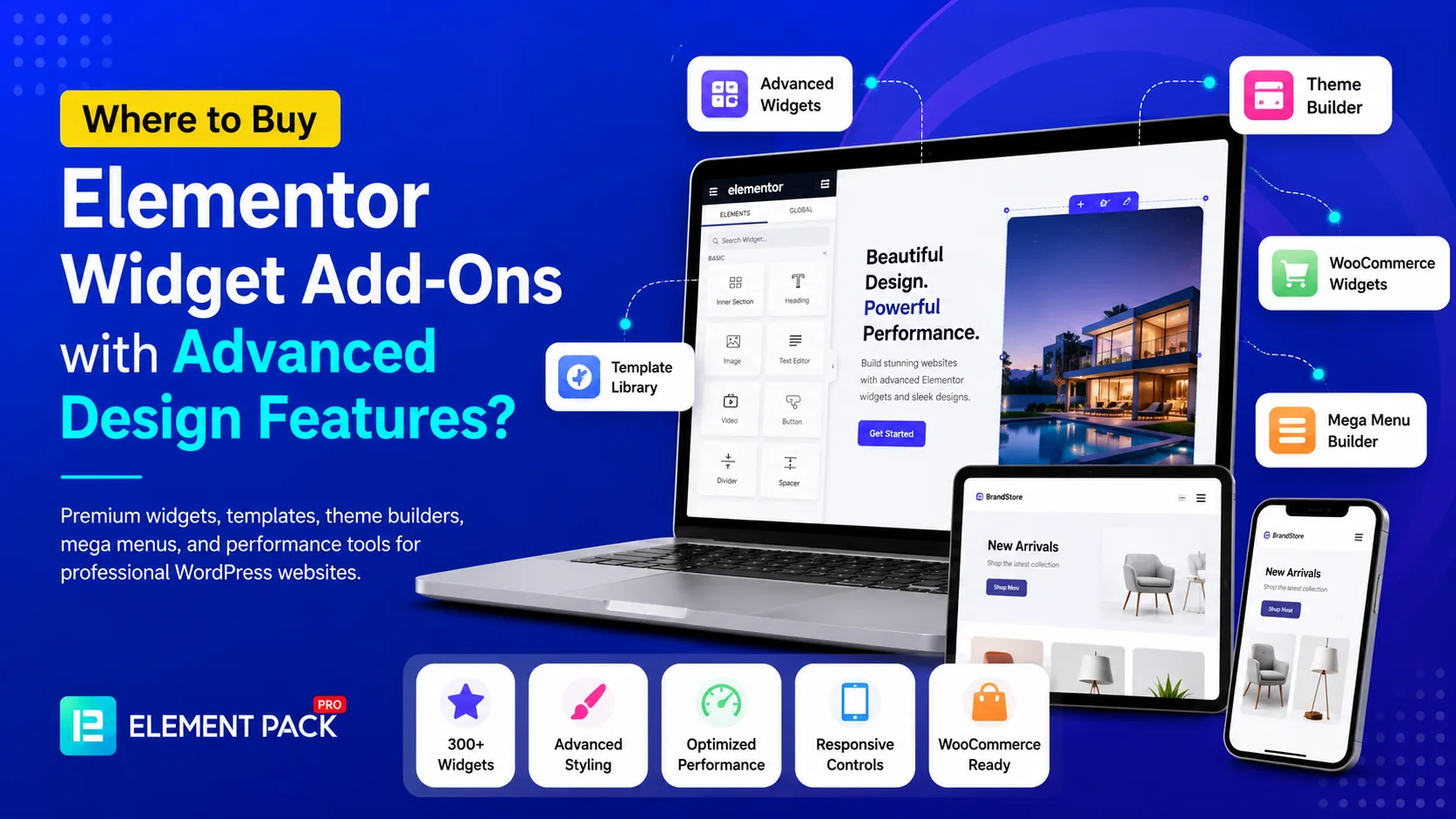
You want a slider with cinematic transitions. You want a pricing table with hover animations. You want a mega menu that adapts cleanly across every device. None of these comes standard with core Elementor. This is the exact moment most designers and agency owners start asking where they can purchase Elementor widget add-ons with advanced design features.
The answer is not as simple as picking the first plugin you find. The market is full of options, and the differences between them affect everything from your site speed to your long-term workflow. This guide walks through every major place you can buy Elementor add-ons, what separates a strong purchase from a weak one, and which features actually matter once you start building real client work.
Why the Default Elementor Widgets Are Not Enough
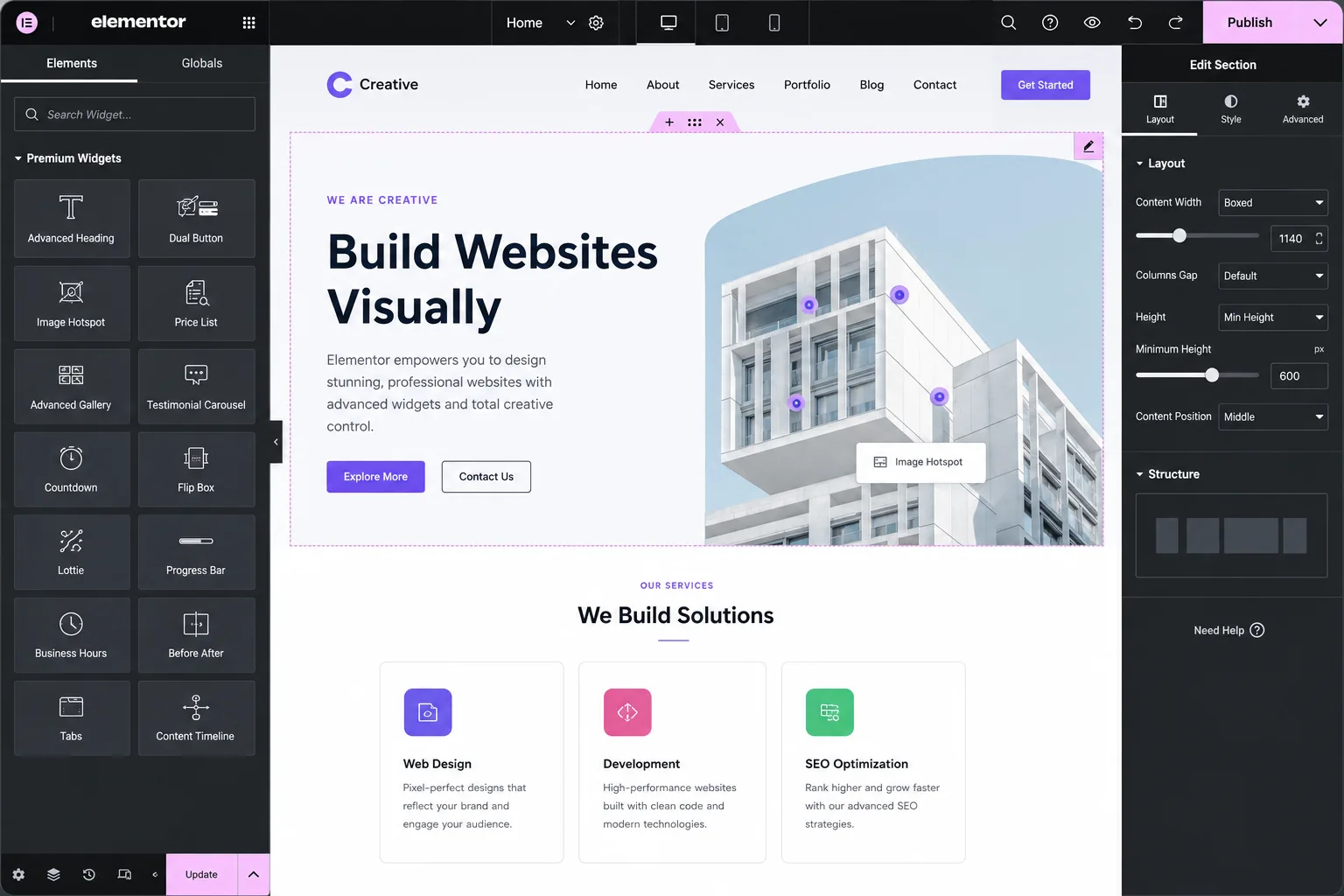
Core Elementor, even with its free Basic widgets, was never designed to cover every possible design need. It gives you the essentials, headings, text, images, buttons, and simple columns. These widgets work fine for a basic page, but they fall short the moment your project calls for something more refined.
- No advanced sliders with layered animations or video backgrounds
- Limited pricing table and comparison table designs
- No built-in mega menu or off-canvas navigation system
- Minimal WooCommerce-specific widgets for product display and checkout customization
- No native theme builder for headers, footers, and archive pages
- Few hover effects, motion controls, or creative button styles
Once you hit these walls, an Elementor add-on plugin becomes less of a luxury and more of a necessity. The question then becomes where you should actually buy one.
The Main Places to Purchase Elementor Widget Add-Ons
There are four common paths people take when shopping for Elementor add-ons. Each one comes with its own tradeoffs.
1. The Free WordPress.org Plugin Directory
Most premium add-on developers publish a free "lite" version on WordPress.org. This is a smart place to start if you simply want to test the editor experience and get a feel for a plugin before paying for anything. The catch is that lite versions almost always restrict the number of widgets, hide the most advanced design controls, and limit you to basic templates. You can browse and install one directly from your WordPress dashboard under Plugins and Add New.
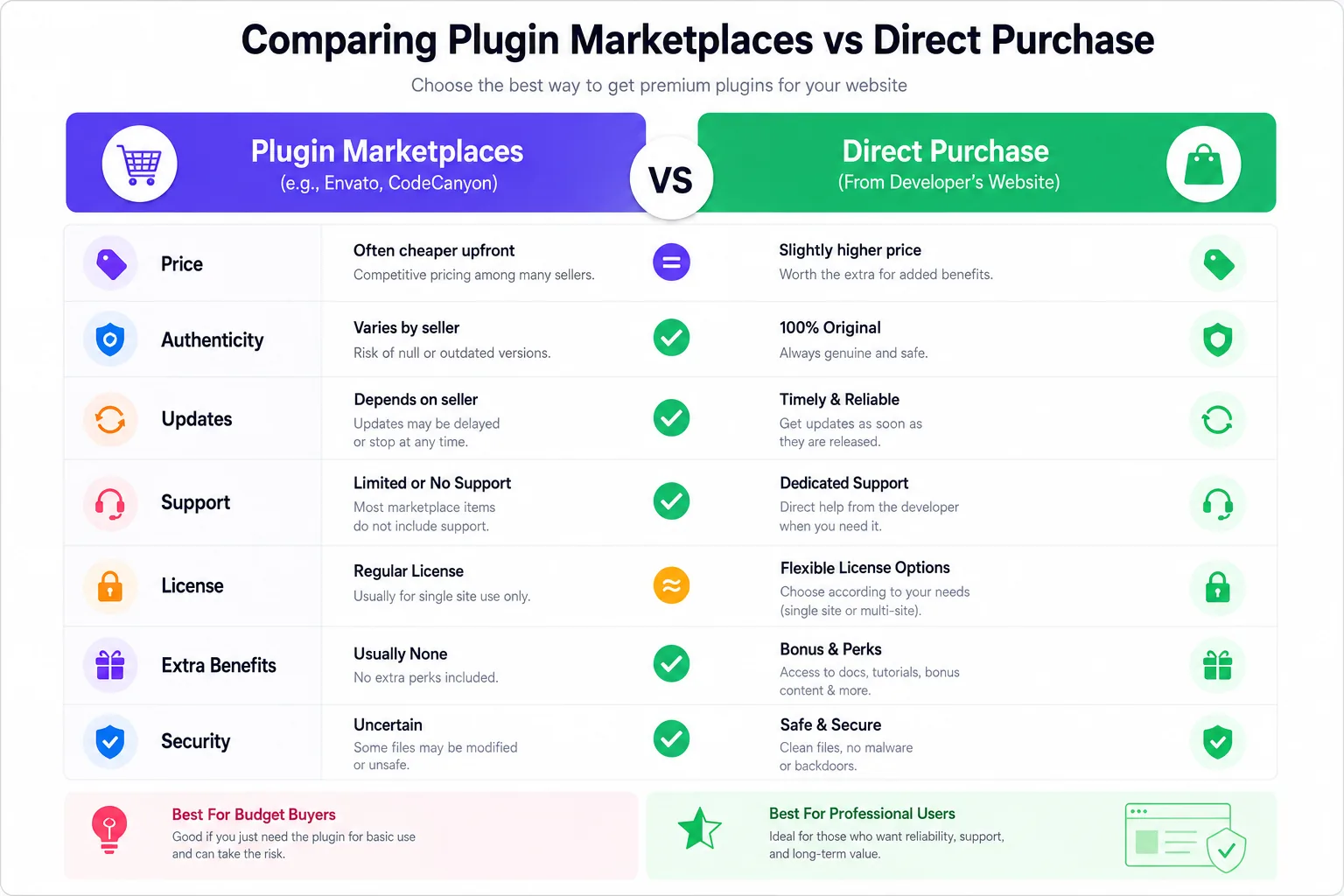
2. Code Marketplaces Like CodeCanyon
Marketplaces host thousands of individual plugins built by independent developers. The sheer volume of choice is appealing, and prices are often low. However, quality control varies enormously from one listing to the next. Update frequency, customer support quality, and compatibility with the latest Elementor version all depend entirely on the individual seller. Some plugins on these marketplaces go months or years without updates, which poses a real risk when WordPress or Elementor releases a major version change.
3. Bundled Theme Packages
Some WordPress theme companies bundle a basic widget add-on directly into their theme. This can feel convenient at first, but the widget set is usually tied tightly to that specific theme and rarely matches the depth of a dedicated, standalone add-on plugin. If you ever switch themes, you risk losing access to those widgets entirely.
4. A Direct Purchase from a Dedicated Elementor Add-On Company
The most reliable path, especially for freelancers and agencies that build websites professionally, is to buy directly from a company that focuses entirely on building Elementor add-ons. This is where you get consistent updates, dedicated support teams, and a widget library that grows over time rather than sitting stagnant.
This is exactly the category Element Pack Pro falls into. It is purchased directly from the developer rather than through a third-party marketplace, which means you get direct access to support, frequent updates, and a license system built specifically for the plugin.
What "Advanced Design Features" Actually Means
The phrase "advanced design features" gets used loosely across the WordPress plugin space, so it helps to define what it should actually include before you spend any money.
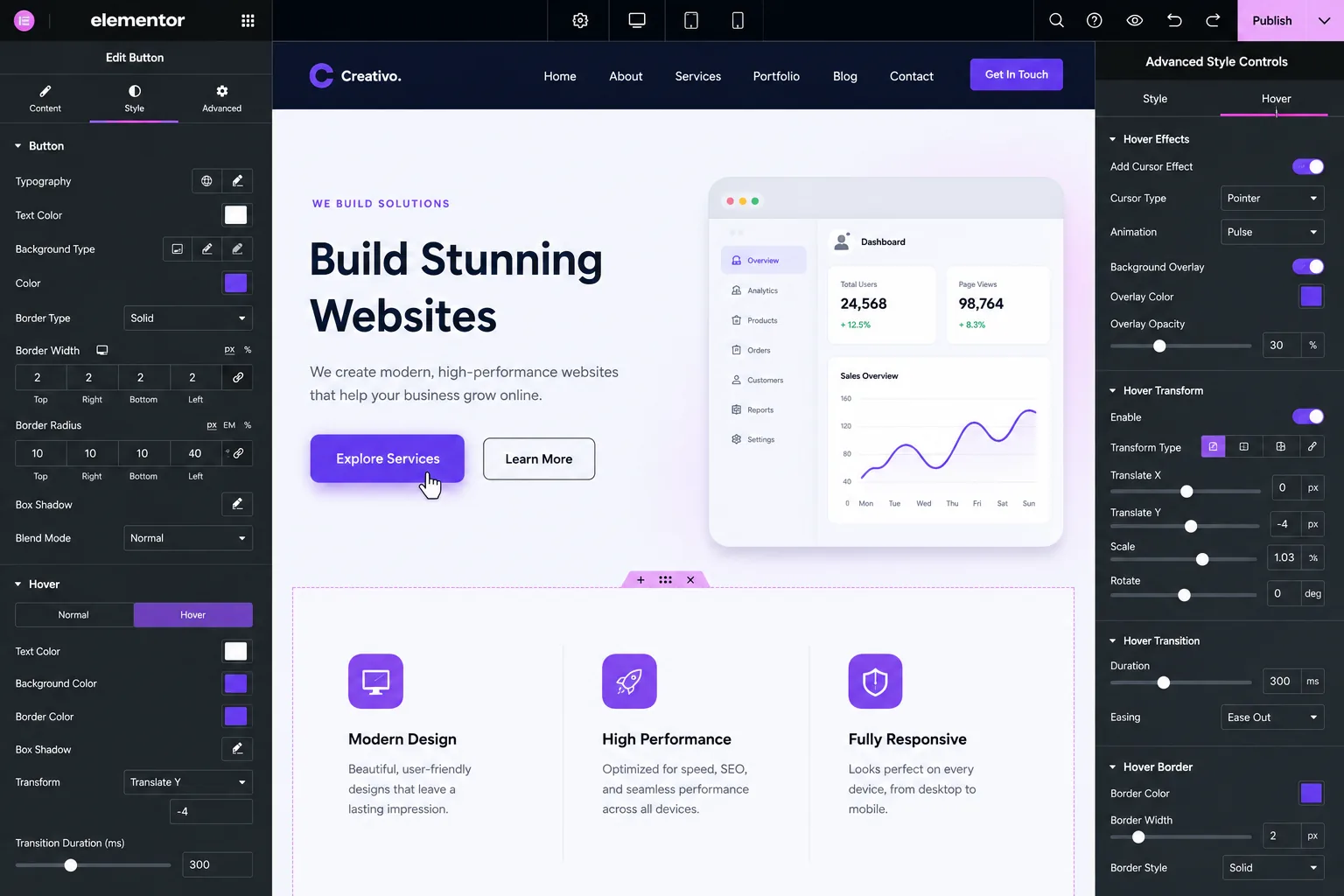
Granular Style Controls
A true advanced widget gives you control over far more than color and font size. Look for spacing controls down to individual sides, border radius adjustments per corner, layered box shadows, gradient backgrounds, and hover-state styling that applies independently of the default state.
Motion and Animation Options
Modern websites rely on subtle motion to feel alive. Advanced widgets typically include entrance animations, scroll-based effects, hover transitions, and parallax-style movement, all of which are adjustable without touching a line of custom CSS.
Dynamic Content Support
Advanced add-ons connect widgets to dynamic data sources such as custom fields, post meta, and WooCommerce product data. This means your widgets can pull live content instead of relying on hard-coded text and images.
Responsive Fine Tuning
Basic responsiveness just shrinks elements down. Advanced design features let you set entirely different values for spacing, font sizes, and visibility at desktop, tablet, and mobile breakpoints independently.
Template and Block Libraries
A genuinely advanced plugin pairs its widgets with a large collection of ready-made templates and blocks. This lets you start from a polished design and adjust it, rather than building every section completely from scratch.
When you evaluate any plugin against this list, you start to see why a comprehensive option matters so much more than a handful of disconnected single-purpose plugins.
What to Expect from a Top-Tier Elementor Add-On
To understand what a genuinely advanced purchase looks like, it helps to walk through the feature set of a leading plugin such as Element Pack.
A Massive Widget Library
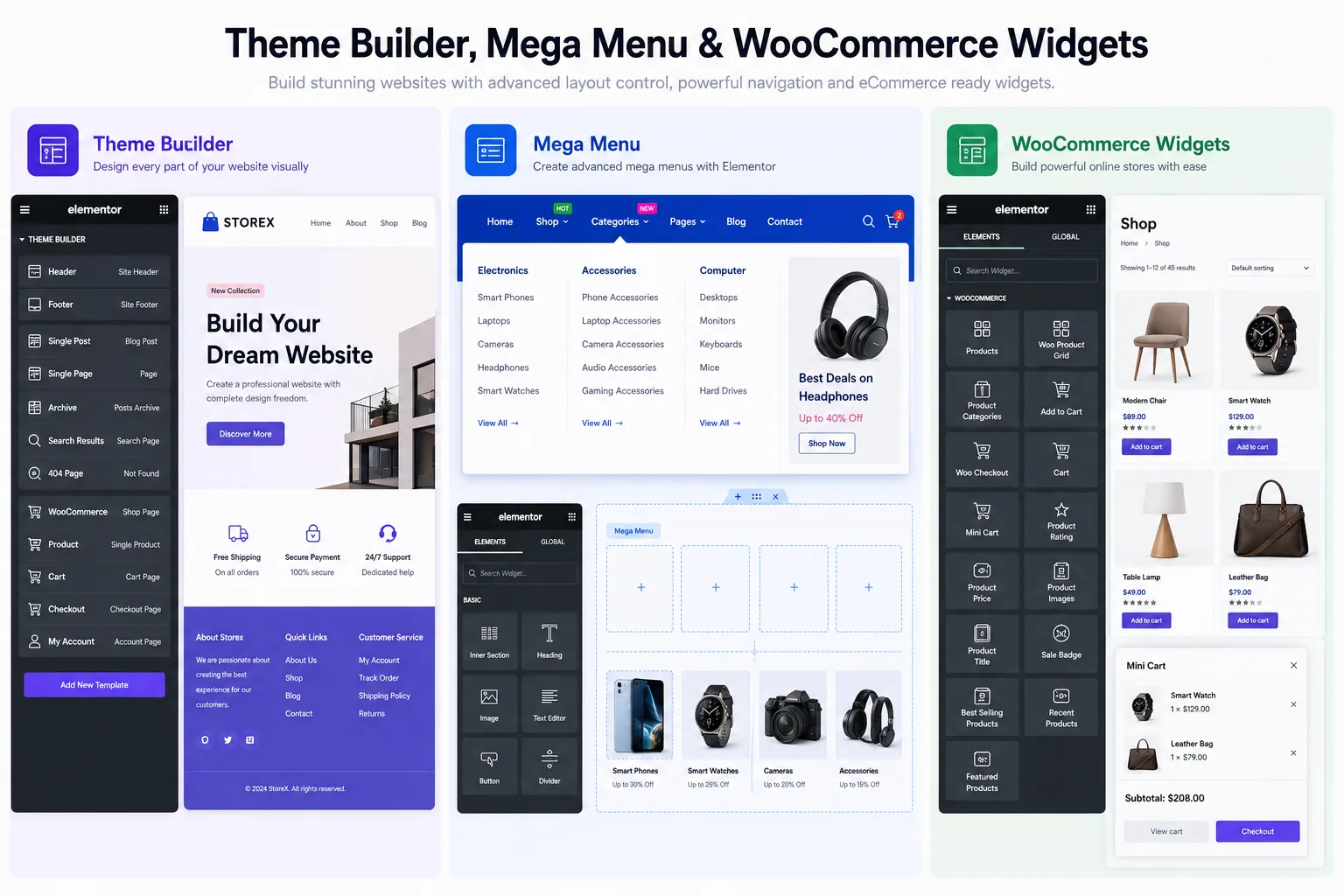
A serious add-on plugin offers hundreds of widgets, not a handful. This typically spans sliders, carousels, advanced buttons, testimonials, pricing tables, post grids, timelines, news tickers, contact forms, and a full set of WooCommerce widgets for product display, mini carts, and checkout flows.
Thousands of Ready Templates
Beyond individual widgets, a strong plugin bundles thousands of pre-designed page templates, section blocks, headers, and footers that you can insert directly inside the Elementor editor and adjust to match your brand.
A Built-In Theme Builder
A theme builder feature extends your design control beyond the page itself, letting you customize headers, footers, single-post layouts, archive pages, and WooCommerce product pages, all from within Elementor rather than in your theme files.
Mega Menu Builder
Navigation is one of the hardest things to get right with the default Elementor. A dedicated mega menu builder lets you design horizontal, vertical, and off-canvas menus that adapt smoothly across devices.
Custom Fonts and Icon Libraries
Brand consistency depends heavily on typography. The option to upload your own font files and connect custom icon sets means your design is never limited to generic defaults.
Live Copy Paste Across Sites
Some advanced plugins let you copy a section or widget from one WordPress site and paste it directly onto another, without exporting or importing template files. This dramatically speeds up multi-site workflows for agencies.
Performance and Asset Management
A genuinely well-engineered plugin lets you disable individual widgets you are not using, so unused code never loads on your live pages. This keeps page speed scores healthy even with a large widget library installed.
Role-Based Permission Controls
Agencies managing client sites benefit from controlling exactly which widgets different user roles can access. This keeps the editing experience simple for clients while developers retain full access.
Understanding Pricing and Licensing Before You Buy
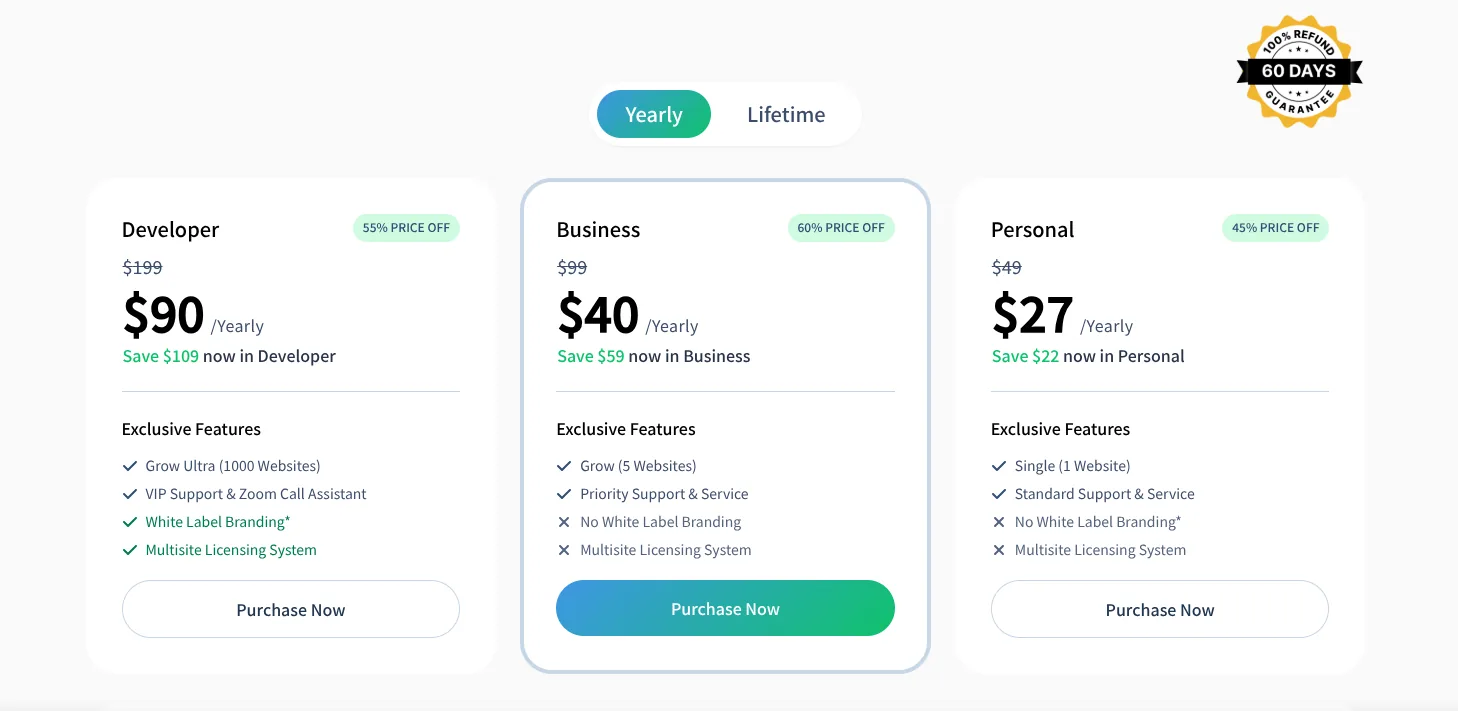
Once you find a plugin with the right feature set, pricing structure matters just as much. Most established Elementor add-on companies offer tiered licensing based on how many websites you plan to use the plugin on.
- Personal plans typically cover a single website and suit freelancers or individuals building one project
- Business plans usually extend coverage to a handful of websites, which fits small agencies or designers managing multiple client sites
- Developer or agency plans often unlock coverage for a large number of sites, along with extras like white-label branding, which lets agencies remove the plugin developer's branding entirely from the client-facing dashboard
Look for a plugin that offers a money-back guarantee window, since this gives you a real opportunity to test the widgets on an actual project before fully committing. Element Pack Pro, for example, structures its plans this way, with separate tiers for personal, business, and agency-level use, each scaled to the number of websites you need to cover.
A Quick Checklist Before You Buy Any Elementor Add-On
Before you finalize a purchase, run through this short checklist to make sure the plugin you are about to buy genuinely fits your needs.
- Does the plugin update regularly and stay compatible with the latest version of Elementor
- Does it offer a meaningful number of widgets relevant to the type of sites you build
- Are the style and customization controls deep enough to match your design ambitions
- Does it include performance tools so you can disable unused features
- Does the company offer responsive customer support and clear documentation
- Is there a refund window so you can test it risk-free
- Does the licensing structure match how many sites you actually need to cover
Running through this list takes only a few minutes, and it can save you from buying a plugin that looks impressive on a sales page but falls short once you start building real pages.
Frequently Asked Questions (FAQs)
Where is the best place to buy Elementor widget add-ons?
Buying directly from a dedicated Elementor add-on developer is generally the safest and most reliable route. You get consistent updates, direct customer support, and a license system built specifically for the plugin, rather than relying on a third-party marketplace listing that may not be actively maintained.
Are paid Elementor add-ons better than free ones?
Free lite versions are useful for testing, but they almost always restrict widget count, hide advanced style controls, and limit access to premium templates. A paid add-on typically unlocks the full widget library along with deeper customization options and ready-made templates.
What advanced design features should I look for in an Elementor add-on?
Look for granular style controls, animation and hover effects, dynamic content support, independent responsive settings for each device, and a large library of ready-made templates. These features separate a genuinely advanced plugin from a basic one.
Can I use multiple Elementor add-on plugins together?
Technically, yes, but running several add-on plugins at once often leads to conflicting scripts, slower load times, and inconsistent design styles between widgets from different developers. A single comprehensive plugin usually delivers a smoother result.
Do Elementor widget add-ons slow down my website?
A well-built add-on includes performance controls that let you disable any widgets you are not using, so unused code never loads on your live pages. Always check whether a plugin offers this kind of asset management before purchasing.
Is it safe to buy Elementor add-ons from marketplaces like CodeCanyon?
It can be safe, but quality varies significantly between sellers. Some marketplace plugins receive frequent updates and solid support, while others are abandoned shortly after release. Always check the most recent update date and read recent reviews before purchasing from a marketplace.
Can agencies use one Elementor add-on license across multiple client sites?
Most add-on companies offer tiered licensing plans specifically for this purpose. Business- and agency-level plans typically cover more websites and may include white-label branding options for client-facing dashboards.
Final Thoughts
Finding the right place to purchase Elementor widget add-ons with advanced design features comes down to looking past flashy marketing and focusing on what actually matters: regular updates, deep customization controls, real performance tools, and dependable support. A free plugin from the WordPress directory can get you started, but a comprehensive, professionally maintained add-on purchased directly from its developer almost always delivers a better long-term experience.
A plugin like Element Pack Pro demonstrates what this looks like in practice: a massive widget library, a built-in theme builder, mega menu controls, dynamic content support, and performance tools, all bundled into a single purchase with tiered licensing for personal projects, agencies, and everything in between.
Before you commit to any plugin, run it through the checklist in this guide, test the free version if available, and confirm that the company offers a refund period. Taking a few extra minutes before you buy can save you hours of frustration later in your design process.
If you are ready to explore a complete widget library built for serious WordPress design work, take a closer look at Element Pack and see how far your Elementor projects can go with the right set of tools behind them.
Tariqul
The BdThemes team builds WordPress plugins trusted by 3M+ users worldwide. We write about web accessibility, WCAG compliance, and inclusive design.