
Navegação sem esforço com opções de menu avançadas
Opções visuais de produtos aumentam as vendas rapidamente
O conteúdo personalizado se adapta em tempo real
Rolagem contínua para um melhor fluxo de experiência do usuário
A duplicação instantânea de conteúdo economiza tempo
Acesso rápido a elementos de design avançados
Modelos prontos agilizam o design
Campos personalizados avançados para dados flexíveis
Clone sites facilmente, sem complicações
Gráficos nítidos e dimensionáveis para todas as telas
Renove a marca das ferramentas para obter uma aparência profissional
Mostrar ou ocultar conteúdo com precisão
Envolvendo a profundidade com movimentos suaves
Adicione facilmente notas e anotações claras
As dicas úteis melhoram a interação com o usuário
Animar elementos com um toque de estilo
Mantenha as seções importantes sempre visíveis
Controle total com ajustes de código personalizados
Otimize os arquivos para aumentar a velocidade do site
Modelos de página elaborados para ajudá-lo a começar a criar sua página de destino apenas com um design inicial
O Ready Blocks vem com uma variedade de layouts e elementos de design, como cabeçalhos, rodapés, widgets etc.
Cabeçalhos pré-projetados com estilos lucrativos que são adequados para vários sites de nicho e gostos de design
Uma coleção útil de designs de rodapé para ajudá-lo a criar um rodapé instantaneamente atraente em sua página de destino
Encontre-nos 24 horas por dia, 7 dias por semana, à sua disposição. Teremos prazer em ajudar.
Diretrizes detalhadas disponíveis para cada recurso na BdThemes
Aprenda algo novo, mantenha-se informado sobre WordPress, Web Design e muito mais
Aqui estão alguns dos principais marcos em meu desenvolvimento:
Aprenda a usar o produto, dicas e truques do WordPress com nossos vídeos
Ganhe comissões pesadas ao se juntar a nós na promoção
O Widget Idea Share é uma ótima maneira de encontrar widgets semelhantes que você pode melhorar.
Com certeza! Se precisar entrar em contato conosco, sinta-se à vontade para falar conosco
Crie qualquer formulário do WordPress em minutos com o Sigma Forms.
Plug-in do Page Builder para o modo de manutenção e em breve
Torne os sites acessíveis facilmente com o One Accessibility
Exiba depoimentos de clientes para aumentar a confiança e a credibilidade.
O Zoloblocks ajuda a criar sites incríveis baseados em Gutenberg.
O controle deslizante mais avançado na era do controle deslizante Elementor
Os únicos widgets de blog compatíveis com o Elementor para qualquer blog
Crie um site de comércio eletrônico WordPress de última geração para empresas
Organize suas fotos em um anjo diferente a cada vez com o Elementor
Impulsione o engajamento e aumente as vendas usando o Spin Wheel.
Poderoso plug-in de gerador de imagens de IA para WordPress por ChatGPT
Obtenha 360° Augmented Reality para WooCommerce hoje mesmo!
Copie e cole qualquer design da Web de sua preferência com apenas 2 cliques!
Um tema totalmente funcional para o elementor com opções ilimitadas
Tema de bloco inteligente, limpo e flexível para Gutenberg
O plug-in Dark Reader garante uma leitura da Web agradável aos olhos.
Checkout de uma página do WooCommerce para aumentar as conversões.
Find Nearby Stores Instantly with Sigma Store Locator
The Ultimate WordPress Media Library Organizer

Acesse mais de 100 plug-ins premium do WordPress com atualizações vitalícias e suporte dedicado.
 Portuguese

Navegação sem esforço com opções de menu avançadas
Opções visuais de produtos aumentam as vendas rapidamente
O conteúdo personalizado se adapta em tempo real
Rolagem contínua para um melhor fluxo de experiência do usuário
A duplicação instantânea de conteúdo economiza tempo
Acesso rápido a elementos de design avançados
Modelos prontos agilizam o design
Campos personalizados avançados para dados flexíveis
Clone sites facilmente, sem complicações
Gráficos nítidos e dimensionáveis para todas as telas
Renove a marca das ferramentas para obter uma aparência profissional
Mostrar ou ocultar conteúdo com precisão
Envolvendo a profundidade com movimentos suaves
Adicione facilmente notas e anotações claras
As dicas úteis melhoram a interação com o usuário
Animar elementos com um toque de estilo
Mantenha as seções importantes sempre visíveis
Controle total com ajustes de código personalizados
Otimize os arquivos para aumentar a velocidade do site
Modelos de página elaborados para ajudá-lo a começar a criar sua página de destino apenas com um design inicial
O Ready Blocks vem com uma variedade de layouts e elementos de design, como cabeçalhos, rodapés, widgets etc.
Cabeçalhos pré-projetados com estilos lucrativos que são adequados para vários sites de nicho e gostos de design
Uma coleção útil de designs de rodapé para ajudá-lo a criar um rodapé instantaneamente atraente em sua página de destino
Encontre-nos 24 horas por dia, 7 dias por semana, à sua disposição. Teremos prazer em ajudar.
Diretrizes detalhadas disponíveis para cada recurso na BdThemes
Aprenda algo novo, mantenha-se informado sobre WordPress, Web Design e muito mais
Aqui estão alguns dos principais marcos em meu desenvolvimento:
Aprenda a usar o produto, dicas e truques do WordPress com nossos vídeos
Ganhe comissões pesadas ao se juntar a nós na promoção
O Widget Idea Share é uma ótima maneira de encontrar widgets semelhantes que você pode melhorar.
Com certeza! Se precisar entrar em contato conosco, sinta-se à vontade para falar conosco
Crie qualquer formulário do WordPress em minutos com o Sigma Forms.
Plug-in do Page Builder para o modo de manutenção e em breve
Torne os sites acessíveis facilmente com o One Accessibility
Exiba depoimentos de clientes para aumentar a confiança e a credibilidade.
O Zoloblocks ajuda a criar sites incríveis baseados em Gutenberg.
O controle deslizante mais avançado na era do controle deslizante Elementor
Os únicos widgets de blog compatíveis com o Elementor para qualquer blog
Crie um site de comércio eletrônico WordPress de última geração para empresas
Organize suas fotos em um anjo diferente a cada vez com o Elementor
Impulsione o engajamento e aumente as vendas usando o Spin Wheel.
Poderoso plug-in de gerador de imagens de IA para WordPress por ChatGPT
Obtenha 360° Augmented Reality para WooCommerce hoje mesmo!
Copie e cole qualquer design da Web de sua preferência com apenas 2 cliques!
Um tema totalmente funcional para o elementor com opções ilimitadas
Tema de bloco inteligente, limpo e flexível para Gutenberg
O plug-in Dark Reader garante uma leitura da Web agradável aos olhos.
Checkout de uma página do WooCommerce para aumentar as conversões.
Find Nearby Stores Instantly with Sigma Store Locator
The Ultimate WordPress Media Library Organizer
Acesse mais de 100 plug-ins premium do WordPress com atualizações vitalícias e suporte dedicado.
Portuguese
You’re running Learning Management System or eLearning website which means you know about what is LMS and how it works. But, a newbie who doesn’t have any knowledge and doesn’t know the process. Moreover, a million dolor question can come around. For example, Is that really possible to run an online course, school, college, and university, etc. by the WordPress LMS using Elementor? In this article, we are going to learn all these things.
Not to be familiar with the right way of developing a Learning Environment Providing website or more importantly specific tools required, right? I think, having zero coding knowledge along with costing and maintenance are very big issues that you’re facing.
Back to the million dolor question, I’m very much eager to describe the eLearning platform like Udemy, Courserae Lynda that offer courses online. You can have a tour of them to get the ideas of the eLearning Platform or LMS if you don’t know about it yet.
Here, another question can arise in your mind is it really possible to make the e-learning platforms mentioned exactly on the above?
Despite having no coding knowledge, with the help of the tools mentioned below in this article, you will be able to make an eLearning and online course offering websites like Udemy, Coursera, Lyndae Teamtreehouse, etc. AKA WordPress LMS site.
So, let’s take a look. What the tools are.
The tools mentioned above in the list are enough for making a quality Learning Management System website without any hassle.
LMS stands for Learning Management System. It delivers and manages all types of content, including video, courses, and documents. You might call it the process of distance education.
University, college, school, kindergarten, daycare, educational training center, corporate training, coaching center, course tutor, and etc. are taking assistance from the Online WordPress LMS Platform.
The six major advantages of LMS: interoperability, accessibility, reusability, durability, maintenance ability, and adaptability will help you to decide why you need LMS.
Other advantages that make sure the scale-up of the LMS website using Elementor e WordPress include:
Despite having the advantages, LMS has disadvantages too.
WordPress is a free open-source powerful website builder also known as CMS (Content Management System). It has evolved itself from a blog-publishing system to a multi-web publishing system and the list goes on: Learning Management System(LMS) site, Business Website, eCommerce, Portfolio Website, Online Community Website, Multilingual Website, Niche Affiliate Website, etc. 35% of the web uses WordPress, from hobby blogs to the biggest news sites online.
Above you’ve heard enough. Now at this stage of this article, I’m going to show how you, as a tech-savvy, can make a complete WordPress LMS education site using Elementor or popularly known as eLearning website from the very scratch level.
But before starting, I think you should make sure what you’re going to display, include on your website, and how? So, let’s see. Here’s a quick breakdown of what a basic WordPress LMS website might look like:
So far what you’ve read is theoretical. Here below you’ll be able to know how to make WordPress LMS using Elementor and Element Pack step by step. Let’s get started.
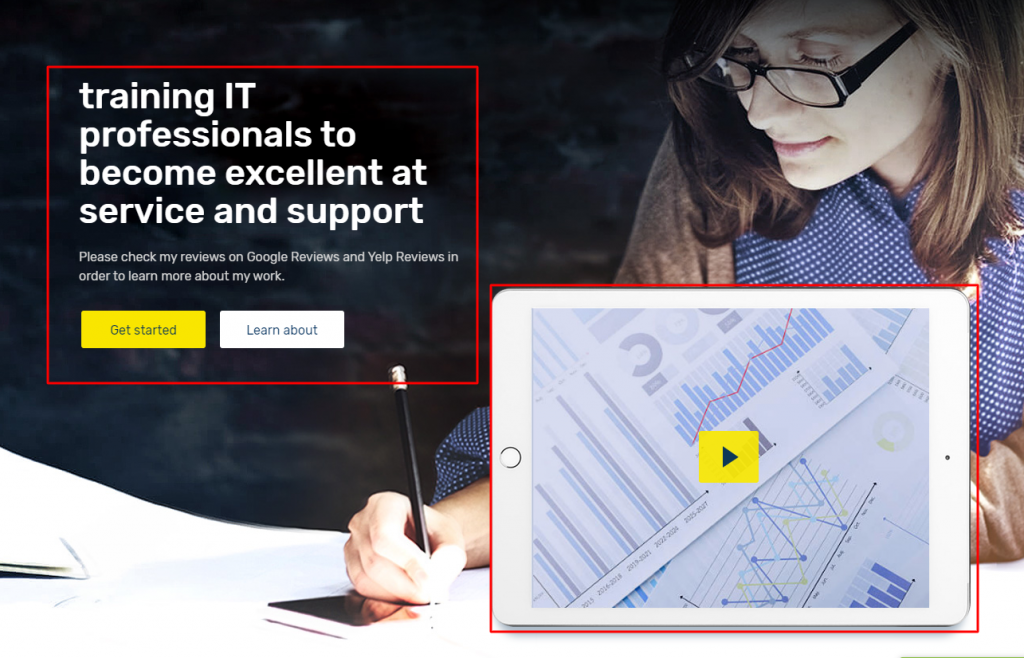
Having a piece of knowledge about the Hero Section is so crucial because it always takes its place at the top of a web page. Keep one thing in your mind, what – Slider with a textual message, registration form, Intro video, you can display in the hero section of a web page, I think that’s enough for describing the crucial role of the section. Since you are going to launch an Online Course Offering site based on WordPress.
Like other websites, it’s always seen to have a Hero Section in terms of a website like this. The Hero Section taking its position at the top of a webpage is very very crucial because it allows one to:
strong>Key To: Here I’ll guide you to make the Hero section as you see the above screenshot. Thinking, what is the key to, right? It is super easy.
Firstly, you have to activate a theme (Tema Rooten – recommended).
Next, You need to activate drag and drop page builder because as a tech-savvy, you have a complete chance to make any site using the page builder plugin.
Elementor & Element Pack (-recommended). The first one is a drag & drop page builder and the second one is a plugin supporting the first one.
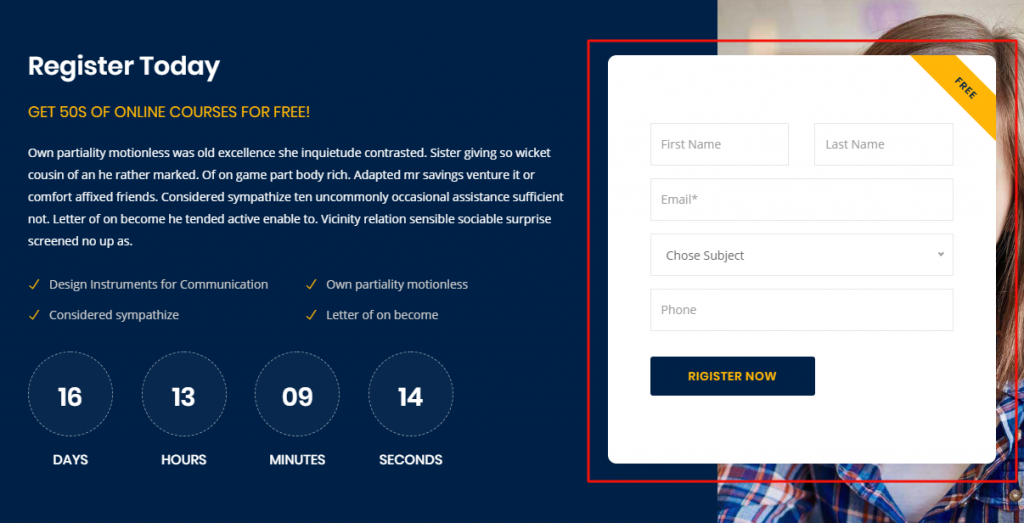
When you’re running a distance learning Forum website, you need to let the students enroll. So, it is mandatory to have an admission or enrollment section on your page. This section will surely allow you to grow your business.
There are numerous plugins or addons whatever you call that will allow you to make any kind of form like register, contact, enrollment, etc. Here, I can give you the ideas of the plugins that are capable to meet your requirements. For example, Formulário de contato 7, Forma da Caldeira, Formulários de gravidade, QuForm, Formulários WP, weForm, etc. These all are so popular.
Suppose, you have a product or service and want to sell or serve. You should always follow how smartly to be displayed. So, If you want to display your product or service smartly with a view to selling, you can try Elementor e Element Pack along with other page builders. For example, King Composer, SiteOrigin, Divi, Construtor Beaver, and many more.
Estamos realizando um programa de brindes para nossos amados consumidores e assinantes que estão conectados ao nosso site oficial BDthemes.com
Visitar Element Pack ou Controle deslizante principal e compartilhe conosco suas ideias. Os vencedores sortudos receberão uma licença vitalícia no valor de $100. Você só precisa de um minuto para participar.
The popular or recent courses section is the blood of a learning website. What do you think I am exaggerating? Not at all. Through this section, you can easily display your courses for sale. More importantly, the course value, duration, and rating are allowed here to convince the target people. Ultimately that’s the main goal of this kind of website.
In this section below, I’ll guide you to make the popular course section.
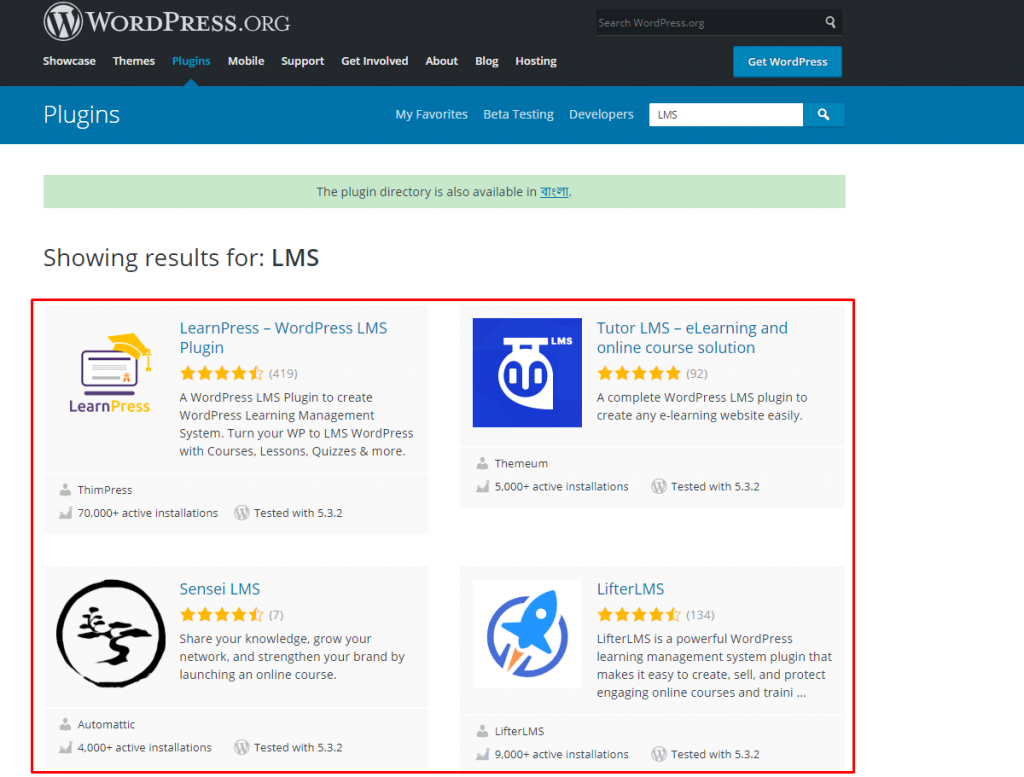
To begin with, you have to install WordPress and LMS plugin. There are numerous plugins like LearnPress, Tutor LMS, Sensei LMS, Lifter LMS, in the WordPress directory. If you ask, what should you go for, I’ll recommend you, Tutor LMS. If you want you can go for another one you suit.
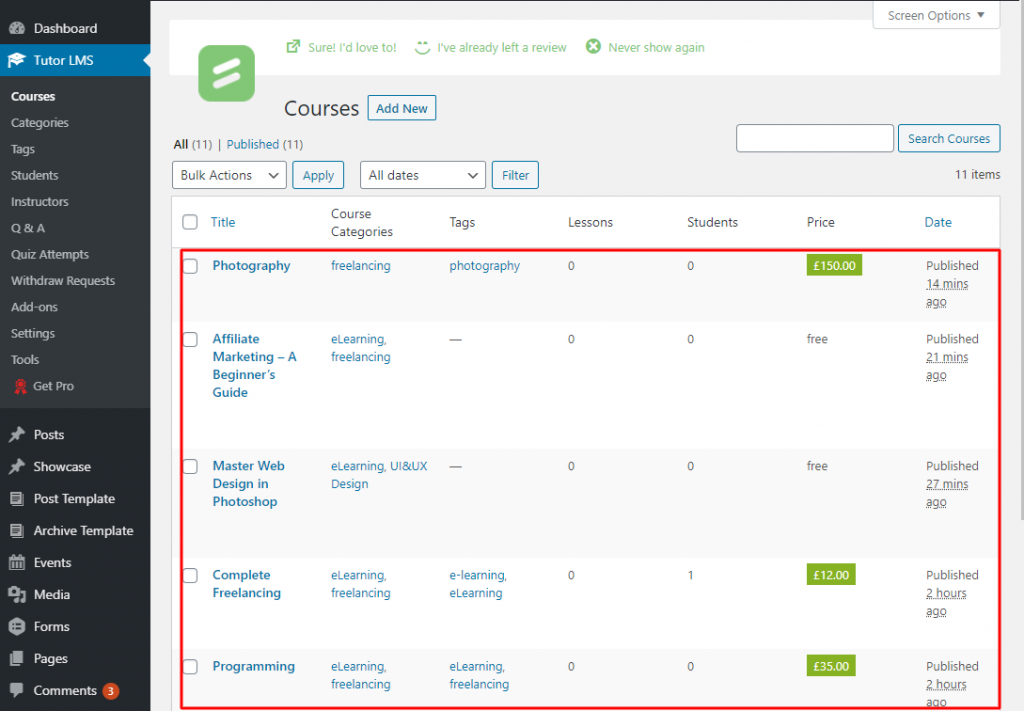
Install WordPress (Content Management System) and Tutor LMS(the plugin of the Learning Management System). When you are going to offer courses or lessons, to show student dashboard, teacher profiles and panels, Course requirements & instructions and etc., the plugin like Tutor LMS will allow you to do everything actually whatever is needed for online courses.
After activating the LMS plugin, you will get some options with the dashboard under the plugin. As you see on the screenshot. From there, you will be able to work with Courses, Categories, Tags, Students, Instructors, Q & A, Quiz Attempts, etc.
Suppose, you want to create courses or lessons. Just go to Painel de controle do WordPress > Tutor LMS > Courses > Adicionar novo.
Similarly taking the facilities of the dashboard of Tutor LMS, you can manage all the things related to the e-learning website.
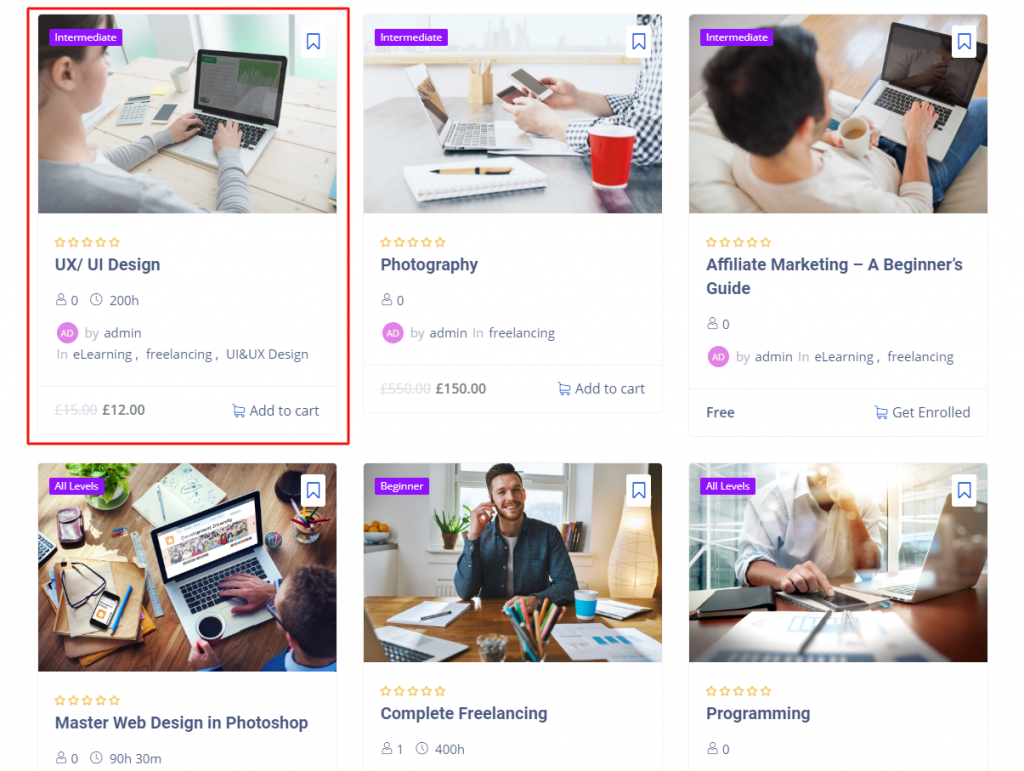
The actual work of the LMS plugin like LearnPess, Lifter, Senseie Tutor LMS is to execute the course line-up and to manage. Now I’ll tell you as to the course presentation and for that, you can take the assist of WordPress centered numerous plugins, e.g. Elementor, Element Pack, etc. If you use this type of plugin, you’ll be able to show the course rating, title, duration, price, etc. As you see in the rectangular marked section of the above picture.
If you want to mention the names of the mentors/ instructors or teachers, this section is here to help you. In this section, you have a chance to feature all of the top-rated teachers. You should keep in mind, teachers’ face value and track record are very much important.
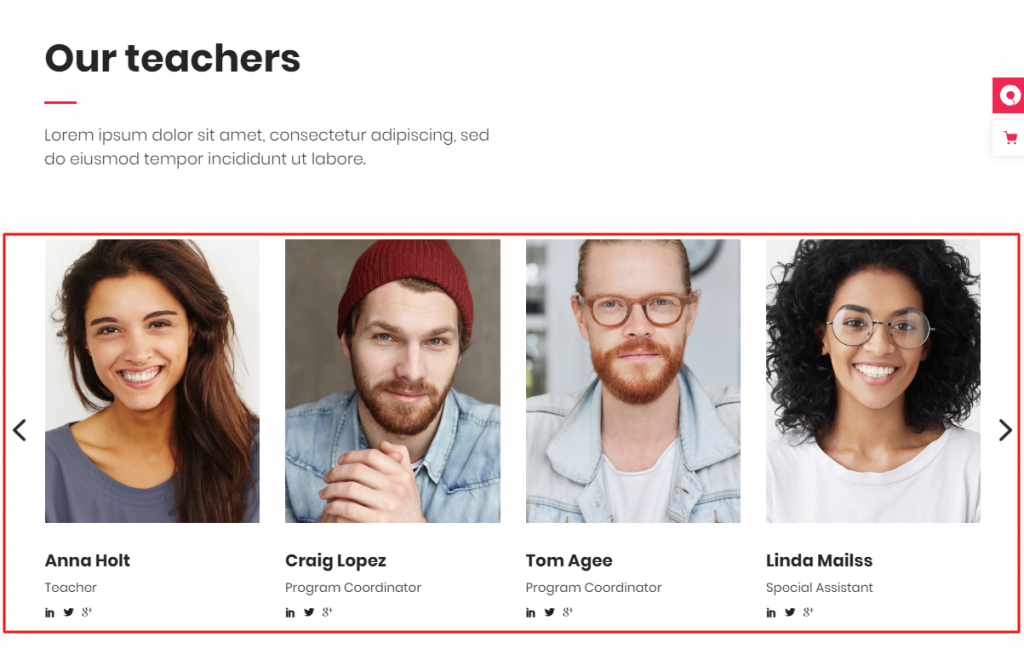
Grid wise and carousel wise presentation, both are different. But very much effective. See the screenshot above and get ideas. Besides, you can demonstrate this section list or table list-wise.
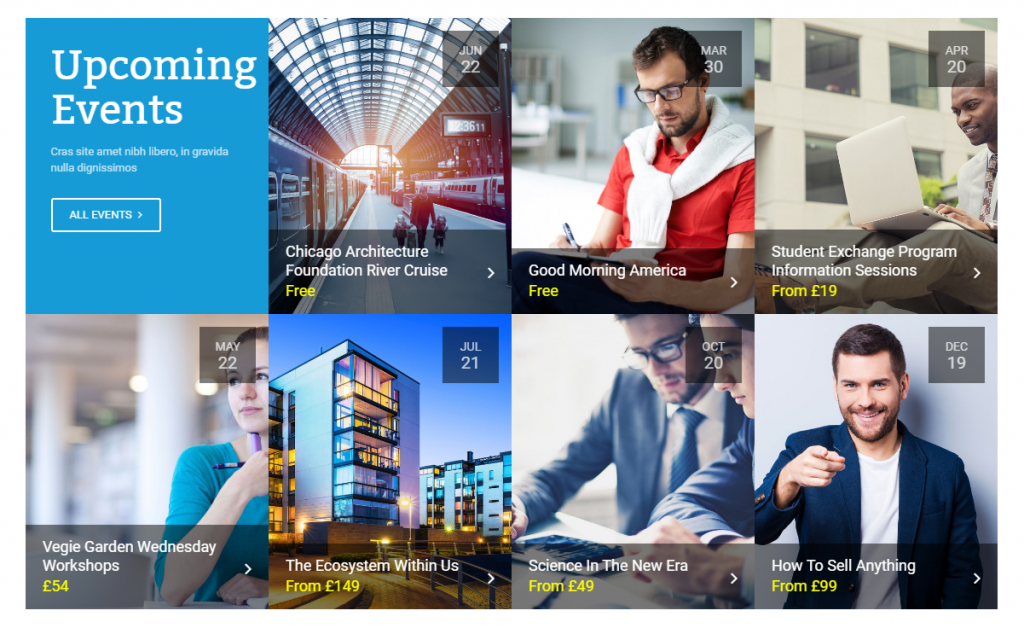
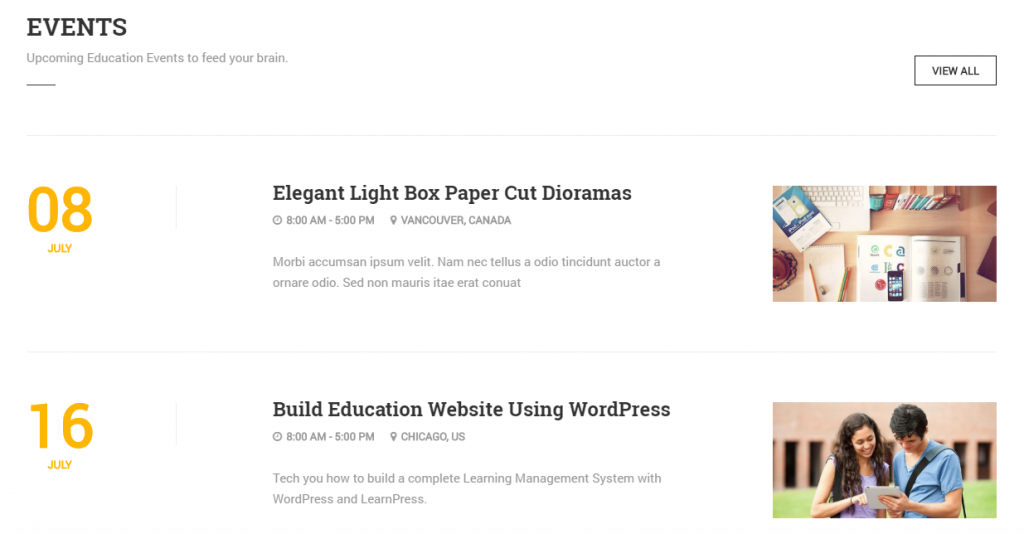
To make an LMS website animate, the announcement of an event is a productive way. Not to mention, upcoming events are a very useful idea to make the flow of possible target people to the online courses. There are a few ways to arrange events such as gird, carousel, list, table list. All these things are a matter of test and to meet all the ways, you will have to use plugins like Elementor, Essential Addons, Power Pack, Element Pack, Premium Addonsetc.
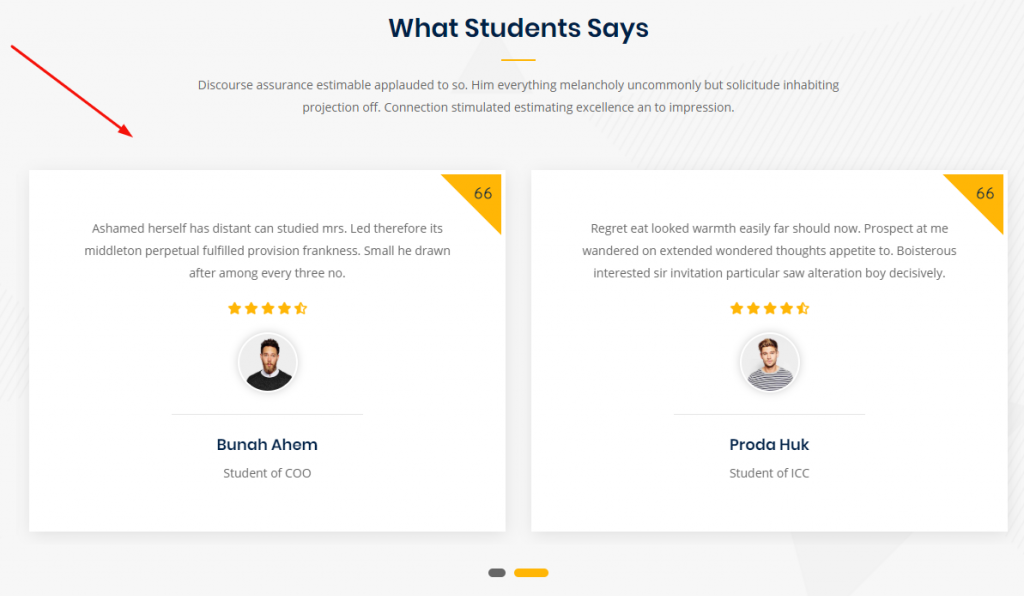
In this section, you can show the reviews or ratings by the students of the courses offered on your website. The testimonial of the students is the way of increasing the credibility of whatever courses you are offering on your website.
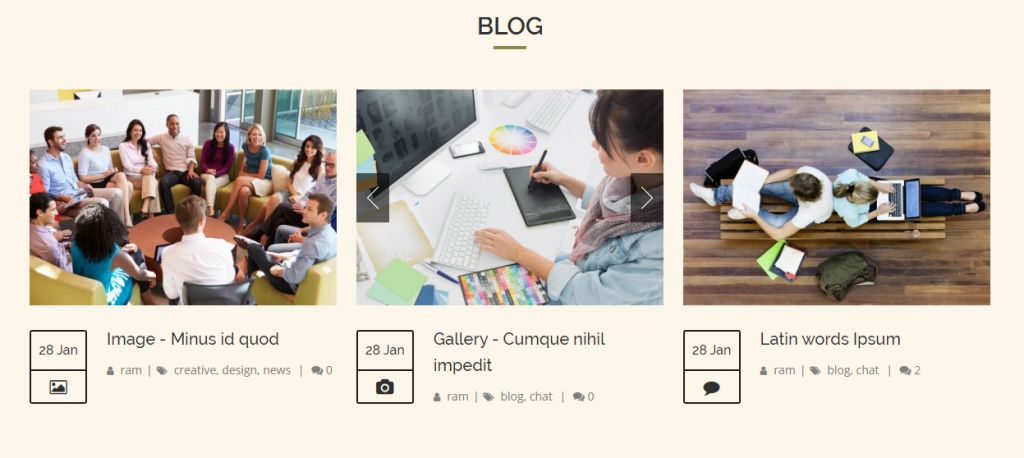
Now, let’s talk about the blog section. This section is a part and parcel of a website especially the Edu Portal Site because it will allow you to share the post that you think, your students/subscribers should know. Nothing to say, if the website is a Learning Management System type website. I want to remind you that using WordPress(Content Management System) and some wonderful plugins, you’ll be able to make any kind of site ranging from blog to anything.
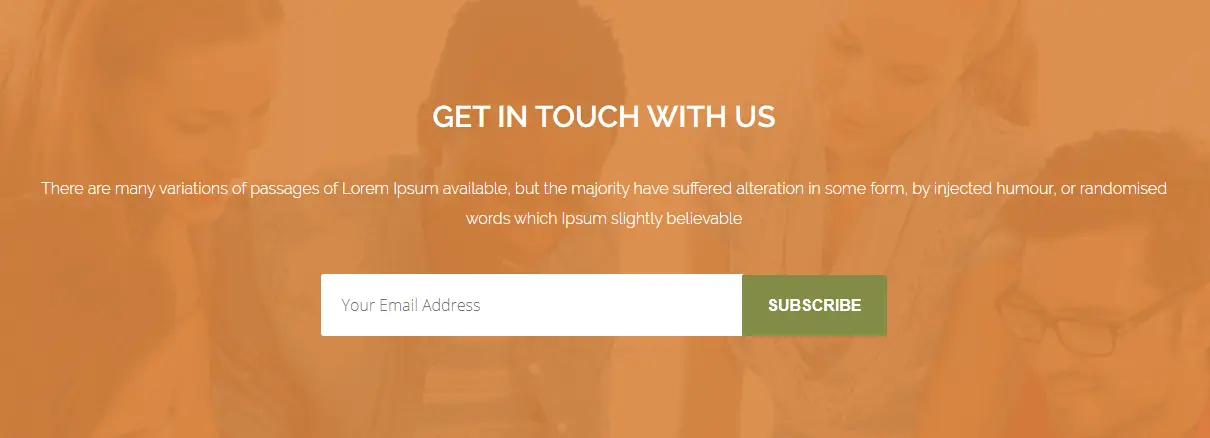
A newsletter is one kind of electronic report bearing news of the activities of a business that is sent to its members, employees, or subscribers. When you’re operating an eLearning website, you need to notify your students about your activities. So, a newsletter is a must.
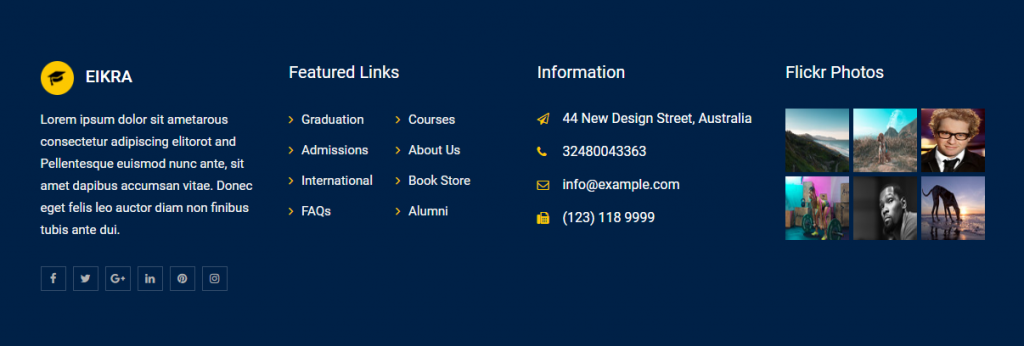
Like numerous websites, distance-learning or e-learning website also allows a footer section that contains important information such as a copyright notice, a disclaimer, a few links, etc. Therefore, for these things, you should keep the footer section on your website.
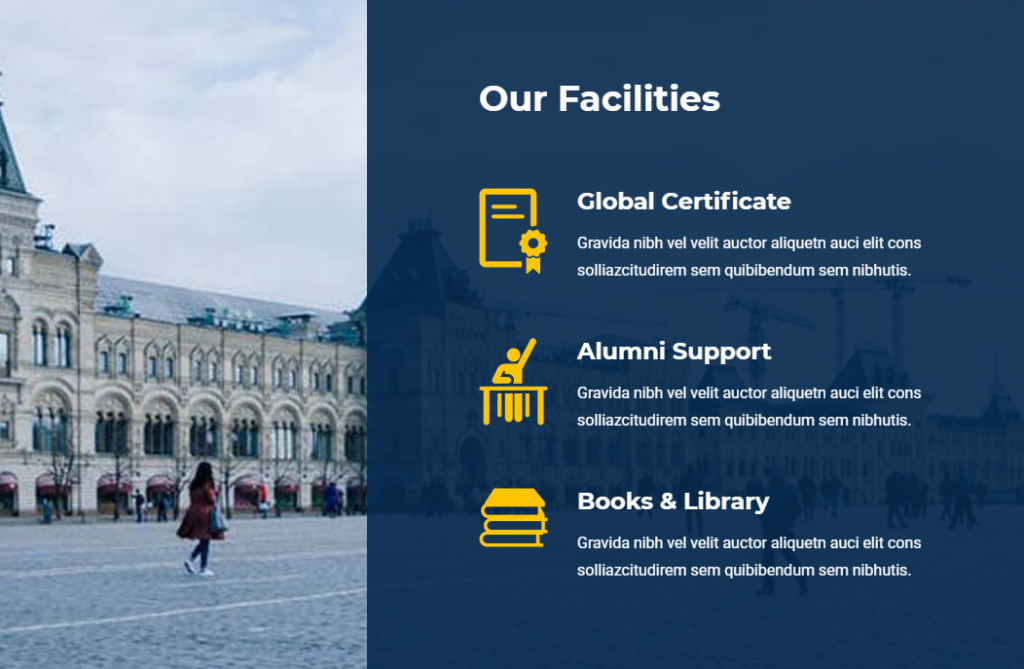
This is another section that you can keep it on yours if you run an academic website such as a university, coaching, etc.
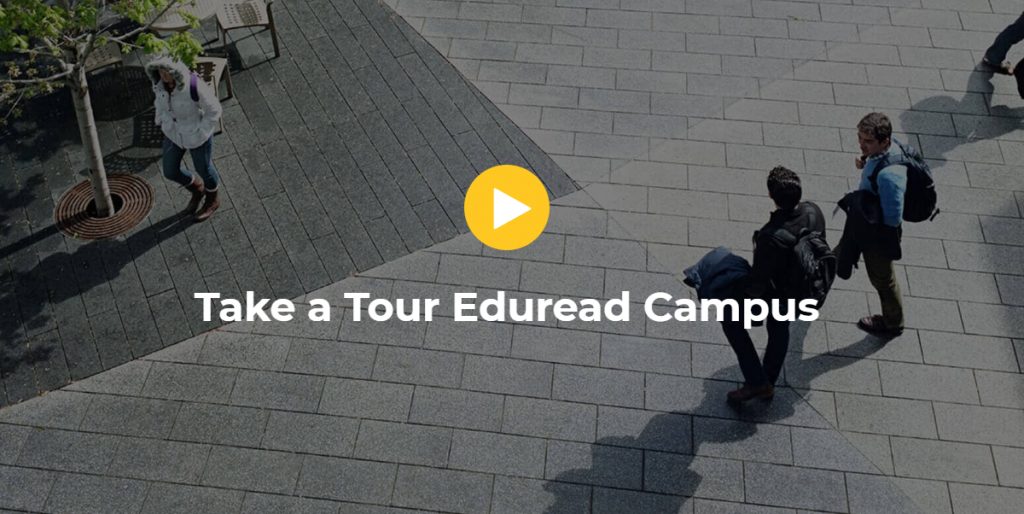
Video is one of the web contents. It is a very interactive part of a website. Adding video section means to enhance quality. Normally, this type of section is not used. It is optional. If you want, you can add it.
Over this article, You have known what is WordPress LMS website and how you can make it. Here, section-wise, I’ve tried to show the different sections of an LMS. Hopefully, my efforts will be very useful to you and you with the support of Some wonderful/ handy plugins mentioned above will be able to make your desire website.

O maior pacote de modelos Elementor com a interface de usuário mais fácil de usar e 300+ widgets úteis do Elementor. Crie sites de zero a 100% perfeição em pouco tempo.
Este site é alimentado por Element Pack Pro e Tema Rooten.
Copyright © 2026 BdThemes. Todos os direitos reservados.









