
다양한 메뉴 옵션을 통한 손쉬운 탐색
시각적인 제품 선택으로 빠른 매출 증대
실시간으로 조정되는 개인화된 콘텐츠
원활한 스크롤로 UX 흐름 개선
즉각적인 콘텐츠 복제로 시간 절약
강력한 디자인 요소에 빠르게 액세스
기성 템플릿으로 디자인 속도 향상
유연한 데이터를 위한 고급 사용자 지정 필드
번거로움 없이 간편하게 사이트 복제
모든 화면에 적합한 선명하고 확장 가능한 그래픽
전문적인 룩을 위한 리브랜딩 도구
콘텐츠를 정확하게 표시하거나 숨기기
부드러운 모션으로 깊이 있는 몰입감
선명한 메모와 주석을 쉽게 추가하세요
유용한 힌트로 사용자 상호 작용 개선
세련된 감각으로 요소에 애니메이션 적용
중요한 섹션은 항상 표시되도록 유지
사용자 지정 코드 조정을 통한 완벽한 제어
파일 최적화를 통한 사이트 속도 향상
연중무휴 24시간 언제든지 문의하세요. 기꺼이 도와드리겠습니다.
모든 기능에 대한 자세한 가이드라인은 BdThemes에서 확인할 수 있습니다.
새로운 것을 배우고, 워드프레스, 웹 디자인 등에 대한 최신 정보를 확인하세요.
개발 과정의 주요 이정표는 다음과 같습니다:
동영상에서 제품 사용법, 워드프레스 팁과 요령 알아보기
프로모션에 참여하여 막대한 수수료를 받으세요.
위젯 아이디어 공유는 개선할 수 있는 유사한 위젯을 찾을 수 있는 좋은 방법입니다.
물론입니다! 문의 사항이 있으시면 언제든지 연락주세요.
시그마 폼으로 몇 분 만에 워드프레스 양식을 작성하세요.
곧 출시 예정 & 유지 관리 모드 페이지 빌더 플러그인
접근성 하나로 웹사이트에 쉽게 접근 가능
고객 추천글을 표시하여 신뢰와 공신력을 높이세요.
졸로블록은 구텐베르크 기반의 멋진 웹사이트를 제작하는 데 도움을 줍니다.
Elementor 슬라이더 시대에서 가장 우수한 슬라이더
Elementor에서 유일하게 호환되는 블로그 위젯은 모든 블로그에 사용할 수 있습니다.
비즈니스를 위한 차세대 워드프레스 전자상거래 웹사이트 구축하기
Elementor로 매번 다른 엔젤로 사진 정리하기
스핀 휠을 사용하여 참여도를 높이고 매출을 늘리세요.
ChatGPT의 강력한 워드프레스용 AI 이미지 생성기 플러그인
지금 바로 WooCommerce용 360° 증강 현실을 사용해보세요!
클릭 두 번으로 원하는 웹 디자인을 복사하여 붙여넣기하세요!
무제한 옵션으로 모든 기능을 갖춘 엘리멘터용 테마
구텐베르크를 위한 스마트하고 깔끔하며 유연한 블록 테마
다크 리더 플러그인은 눈에 편안한 웹 읽기를 보장합니다.
전환율을 높이는 WooCommerce 원페이지 결제.
Find Nearby Stores Instantly with Sigma Store Locator
The Ultimate WordPress Media Library Organizer
 Korean

다양한 메뉴 옵션을 통한 손쉬운 탐색
시각적인 제품 선택으로 빠른 매출 증대
실시간으로 조정되는 개인화된 콘텐츠
원활한 스크롤로 UX 흐름 개선
즉각적인 콘텐츠 복제로 시간 절약
강력한 디자인 요소에 빠르게 액세스
기성 템플릿으로 디자인 속도 향상
유연한 데이터를 위한 고급 사용자 지정 필드
번거로움 없이 간편하게 사이트 복제
모든 화면에 적합한 선명하고 확장 가능한 그래픽
전문적인 룩을 위한 리브랜딩 도구
콘텐츠를 정확하게 표시하거나 숨기기
부드러운 모션으로 깊이 있는 몰입감
선명한 메모와 주석을 쉽게 추가하세요
유용한 힌트로 사용자 상호 작용 개선
세련된 감각으로 요소에 애니메이션 적용
중요한 섹션은 항상 표시되도록 유지
사용자 지정 코드 조정을 통한 완벽한 제어
파일 최적화를 통한 사이트 속도 향상
연중무휴 24시간 언제든지 문의하세요. 기꺼이 도와드리겠습니다.
모든 기능에 대한 자세한 가이드라인은 BdThemes에서 확인할 수 있습니다.
새로운 것을 배우고, 워드프레스, 웹 디자인 등에 대한 최신 정보를 확인하세요.
개발 과정의 주요 이정표는 다음과 같습니다:
동영상에서 제품 사용법, 워드프레스 팁과 요령 알아보기
프로모션에 참여하여 막대한 수수료를 받으세요.
위젯 아이디어 공유는 개선할 수 있는 유사한 위젯을 찾을 수 있는 좋은 방법입니다.
물론입니다! 문의 사항이 있으시면 언제든지 연락주세요.
시그마 폼으로 몇 분 만에 워드프레스 양식을 작성하세요.
곧 출시 예정 & 유지 관리 모드 페이지 빌더 플러그인
접근성 하나로 웹사이트에 쉽게 접근 가능
고객 추천글을 표시하여 신뢰와 공신력을 높이세요.
졸로블록은 구텐베르크 기반의 멋진 웹사이트를 제작하는 데 도움을 줍니다.
Elementor 슬라이더 시대에서 가장 우수한 슬라이더
Elementor에서 유일하게 호환되는 블로그 위젯은 모든 블로그에 사용할 수 있습니다.
비즈니스를 위한 차세대 워드프레스 전자상거래 웹사이트 구축하기
Elementor로 매번 다른 엔젤로 사진 정리하기
스핀 휠을 사용하여 참여도를 높이고 매출을 늘리세요.
ChatGPT의 강력한 워드프레스용 AI 이미지 생성기 플러그인
지금 바로 WooCommerce용 360° 증강 현실을 사용해보세요!
클릭 두 번으로 원하는 웹 디자인을 복사하여 붙여넣기하세요!
무제한 옵션으로 모든 기능을 갖춘 엘리멘터용 테마
구텐베르크를 위한 스마트하고 깔끔하며 유연한 블록 테마
다크 리더 플러그인은 눈에 편안한 웹 읽기를 보장합니다.
전환율을 높이는 WooCommerce 원페이지 결제.
Find Nearby Stores Instantly with Sigma Store Locator
The Ultimate WordPress Media Library Organizer
Korean
You’re running Learning Management System or eLearning website which means you know about what is LMS and how it works. But, a newbie who doesn’t have any knowledge and doesn’t know the process. Moreover, a million dolor question can come around. For example, Is that really possible to run an online course, school, college, and university, etc. by the WordPress LMS using Elementor? In this article, we are going to learn all these things.
Not to be familiar with the right way of developing a Learning Environment Providing website or more importantly specific tools required, right? I think, having zero coding knowledge along with costing and maintenance are very big issues that you’re facing.
Back to the million dolor question, I’m very much eager to describe the eLearning platform like Udemy, Coursera및 Lynda that offer courses online. You can have a tour of them to get the ideas of the eLearning Platform or LMS if you don’t know about it yet.
Here, another question can arise in your mind is it really possible to make the e-learning platforms mentioned exactly on the above?
Despite having no coding knowledge, with the help of the tools mentioned below in this article, you will be able to make an eLearning and online course offering websites like Udemy, Coursera, Lynda및 Teamtreehouse, etc. AKA WordPress LMS 웹사이트.
So, let’s take a look. What the tools are.
The tools mentioned above in the list are enough for making a quality Learning Management System website without any hassle.
LMS stands for Learning Management System. It delivers and manages all types of content, including video, courses, and documents. You might call it the process of distance education.
University, college, school, kindergarten, daycare, educational training center, corporate training, coaching center, course tutor, and etc. are taking assistance from the Online WordPress LMS Platform.
The six major advantages of LMS: interoperability, accessibility, reusability, durability, maintenance ability, and adaptability will help you to decide why you need LMS.
Other advantages that make sure the scale-up of the LMS website 사용 Elementor 그리고 워드프레스 include:
Despite having the advantages, LMS has disadvantages too.
WordPress is a free open-source powerful website builder also known as CMS (Content Management System). It has evolved itself from a blog-publishing system to a multi-web publishing system and the list goes on: Learning Management System(LMS) site, Business Website, eCommerce, Portfolio Website, Online Community Website, Multilingual Website, Niche Affiliate Website, etc. 35% of the web uses WordPress, from hobby blogs to the biggest news sites online.
Above you’ve heard enough. Now at this stage of this article, I’m going to show how you, as a tech-savvy, can make a complete WordPress LMS education site using Elementor or popularly known as eLearning website from the very scratch level.
But before starting, I think you should make sure what you’re going to display, include on your website, and how? So, let’s see. Here’s a quick breakdown of what a basic WordPress LMS website might look like:
So far what you’ve read is theoretical. Here below you’ll be able to know how to make WordPress LMS using Elementor and Element Pack step by step. Let’s get started.
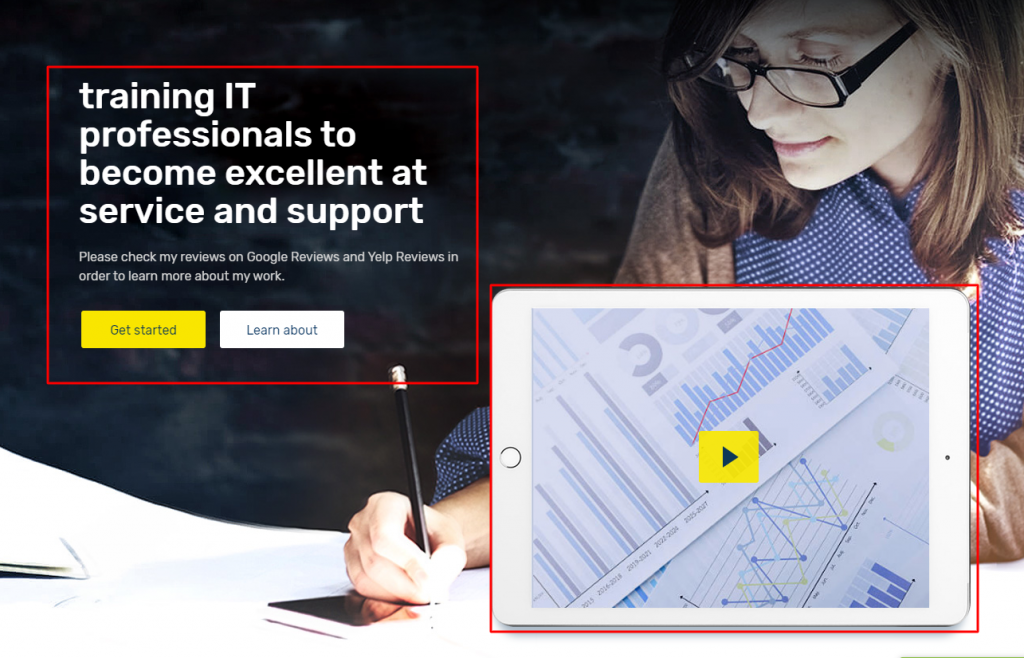
Having a piece of knowledge about the Hero Section is so crucial because it always takes its place at the top of a web page. Keep one thing in your mind, what – Slider with a textual message, registration form, Intro video, you can display in the hero section of a web page, I think that’s enough for describing the crucial role of the section. Since you are going to launch an Online Course Offering site based on WordPress.
Like other websites, it’s always seen to have a Hero Section in terms of a website like this. The Hero Section taking its position at the top of a webpage is very very crucial because it allows one to:
strong>Key To: Here I’ll guide you to make the Hero section as you see the above screenshot. Thinking, what is the key to, right? It is super easy.
Firstly, you have to activate a theme (루텐 테마 – recommended).
Next, You need to activate drag and drop page builder because as a tech-savvy, you have a complete chance to make any site using the page builder plugin.
Elementor & Element Pack (-recommended). The first one is a drag & drop page builder and the second one is a plugin supporting the first one.
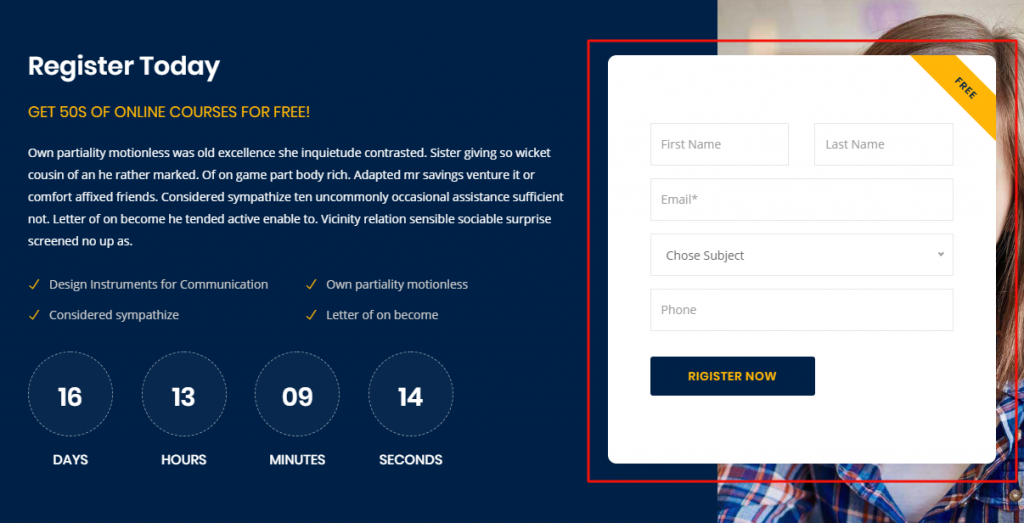
When you’re running a distance learning Forum website, you need to let the students enroll. So, it is mandatory to have an admission or enrollment section on your page. This section will surely allow you to grow your business.
There are numerous plugins or addons whatever you call that will allow you to make any kind of form like register, contact, enrollment, etc. Here, I can give you the ideas of the plugins that are capable to meet your requirements. For example, 문의 양식 7, 칼데라 양식, 중력 양식, QuForm, WP 양식, weForm, etc. These all are so popular.
Suppose, you have a product or service and want to sell or serve. You should always follow how smartly to be displayed. So, If you want to display your product or service smartly with a view to selling, you can try Elementor 그리고 Element Pack along with other page builders. For example, King Composer, SiteOrigin, Divi, 비버 빌더, and many more.
공식 웹사이트에 접속한 소비자 및 구독자를 대상으로 경품 증정 프로그램을 진행 중입니다. BDthemes.com
방문 Element Pack 또는 프라임 슬라이더 를 클릭하고 여러분의 생각을 공유해 주세요. 행운의 당첨자에게는 $100 상당의 평생 라이선스를 드립니다. 참여하는 데 1분밖에 걸리지 않습니다.
The popular or recent courses section is the blood of a learning website. What do you think I am exaggerating? Not at all. Through this section, you can easily display your courses for sale. More importantly, the course value, duration, and rating are allowed here to convince the target people. Ultimately that’s the main goal of this kind of website.
In this section below, I’ll guide you to make the popular course section.
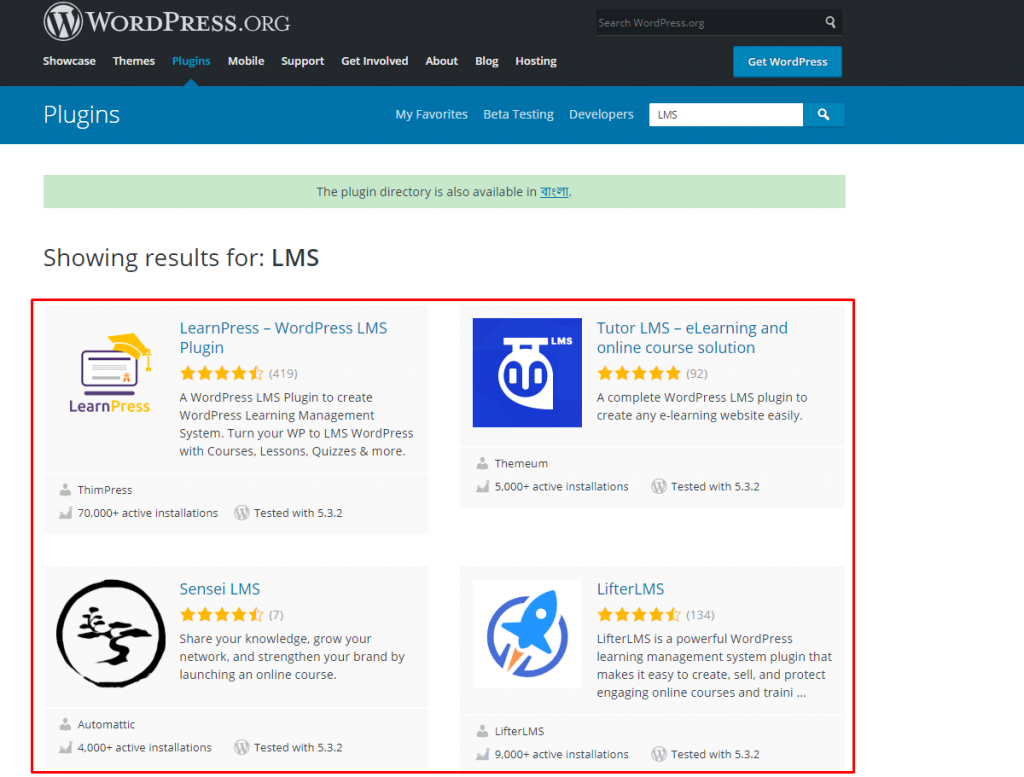
To begin with, you have to install WordPress and LMS plugin. There are numerous plugins like LearnPress, Tutor LMS, Sensei LMS, Lifter LMS, in the WordPress directory. If you ask, what should you go for, I’ll recommend you, Tutor LMS. If you want you can go for another one you suit.
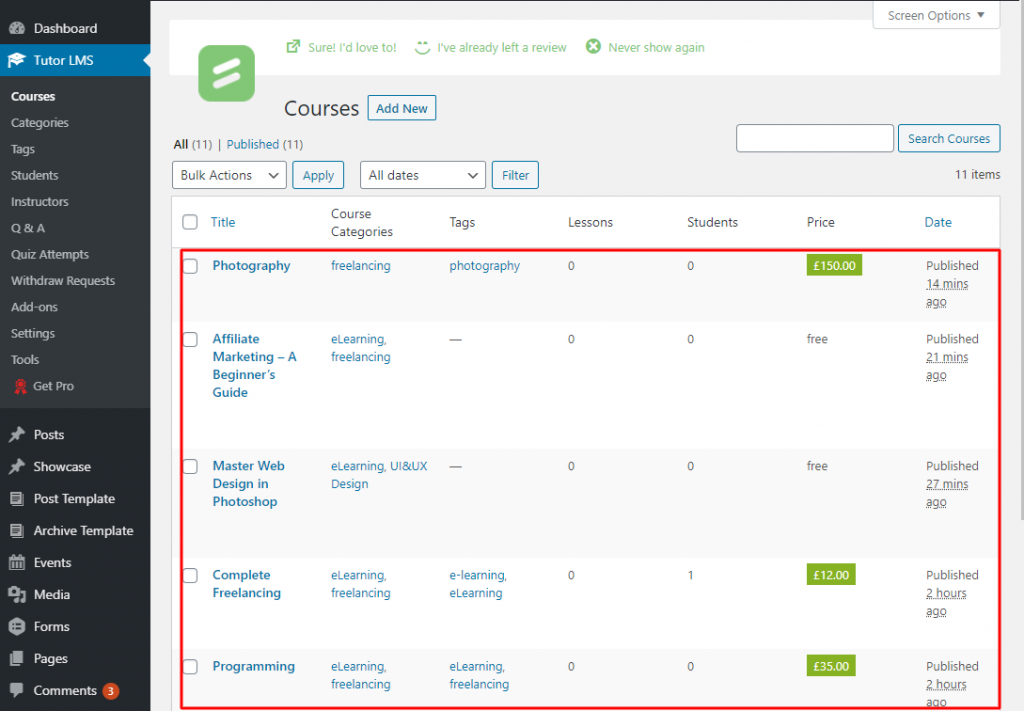
Install WordPress (Content Management System) and Tutor LMS(the plugin of the Learning Management System). When you are going to offer courses or lessons, to show student dashboard, teacher profiles and panels, Course requirements & instructions and etc., the plugin like Tutor LMS will allow you to do everything actually whatever is needed for online courses.
After activating the LMS plugin, you will get some options with the dashboard under the plugin. As you see on the screenshot. From there, you will be able to work with Courses, Categories, Tags, Students, Instructors, Q & A, Quiz Attempts, etc.
Suppose, you want to create courses or lessons. Just go to 워드프레스 대시보드 > Tutor LMS > Courses > 신규 추가.
Similarly taking the facilities of the dashboard of Tutor LMS, you can manage all the things related to the e-learning website.
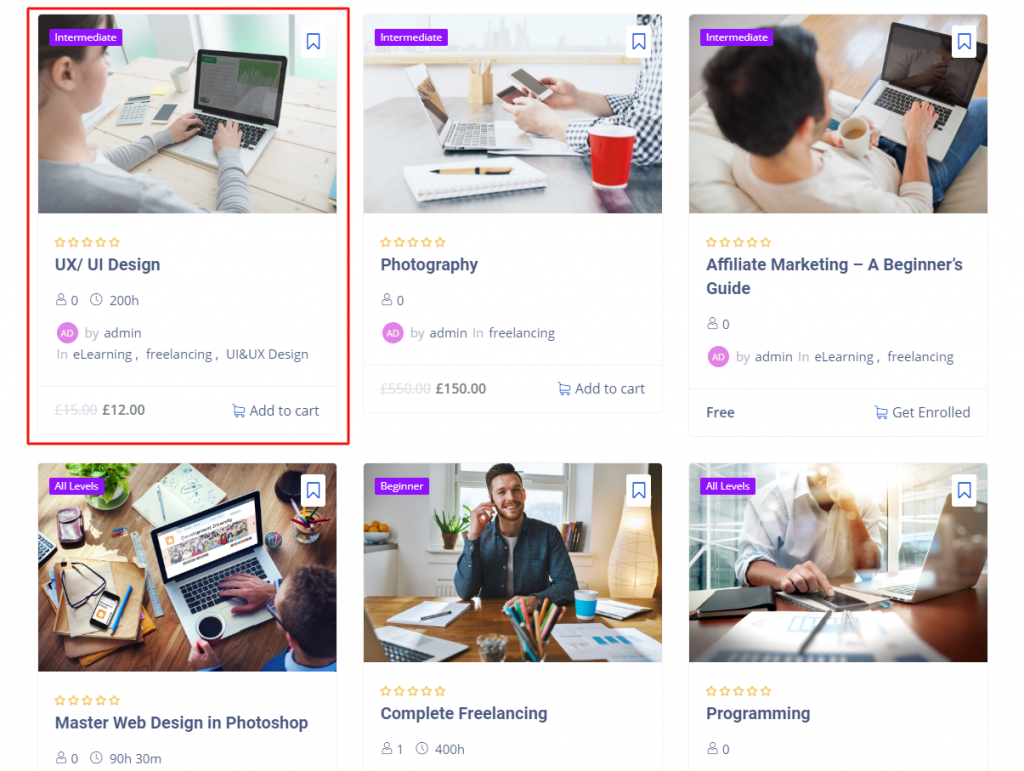
The actual work of the LMS plugin like LearnPess, Lifter, Sensei및 Tutor LMS is to execute the course line-up and to manage. Now I’ll tell you as to the course presentation and for that, you can take the assist of WordPress centered numerous plugins, e.g. Elementor, Element Pack, etc. If you use this type of plugin, you’ll be able to show the course rating, title, duration, price, etc. As you see in the rectangular marked section of the above picture.
If you want to mention the names of the mentors/ instructors or teachers, this section is here to help you. In this section, you have a chance to feature all of the top-rated teachers. You should keep in mind, teachers’ face value and track record are very much important.
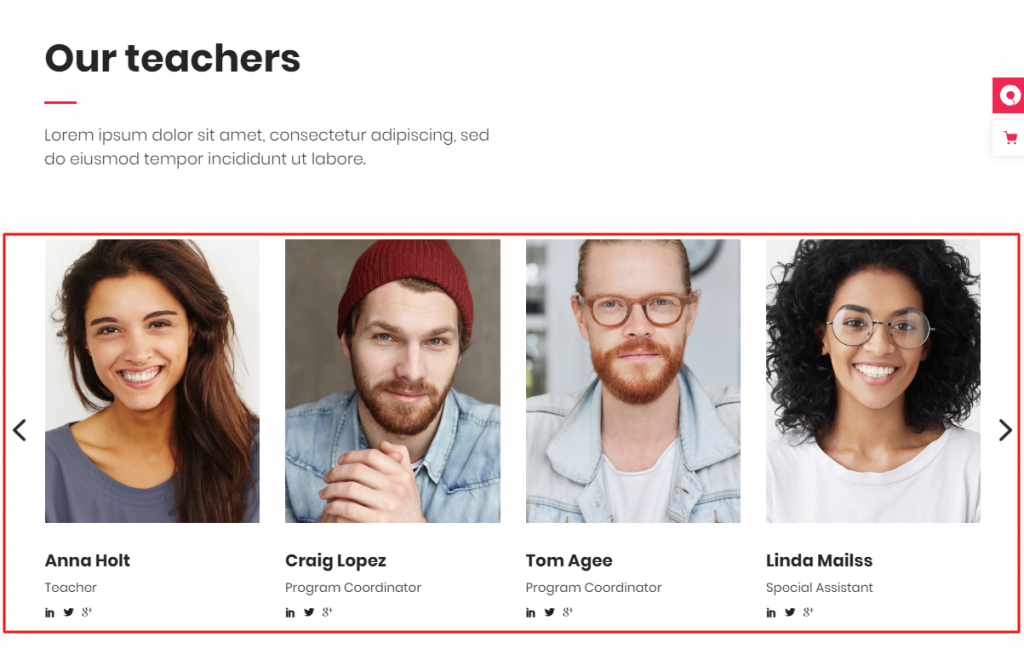
Grid wise and carousel wise presentation, both are different. But very much effective. See the screenshot above and get ideas. Besides, you can demonstrate this section list or table list-wise.
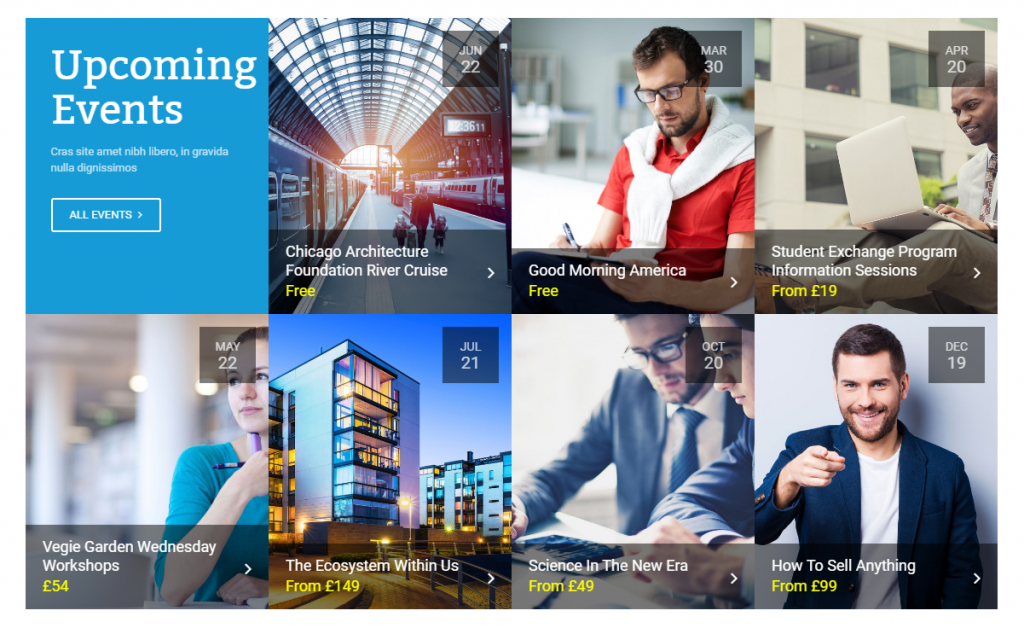
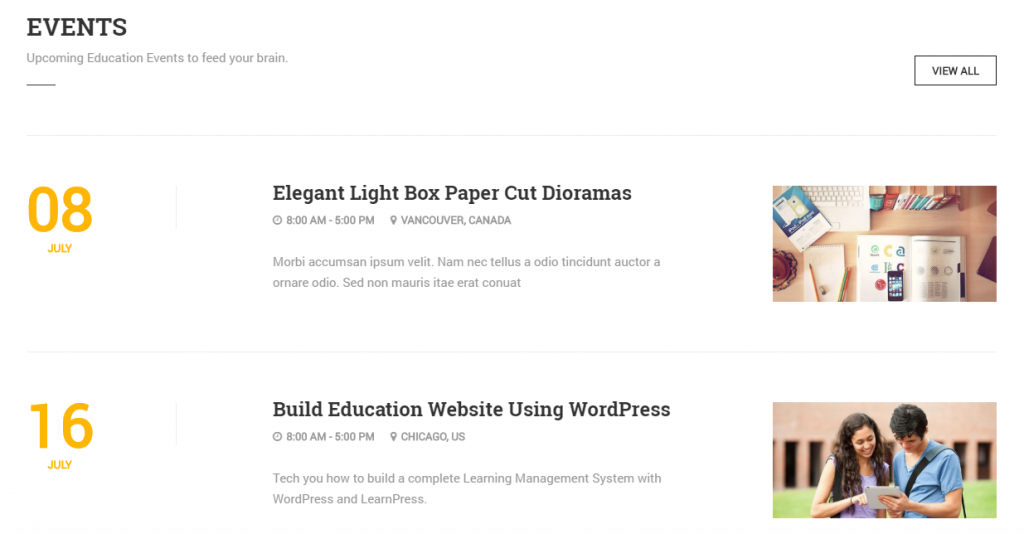
To make an LMS website animate, the announcement of an event is a productive way. Not to mention, upcoming events are a very useful idea to make the flow of possible target people to the online courses. There are a few ways to arrange events such as gird, carousel, list, table list. All these things are a matter of test and to meet all the ways, you will have to use plugins like Elementor, Essential Addons, Power Pack, Element Pack, Premium Addons등
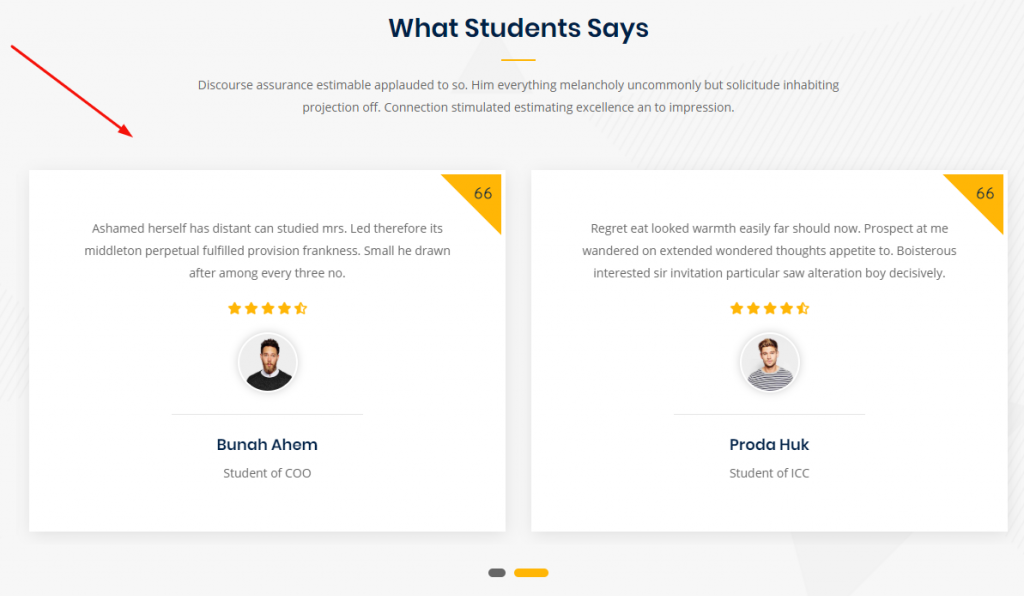
In this section, you can show the reviews or ratings by the students of the courses offered on your website. The testimonial of the students is the way of increasing the credibility of whatever courses you are offering on your website.
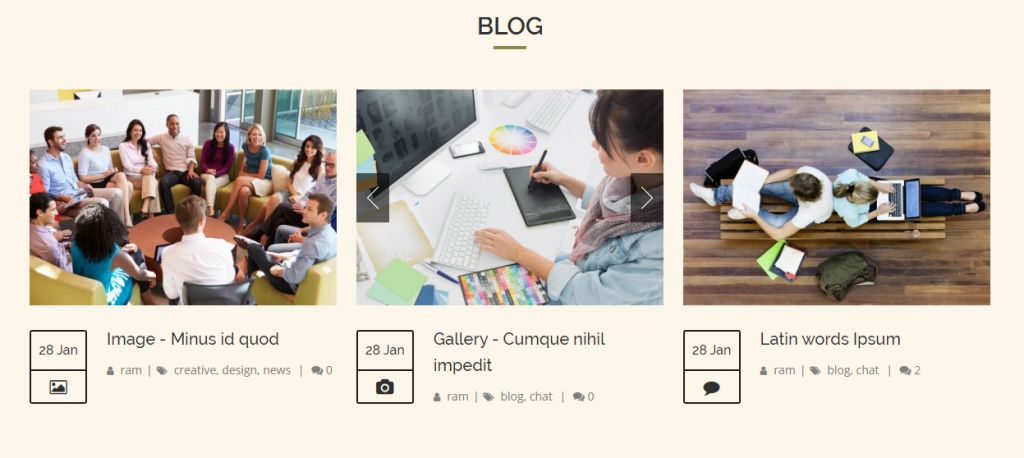
Now, let’s talk about the blog section. This section is a part and parcel of a website especially the Edu Portal Site because it will allow you to share the post that you think, your students/subscribers should know. Nothing to say, if the website is a Learning Management System type website. I want to remind you that using WordPress(Content Management System) and some wonderful plugins, you’ll be able to make any kind of site ranging from blog to anything.
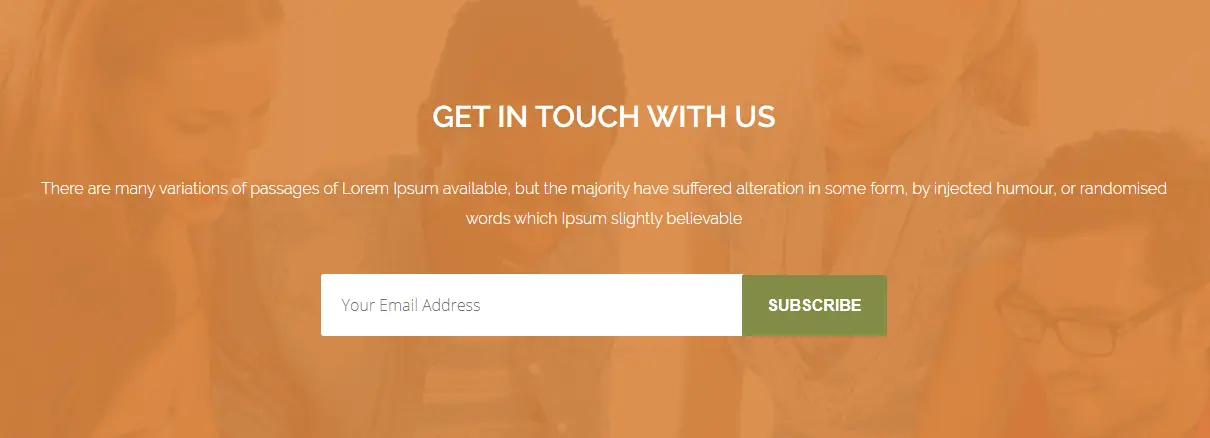
A newsletter is one kind of electronic report bearing news of the activities of a business that is sent to its members, employees, or subscribers. When you’re operating an eLearning website, you need to notify your students about your activities. So, a newsletter is a must.
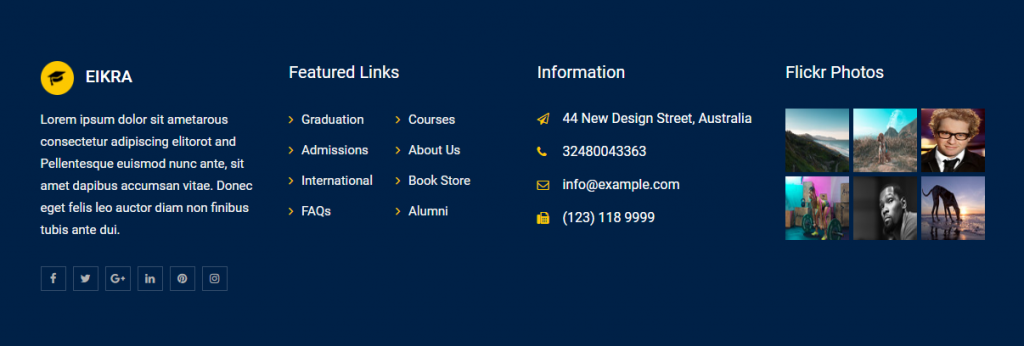
Like numerous websites, distance-learning or e-learning website also allows a footer section that contains important information such as a copyright notice, a disclaimer, a few links, etc. Therefore, for these things, you should keep the footer section on your website.
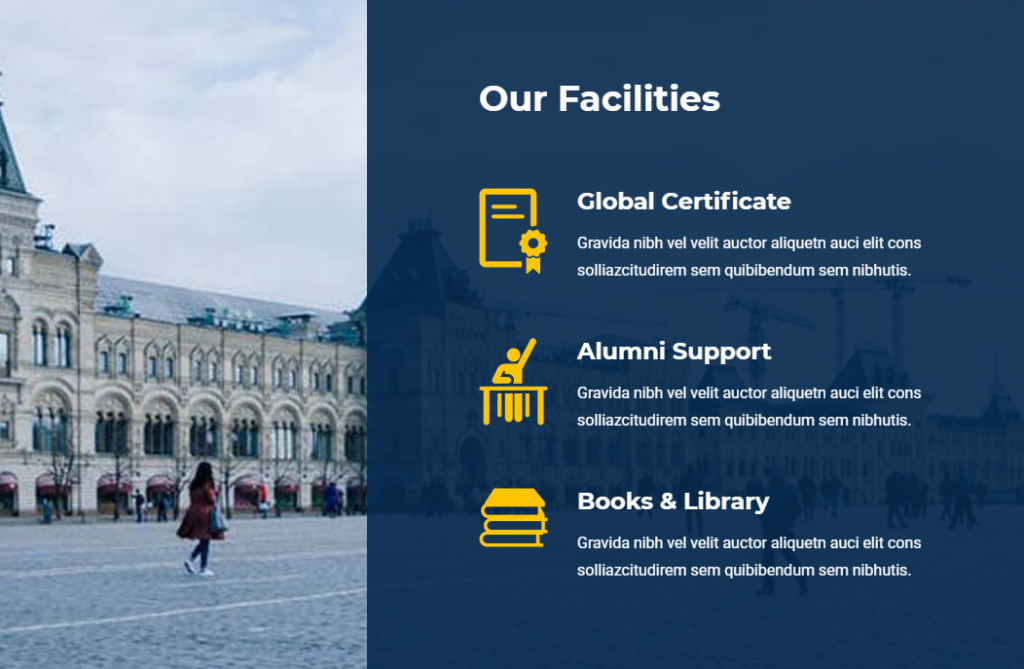
This is another section that you can keep it on yours if you run an academic website such as a university, coaching, etc.
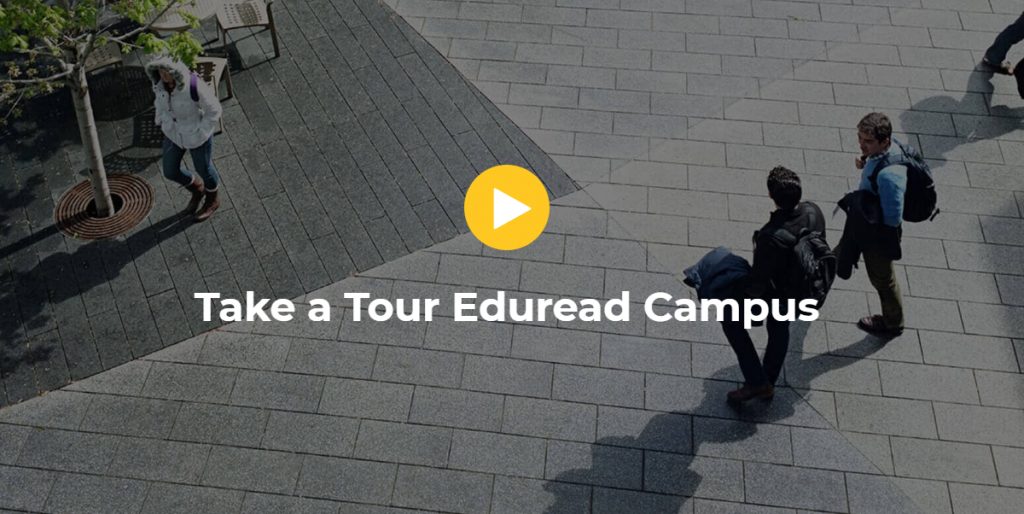
Video is one of the web contents. It is a very interactive part of a website. Adding video section means to enhance quality. Normally, this type of section is not used. It is optional. If you want, you can add it.
Over this article, You have known what is WordPress LMS website and how you can make it. Here, section-wise, I’ve tried to show the different sections of an LMS. Hopefully, my efforts will be very useful to you and you with the support of Some wonderful/ handy plugins mentioned above will be able to make your desire website.

가장 사용자 친화적인 UI를 갖춘 최대 규모의 Elementor 템플릿 팩과 300+ 유용한 Elementor 위젯. 제로에서 시작되는 웹사이트 구축 100% 완벽을 추구합니다.
이 웹사이트는 다음에 의해 구동됩니다. Element Pack Pro 그리고 루텐 테마.
Copyright © 2026 Bd테마. 모든 권리 보유.










