
Navigazione agevole grazie a menu ricchi di opzioni
Le scelte visive dei prodotti aumentano rapidamente le vendite
I contenuti personalizzati si adattano in tempo reale
Scorrimento senza soluzione di continuità per un flusso UX migliore
La duplicazione istantanea dei contenuti fa risparmiare tempo
Accesso rapido a potenti elementi di design
I modelli pronti per l'uso velocizzano la progettazione
Campi personalizzati avanzati per dati flessibili
Clonare siti in modo semplice e senza problemi
Grafica nitida e scalabile per tutti gli schermi
Rebranding degli strumenti per un look professionale
Mostrare o nascondere i contenuti con precisione
Profondità coinvolgente con movimenti fluidi
Aggiungere facilmente note e annotazioni chiare
I suggerimenti utili migliorano l'interazione con l'utente
Animate gli elementi con stile
Mantenere sempre visibili le sezioni importanti
Pieno controllo con modifiche personalizzate del codice
Ottimizzare i file per aumentare la velocità del sito
Modelli di pagina realizzati per aiutarvi a iniziare la vostra pagina di destinazione con un semplice design iniziale
Ready Blocks è dotato di una varietà di layout ed elementi di design, come intestazioni, piè di pagina, widget ecc.
Intestazioni pre-progettate con stili vantaggiosi, adatte a vari siti web di nicchia e ai gusti di design.
Un'utile raccolta di design di piè di pagina per aiutarvi a creare un piè di pagina immediatamente attraente sulla vostra pagina di destinazione.
Siamo a vostra disposizione 24 ore su 24, 7 giorni su 7. Siamo lieti di aiutarvi.
Linee guida dettagliate disponibili per ogni caratteristica su BdThemes
Imparate qualcosa di nuovo, rimanete informati su WordPress, Web Design e molto altro.
Ecco alcune delle tappe fondamentali del mio sviluppo:
Imparate l'uso dei prodotti, i suggerimenti e i trucchi di WordPress grazie ai nostri video.
Guadagnate ingenti commissioni unendovi a noi nella promozione
Widget Idea Share è un ottimo modo per trovare widget simili che si possono migliorare.
Certamente! Se avete bisogno di mettervi in contatto con noi, non esitate a contattarci.
Costruite qualsiasi modulo WordPress in pochi minuti con Sigma Forms.
Plugin Page Builder in modalità Coming Soon e Maintenance
Rendete facilmente accessibili i siti web con One Accessibility
Mostrate le testimonianze dei clienti per aumentare la fiducia e la credibilità.
Zoloblocks aiuta a creare siti web straordinari basati su Gutenberg.
Il cursore più avanzato nell'era del cursore Elementor
Gli unici widget di blogging compatibili in Elementor per qualsiasi blog
Costruite un sito eCommerce WordPress di ultima generazione per le imprese
Organizzate le vostre foto in un angelo diverso ogni volta con Elementor
Aumentate il coinvolgimento e le vendite con Spin Wheel.
Potente plugin generatore di immagini AI per WordPress di ChatGPT
Ottenete la realtà aumentata a 360° per WooCommerce oggi stesso!
Copiate e incollate qualsiasi design web che vi piace con soli 2 clic!
Un tema completamente funzionante per elementor con opzioni illimitate
Tema a blocchi intelligente, pulito e flessibile per Gutenberg
Il plugin Dark Reader garantisce una lettura del web rispettosa degli occhi.
WooCommerce one-page checkout per aumentare le conversioni.
Find Nearby Stores Instantly with Sigma Store Locator
The Ultimate WordPress Media Library Organizer

Accesso a 100+ plugin premium per WordPress con aggiornamenti a vita e supporto dedicato.
 Italian

Navigazione agevole grazie a menu ricchi di opzioni
Le scelte visive dei prodotti aumentano rapidamente le vendite
I contenuti personalizzati si adattano in tempo reale
Scorrimento senza soluzione di continuità per un flusso UX migliore
La duplicazione istantanea dei contenuti fa risparmiare tempo
Accesso rapido a potenti elementi di design
I modelli pronti per l'uso velocizzano la progettazione
Campi personalizzati avanzati per dati flessibili
Clonare siti in modo semplice e senza problemi
Grafica nitida e scalabile per tutti gli schermi
Rebranding degli strumenti per un look professionale
Mostrare o nascondere i contenuti con precisione
Profondità coinvolgente con movimenti fluidi
Aggiungere facilmente note e annotazioni chiare
I suggerimenti utili migliorano l'interazione con l'utente
Animate gli elementi con stile
Mantenere sempre visibili le sezioni importanti
Pieno controllo con modifiche personalizzate del codice
Ottimizzare i file per aumentare la velocità del sito
Modelli di pagina realizzati per aiutarvi a iniziare la vostra pagina di destinazione con un semplice design iniziale
Ready Blocks è dotato di una varietà di layout ed elementi di design, come intestazioni, piè di pagina, widget ecc.
Intestazioni pre-progettate con stili vantaggiosi, adatte a vari siti web di nicchia e ai gusti di design.
Un'utile raccolta di design di piè di pagina per aiutarvi a creare un piè di pagina immediatamente attraente sulla vostra pagina di destinazione.
Siamo a vostra disposizione 24 ore su 24, 7 giorni su 7. Siamo lieti di aiutarvi.
Linee guida dettagliate disponibili per ogni caratteristica su BdThemes
Imparate qualcosa di nuovo, rimanete informati su WordPress, Web Design e molto altro.
Ecco alcune delle tappe fondamentali del mio sviluppo:
Imparate l'uso dei prodotti, i suggerimenti e i trucchi di WordPress grazie ai nostri video.
Guadagnate ingenti commissioni unendovi a noi nella promozione
Widget Idea Share è un ottimo modo per trovare widget simili che si possono migliorare.
Certamente! Se avete bisogno di mettervi in contatto con noi, non esitate a contattarci.
Costruite qualsiasi modulo WordPress in pochi minuti con Sigma Forms.
Plugin Page Builder in modalità Coming Soon e Maintenance
Rendete facilmente accessibili i siti web con One Accessibility
Mostrate le testimonianze dei clienti per aumentare la fiducia e la credibilità.
Zoloblocks aiuta a creare siti web straordinari basati su Gutenberg.
Il cursore più avanzato nell'era del cursore Elementor
Gli unici widget di blogging compatibili in Elementor per qualsiasi blog
Costruite un sito eCommerce WordPress di ultima generazione per le imprese
Organizzate le vostre foto in un angelo diverso ogni volta con Elementor
Aumentate il coinvolgimento e le vendite con Spin Wheel.
Potente plugin generatore di immagini AI per WordPress di ChatGPT
Ottenete la realtà aumentata a 360° per WooCommerce oggi stesso!
Copiate e incollate qualsiasi design web che vi piace con soli 2 clic!
Un tema completamente funzionante per elementor con opzioni illimitate
Tema a blocchi intelligente, pulito e flessibile per Gutenberg
Il plugin Dark Reader garantisce una lettura del web rispettosa degli occhi.
WooCommerce one-page checkout per aumentare le conversioni.
Find Nearby Stores Instantly with Sigma Store Locator
The Ultimate WordPress Media Library Organizer
Accesso a 100+ plugin premium per WordPress con aggiornamenti a vita e supporto dedicato.
Italian
You’re running Learning Management System or eLearning website which means you know about what is LMS and how it works. But, a newbie who doesn’t have any knowledge and doesn’t know the process. Moreover, a million dolor question can come around. For example, Is that really possible to run an online course, school, college, and university, etc. by the WordPress LMS using Elementor? In this article, we are going to learn all these things.
Not to be familiar with the right way of developing a Learning Environment Providing website or more importantly specific tools required, right? I think, having zero coding knowledge along with costing and maintenance are very big issues that you’re facing.
Back to the million dolor question, I’m very much eager to describe the eLearning platform like Udemy, Coursera, e Lynda that offer courses online. You can have a tour of them to get the ideas of the eLearning Platform or LMS if you don’t know about it yet.
Here, another question can arise in your mind is it really possible to make the e-learning platforms mentioned exactly on the above?
Despite having no coding knowledge, with the help of the tools mentioned below in this article, you will be able to make an eLearning and online course offering websites like Udemy, Coursera, Lynda, e Teamtreehouse, etc. AKA WordPress LMS sito web.
So, let’s take a look. What the tools are.
The tools mentioned above in the list are enough for making a quality Learning Management System website without any hassle.
LMS stands for Learning Management System. It delivers and manages all types of content, including video, courses, and documents. You might call it the process of distance education.
University, college, school, kindergarten, daycare, educational training center, corporate training, coaching center, course tutor, and etc. are taking assistance from the Online WordPress LMS Platform.
The six major advantages of LMS: interoperability, accessibility, reusability, durability, maintenance ability, and adaptability will help you to decide why you need LMS.
Other advantages that make sure the scale-up of the LMS website utilizzando Elementor e WordPress include:
Despite having the advantages, LMS has disadvantages too.
WordPress is a free open-source powerful website builder also known as CMS (Content Management System). It has evolved itself from a blog-publishing system to a multi-web publishing system and the list goes on: Learning Management System(LMS) site, Business Website, eCommerce, Portfolio Website, Online Community Website, Multilingual Website, Niche Affiliate Website, etc. 35% of the web uses WordPress, from hobby blogs to the biggest news sites online.
Above you’ve heard enough. Now at this stage of this article, I’m going to show how you, as a tech-savvy, can make a complete WordPress LMS education site using Elementor or popularly known as eLearning website from the very scratch level.
But before starting, I think you should make sure what you’re going to display, include on your website, and how? So, let’s see. Here’s a quick breakdown of what a basic WordPress LMS website might look like:
So far what you’ve read is theoretical. Here below you’ll be able to know how to make WordPress LMS using Elementor and Element Pack step by step. Let’s get started.
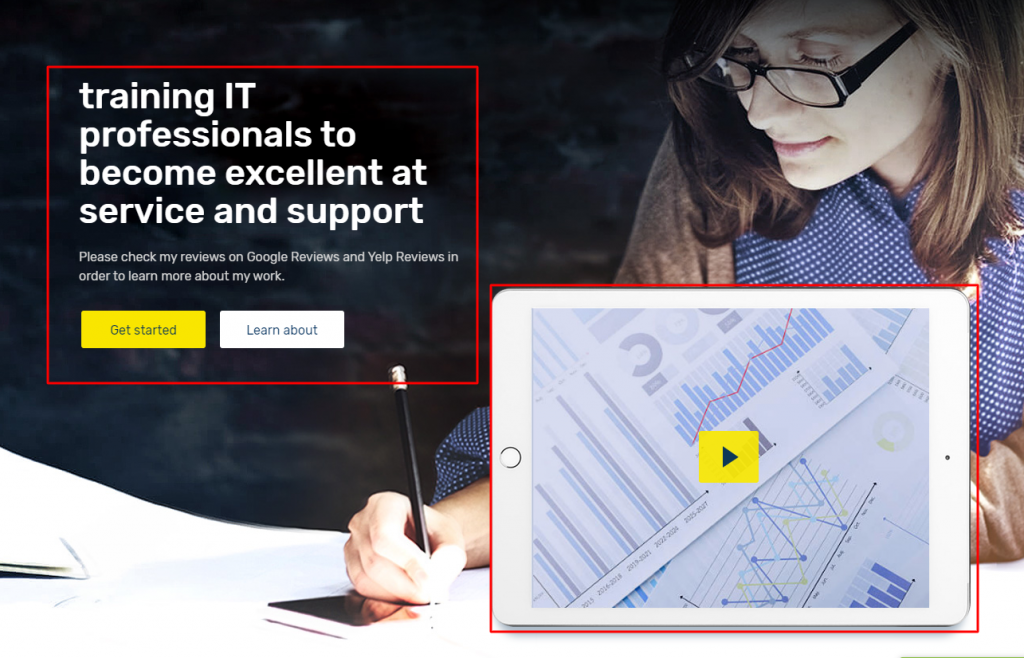
Having a piece of knowledge about the Hero Section is so crucial because it always takes its place at the top of a web page. Keep one thing in your mind, what – Slider with a textual message, registration form, Intro video, you can display in the hero section of a web page, I think that’s enough for describing the crucial role of the section. Since you are going to launch an Online Course Offering site based on WordPress.
Like other websites, it’s always seen to have a Hero Section in terms of a website like this. The Hero Section taking its position at the top of a webpage is very very crucial because it allows one to:
strong>Key To: Here I’ll guide you to make the Hero section as you see the above screenshot. Thinking, what is the key to, right? It is super easy.
Firstly, you have to activate a theme (Tema Rooten – recommended).
Avanti, You need to activate drag and drop page builder because as a tech-savvy, you have a complete chance to make any site using the page builder plugin.
Elementor & Element Pack (-recommended). The first one is a drag & drop page builder and the second one is a plugin supporting the first one.
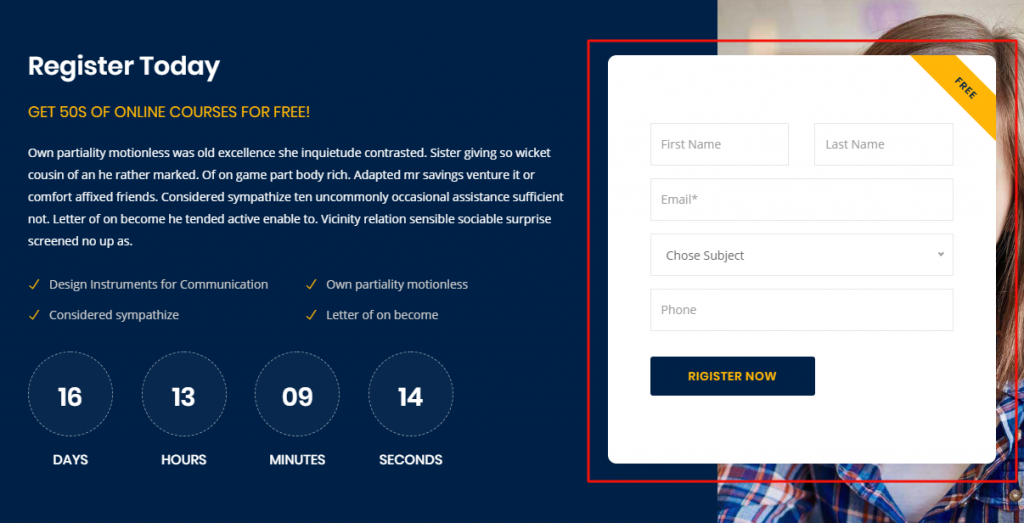
When you’re running a distance learning Forum website, you need to let the students enroll. So, it is mandatory to have an admission or enrollment section on your page. This section will surely allow you to grow your business.
There are numerous plugins or addons whatever you call that will allow you to make any kind of form like register, contact, enrollment, etc. Here, I can give you the ideas of the plugins that are capable to meet your requirements. For example, Modulo di contatto 7, Forma Caldera, Moduli di gravità, QuForm, Moduli WP, weForm, etc. These all are so popular.
Suppose, you have a product or service and want to sell or serve. You should always follow how smartly to be displayed. So, If you want to display your product or service smartly with a view to selling, you can try Elementor e Element Pack along with other page builders. For example, King Composer, SiteOrigin, Divi, Costruttore di castori, and many more.
Stiamo organizzando un programma di omaggi per i nostri amati consumatori e abbonati che sono collegati al nostro sito ufficiale. BDthemes.com
Visita Element Pack o Cursore Prime e condividete con noi i vostri pensieri. I fortunati vincitori riceveranno una licenza a vita del valore di $100. Per partecipare basta un minuto.
The popular or recent courses section is the blood of a learning website. What do you think I am exaggerating? Not at all. Through this section, you can easily display your courses for sale. More importantly, the course value, duration, and rating are allowed here to convince the target people. Ultimately that’s the main goal of this kind of website.
In this section below, I’ll guide you to make the popular course section.
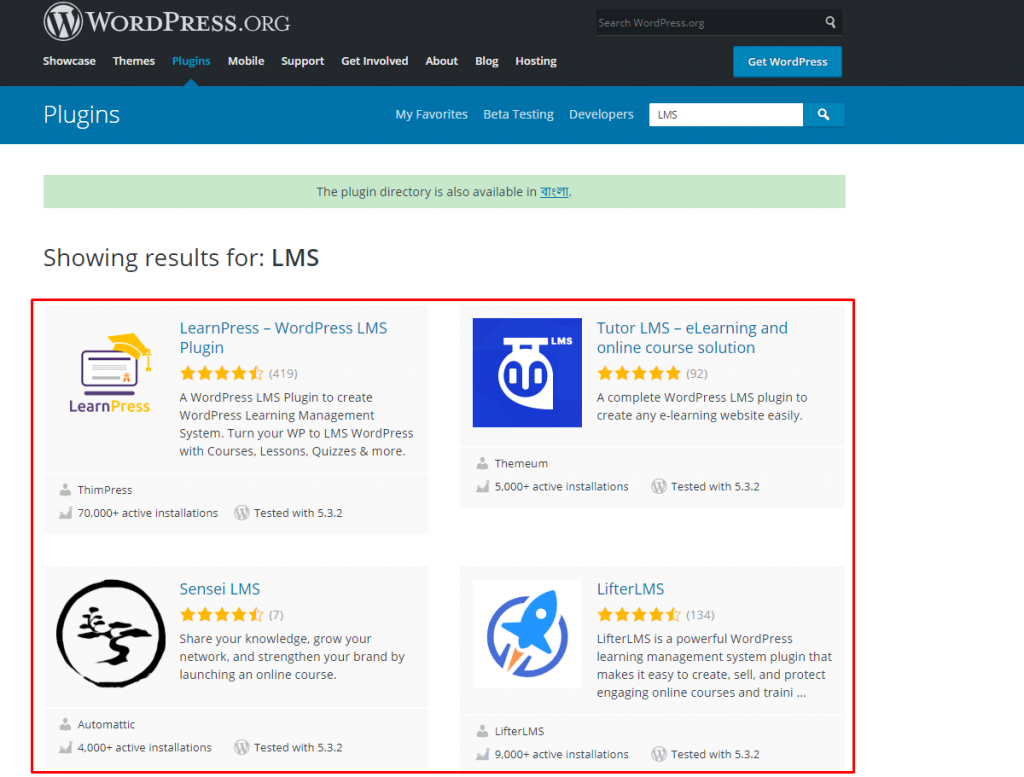
To begin with, you have to install WordPress and LMS plugin. There are numerous plugins like LearnPress, Tutor LMS, Sensei LMS, Lifter LMS, in the WordPress directory. If you ask, what should you go for, I’ll recommend you, Tutor LMS. If you want you can go for another one you suit.
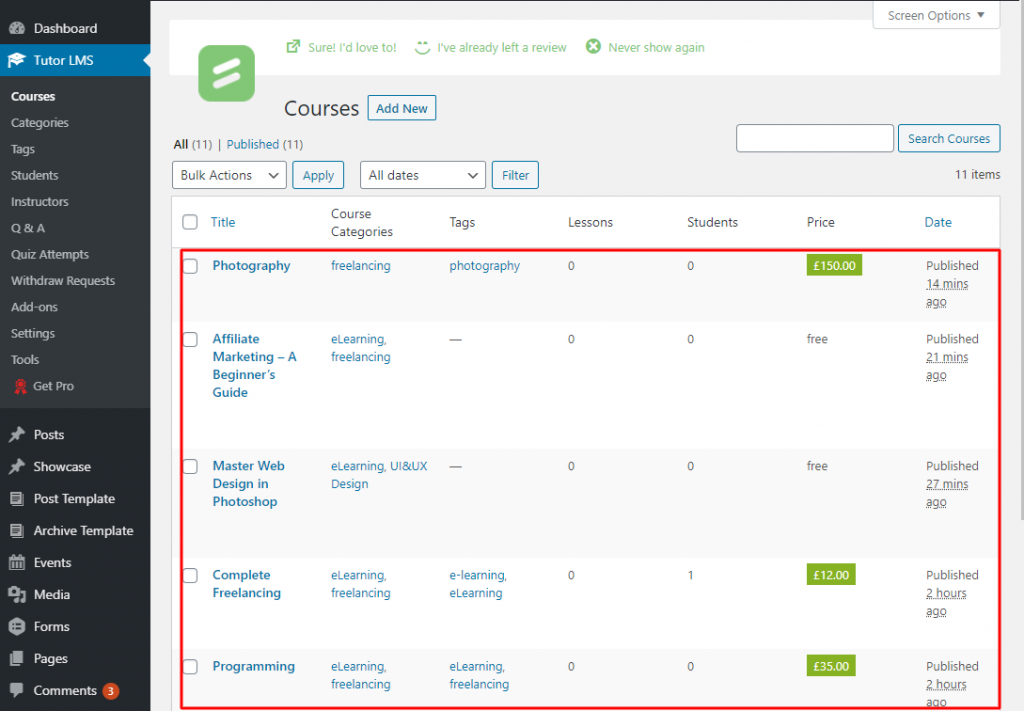
Install WordPress (Content Management System) and Tutor LMS(the plugin of the Learning Management System). When you are going to offer courses or lessons, to show student dashboard, teacher profiles and panels, Course requirements & instructions and etc., the plugin like Tutor LMS will allow you to do everything actually whatever is needed for online courses.
After activating the LMS plugin, you will get some options with the dashboard under the plugin. As you see on the screenshot. From there, you will be able to work with Courses, Categories, Tags, Students, Instructors, Q & A, Quiz Attempts, etc.
Suppose, you want to create courses or lessons. Just go to Dashboard di WordPress > Tutor LMS > Courses > Aggiungi nuovo.
Similarly taking the facilities of the dashboard of Tutor LMS, you can manage all the things related to the e-learning website.
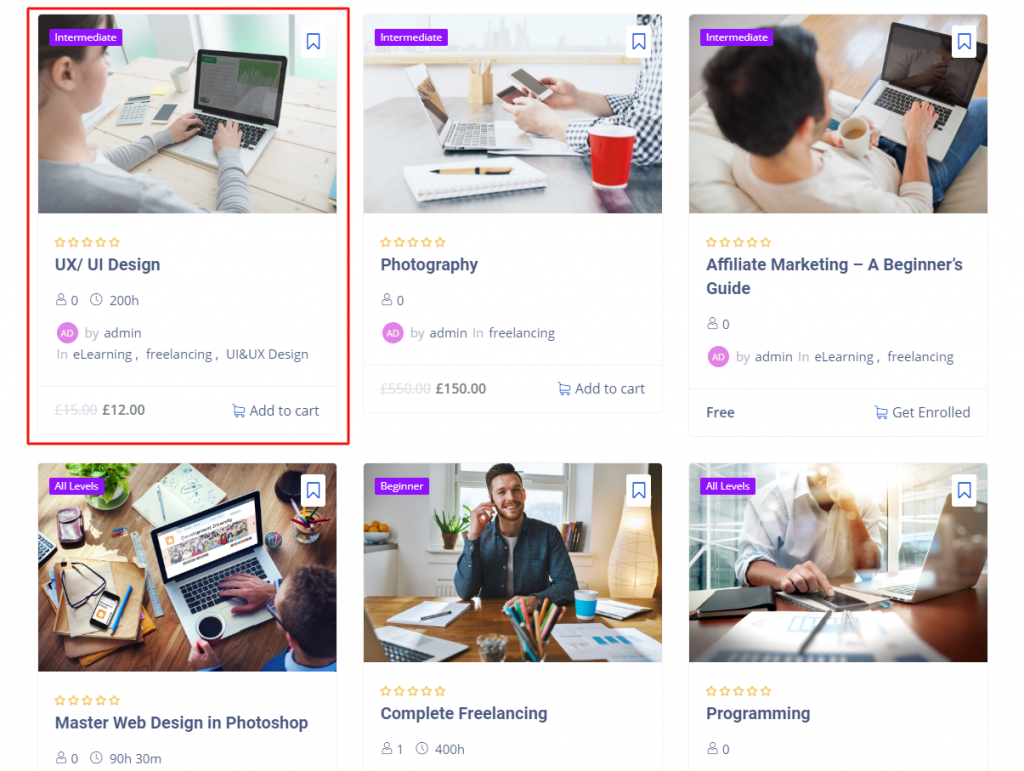
The actual work of the LMS plugin like LearnPess, Lifter, Sensei, e Tutor LMS is to execute the course line-up and to manage. Now I’ll tell you as to the course presentation and for that, you can take the assist of WordPress centered numerous plugins, e.g. Elementor, Element Pack, etc. If you use this type of plugin, you’ll be able to show the course rating, title, duration, price, etc. As you see in the rectangular marked section of the above picture.
If you want to mention the names of the mentors/ instructors or teachers, this section is here to help you. In this section, you have a chance to feature all of the top-rated teachers. You should keep in mind, teachers’ face value and track record are very much important.
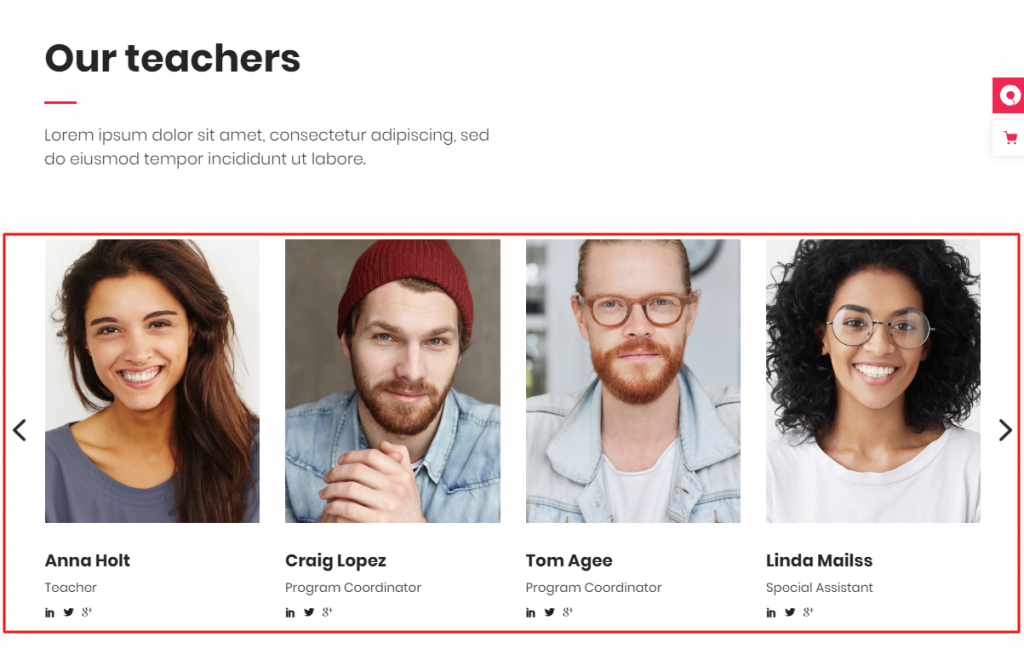
Grid wise and carousel wise presentation, both are different. But very much effective. See the screenshot above and get ideas. Besides, you can demonstrate this section list or table list-wise.
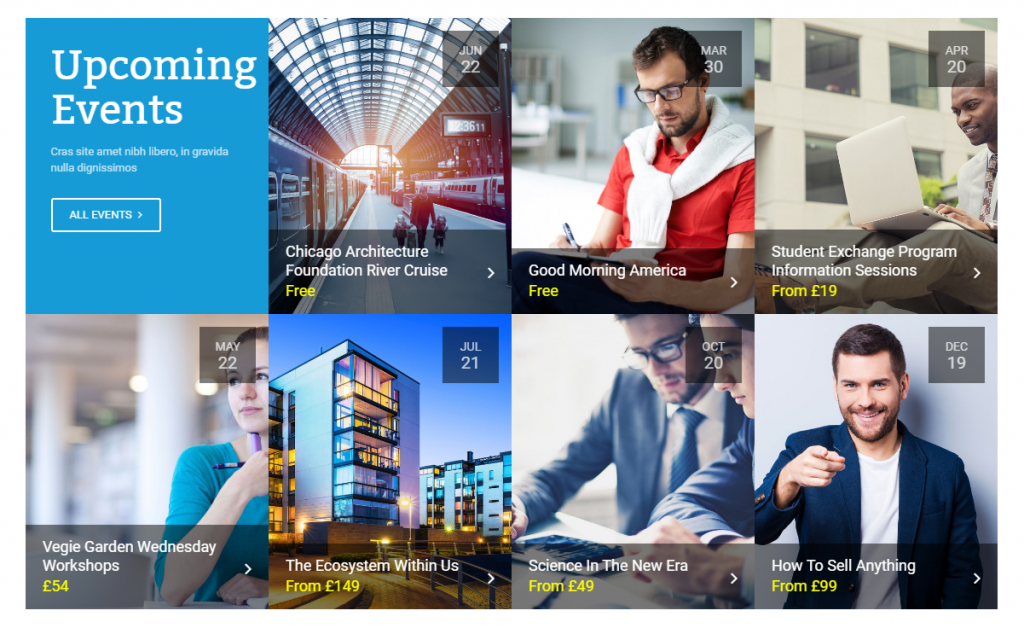
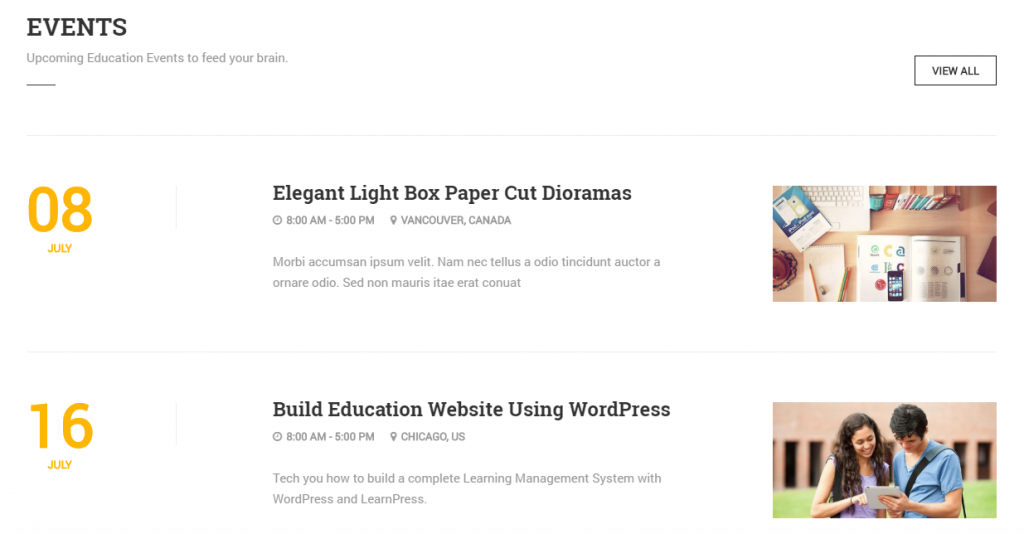
To make an LMS website animate, the announcement of an event is a productive way. Not to mention, upcoming events are a very useful idea to make the flow of possible target people to the online courses. There are a few ways to arrange events such as gird, carousel, list, table list. All these things are a matter of test and to meet all the ways, you will have to use plugins like Elementor, Essential Addons, Power Pack, Element Pack, Premium Addons, ecc.
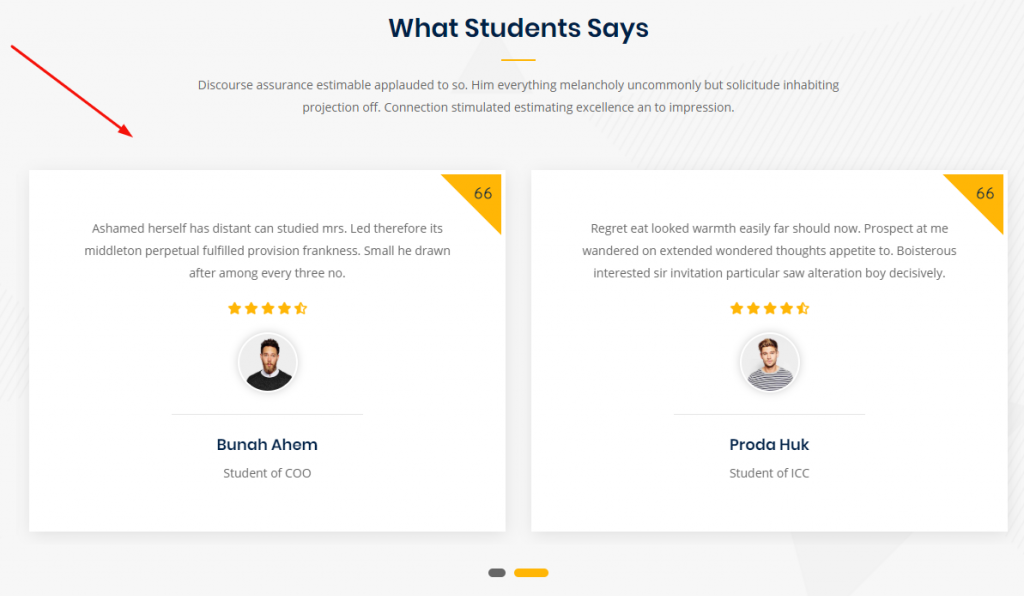
In this section, you can show the reviews or ratings by the students of the courses offered on your website. The testimonial of the students is the way of increasing the credibility of whatever courses you are offering on your website.
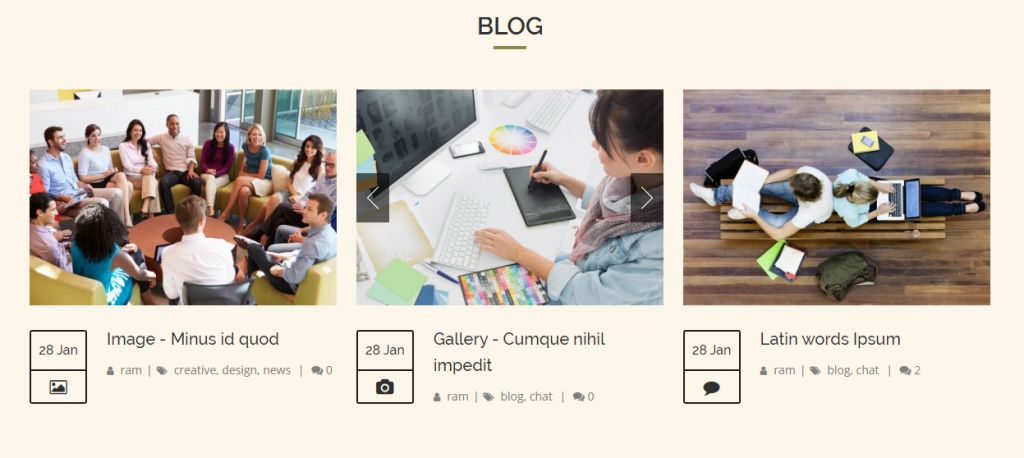
Now, let’s talk about the blog section. This section is a part and parcel of a website especially the Edu Portal Site because it will allow you to share the post that you think, your students/subscribers should know. Nothing to say, if the website is a Learning Management System type website. I want to remind you that using WordPress(Content Management System) and some wonderful plugins, you’ll be able to make any kind of site ranging from blog to anything.
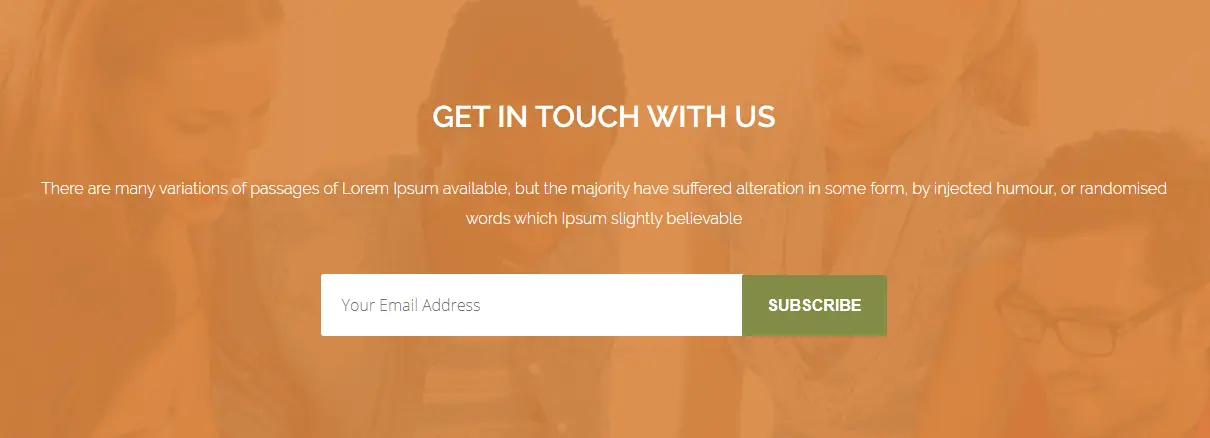
A newsletter is one kind of electronic report bearing news of the activities of a business that is sent to its members, employees, or subscribers. When you’re operating an eLearning website, you need to notify your students about your activities. So, a newsletter is a must.
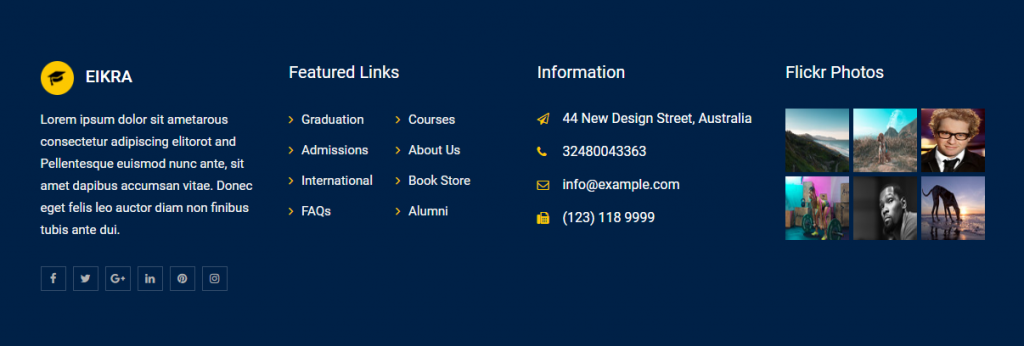
Like numerous websites, distance-learning or e-learning website also allows a footer section that contains important information such as a copyright notice, a disclaimer, a few links, etc. Therefore, for these things, you should keep the footer section on your website.
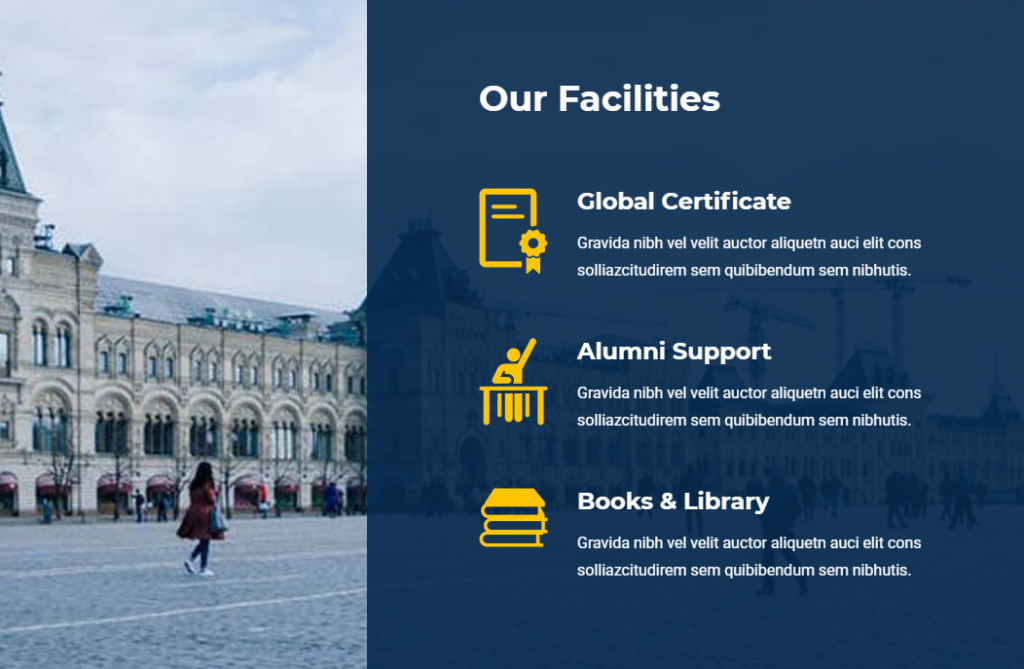
This is another section that you can keep it on yours if you run an academic website such as a university, coaching, etc.
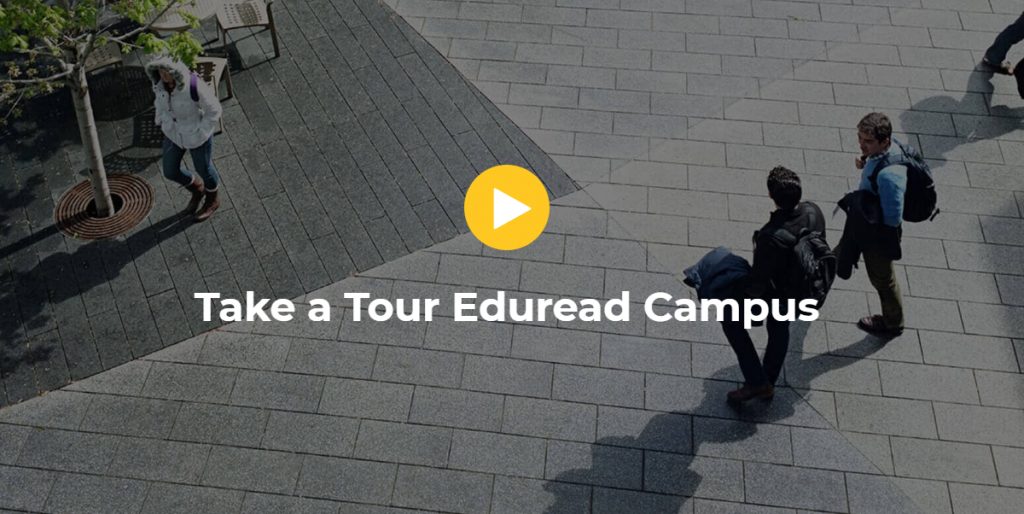
Video is one of the web contents. It is a very interactive part of a website. Adding video section means to enhance quality. Normally, this type of section is not used. It is optional. If you want, you can add it.
Over this article, You have known what is WordPress LMS website and how you can make it. Here, section-wise, I’ve tried to show the different sections of an LMS. Hopefully, my efforts will be very useful to you and you with the support of Some wonderful/ handy plugins mentioned above will be able to make your desire website.

Il più grande pacchetto di modelli Elementor con l'interfaccia utente più facile da utilizzare e 300+ utili widget Elementor. Costruire siti web da zero a 100% perfezione in pochissimo tempo.
Questo sito web è alimentato da Element Pack Pro e Tema di Rooten.
Copyright © 2026 BdThemes. Tutti i diritti riservati.









