

Most people who try to build a website from scratch hit the same wall. They open a blank page, stare at the cursor and wonder where to start. The layout feels wrong. The colors clash. The navigation looks amateurish.
And after hours of fiddling, the site still does not communicate what the business does. This is not a skill problem. It is a tool problem.
Research consistently shows that 75% of users judge a brand’s credibility based on its website design. First impressions form within milliseconds and a poorly structured page will send a visitor away before they ever read your headline.
That is a real cost, whether you are a freelancer, a small business owner, or a developer building sites for clients.
In this guide, you will discover what makes a good basic website design. You’ll explore the specific Element Pack features that make site building faster and simpler.
You’ll also walk through a step-by-step process for launching your first site and find ten ready-to-use website design ideas you can start with today.
Let’s get into it.
What Makes a Good Basic Website Design?
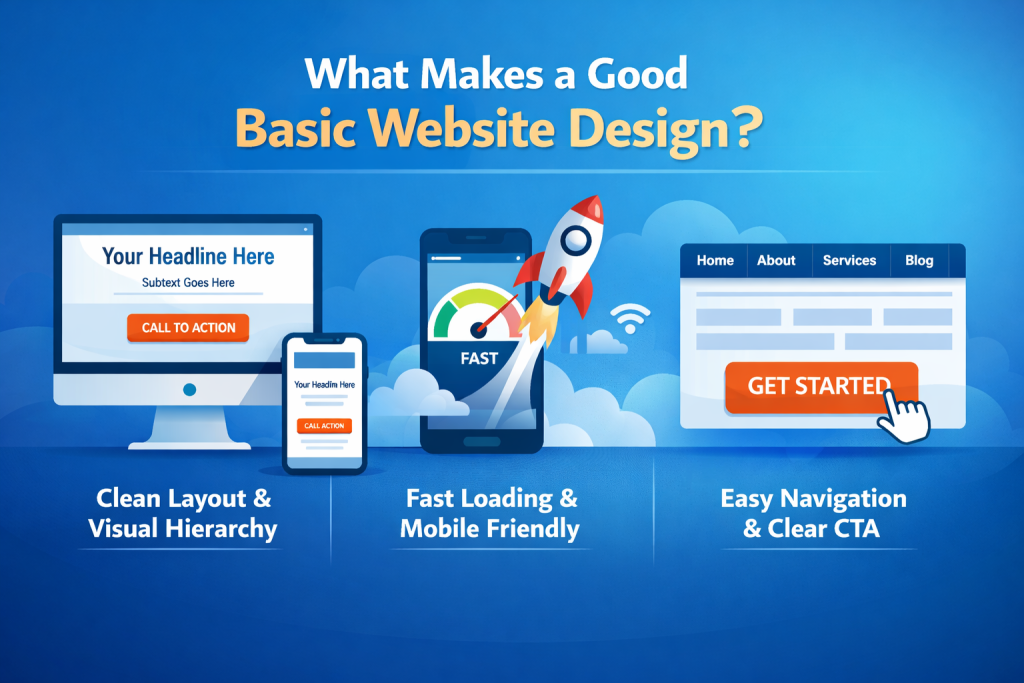
Before reaching for any tool, it helps to understand what separates a website that converts visitors from one that drives them away. The foundations of good basic website design are not complicated, but they are non-negotiable.
Clean layout and visual hierarchy
A clean layout is not about minimalism for its own sake. It is about directing the reader’s eye.
When someone lands on your page, they should immediately understand three things: what you do, who it is for and what they should do next. Visual hierarchy is the design principle that makes this possible.
Use generous whitespace around your headline so it breathes.
Choose two complementary fonts one for headings, one for body text and stick with them throughout the site.
Contrast in size and weight signals importance, so your primary call to action should visually stand out from surrounding content. Simple website design does not mean sparse; it means purposeful.
Fast load speed and mobile responsiveness
Speed is a ranking factor in Google and a conversion factor with real users.
A one-second delay in page load time reduces conversions by around 7%, according to industry data. Every design decision either adds to or subtracts from your load time, which is why choosing an addon that was built with performance in mind matters.
Mobile responsiveness is no longer optional. More than 60% of global web traffic now comes from mobile devices, so any website design for beginners or advanced users alike must look and function correctly on a phone screen from day one.
Intuitive navigation and clear calls to action
Navigation is the architecture of your site. If a visitor cannot find what they need within two clicks, they leave.
Keep your primary menu to five or six items at most, use descriptive labels rather than clever ones and ensure that every page has a clear next step. Whether that next step is a contact form, a product page, or a blog post, the path to it should be obvious.
Good navigation paired with a clear CTA structure is the difference between a website that generates enquiries and one that simply exists.
How Element Pack Makes Basic Website Design Effortless
Understanding the principles of good design is one thing. Having the tools to execute them quickly is another. This is exactly where Element Pack Pro changes the game for anyone working on easy website design, whether they are building their first site or their fiftieth for a client.
290+ widgets for every design need
Element Pack gives you 290+ unique widgets inside the Elementor editor, organized by category, so you can find the right tool for every section of your page. These include everything from basic content elements like headings and buttons all the way through to advanced interactive components.
Some of the most useful widgets for basic site building include:
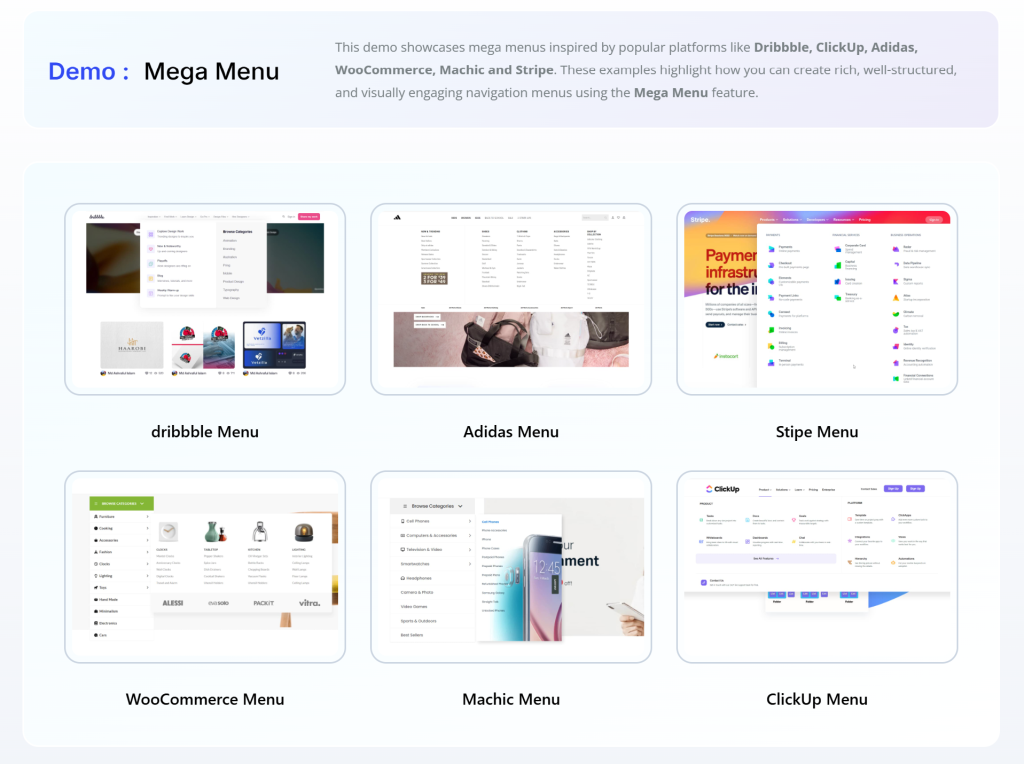
- The Mega Menu widget lets you create rich, multi-column navigation menus that work beautifully on desktop and collapse cleanly on mobile.
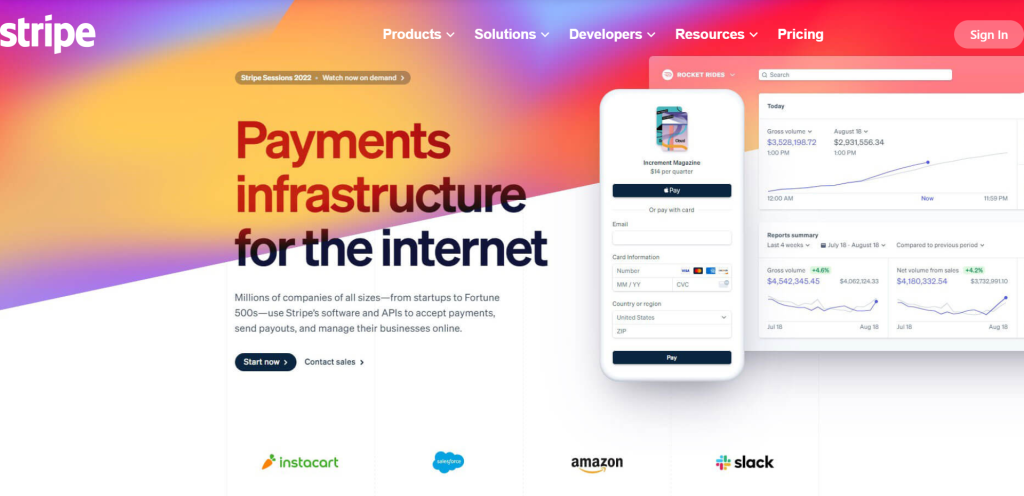
You can add images, icons and custom layouts inside the menu itself, turning a standard nav bar into a design feature.
- The Parallax and Scrolling Effects extension adds depth to your pages by making background layers move at a different speed than foreground content.
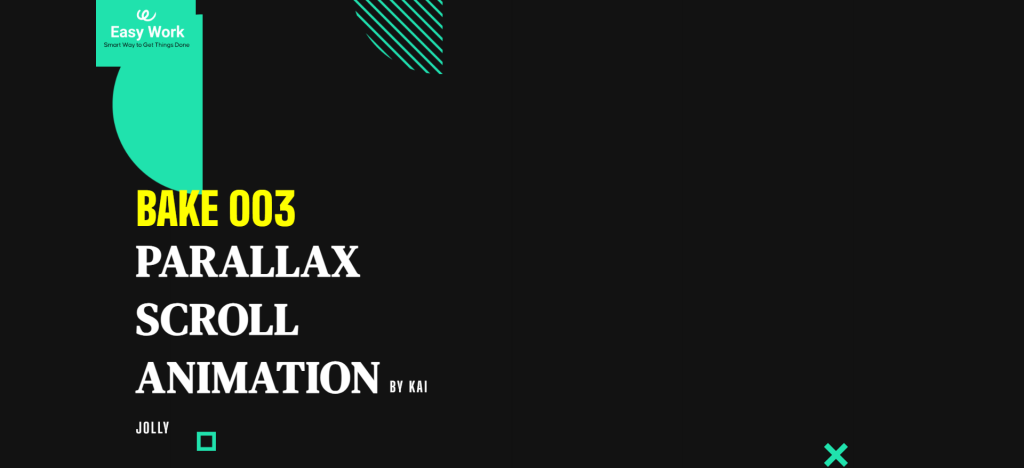
This creates the kind of immersive visual experience that takes a page from looking basic to looking premium, without touching any code.
- The Ajax Search widget gives your site instant search functionality with real-time results as the user types.
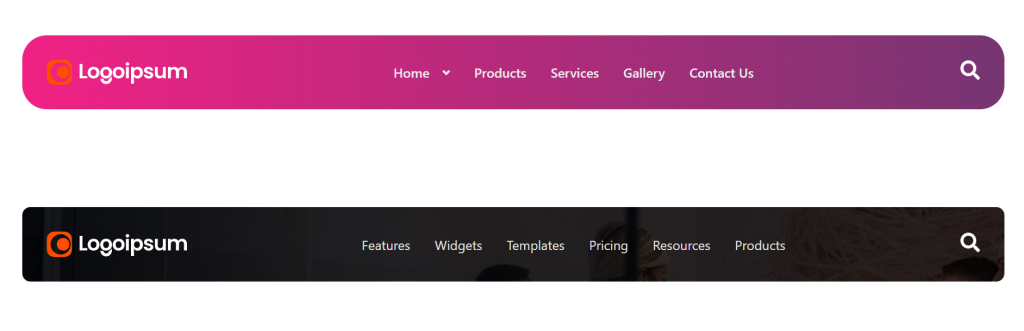
This is particularly valuable for sites with blogs, product catalogues, or knowledge bases.
- The Visibility Controls extension lets you show or hide any widget, section, or block based on conditions such as user role, device type, day of the week, or login status.
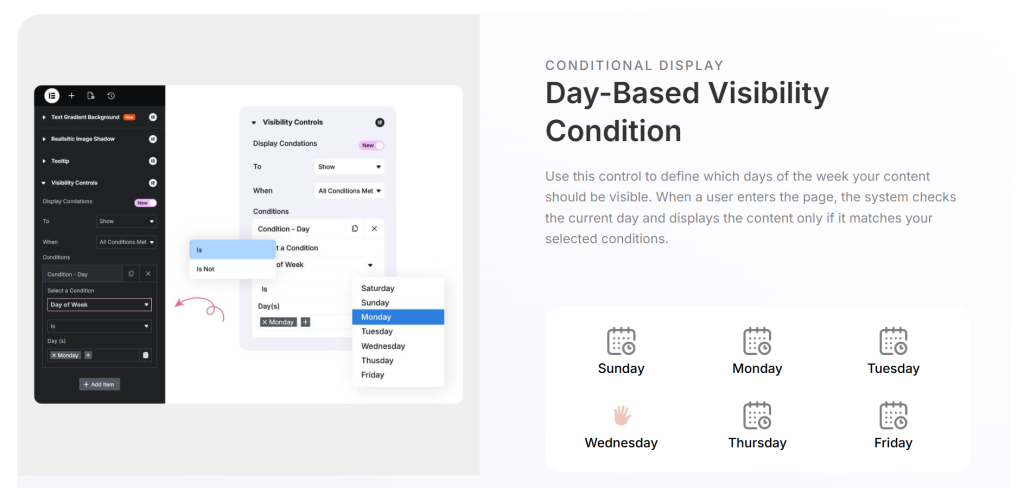
This means you can serve different content to mobile users versus desktop users, or show a special offer only to logged-out visitors.
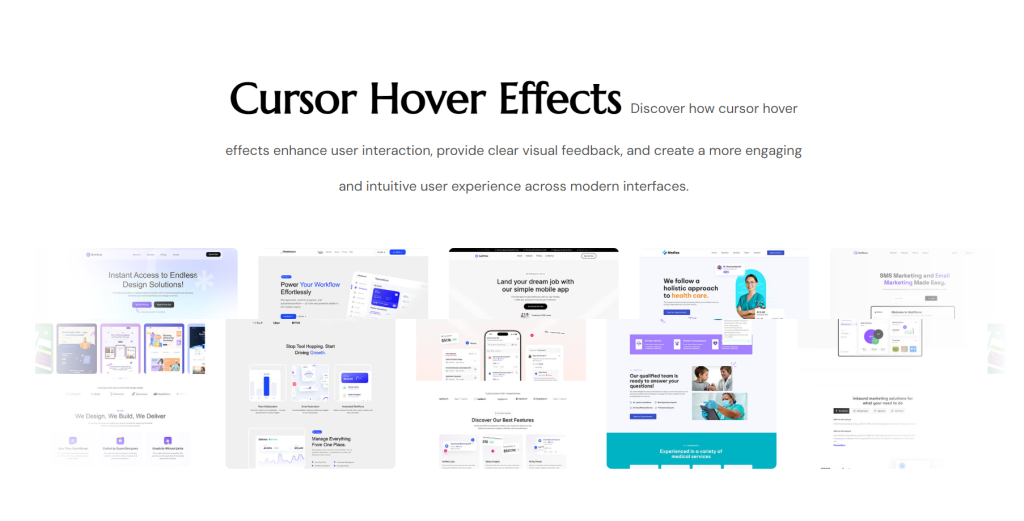
- The Cursor Effects feature transforms the standard browser cursor into a custom branded element, adding a layer of interactivity that immediately signals design attention to detail.
- The Floating Effects extension allows any widget to gently animate up, down, left, or right on a loop, adding movement and life to otherwise static sections.
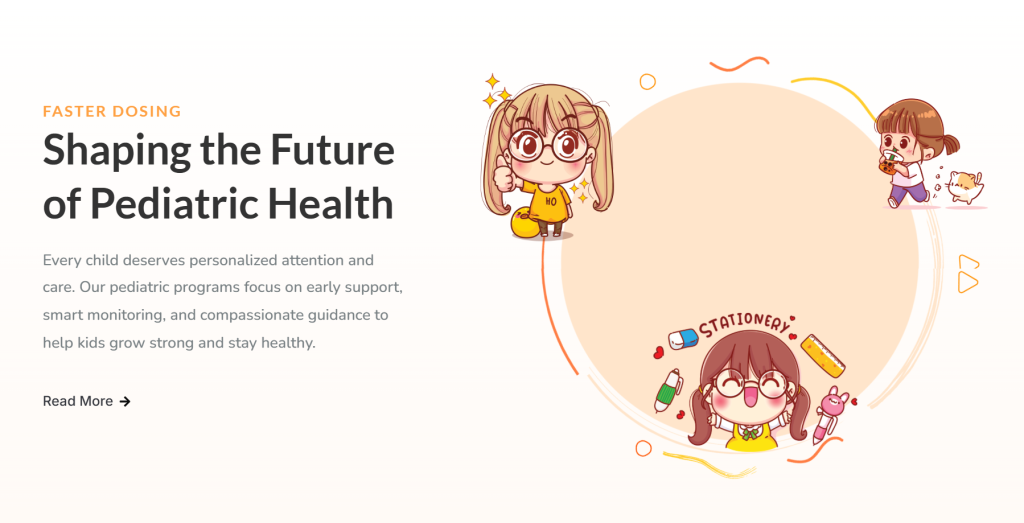
- The Image Masking feature lets you apply creative SVG-based shapes to any image, replacing the standard rectangular crop with circles, hexagons, waves, or custom forms.
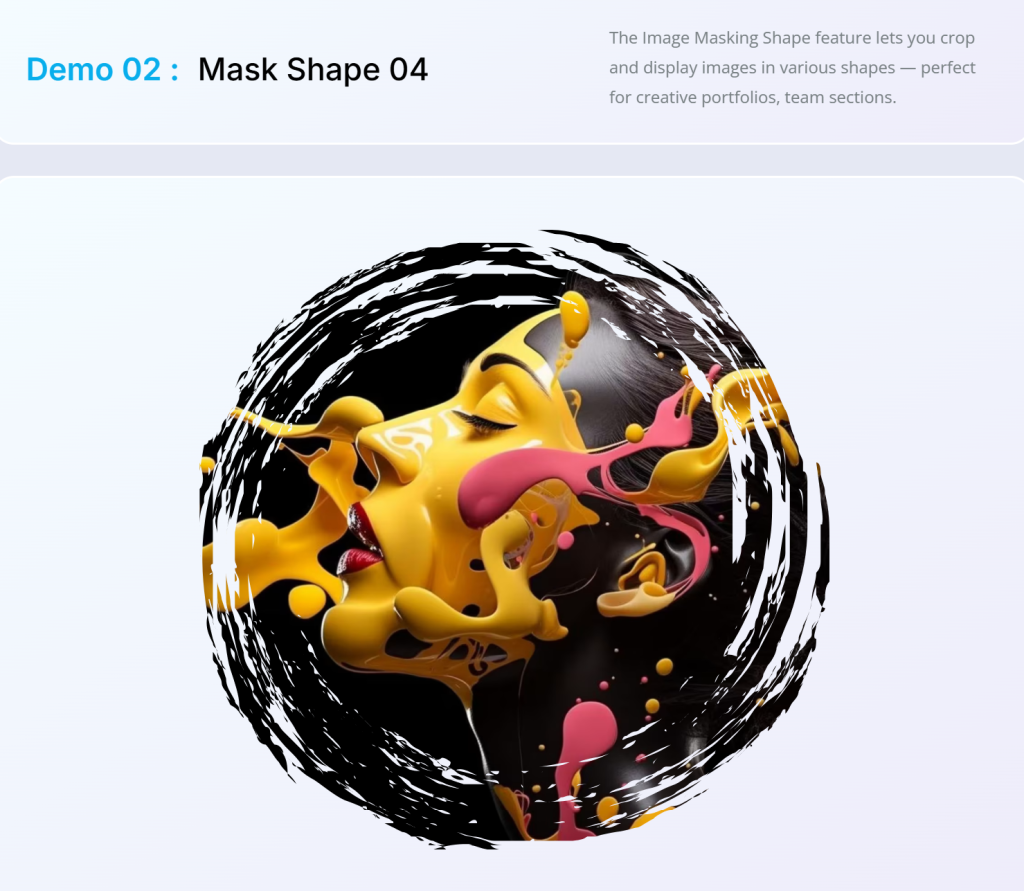
This is an instant way to give a portfolio or team section a distinctive look.
- The Liquid Glass Effect applies a frosted glass blur to any element, creating the kind of depth effect that has become one of the most popular visual trends in modern web design.
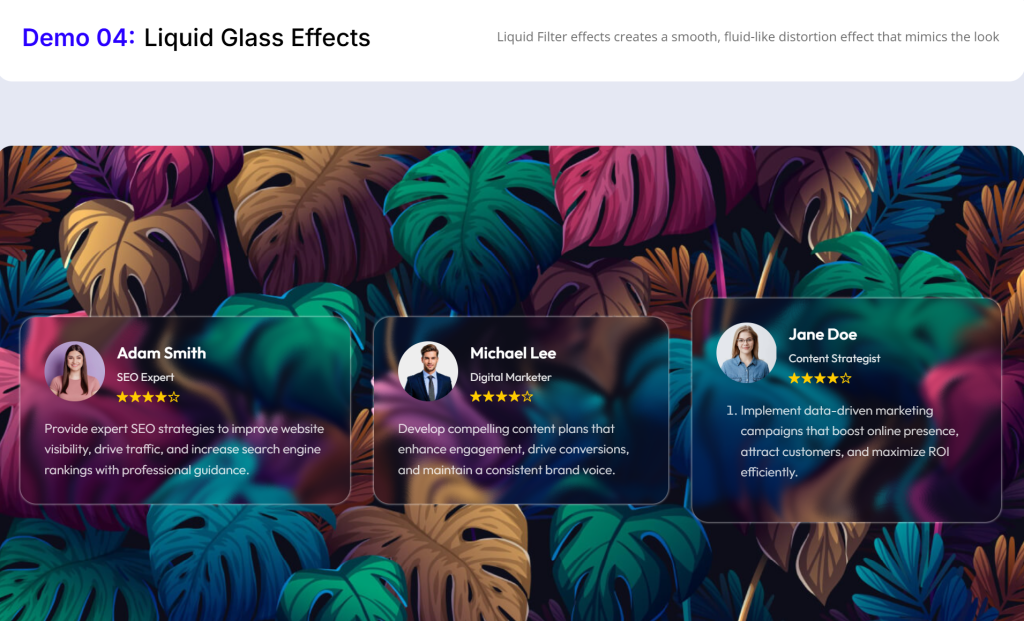
Ready Pages: launch a professional site in one click
Ready Pages are complete, full-page templates that cover the most common website types.
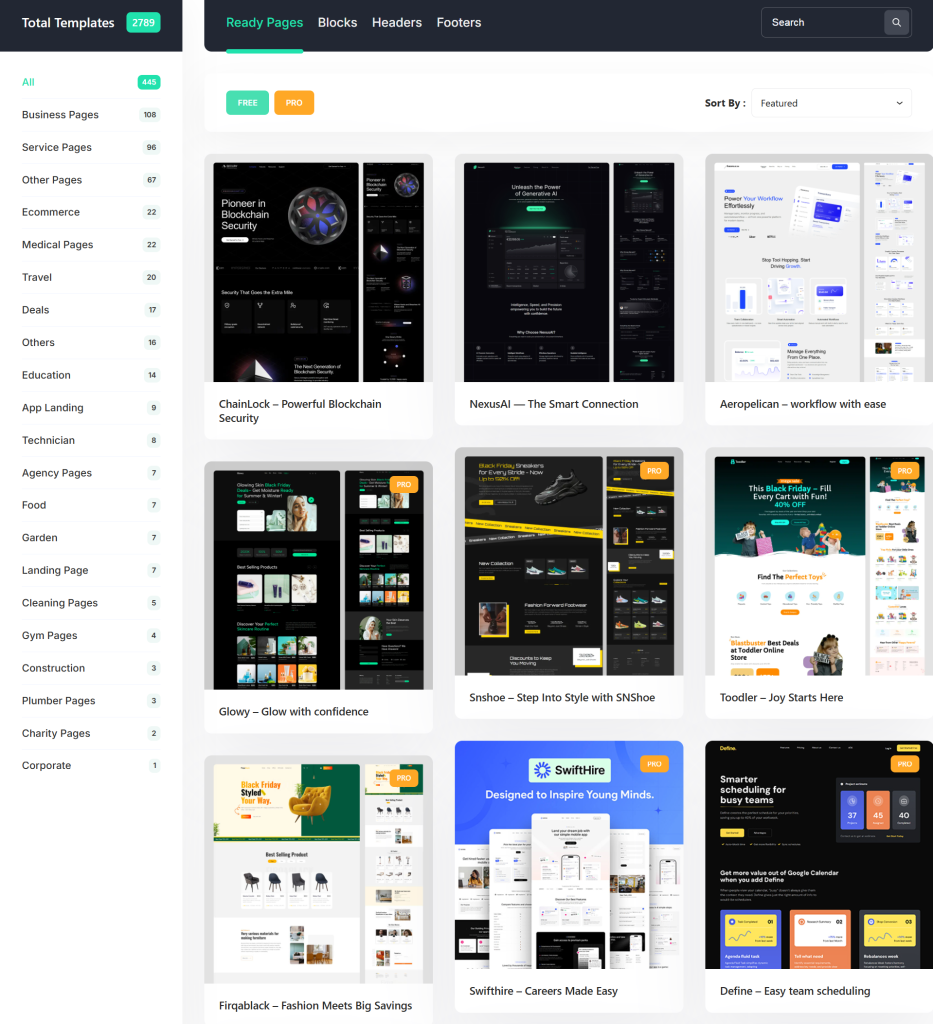
Each one is responsive, fast-loading, SEO-friendly and fully customizable. You choose a template, import it with one click, swap out the content and publish.
The library includes templates for agencies, consultancies, portfolios, restaurants, hotels, e-commerce stores, coaches, local businesses and more.
Each template is built using Element Pack’s own widgets, which means every section comes pre-wired with the interactions and design details you would otherwise have to build manually.
For anyone working on basic website design for clients, Ready Pages dramatically reduce the time from brief to delivery. Instead of starting from a blank canvas, you start from a polished, niche-appropriate base and customize from there.
Ready Blocks: mix, match and build page layouts in minutes
While Ready Pages give you a full site in one go, Ready Blocks give you individual, pre-built sections that you can combine in any order to assemble a custom layout. Think of them as high-quality Lego pieces for web pages.
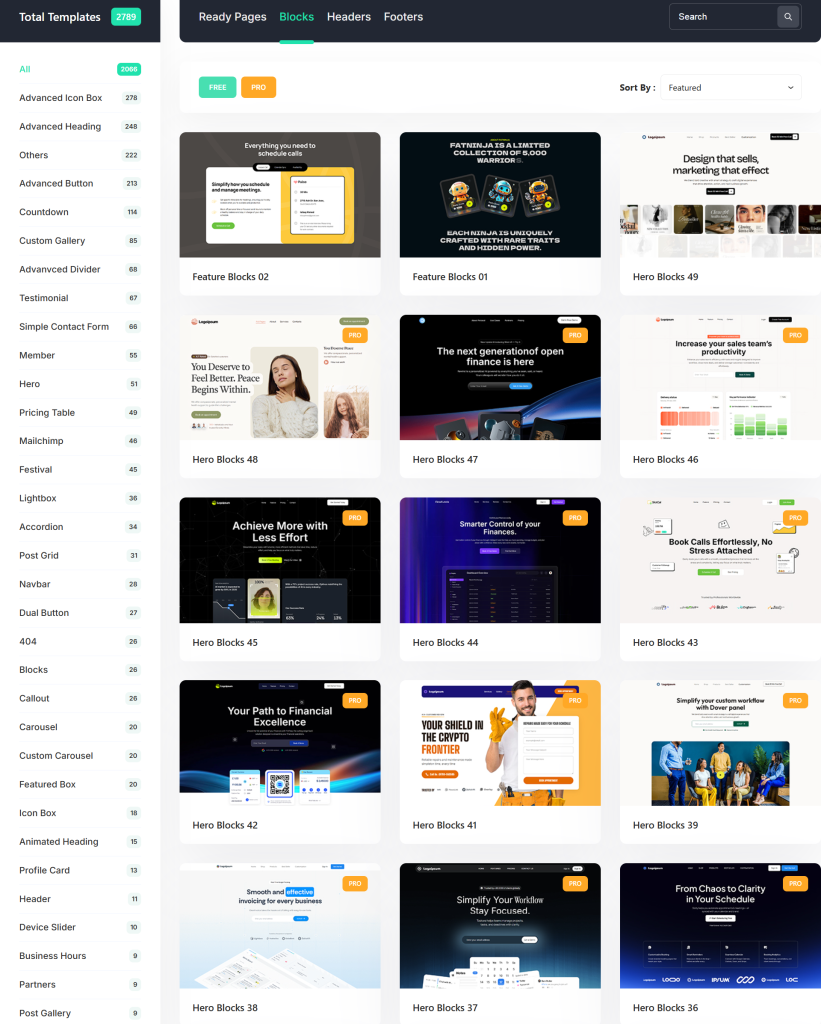
The block library includes hero sections, feature grids, testimonial layouts, pricing tables, team member sections, FAQ sections, CTA banners, blog post grids, contact sections and much more.
Each block has been designed to work visually alongside the others, so mixing and matching
Ready Blocks are also how many professional Elementor developers and designers speed up their workflow. As one long-term user described it, the blocks make it possible to prototype and design entire concepts without spending hours on basic sections.
Ready Headers: your first impression, professionally designed
The header is the first element every visitor sees and it sets the visual tone for everything beneath it. Element Pack’s Ready Header collection provides a range of pre-built header designs suitable for different industries and design tastes.
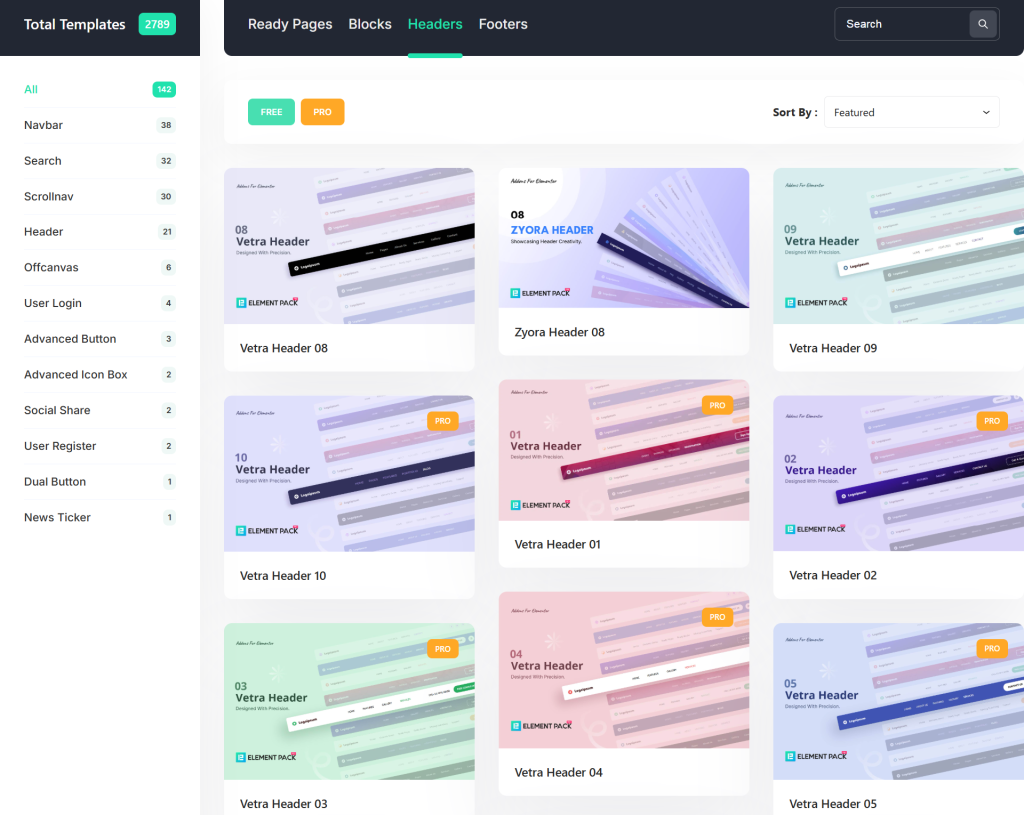
Each header design is built using the Theme Builder, which means it integrates cleanly with your full site and applies across every page automatically once activated.
Options range from minimal single-line headers to more complex layouts that incorporate mega menus, search bars, contact information and social links.
The Theme Builder itself is one of Element Pack’s most powerful features.
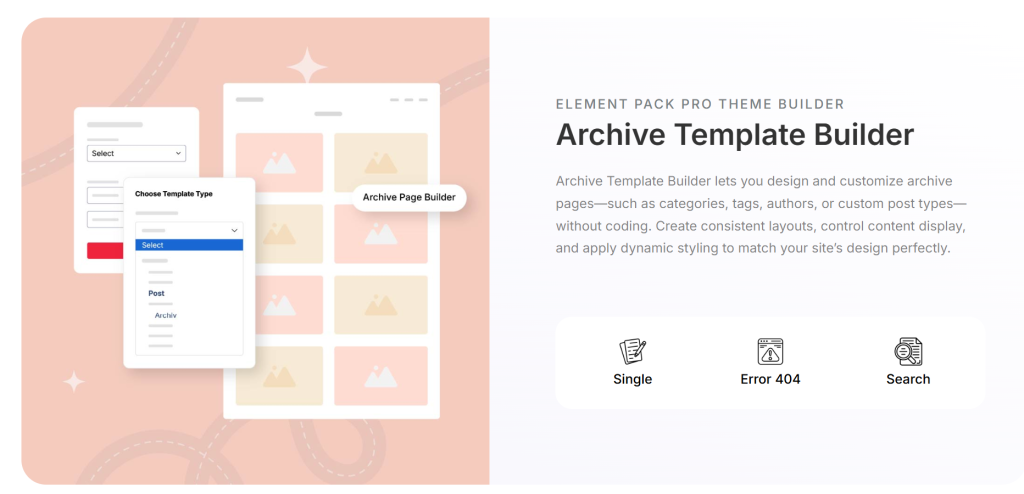
It gives you complete visual control over every part of your site’s structure: headers, footers, single post layouts, archive pages, WooCommerce product pages using the same drag-and-drop interface you use to build regular pages.
For anyone building a complete website rather than just a landing page, the Theme Builder is what ties all the pieces together into a consistent, professional result.
Ready Footers: close every page with purpose
The footer is often the most overlooked part of a website, but it carries real functional weight. It is where visitors go to find contact information, site links, legal pages and social media profiles. A poorly designed footer signals a site that was not finished properly.
Element Pack’s Ready Footer library offers a collection of attractive footer designs that match the visual language of the Ready Headers and Ready Blocks.
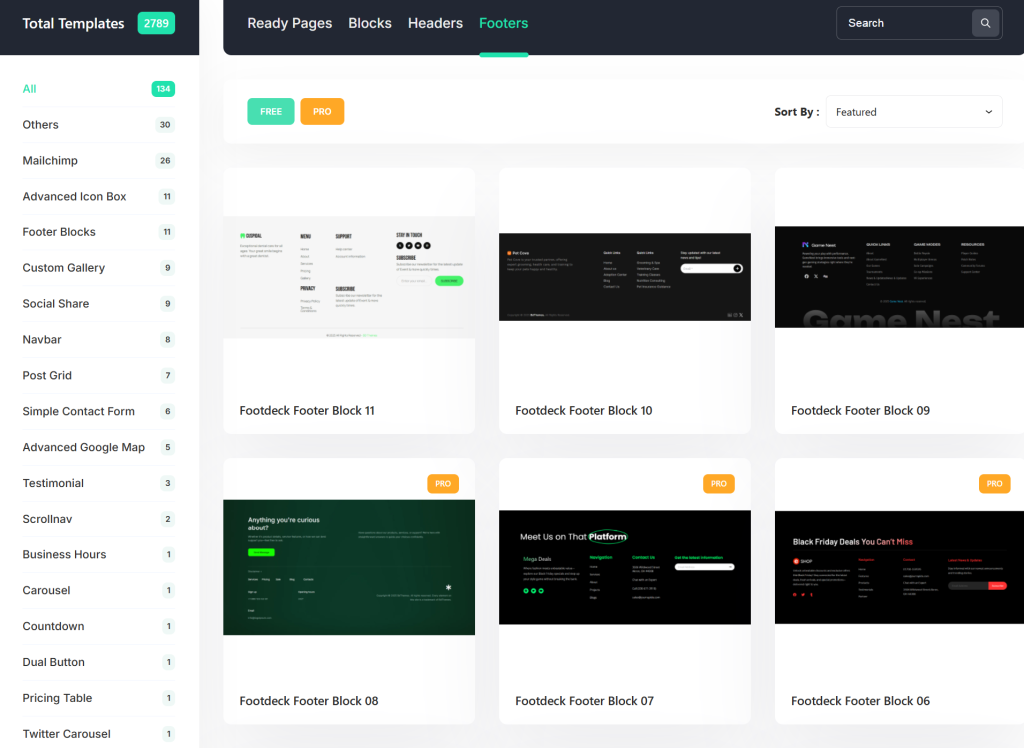
Like everything else in the template library, each footer is fully editable within Elementor and can be set to appear globally across the site through the Theme Builder.
Live copy-paste: borrow any design you admire, in two clicks
The Live Copy-Paste feature is one of the most uniquely useful tools in the entire Element Pack toolkit.
It lets you copy any section, widget, or full page from any website including Element Pack’s own demo pages and paste it directly into your Elementor editor on a completely different site.
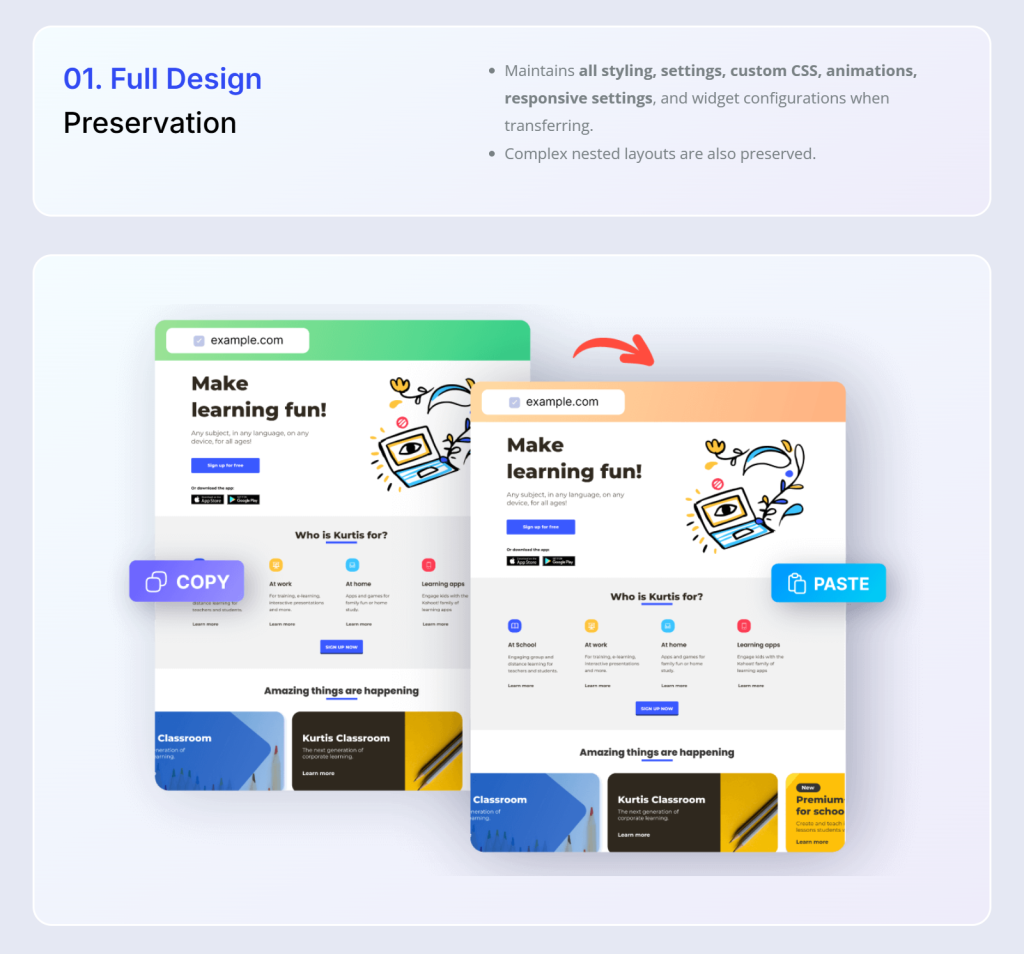
The practical applications are significant. You can build a personal library of your best-designed sections and reuse them across client projects.
You can browse Element Pack’s demo library, find a layout you like and import it instantly without navigating templates.
You can maintain a consistent design language across multiple sites for the same client. It is one of the features that users regularly cite as a genuine workflow change.
Assets Manager: keep your site fast without sacrificing features
Having access to hundreds of widgets raises a practical concern: does activating all of them slow your site down?
Element Pack’s answer is the Assets Manager, which gives you granular control over which scripts and stylesheets load on which pages.
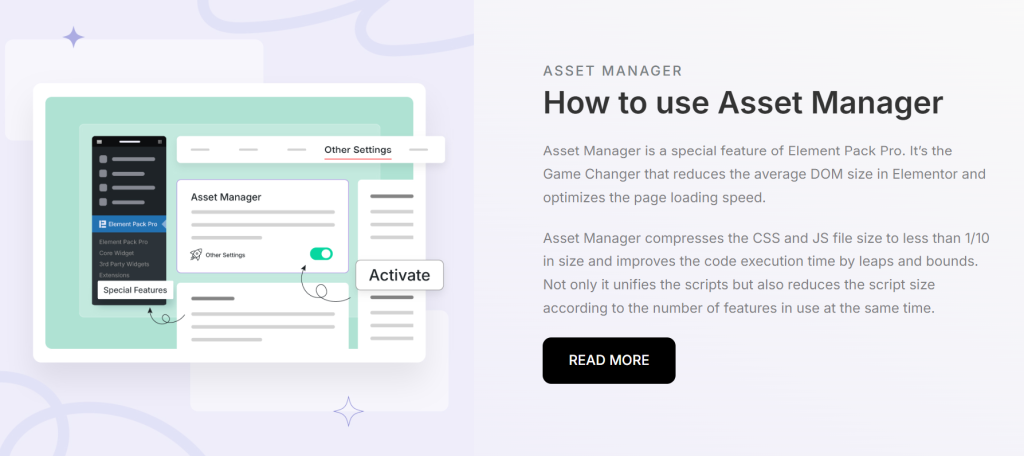
If you have not used a particular widget on a given page, its associated scripts do not load on that page. This keeps your site lean regardless of how many widgets are installed and it means your Core Web Vitals scores are not penalized for having a feature-rich plugin.
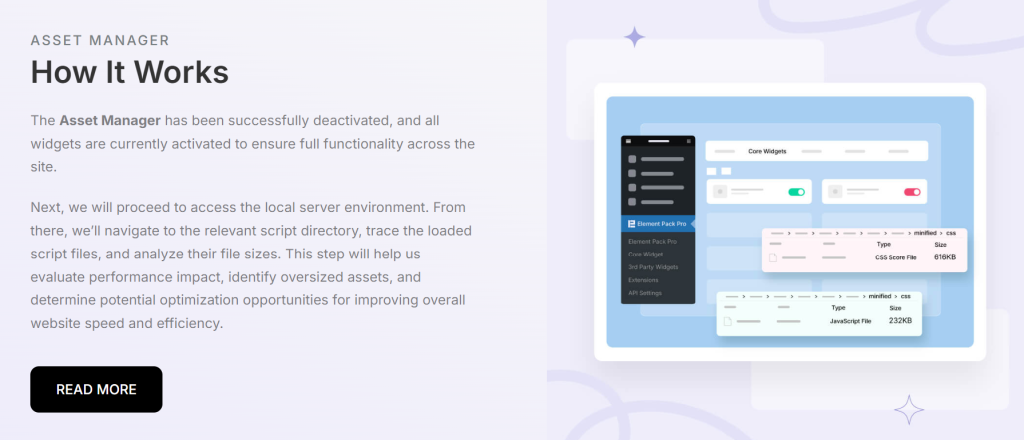
For anyone who cares about search engine rankings, this is an important detail.
Step-by-Step: Build Your First Website Using Element Pack
Now that the core features are clear, here is exactly how to move from a blank WordPress installation to a complete, publishable website using Element Pack Pro.
This process follows the natural workflow of simple website design and applies whether you are building a personal site or a client project.
Step 1: Install Elementor and Element Pack Pro
- From your WordPress dashboard, head to Plugins → Add New.
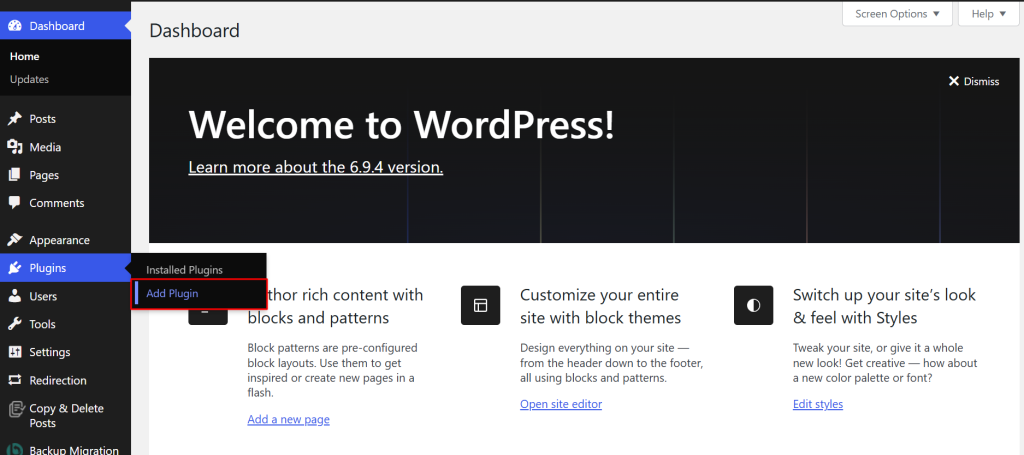
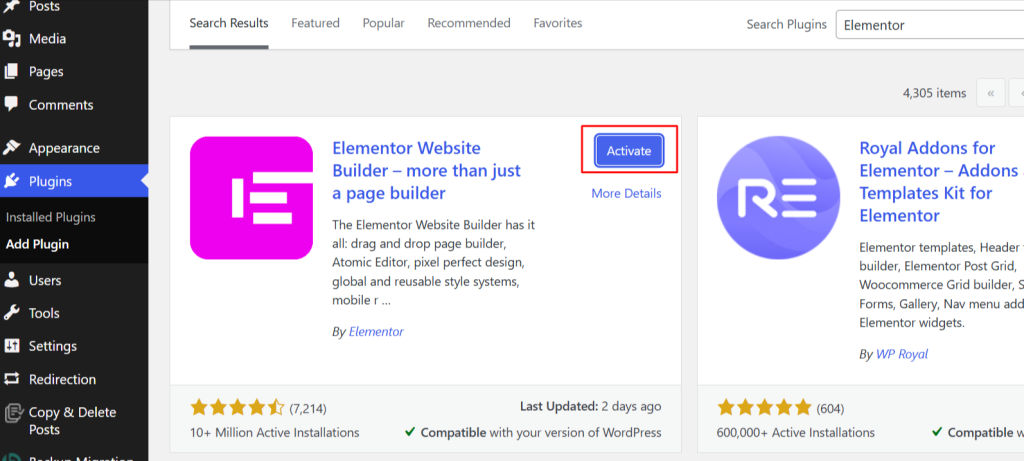
- Search for Elementor in the plugin search box and click Install.
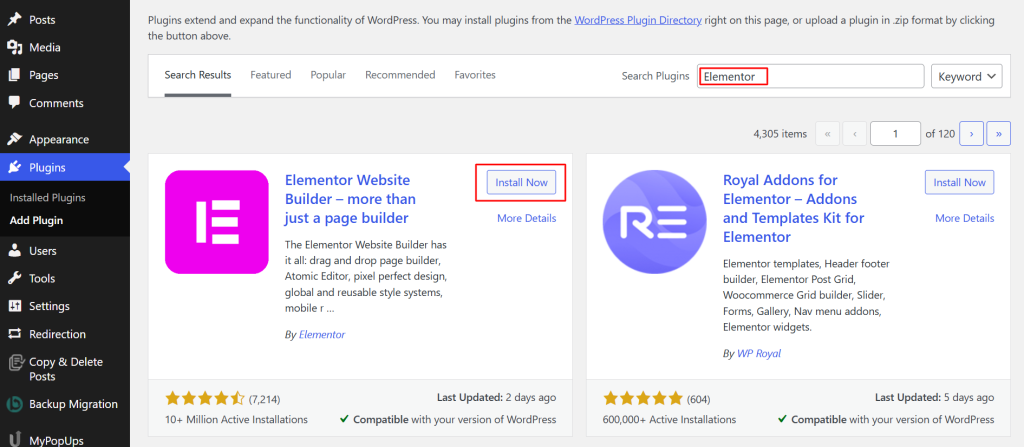
- Once the installation is complete, activate the plugin.
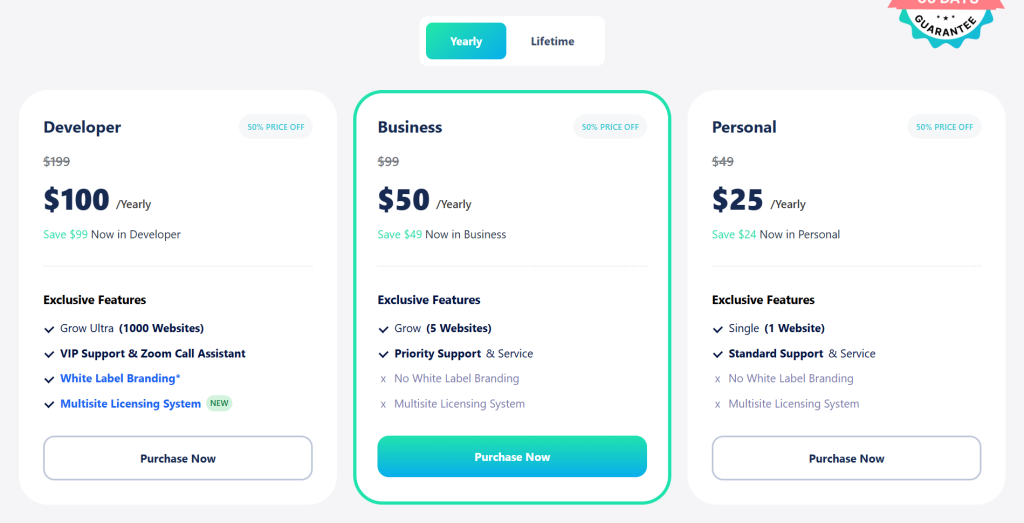
- Then go to elementpack.pro/pricing and choose a license that fits your needs.
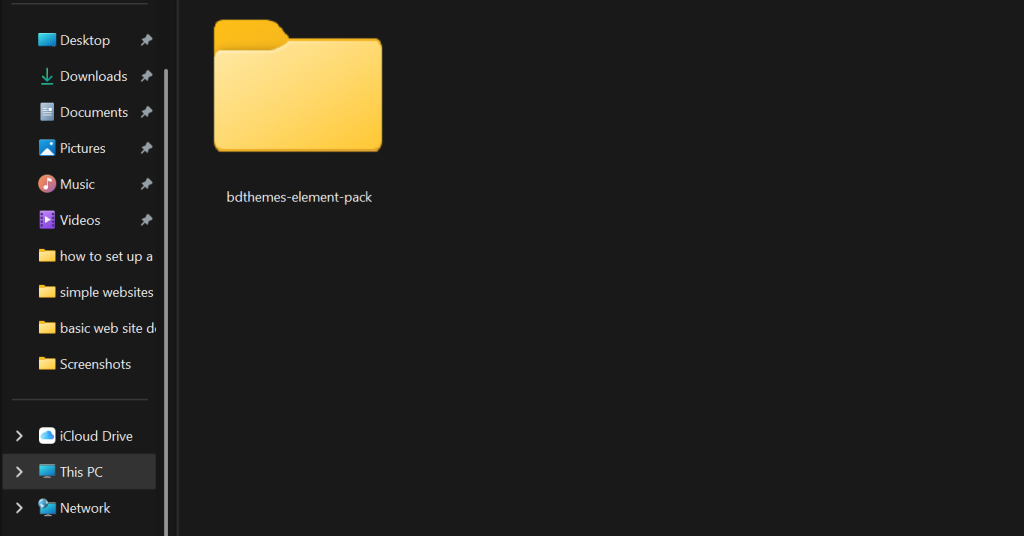
- Download the plugin file.
- Head back to Plugins → Add New → Upload Plugin.
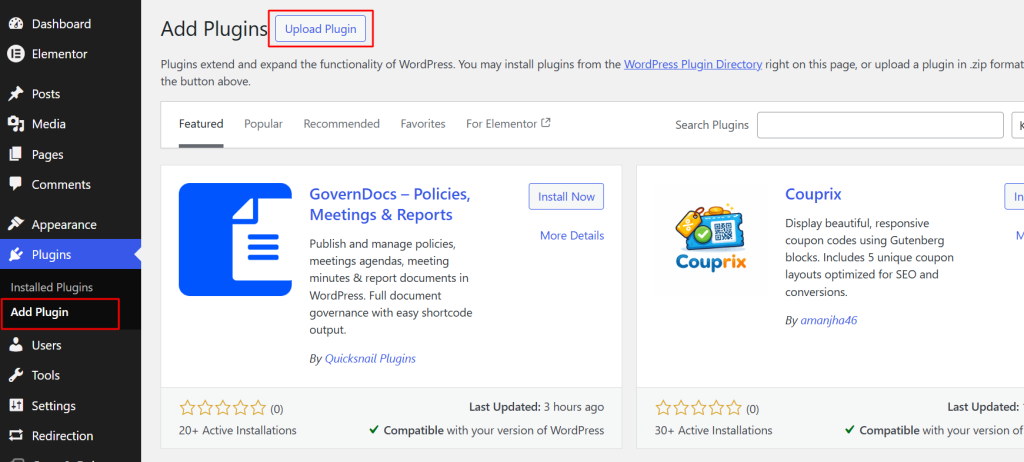
- Select the zip file and install the plugin.
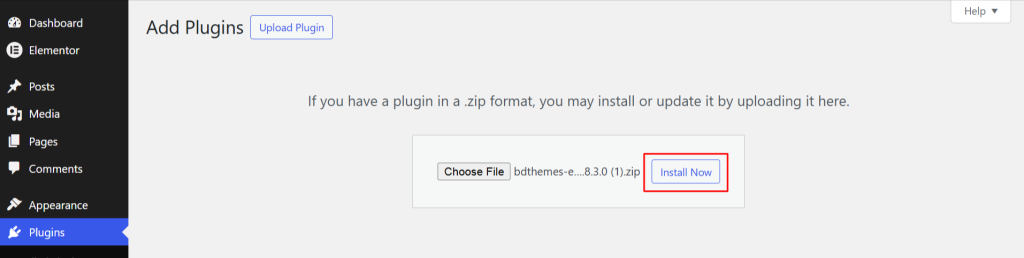
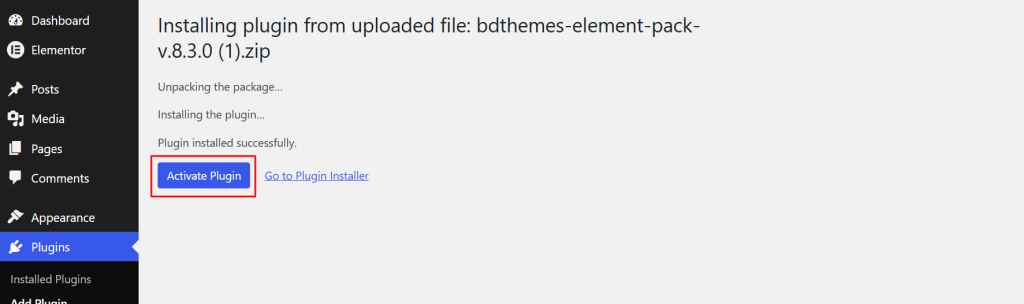
- Once the plugin is installed, click on the Activate plugin button.
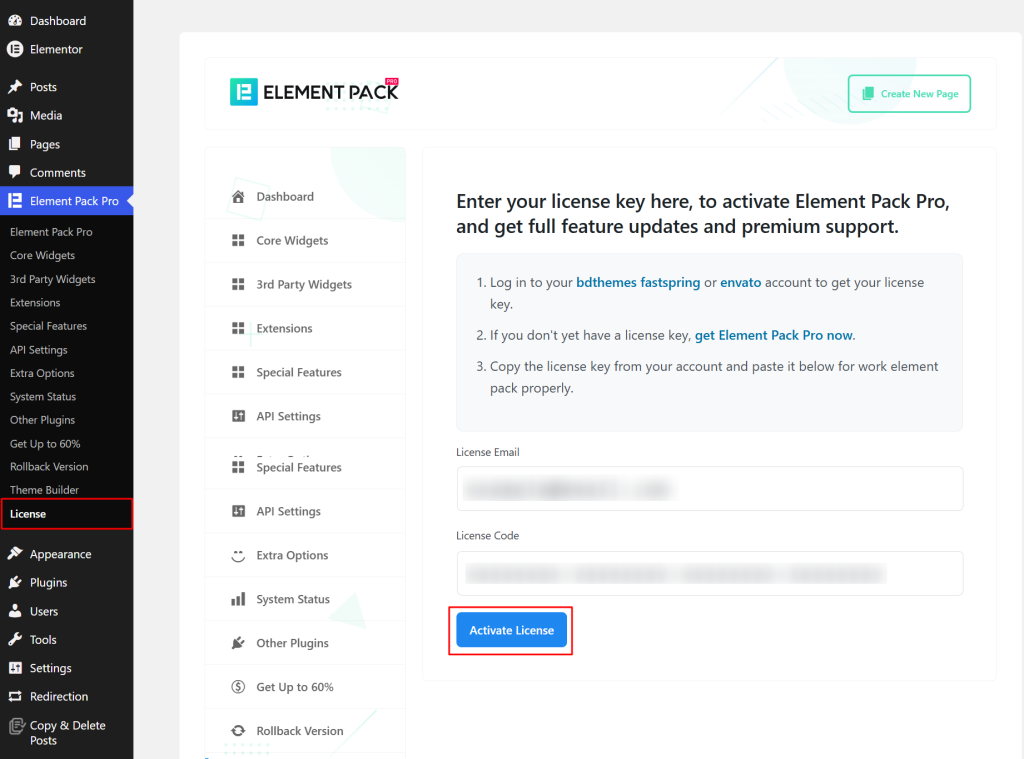
- After the plugin is activated, head to Element Pack Pro → License in the left sidebar of your WordPress dashboard.
- Enter the email address and license code and click on the Activate License button.
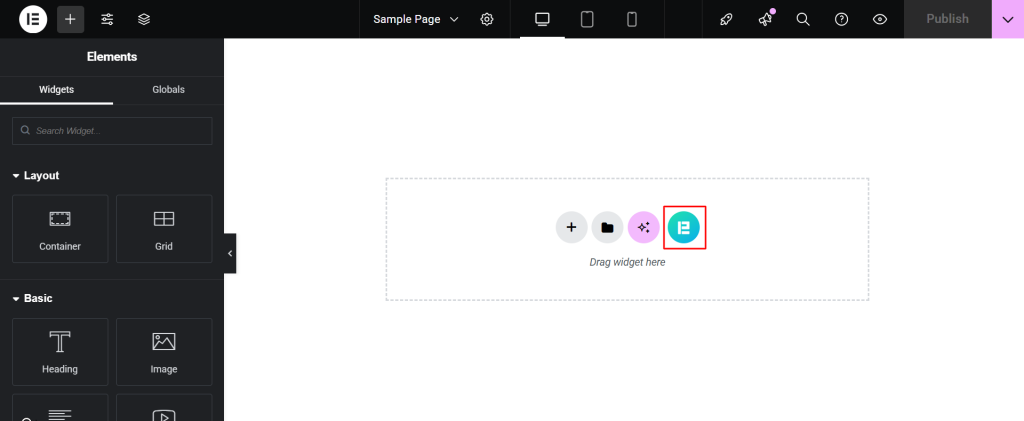
Once both plugins are active, you will find Element Pack’s widgets organized inside the Elementor panel.
Here’s a detailed tutorial guide on installing the pro version of Element Pack Pro that you can refer to for detailed steps and information.
Step 2: Choose a Ready Page template for your niche
Designing a website from scratch can be daunting, but with Element Pack’s extensive template library, you can quickly get started using pre-designed layouts tailored to your needs.
These templates save you time while maintaining a professional look, whether you’re creating a portfolio, business website, or e-commerce store.
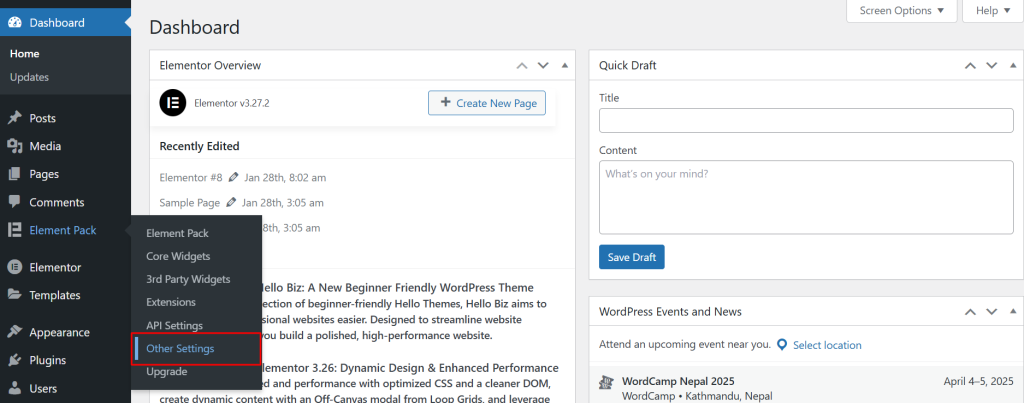
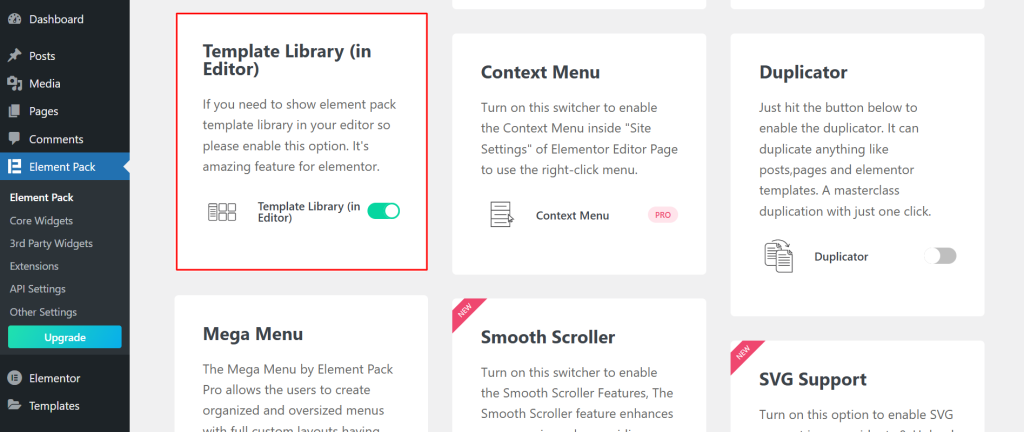
In order to use the Element Pack’s template, you have to enable the template library in the editor.
- Head to Element Pack > Other Settings.
- Select the Template Library (in Editor) and enable it.
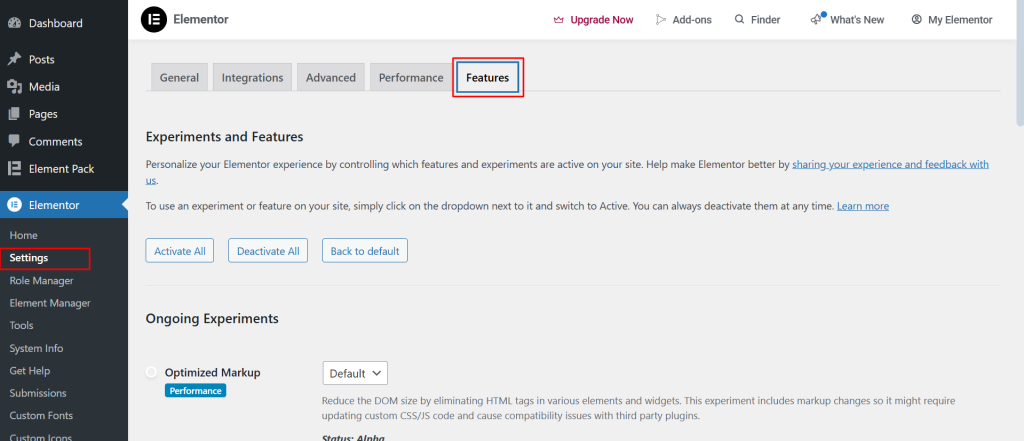
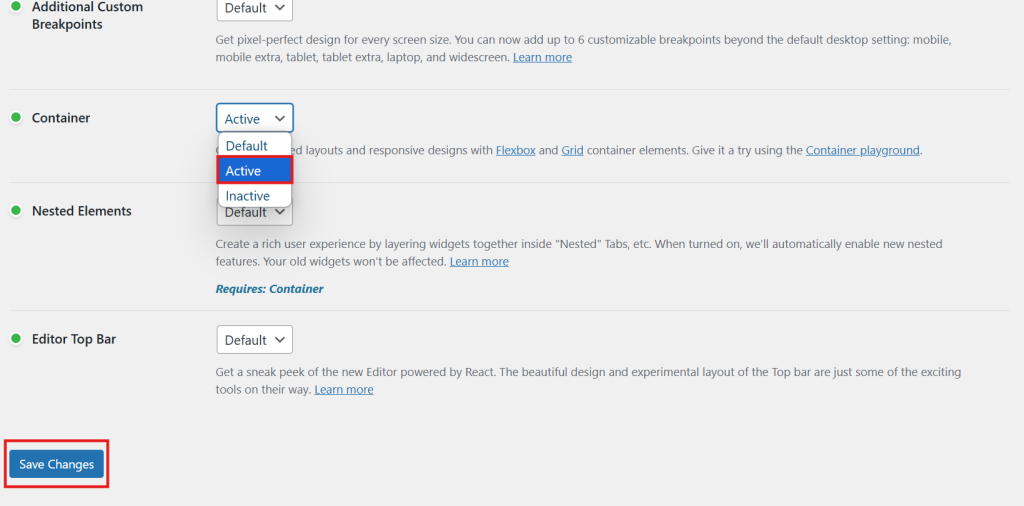
To ensure that you can access the Elementor Pack with the editor, you have to activate the container.
For this,
- Navigate to Elementor > Settings and select the Features option.
- Scroll down to the Container, activate it and Save Changes.
You will find the Element Pack template library available, giving you instant access to 2,700+ templates without leaving the editor.
Once enabled,
- Navigate to your WordPress Dashboard and open the page you want to edit or create a new page.
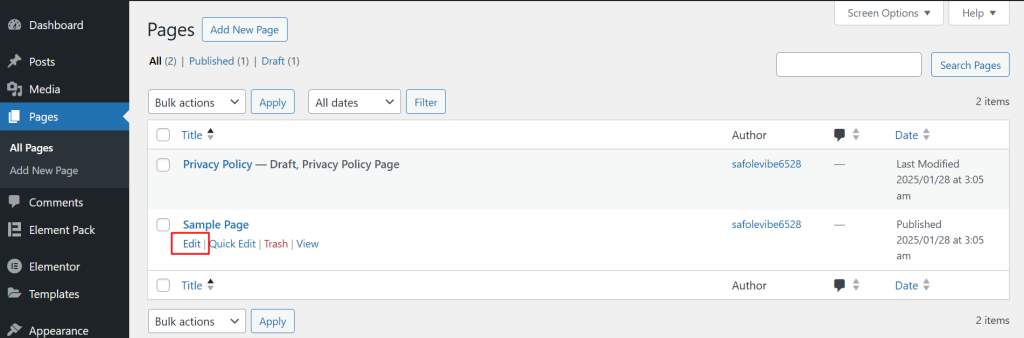
- Click Edit with Elementor to launch the visual editor.
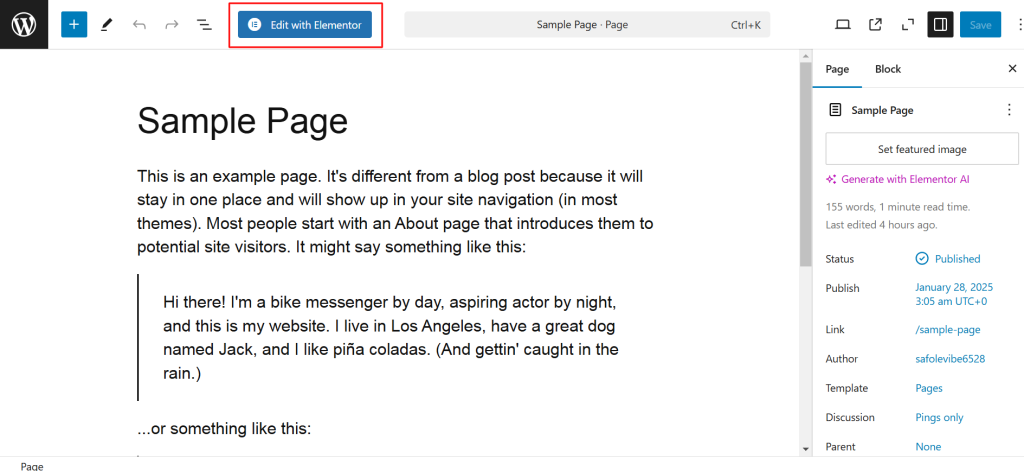
- Inside the editor, select Element Pack.
- Select Element Pack Templates from the options provided. This will display a curated library of professionally designed templates.
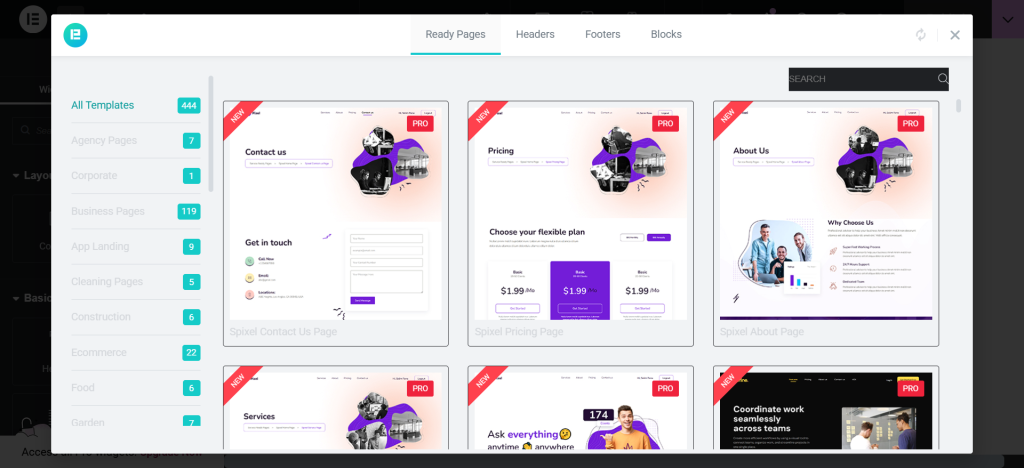
- Use the search bar or filters to find templates by type (e.g., Portfolio, Business, E-commerce).
Each template is responsive and customizable, ensuring it works seamlessly across devices.
- Hover over any template to see a Preview button. Click it to view the design and layout in detail.
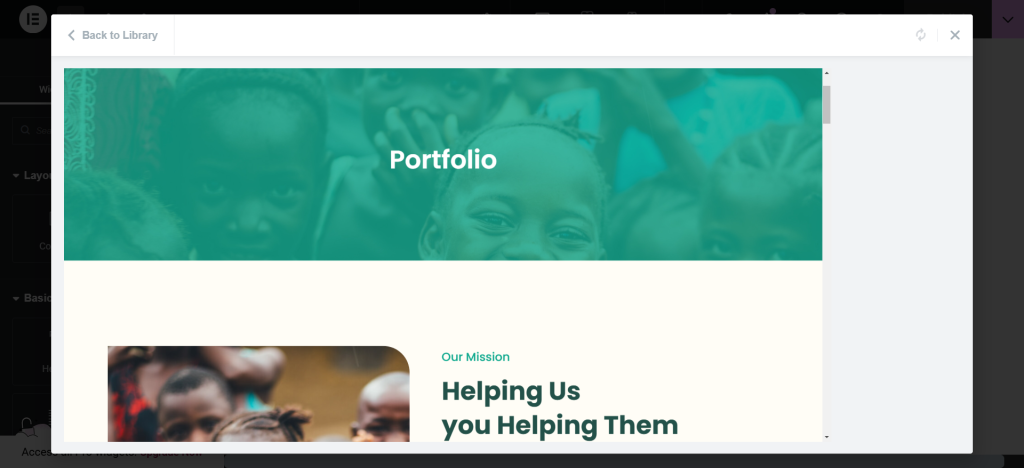
- Once you’ve found a template that fits your needs, click Insert to add it directly to your page.
For this article, we will be selecting a portfolio template.
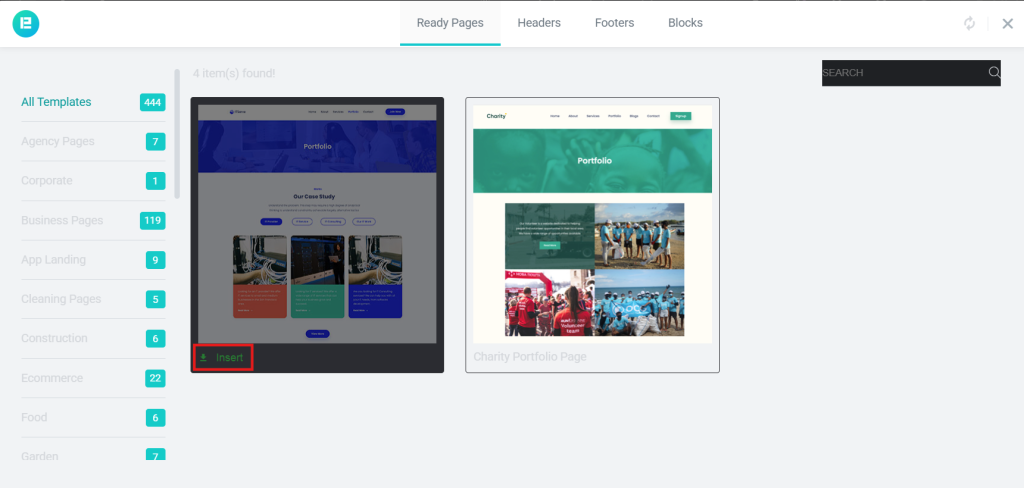
- Wait a few seconds for the template to load in the editor.
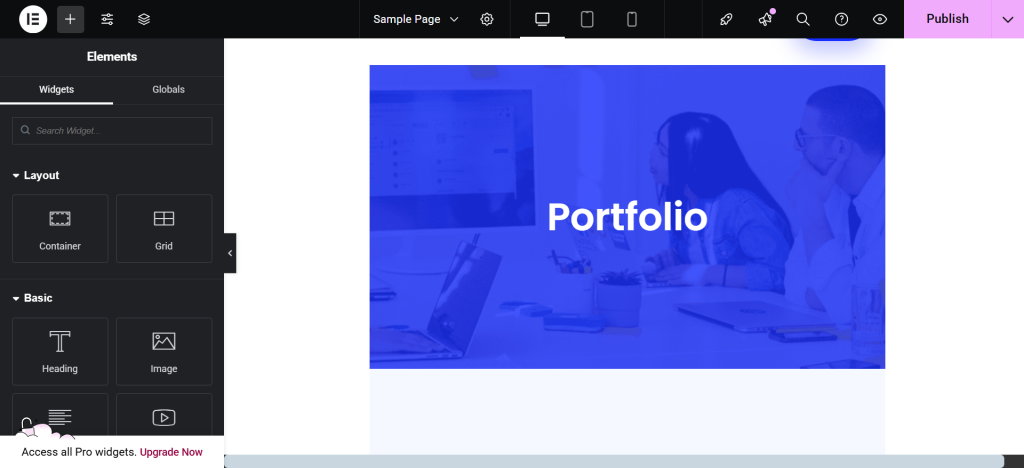
- Replace the placeholder text and images with your content. The drag-and-drop feature makes it simple to adjust elements like headings, images and buttons.
Benefits of Using Element Pack Templates
- Saves Time: Pre-designed templates let you skip the lengthy design process.
- Versatility: Choose from a range of styles tailored for various industries.
- Professional Finish: Developers created it with modern design trends in mind, ensuring your website looks polished.
Step 3: Add interactive elements with Element Pack widgets
With your base layout in place, this is where you elevate the page from functional to polished. Add the Mega Menu widget to your header for rich navigation.
Drop in Parallax Effects on your hero section for depth. Use Floating Effects on images to add movement. Apply Image Masking to team photos or portfolio images for visual interest.
For blog or portfolio sites, the Post Gallery widget and Post List widget give you clean, filterable layouts for displaying your content. For service or SaaS pages, the pricing table and testimonial widgets add the social proof and comparison elements that drive conversions.
You can find demos for all 290+ widgets at elementpack.pro/elements-demo.
Step 4: Optimize for speed using the Assets Manager
Before publishing, head to Element Pack → Special Features in your WordPress dashboard and open the Assets Manager.
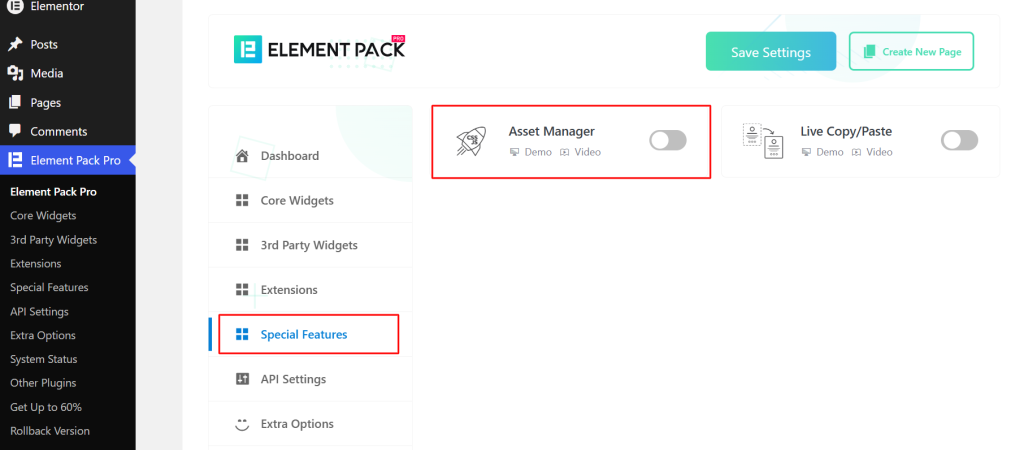
Review which widgets are enabled and disable any that you have not used on your site.
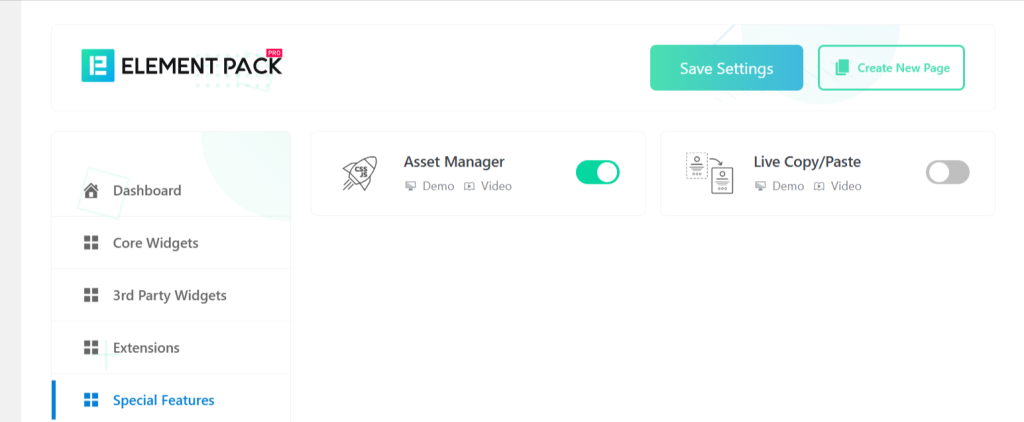
This step ensures that only the scripts your pages actually require are loaded, keeping your site fast and your Core Web Vitals scores healthy.
10 Basic Website Design Ideas You Can Launch Today with Element Pack
One of the most useful aspects of a tool like Element Pack is that it collapses the gap between the design idea and the finished page. Here are ten basic website design ideas that work for a wide range of purposes, each one achievable using the templates and blocks in the Element Pack library.
1. Minimalist personal portfolio
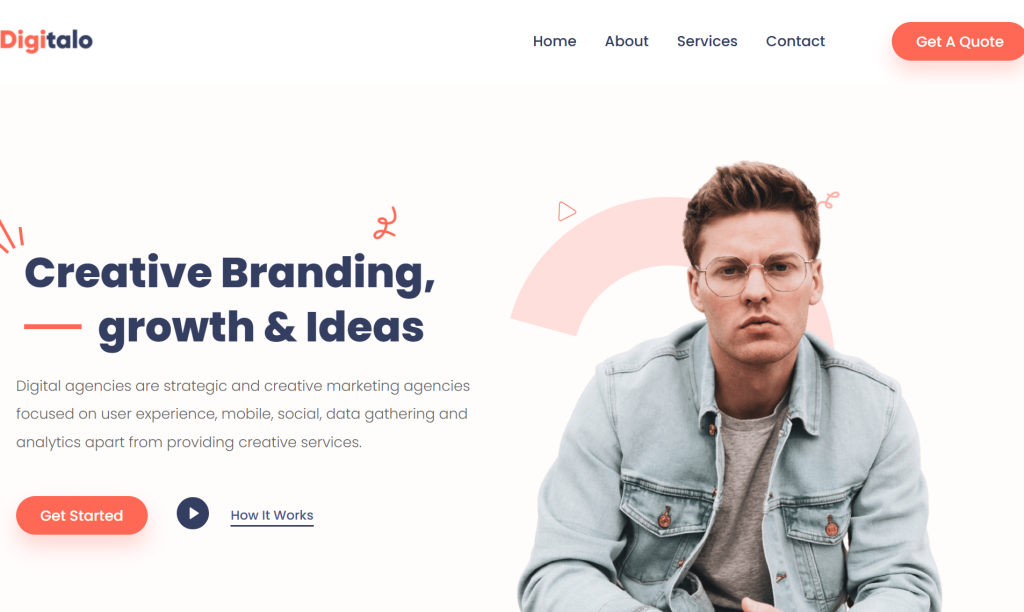
A single-page portfolio with a clean hero section, a short about section, a project grid and a contact form. Use the Image Masking feature on portfolio thumbnails and keep the color palette to two or three tones. Element Pack’s portfolio Ready Pages give you a polished starting point for this type of site.
2. Small business landing page
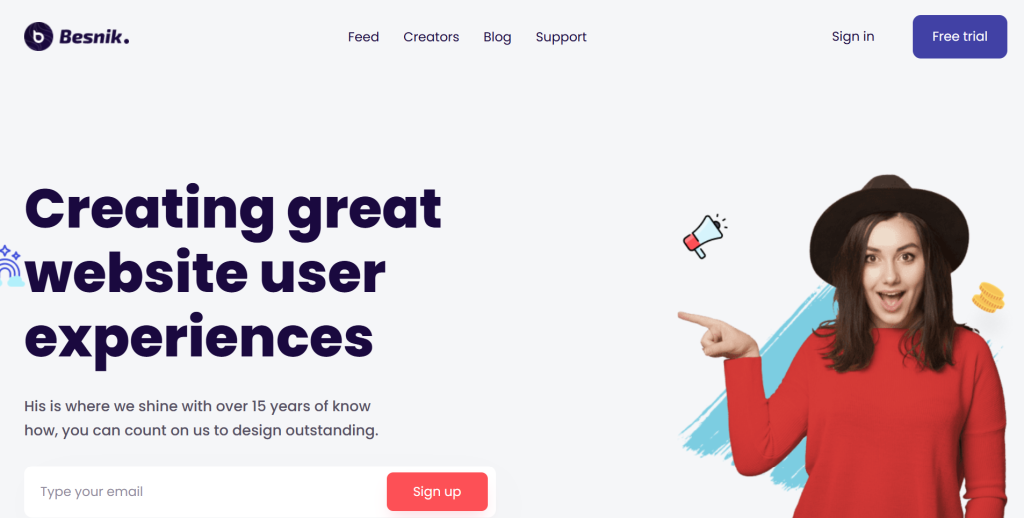
A focused landing page for a local business with a headline that states exactly what the business does, a features section highlighting key services, a testimonials block and a CTA. Use the Floating Effects extension on an icon or product image to add movement. The Ready Blocks library has individual sections for every part of this layout.
3. Blog and content site
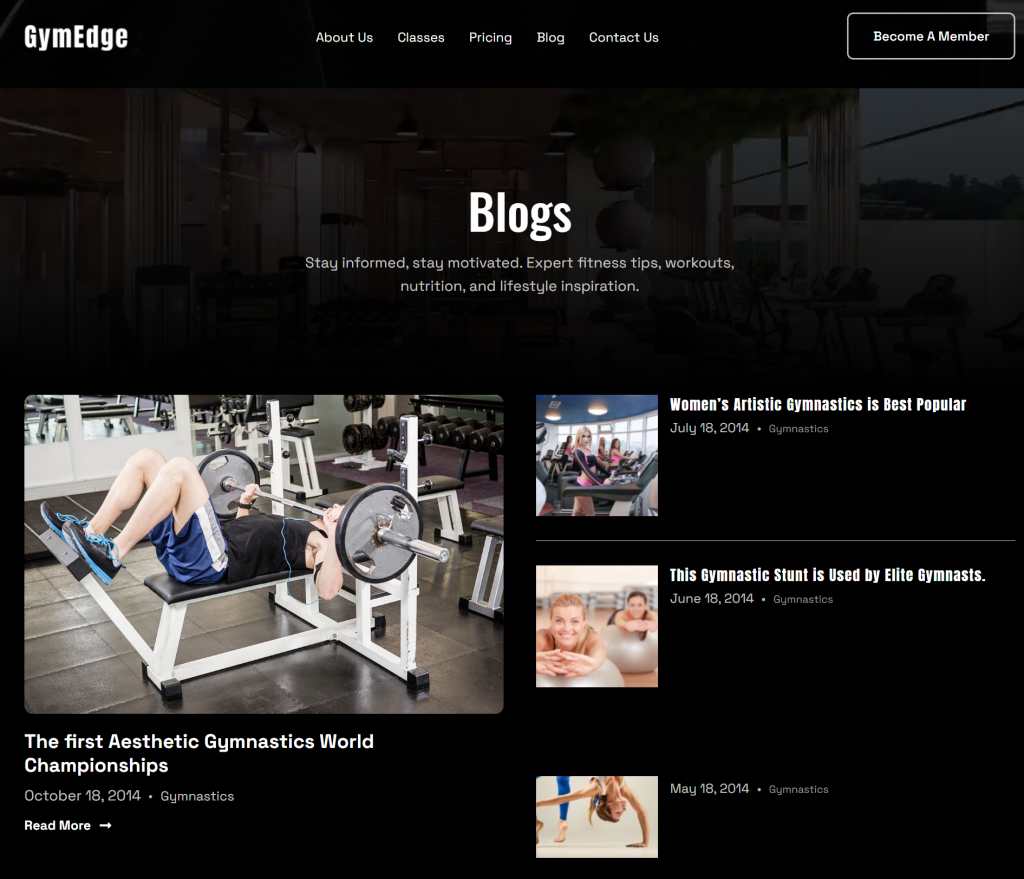
A blog homepage with a featured post hero, a grid of recent articles, a sidebar with category links and an email signup section. Element Pack’s Post Gallery widget and Post List widget give you filterable, styled layouts for displaying articles. For a detailed guide on building this type of layout, see Element Pack’s own resource on how to create a custom blog layout for Elementor.
4. Restaurant or food business site
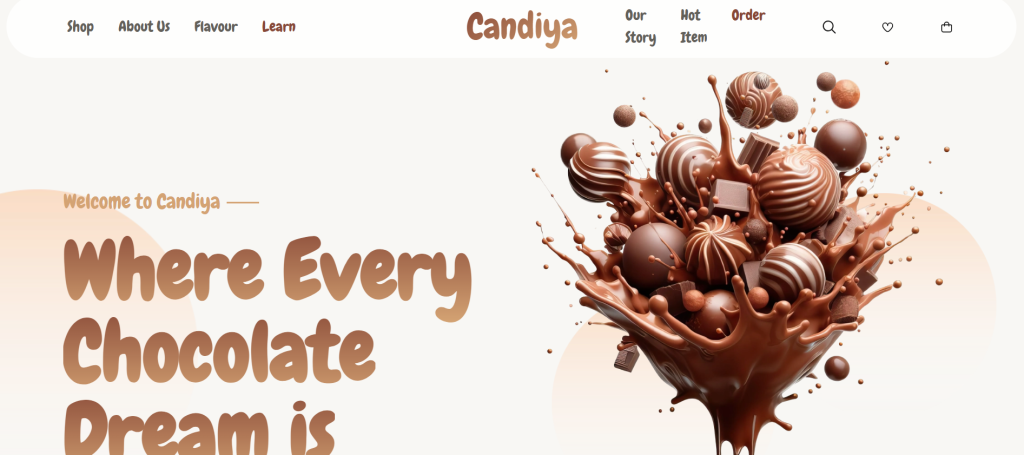
A visually rich layout with a full-width hero image, a menu section, an about section, a gallery and a reservation form. The Liquid Glass Effect works particularly well on overlay sections for this type of site, giving menu cards and featured dishes a premium visual treatment.
5. Service agency one-pager
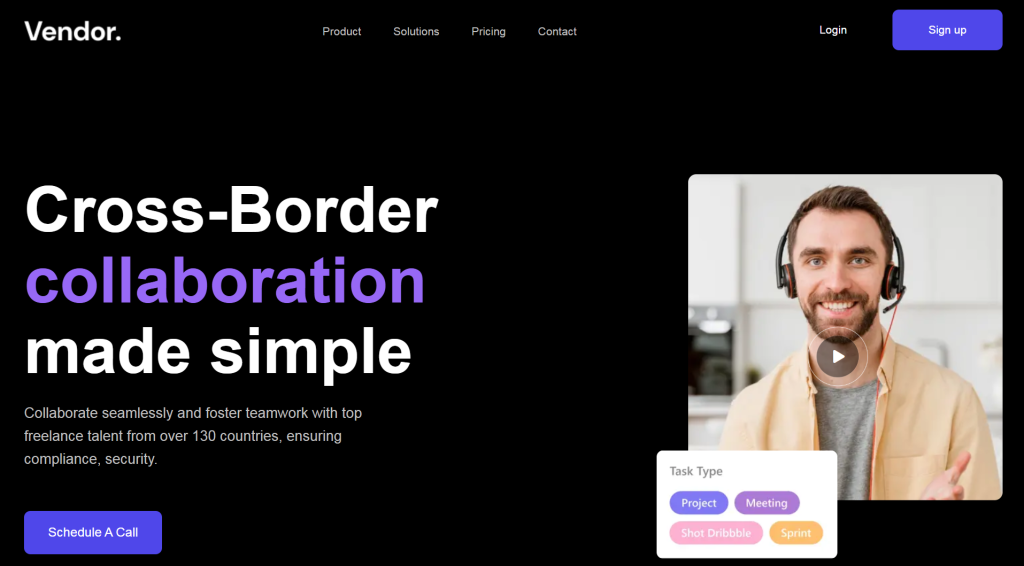
A scrolling single-page layout covering the agency’s services, process, team and contact information. The Mega Menu widget handles smooth anchor link navigation in the header and the Parallax Effects on background sections add depth as the user scrolls through. Element Pack’s agency Ready Pages are a strong starting point here.
6. Freelancer or consultant site

A professional consulting site with a headline, a short bio, a list of services, past client logos and a direct contact form. This type of site benefits from clear typography and minimal distraction. The Notation widget can be used to add hand-drawn style annotations that give the page a personal, human feel.
7. Event or product launch page
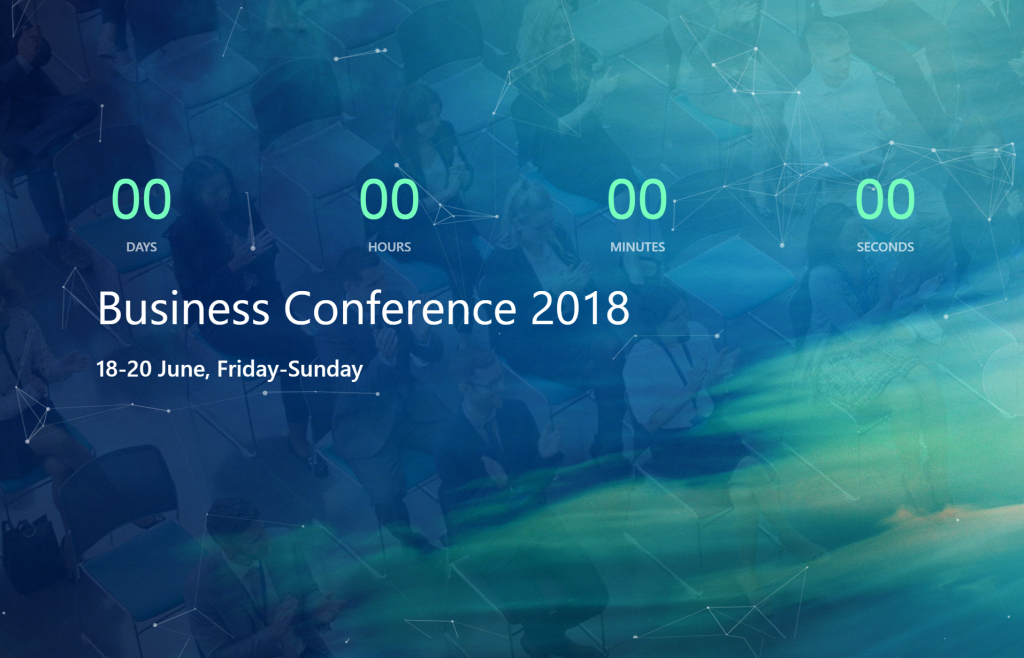
A high-impact single-purpose page with a countdown timer, event details, a speaker or feature section and a registration form. The Transform Effects extension can be applied to section reveals and button hover states to create an energetic, interactive feel appropriate for launch pages.
8. Non-profit or charity site
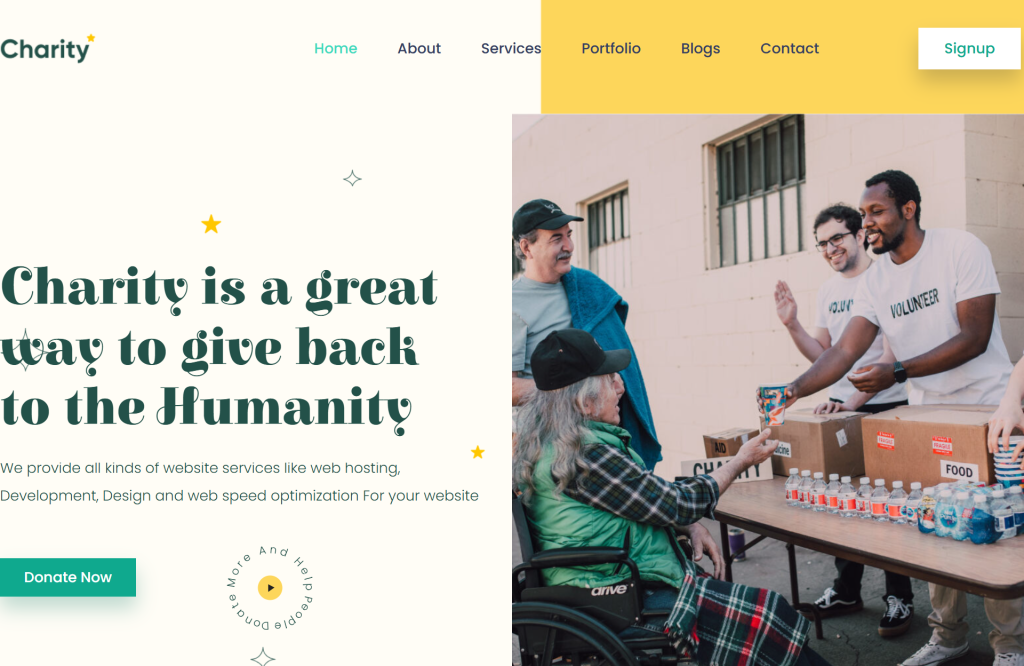
A mission-driven layout with a strong emotional hero section, a clear statement of purpose, an impact statistics section, a project or story grid and a donation CTA. Element Pack’s Background Overlay feature lets you place text over imagery with full readability, which is essential for this type of content-heavy, image-led design.
9. Online course or coaching site

A structured layout with a hero section, a curriculum or program overview, testimonials, coach bio, pricing and FAQ. The Visibility Controls extension is useful here for showing different CTAs to logged-in students versus new visitors. The FAQ section can be built with the accordion widget and styled to match the rest of the page.
10. Local business or brick-and-mortar store
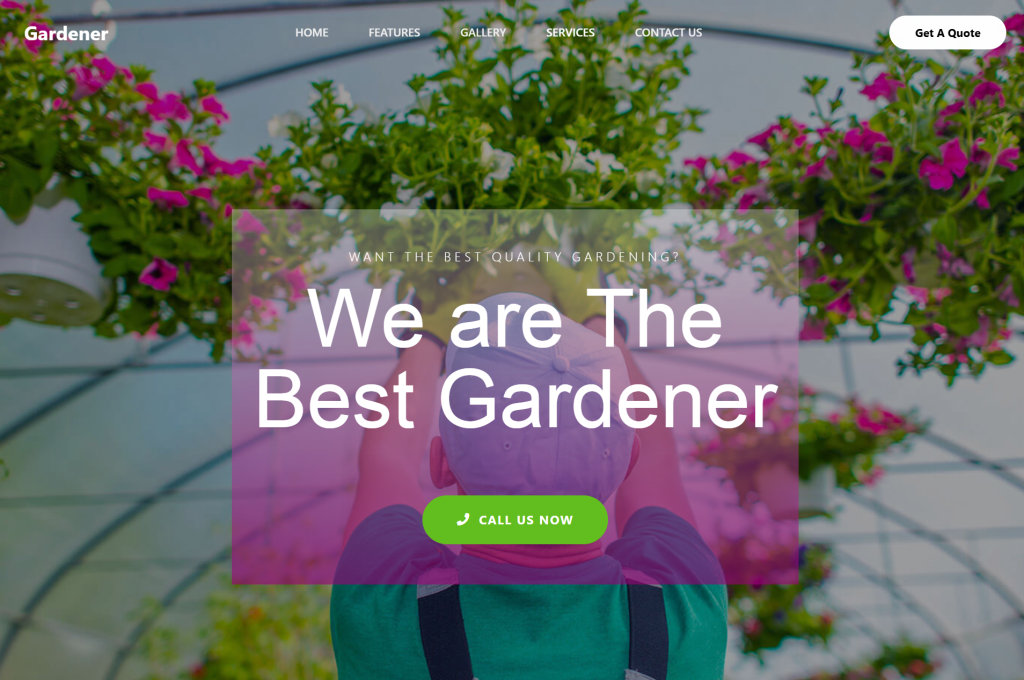
A practical layout covering opening hours, location map, services, team photos and customer reviews. Use the Ajax Search widget if the site has a product catalogue and apply the Widget Tooltip extension to interactive elements to improve usability for customers who are not frequent web users.
All ten of these site types have matching Ready Pages or can be assembled from Ready Blocks in the Element Pack template library. For more design examples and inspiration, Element Pack’s blog post on the best sites built with Elementor is a useful reference.
Element Pack vs. Building from Scratch: Why Smart Designers Choose Element Pack
If you have ever tried to build a website from scratch using only Elementor’s default widgets and a blank theme, you already know how time-consuming the process is.
Every section requires custom styling from scratch. Every interactive element requires either custom code or a separate plugin. Every page template has to be built manually. And every time you work on a new client project, you start over.
The comparison is straightforward.
| Factor | Building from scratch | With Element Pack Pro |
| Time to first draft | Days to weeks | Hours |
| Design skill required | High | Low to medium |
| Consistent branding | Manual effort per page | Theme Builder handles it |
| Performance optimization | Manual per plugin | Assets Manager built-in |
| Widget availability | Elementor defaults only | 290+ purpose-built widgets |
| Template starting points | None | 2,700+ templates and blocks |
| Cost | Dev time + multiple plugins | Single addon licence |
Users who have made the switch describe Element Pack Pro as the point where Elementor becomes a complete professional design system rather than just a page builder.
As one verified user on AppSumo put it, the widget library is so comprehensive that there is no longer a reason to maintain a separate Elementor Pro subscription, since Element Pack covers everything needed to build fully functional, feature-rich sites.
For agencies and freelancers, the unlimited licence means the entire library is available across every client site, which compresses project timelines and improves the consistency of output across accounts.
For solo business owners who are not designers, it means the gap between what you can imagine and what you can actually build is effectively closed.
Start Building Your Website Today
Basic website design does not need to be difficult, expensive, or time-consuming. The process only feels overwhelming when you are working without the right tools or starting from a blank page with no guidance.
Element Pack Pro changes that equation. With 290+ widgets, 2,700+ templates and blocks, a powerful Theme Builder and performance tools built directly into the addon, everything you need to design a clean, fast, professional website is available inside a single Elementor plugin.
Whether you are putting up your first personal site, building a landing page for a small business, or designing client websites at scale, the Ready Pages, Ready Blocks and widget library give you a starting point that already looks polished, so your energy goes into customization and content rather than base construction.
Browse the full template library and explore all features at elementpack.pro. If you want to see the widgets in action before committing, the live demo gallery at elementpack.pro/widgets shows every single widget with real, working examples.
Your next site starts here.
Frequently Asked Questions About Basic Website Design
What is basic website design?
Basic website design refers to the foundational principles and structure that make a website functional, readable and easy to navigate. It includes decisions about layout, typography, color palette, navigation structure and calls to action. A well-executed basic website design does not need to be complex; it needs to be clear, fast and aligned with the purpose of the site.
Can I build a website without coding using Element Pack?
Yes, completely. Element Pack Pro is built on top of Elementor’s drag-and-drop editor, which means every widget, template, block and feature is configurable through visual controls rather than code. You can build a fully functional, professionally designed website without writing HTML, CSS, or JavaScript. That said, Element Pack also offers custom CSS and custom JavaScript fields for users who want to extend specific elements beyond the visual controls.
How many templates does Element Pack include?
Element Pack Pro gives you access to over 2,700 ready-made assets in total. This includes Ready Pages (full-page layouts for specific niches), Ready Blocks (individual section templates), Ready Headers (pre-built header designs) and Ready Footers. All templates are accessible directly inside the Elementor editor through the Template Library integration, so you never need to leave the editor to browse and import them.
Is Element Pack good for small business websites?
Element Pack is particularly well suited to small business website design because it removes the need for multiple separate plugins and provides everything in a single, well-maintained package. The Theme Builder handles site-wide consistency, the Ready Pages cover the most common small business site types and features like the Mega Menu widget and Ajax Search add functionality that would otherwise require additional tools.
What are the most important elements of a simple website?
A simple website needs five things to be effective: a clear headline that explains what the site is about, an intuitive navigation structure with five or fewer primary items, at least one clear call to action on every page, mobile-responsive layout that works on any screen size and fast load time. Everything else is secondary to getting these five right.
Does Element Pack slow down my website?
No and the Assets Manager is specifically why. Element Pack is built on a modular architecture, meaning each widget loads its own scripts only on pages where that widget is actually used. The Assets Manager gives you direct control to disable any widgets you are not using, which ensures that no unnecessary code loads on any page. This modular approach is a significant performance advantage compared to addons that load all their scripts globally regardless of which widgets are active on a given page.
How does Element Pack compare to other Elementor addons?
Element Pack Pro stands out from other Elementor addons on several dimensions. The widget count of 290+ is among the highest in the market. The Live Copy-Paste feature is unique to the BdThemes ecosystem and is not available in comparable addons.
The combination of the Theme Builder, Assets Manager and White Label Branding in a single package makes it particularly appealing for agencies.
And the ongoing development pace, documented in the official changelog, reflects a team that consistently ships new features rather than maintaining the status quo. For a full feature-by-feature comparison, see Element Pack’s Compare Addons page.
Related reading from the Element Pack blog:
Supreakshya Shrestha
The BdThemes team builds WordPress plugins trusted by 3M+ users worldwide. We write about web accessibility, WCAG compliance, and inclusive design.