



Elementor Page builder by itself is one of the best featured enriched page builder available in the market. The elementor page builder is super fast, intuitive, and makes it easy for designing a web page that even the novice WordPress users can do it! Need not to say that seasoned WordPress developer also loves it so much. The default Elementor addons that come with the free version are pretty cool and they also have an official pro version. Still being a developer-friendly page builder, it already has grown with huge numbers of third-party nice premium add-ons. At BDThemes, we have also developed nice elementor addons which are already being used by more than 2500 users from around the world. Though our Element Pack Pro offers premium elementor addons for various needs, however, in this article, I am going to demonstrate 10 special addons that a blogger and/or marketer might find interesting and would be benefitted to use on their wesbite.
Most of these add-ons provide a variety of new Elementor widgets to use in your website, while some also add new functionality or new design options for existing widgets.
Without further ado, let me introduce them to you.
10 premium elementor addons for blogger and affiliate marketers
10 premium elementor addons for blogger and affiliate marketers
Just as a disclaimer, we have kept the most common and regular needs of a blogger to serve their visitors in mind. So these are definitely a must try for you. Let’s begin:

If you love sharing facts, FAQs, or product comparison one after the other – then this addon is for you. Our first essential elementor addons that we are going to include in this list is the Accordion addon. We have created more than 10+ designs to fullfil your needs. You can put a variety of content in the body of the accordion which will help to compare different things or answering the most common question that may arise to your reader’s mind.
Being a blogger and marketer we all know the importance of putting the right heading in the website. It is necessary for attracting both the readers and also the search engines. And badly coded or designed heading even can kill your websites Search Engine Ranking by affecting the SERP. So at Element Pack Pro of BDThemes, we have designed a perfect addon that is clean and well designed. It catches the attention of your readers perfectly. I am adding a few below. Please check all of the demos by clicking the link below:
I am Advanced Heading
I am Advanced Heading
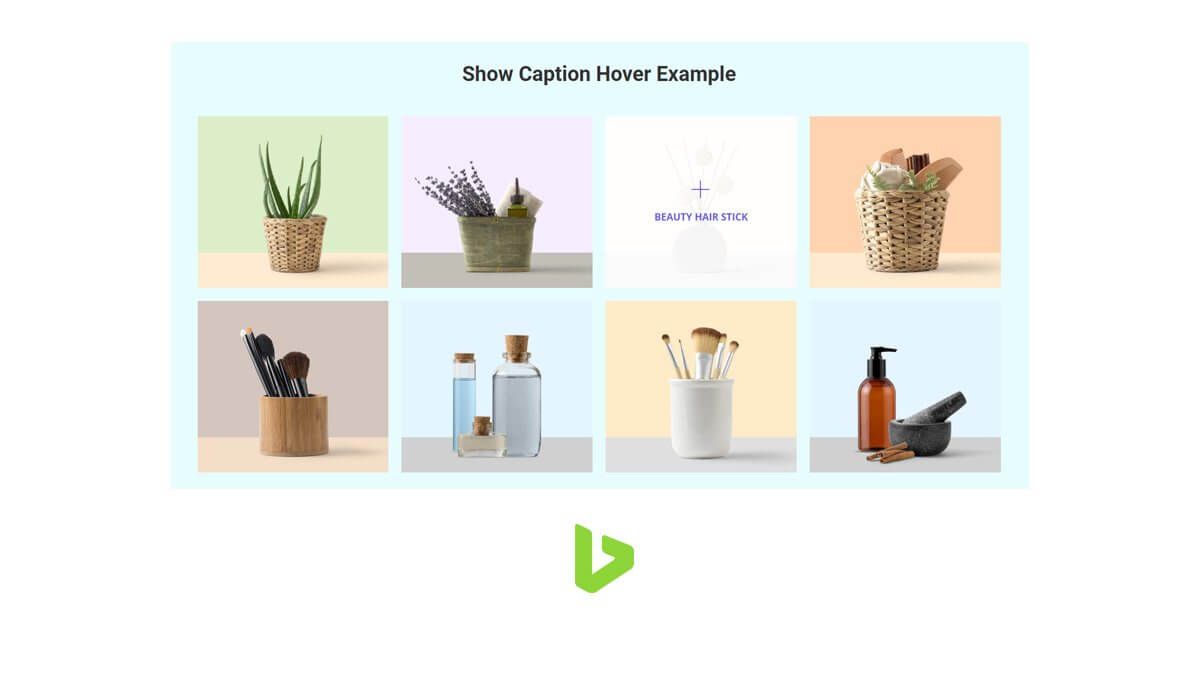
If you blog with a lot of images, then this addon will definitely catch your attention. Even if you don’t you can easily showcase your blog post through galleries or any event that you have participated. Even your work portfolio could be done with this special essential elementor addons. In fact, we have made a button based gallery trigger that will open the gallery instantaneously once your reader clicks on it.
				<div class="bdt-ep-advanced-icon-box-icon">
			<span class="bdt-ep-advanced-icon-box-icon-wrap">


					<svg aria-hidden="true" class="e-font-icon-svg e-fas-star" viewBox="0 0 576 512" xmlns="http://www.w3.org/2000/svg"><path d="M259.3 17.8L194 150.2 47.9 171.5c-26.2 3.8-36.7 36.1-17.7 54.6l105.7 103-25 145.5c-4.5 26.3 23.2 46 46.4 33.7L288 439.6l130.7 68.7c23.2 12.2 50.9-7.4 46.4-33.7l-25-145.5 105.7-103c19-18.5 8.5-50.8-17.7-54.6L382 150.2 316.7 17.8c-11.7-23.6-45.6-23.9-57.4 0z"></path></svg>

								</span>
		</div>


		<div class="bdt-ep-advanced-icon-box-content">

										<h3 class="bdt-ep-advanced-icon-box-title ep-title-">
		<span >
			Also Read: How to add a background video using Elementor			</span>
	</h3>
			<div class="bdt-ep-advanced-icon-box-sub-title">
		Quick Read!		</div>


										<div class="bdt-ep-advanced-icon-box-separator-wrap">
						<div class="bdt-ep-advanced-icon-box-separator"></div>
					</div>


								<div class="bdt-ep-advanced-icon-box-description">
					<p>It might be tricky but relatively easy to add a background video on your website using Elementor. We have an article covering this up! Have a go.</p>					</div>

								<a class="bdt-ep-advanced-icon-box-readmore" href="/how-to-add-a-background-video-with-elementor-page-builder" target="_blank" rel="noopener">
												<svg aria-hidden="true" class="fa-fw e-font-icon-svg e-far-grin-stars" viewBox="0 0 496 512" xmlns="http://www.w3.org/2000/svg"><path d="M248 8C111 8 0 119 0 256s111 248 248 248 248-111 248-248S385 8 248 8zm0 448c-110.3 0-200-89.7-200-200S137.7 56 248 56s200 89.7 200 200-89.7 200-200 200zm105.6-151.4c-25.9 8.3-64.4 13.1-105.6 13.1s-79.6-4.8-105.6-13.1c-9.8-3.1-19.4 5.3-17.7 15.3 7.9 47.2 71.3 80 123.3 80s115.3-32.9 123.3-80c1.6-9.8-7.7-18.4-17.7-15.3zm-227.9-57.5c-1 6.2 5.4 11 11 7.9l31.3-16.3 31.3 16.3c5.6 3.1 12-1.7 11-7.9l-6-34.9 25.4-24.6c4.5-4.5 1.9-12.2-4.3-13.2l-34.9-5-15.5-31.6c-2.9-5.8-11-5.8-13.9 0l-15.5 31.6-34.9 5c-6.2.9-8.9 8.6-4.3 13.2l25.4 24.6-6.1 34.9zm259.7-72.7l-34.9-5-15.5-31.6c-2.9-5.8-11-5.8-13.9 0l-15.5 31.6-34.9 5c-6.2.9-8.9 8.6-4.3 13.2l25.4 24.6-6 34.9c-1 6.2 5.4 11 11 7.9l31.3-16.3 31.3 16.3c5.6 3.1 12-1.7 11-7.9l-6-34.9 25.4-24.6c4.5-4.6 1.8-12.2-4.4-13.2z"></path></svg>
					Click Me
										</a>
						</div>
	</div>


				<div class="bdt-ep-advanced-icon-box-badge bdt-position-top-right">
			<span class="bdt-badge bdt-padding-small">POPULAR</span>
		</div>

			</div>
				</div>
	</div>
				</div>
	</section>
			<section class="elementor-section elementor-top-section elementor-element elementor-element-0459785 elementor-section-boxed elementor-section-height-default elementor-section-height-default magic-button-disabled-no" data-id="0459785" data-element_type="section" data-e-type="section">
					<div class="elementor-container elementor-column-gap-default">
				<div class="elementor-column elementor-col-100 elementor-top-column elementor-element elementor-element-02cd9bc" data-id="02cd9bc" data-element_type="column" data-e-type="column">
		<div class="elementor-widget-wrap elementor-element-populated">
					<div class="elementor-element elementor-element-427a648 elementor-widget elementor-widget-heading" data-id="427a648" data-element_type="widget" data-e-type="widget" data-widget_type="heading.default">
				<h3 class="elementor-heading-title elementor-size-large"><a href="/demo/element/advanced-icon-box/" target="_blank" rel="noopener">Advanced Icon Box</a></h3>				</div>
			<div class="elementor-element elementor-element-8d0a5a9 elementor-widget elementor-widget-image" data-id="8d0a5a9" data-element_type="widget" data-e-type="widget" data-widget_type="image.default">
														<img width="1200" height="690" src="/blog-media/10-premium-elementor-addons-for-blogger-and-affiliate-marketers/advanced-icon-box-1200x690.jpg" class="attachment-rooten_blog size-rooten_blog wp-image-2866" alt="10 Premium Elementor Addons for Blogger and Affiliate Marketers - [updated 2026]"  title="10 Premium Elementor Addons for Blogger and Affiliate Marketers - [updated 2026]"/>															</div>
			<div class="elementor-element elementor-element-9c13a63 elementor-widget elementor-widget-text-editor" data-id="9c13a63" data-element_type="widget" data-e-type="widget" data-widget_type="text-editor.default">
								<p>Advanced Icon box is special boxed content with nice icons! This content catches the attraction of readers within a moment they start reading posts. It could be used to describe a comparison, quote, special announcement, or highlighter content. Anything you name could be done through such content and we are best at designing something that attracts your reader. Don’t believe just visit the demo page. </p>
![10 Premium Elementor Addons for Blogger and Affiliate Marketers - [updated 2026]](/blog-media/10-premium-elementor-addons-for-blogger-and-affiliate-marketers/charts-addons.gif "10 Premium Elementor Addons for Blogger and Affiliate Marketers - [updated 2026]")
Modern blogging includes adding charts, infographic to your blog posts. At BDThemes with element pack pro essential elementor addons, we have tried to make nice chart design for you which are interactive, nice and attracting to the audience. You can easily use this to demonstrate any statistical data to your audience.
Check the demos:
Protected Content
As name suggest, you can protect your content through this essential elementor addons by element pack pro. The difference between regular protected content and this one is , it creates a protected content user role which is easier to grant access only to the portion of special content that are protected. We have shown Protection type User Role example here. When you select Protection type User Role, you will see these all contents after login. You can even change the role of the users who can see the content added with it. A must have addon for bloggers who wants users to provide email and register to their website.
You might be interested in the IFrame widget that is a hot topic in public! Click on the link.
![10 Premium Elementor Addons for Blogger and Affiliate Marketers - [updated 2026]](/blog-media/10-premium-elementor-addons-for-blogger-and-affiliate-marketers/mailchimp-addons.gif "10 Premium Elementor Addons for Blogger and Affiliate Marketers - [updated 2026]")
As we have just talked about the email address in the last addon, let me introduce the MailChimp subscription addon to you. We all know how much it is important to have a mailing list for any blogger – in fact, any business to be honest needs that! Mailchimp is one of the coolest mailing list and email campaign management service available in the market. As it is free up to 2000 subscriber, most of the startup blogger uses it. So we have decided to ease your life by creating a MailChimp addon which has nicely designed opt-in form and automatically integrates to your MailChimp.
![10 Premium Elementor Addons for Blogger and Affiliate Marketers - [updated 2026]](/blog-media/10-premium-elementor-addons-for-blogger-and-affiliate-marketers/flipbox-addons-1200x690.jpg "10 Premium Elementor Addons for Blogger and Affiliate Marketers - [updated 2026]")
Flip box is my favorite on this list! Why, because I haven’t seen so many bloggers uses this concept yet. This flip box gives you the ability to flip content. Once the visitor hover over any content it flips and shows something different. It could be used in long or short article where you need 100% visitors attention.
Check the demo:
Document viewer will help you if you are into document sharing blogging. You can easily share a document to your readers keeping them on your website. It will decrease your bounce rate and more engagement will be on your blogging website.
Please check the live demo for a better experience.
Check the demo:
![10 Premium Elementor Addons for Blogger and Affiliate Marketers - [updated 2026]](/blog-media/10-premium-elementor-addons-for-blogger-and-affiliate-marketers/callout-element-pack-addons.gif "10 Premium Elementor Addons for Blogger and Affiliate Marketers - [updated 2026]")
Last but not the least, I have kept the best one to end this article – The Callout! Call to action is very important for a blogger. Blogger and marketers are actually tend to make leads to their campaign. So it is necessary to attract the readers with nice call to action. We have just saved your back! Use our callout and relax. Check out the actionable result bring callout on our demo page.
Check the demo:
Let's wrap up!
In this list, I have only demonstrated the essential elementor addons that we think might be beneficial for you. Please feel free to check all of them and explore more addons from us. We use seperate plugins for serving those purposes listed above which actually makes our website slower. Please spend some time reading the disadvantages of using too many plugins by WPMUDEV. In one plugin, you are getting all of these with element pack pro elementor essential addons. How cool is that? Please share your thoughts about these addons. Don’t forget to visit our BLOG PAGE for related posts.
Spread in the world:
</div>
</div>
</div>
</div>
</section>
<section class="elementor-section elementor-top-section elementor-element elementor-element-949e905 elementor-section-boxed elementor-section-height-default elementor-section-height-default magic-button-disabled-no" data-id="949e905" data-element_type="section" data-e-type="section" data-settings="{"background_background":"gradient"}">
<div class="elementor-container elementor-column-gap-default">
<div class="elementor-column elementor-col-100 elementor-top-column elementor-element elementor-element-3d635bf" data-id="3d635bf" data-element_type="column" data-e-type="column">
<div class="elementor-widget-wrap elementor-element-populated">
<div class="elementor-element elementor-element-ea089f7 elementor-widget elementor-widget-bdt-advanced-heading" data-id="ea089f7" data-element_type="widget" data-e-type="widget" data-widget_type="bdt-advanced-heading.default">
<div id="ea089f7" class="bdt-ep-advanced-heading" data-settings="{"titleMultiColor":"no"}"><div class="bdt-ep-advanced-heading-sub-title"><div class="bdt-ep-advanced-heading-sub-title-content">Enjoy the Discount for First 20 user</div></div><h2 class="bdt-ep-advanced-heading-title"><span class="bdt-ep-advanced-heading-main-title"><span class="bdt-ep-advanced-heading-main-title-inner">Get 20% Discount by this code</span><span class="bdt-mainh-split-text">EPPROBR20 </span></span></h2></div> </div>
<div class="elementor-element elementor-element-7aa5450 elementor-align-center elementor-widget elementor-widget-bdt-advanced-button" data-id="7aa5450" data-element_type="widget" data-e-type="widget" data-widget_type="bdt-advanced-button.default">
<div class="bdt-ep-button-wrapper">
<a href="/pricing" class="bdt-ep-attention-button bdt-ep-button bdt-ep-button-effect-b bdt-ep-button-size-md" target="_blank" rel="noopener">
<div class="bdt-ep-button-content-wrapper bdt-flex bdt-flex-middle bdt-flex-center" data-text="DOWNLOAD NOW">
<div class="bdt-ep-button-icon bdt-flex-center bdt-flex-align-right">
<div class="bdt-ep-button-icon-inner">
<svg aria-hidden="true" class="fa-fw e-font-icon-svg e-fas-cloud-download-alt" viewBox="0 0 640 512" xmlns="http://www.w3.org/2000/svg"><path d="M537.6 226.6c4.1-10.7 6.4-22.4 6.4-34.6 0-53-43-96-96-96-19.7 0-38.1 6-53.3 16.2C367 64.2 315.3 32 256 32c-88.4 0-160 71.6-160 160 0 2.7.1 5.4.2 8.1C40.2 219.8 0 273.2 0 336c0 79.5 64.5 144 144 144h368c70.7 0 128-57.3 128-128 0-61.9-44-113.6-102.4-125.4zm-132.9 88.7L299.3 420.7c-6.2 6.2-16.4 6.2-22.6 0L171.3 315.3c-10.1-10.1-2.9-27.3 11.3-27.3H248V176c0-8.8 7.2-16 16-16h48c8.8 0 16 7.2 16 16v112h65.4c14.2 0 21.4 17.2 11.3 27.3z"></path></svg>
</div>
</div>
<div class="bdt-ep-button-text">
<span class="avdbtn-text">
DOWNLOAD NOW </span>
</div>
</div>
</a>
</div>
</div>
</div>
</div>
</div>
</section>
<section class="elementor-section elementor-top-section elementor-element elementor-element-468241a elementor-section-boxed elementor-section-height-default elementor-section-height-default magic-button-disabled-no" data-id="468241a" data-element_type="section" data-e-type="section">
<div class="elementor-container elementor-column-gap-default">
<div class="elementor-column elementor-col-100 elementor-top-column elementor-element elementor-element-4ea76ab" data-id="4ea76ab" data-element_type="column" data-e-type="column">
<div class="elementor-widget-wrap">
</div>
</div>
</div>
</section>
</div>
Selim Rana
The BdThemes team builds WordPress plugins trusted by 3M+ users worldwide. We write about web accessibility, WCAG compliance, and inclusive design.