













Website uses video background to the element to make site more attractive. Having a WordPress website with a video background is relatively simple with Elementor Page Builder. But, there are a very few resources on how to achieve that. This time we will see how to add a background video with Elementor Page Builder to a section, something very demanded in any modern website. You can add video to any introduction pages, posts, articles or even in a product page.
How to add a background video with Elementor Page Builder
To add a video background, you first need to have elementor page builder in your website. I know it might sound silly to mention, but we hear from visitors time to time that, things are not working. We then figure out that, elementor wasn’t installed on their website! You can use elementor both in post or pages. So get a new page or open an existing one with elementor page builder. Then follow the article:
Also Read: Best Elementor Page Builder Add-ons and Widgets for Images
We have written an article about various image based addon and widgets on “Best Elementor Page Builder Add-ons and Widgets for Images” post. Have a read.
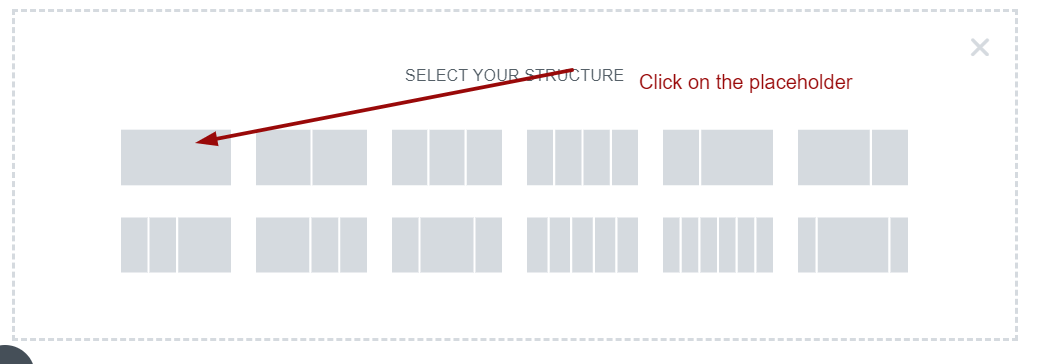
Step 1 : Add a section from the editor by clicking on the plus button.

Select your desired width section. I am going to select a full width section as illustrated in the image below.
Once you have clicked, you will see a left panel appeared. As name suggest (Edit Section), that panel is for editing the section. You can select the appearance of the section from the Layout tab. You just have to select the content width marked as 1 in the image below.
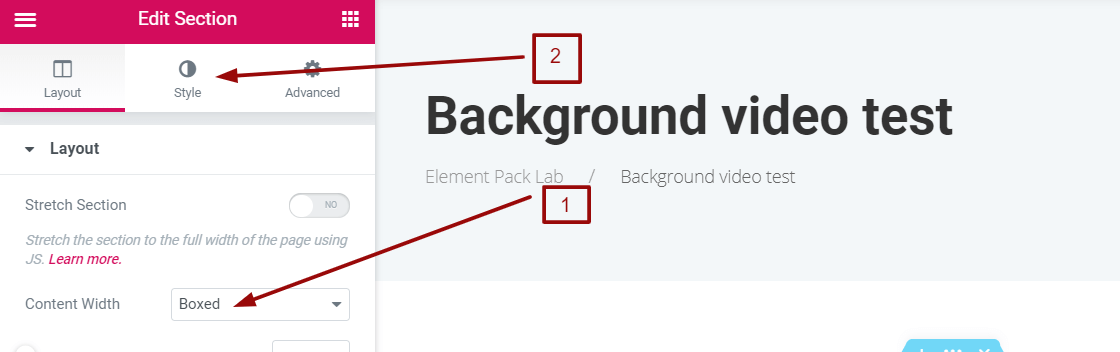
I have selected it as boxed because I am creating a blog post. You can give also give full width. Now the fun part begins. To add a video please click to the Style tab marked as 2 in the image above.
In the style tab, from the background section, you can select 3 types of background. Solid, gradient and video background. We will click on the video as in the picture.
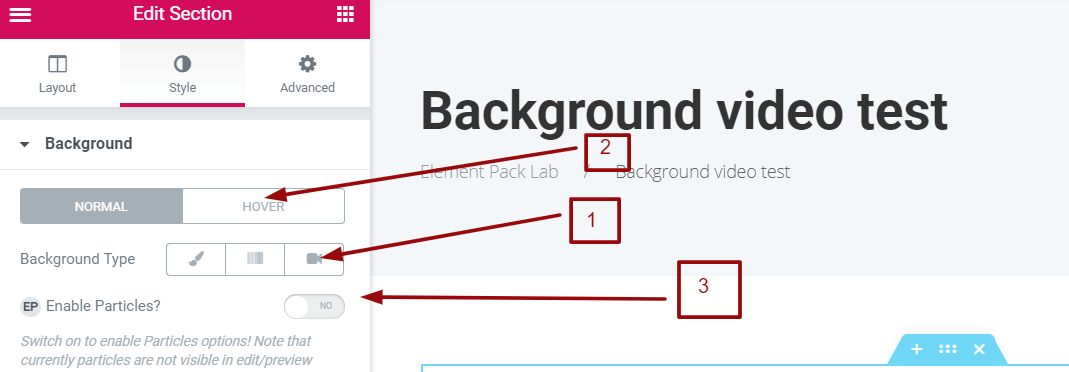
Once you clicked on the video icon marked as 1 in the picture above, you will see some new options. You can also select the hover effect from the option marked 2. You can add some particle effect too by enabling the particles from the option marked 3. Once you click on the video icon, you will see the following option.
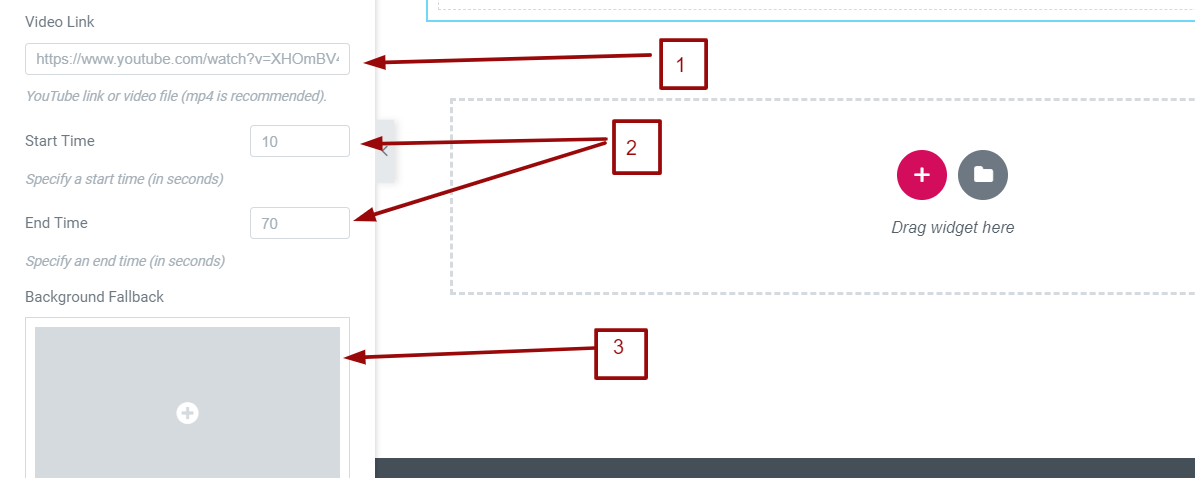
You can give any YouTube video link as your background video. You can also upload any .mp4 video using media library and give the actual permalink of that video. You can specify the start and end time of the video as marked 2 in the image above. You can also provide a fallback image as marked 3. A fallback image will work when there will be some playback issue for the video. Once you are done just save it. You will get something as below:
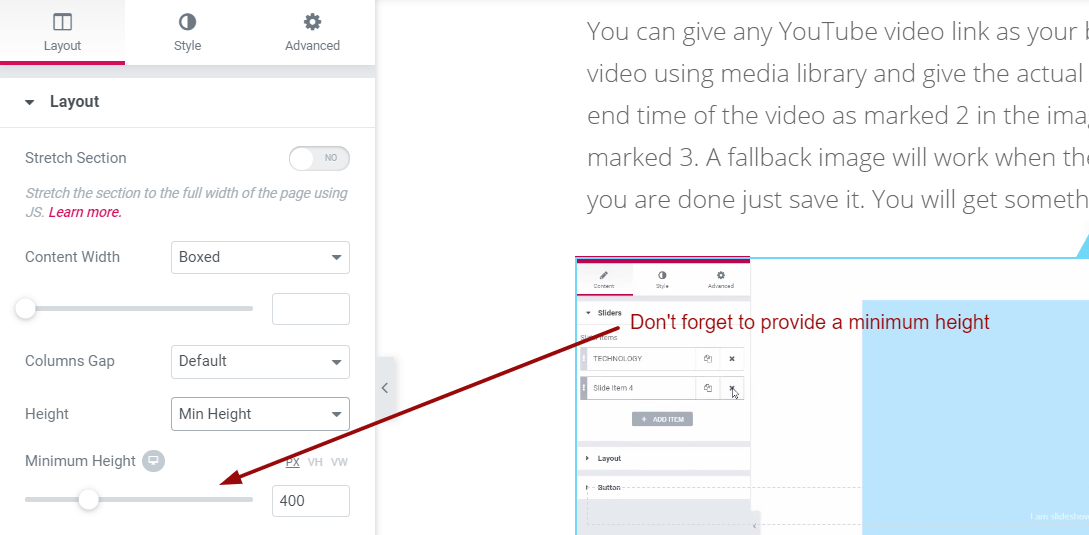
You might have height issue. Please remember to adjust the minimum height from the Layout tab as illustrated in the picture below.
That’s it! Pretty simple isn’t it? I hope you have liked this handy tutorial. You can now add WordPress video background easily with Elementor Page Builder. Please let me know if you have any issues. Also let me know, if you want us to write something that you are looking for a while without any solution. Have a blessed time.
Get a free EP & PS license (Lifetime)
We are running a give-away program to our beloved consumers & subscribers who are connected to our official website BDthemes.com.
You’ll use the advanced Elementor addons to create your site’s background image to change the theme color as well.
Visit Element Pack or Prime Slider and share with us your thoughts. Lucky winners will receive a lifetime license worth $100. It will only take a minute to take part in.
Spread in the world:
Facebook
Twitter
Pinterest
WhatsApp
Vkontakte
Telegram


1 thought on ldquo;How to add a background video with Elementor Page Builder plugin”
DiaWeb
Hello!
I added a background video following your instructions, but there is no sound. My video is an uploaded mp4. Is there a way to get the sound with the images?
Thank you!
Dia