


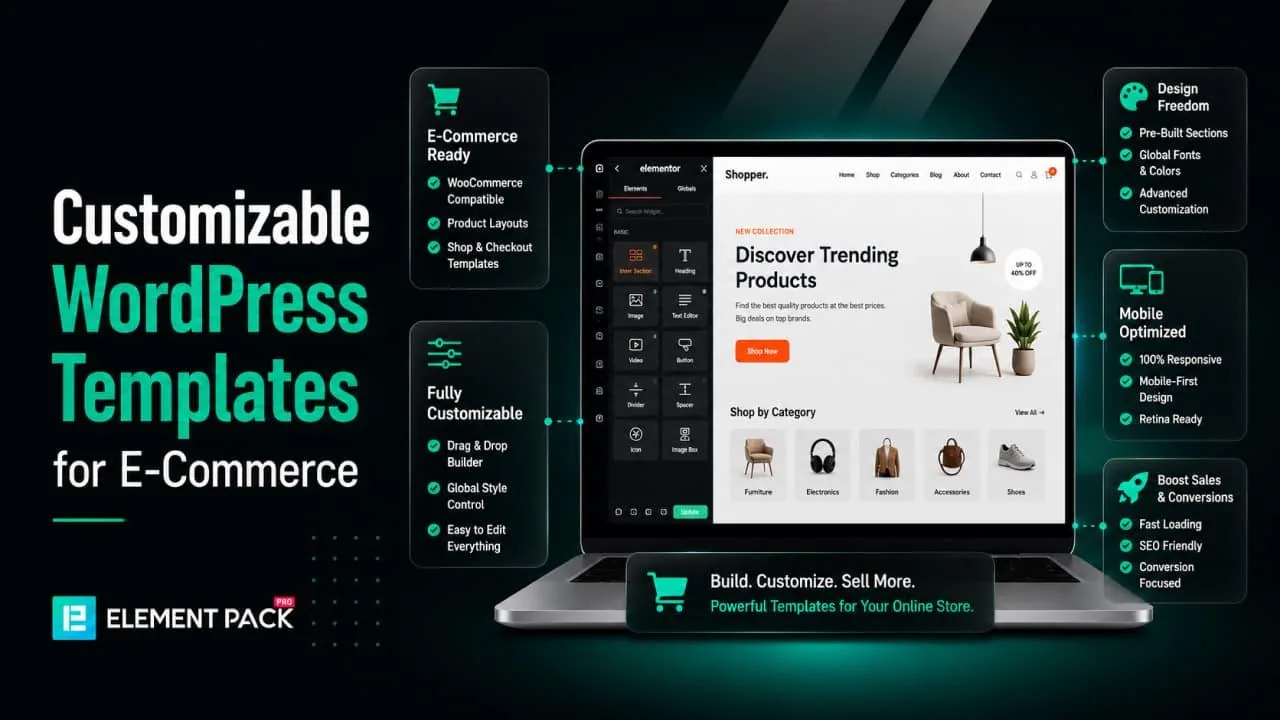
Building an online store on WordPress has never been more accessible. You do not need to hire a custom developer or spend months learning code to build a professional online store. The right customizable WordPress template puts a polished, high-converting design in your hands within hours.
But the sheer number of companies selling WordPress e-commerce templates makes the choice genuinely difficult. Some companies deliver ready-made themes with rigid layouts that break the moment you try to change something. Others give you true design freedom, letting you adjust every section, color, font, and layout through a visual editor.
This guide helps you understand what separates a genuinely useful e-commerce template from a superficially attractive one. You will see which types of companies operate in this space, what to look for before purchasing, and how a powerful Elementor-based toolset can transform almost any template into a fully customized storefront that reflects your brand.
Why Your Template Choice Matters More Than You Think
Most store owners spend the most time thinking about products and pricing. Template selection often comes second. That ordering is a mistake because your template shapes every part of the shopping experience.
First Impressions Decide Whether Visitors Stay
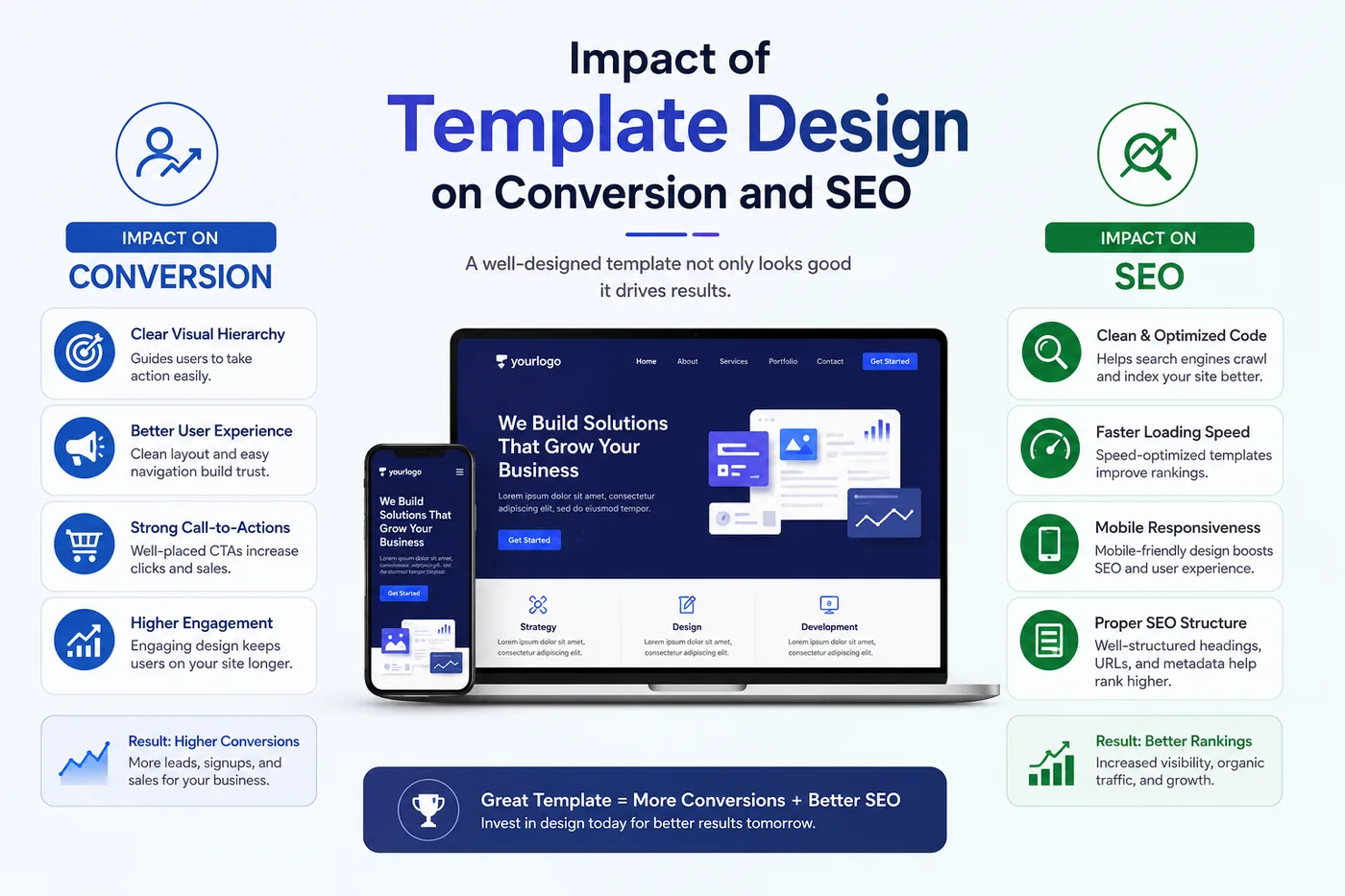
A visitor arrives at your product page and forms an opinion about your brand in under three seconds. A professional, well-structured layout signals credibility. A cluttered or outdated design pushes shoppers straight to a competitor. Your template is not a cosmetic choice. It actively affects your conversion rate from the moment someone lands on your store.
Template Flexibility Saves You Money Long Term
A template that cannot adapt as your business grows becomes a liability. When you add new product categories, run seasonal promotions, or redesign your homepage, a rigid layout forces you to pay for expensive developer work. A flexible template, backed by a capable page builder, lets you make those changes yourself without any code.
Design Affects Page Speed and SEO
Heavy, bloated templates load slowly. Slow pages rank lower on search engines and frustrate shoppers. When you choose a template company, you also inherit the quality of their code. Lightweight, well-structured templates with clean markup give your store a direct performance advantage.
Types of Companies That Offer Customizable WordPress E-commerce Templates
The market broadly divides into five categories. Understanding each one helps you pick a source that matches your skill level, budget, and long-term needs.
1. Theme Marketplaces
Large marketplaces aggregate templates from hundreds of independent developers under one roof. You browse a wide catalog, check ratings and reviews, and purchase individual themes at relatively low price points. The variety is enormous, covering every niche from fashion retail to digital downloads.
The drawback is consistency. One developer's support response time and update schedule often differ wildly from another's. A theme that looks perfect may receive no updates for a year, creating compatibility issues once WooCommerce or WordPress releases a major update.
2. Dedicated WordPress Theme Companies
These companies build and sell their own theme products exclusively, without hosting third-party work. They typically maintain smaller catalogs but invest more heavily in ongoing support, regular updates, and documentation. Their themes tend to follow consistent design systems and coding standards across the catalog.
The limitation here is that the depth of customization usually depends on the page builder they support. A theme that works with a limited builder gives you less design control, even if the default design looks polished.
3. Multipurpose Theme Studios
Multipurpose theme studios release a single theme framework that adapts to many different industries through built-in demo content and site kits. You import a pre-built e-commerce demo in a few clicks, and the theme adapts its layout and colors to match. These themes are popular with agencies because a single purchase covers dozens of client project types.
4. Page Builder Plugin Companies with Template Libraries
This category is where the biggest shift in WordPress design has happened over the last several years. Rather than selling standalone themes, these companies build powerful page builder plugins that ship with massive template libraries. You install the plugin, browse thousands of pre-designed page templates and section blocks, import what you need, and customize everything visually without touching code.
The key advantage of this model is true design freedom. You are not locked into a theme's fixed layout or color system. You control every detail of every section through the page builder interface, and you can build entire e-commerce page templates that are entirely your own.
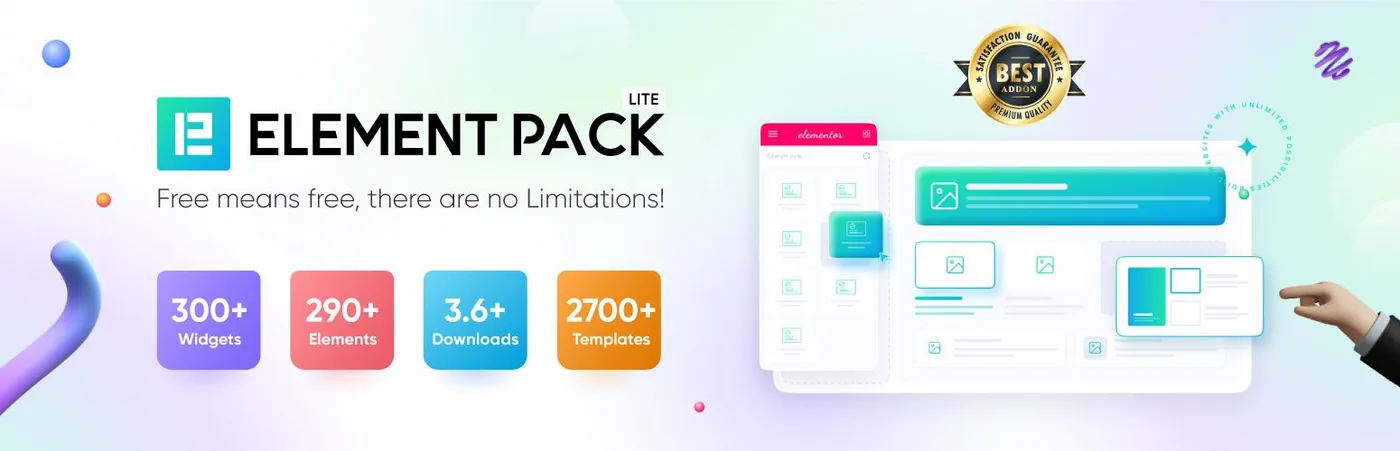
This is where Element Pack Pro fits into the picture. It extends Elementor with a library of over 300 widgets and more than 2,700 ready-made templates covering WooCommerce product pages, shop archives, checkout flows, cart designs, and complete storefront layouts.
5. Specialized WooCommerce Template Providers
A smaller niche of companies focuses exclusively on WooCommerce design, providing purpose-built templates for product pages, shop grids, cart flows, and checkout layouts. These providers go deeper on store-specific functionality than general theme companies, but they typically require a specific theme or page builder to work.
What Makes a WordPress E-commerce Template Truly Customizable
The word "customizable" appears on nearly every template sales page. It means very different things depending on the product. Here is what genuine customization actually requires.
Visual Editing Without Code
A truly customizable template lets you change its layout, colors, fonts, spacing, and content through a visual interface. You should not need to edit PHP files, dive into CSS, or understand template hierarchy to make basic design changes. Look for templates built specifically for Elementor or another capable visual builder.
Section-Level Control
Good customization goes beyond changing a logo and picking a color. You should be able to rearrange sections, add new content blocks, remove elements you do not want, and completely rebuild individual sections from scratch using widgets. This level of control lets your store grow and evolve without a developer.
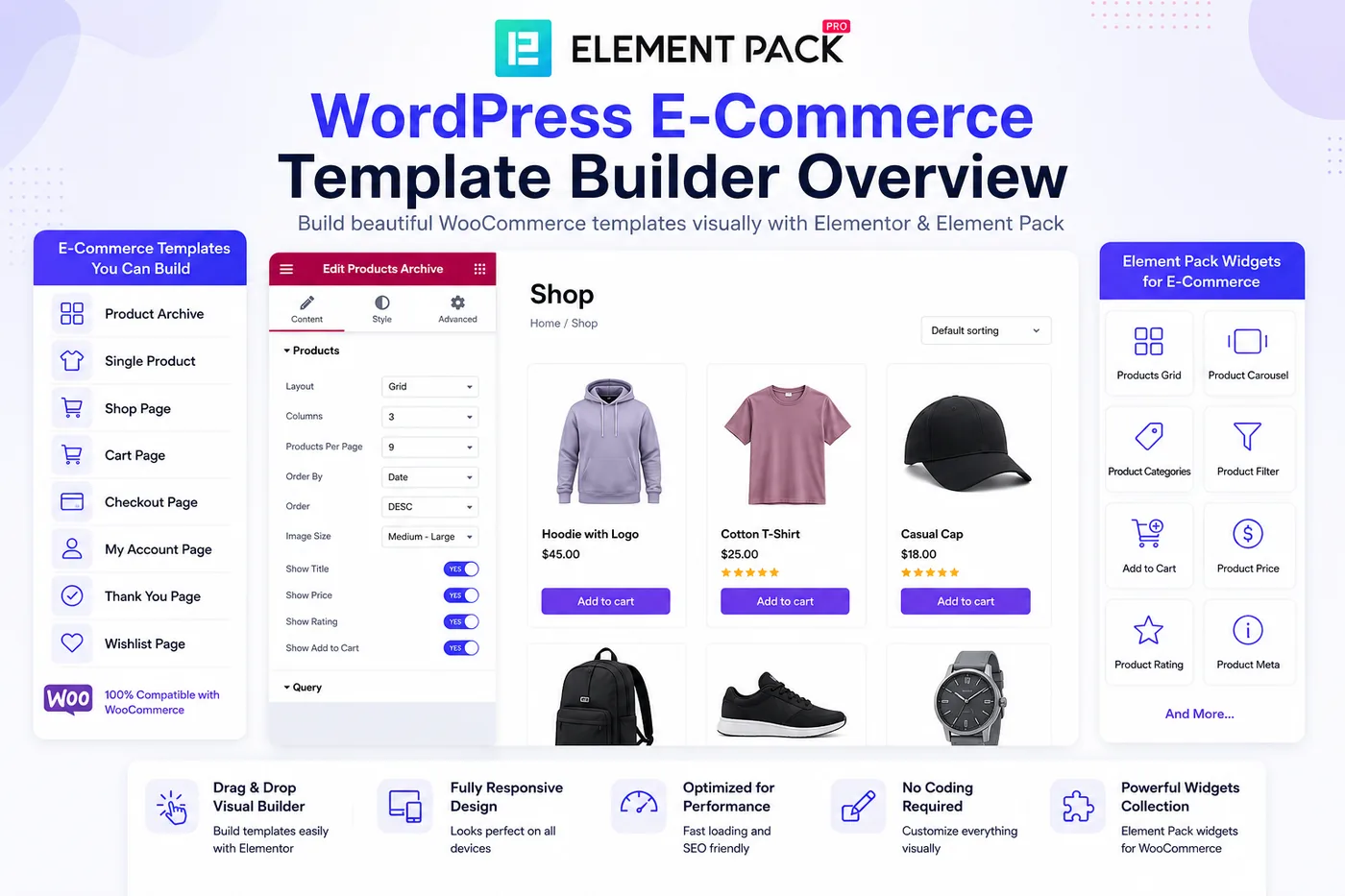
WooCommerce Page Templates
An e-commerce template must cover more than your homepage. A genuinely complete template system includes dedicated designs for your shop archive page, individual product pages, cart, checkout, account, and order confirmation pages. Each of these touchpoints shapes the buying experience.
- Shop archive templates control how your product catalog displays, including grid layout, filter placement, and sorting options
- Product page templates determine how your images, descriptions, variations, and add-to-cart buttons appear
- Cart and checkout templates directly affect your conversion rate since this is where shoppers decide to buy or abandon
- Account page templates shape the experience for returning customers, managing orders and profiles
Responsive and Mobile First Design
Over sixty percent of e-commerce traffic now comes from mobile devices. A customizable template must allow independent control over how it displays on desktop, tablet, and mobile screens. Shrinking desktop layouts down to phone size is not enough. You should be able to set different font sizes, spacing, column counts, and element visibility for each device breakpoint separately.
Dynamic Content and Custom Field Support
Advanced stores often need to pull dynamic content into their templates, such as product attributes, custom fields, review data, and WooCommerce pricing. A truly customizable system connects these data sources directly to your visual template without code.
Performance and Asset Control
Customization should never come at the cost of speed. The best template systems let you enable only the features and widgets you actually use, so unnecessary code never loads on your live store pages. This keeps your Core Web Vitals scores healthy and your checkout process fast.
How Page Builder Plugins Changed the E-commerce Template Game
Five years ago, customizing a WooCommerce store meant hiring a developer or learning PHP. Today, visual page builders have shifted design power directly into the hands of store owners, marketers, and designers who have never written a line of code.
The key change is that page builders like Elementor moved WooCommerce template editing out of code files and into the browser. You click on any element of your store, and a panel of style and content controls appears instantly. Change a font size, swap a product grid layout, or redesign your checkout page, all live in the editor with an instant preview.
Why Elementor Became the Standard for WooCommerce Design
Elementor controls a significant share of the WordPress page builder market and has deep native integration with WooCommerce. It ships with a set of WooCommerce widgets and a theme builder that lets you design custom product pages, shop archives, cart, and checkout templates directly inside the visual editor.
More importantly, Elementor's open architecture allows addon plugin developers to extend it with additional widgets, templates, and design tools. This created an ecosystem where a single well-chosen add-on can dramatically expand the look and behavior of your e-commerce store.
What a Powerful Addon Adds to Your Store
A comprehensive Elementor addon provides the following specifically for e-commerce sites:
- WooCommerce product grid widgets with multiple layout styles, badge controls, hover animations, and AJAX filtering
- Product carousel and slider widgets for featuring new arrivals, sale items, or best sellers on your homepage
- WooCommerce categories widget for displaying your product taxonomy in a visually engaging grid or list
- Cart and checkout widgets that let you redesign these critical conversion pages to match your brand exactly
- Animated product card widgets that display product information through hover effects and interactive transitions
- Coupon code widgets for displaying promotional codes with styled, on-brand designs
- WooCommerce slider widgets for showcasing featured products with custom pricing and style options
- Order tracking widgets so customers can check their order status without leaving your store
An addon like Element Pack packages all of these tools alongside 300 total widgets and over 2,700 ready-made templates, including complete WooCommerce storefront page sets you can import and customize immediately.
What to Look for When Choosing a WordPress E-Commerce Template Company
Once you understand the landscape, evaluating individual companies becomes much more focused. Apply these criteria to every option you consider.
Update Frequency and WooCommerce Compatibility
WooCommerce releases major updates several times per year. Each update can introduce breaking changes to themes and plugins that have not kept pace. Check the last update date of any template or plugin you are considering. A company that updates consistently signals that it actively maintains its product rather than releasing it and walking away.
Template Volume and Variety
The more templates in a library, the less building you need to do from scratch. For an e-commerce store, you specifically want a library that includes templates across all major page types, not just a beautiful homepage. A product page template, a shop archive layout, a cart design, and a checkout page template are all essential pieces of a complete store.
Widget Depth and Design Control
Some template companies deliver finished designs that are difficult to adjust beyond surface-level changes. Others pair their templates with deep widget controls that let you rebuild any element exactly the way you want. More design control always beats a slightly prettier default.
Performance Tooling
Ask whether the company's templates and plugins include performance optimization features. Look for lazy-loading support, an asset manager that disables unused code, and clean, semantic HTML output. These technical details determine whether your store loads in 1 second or 4 seconds, with a direct impact on both SEO rankings and checkout completion rates.
Support Quality and Documentation
A template is only as good as the help you can get when something does not work as expected. Look for companies that offer responsive support tickets, a comprehensive knowledge base, and video tutorials. Companies that invest in their documentation usually invest equally well in their product quality.
Licensing and Multi-Site Coverage
For agencies managing multiple client stores, single-site licenses quickly become expensive. Look for companies that offer business- or agency-level plans covering a larger number of installations. Check also whether the license includes future template additions or whether new templates require separate purchases.
Money-Back Guarantee
A refund window tells you that a company stands behind its product. This matters particularly for e-commerce templates because you often need to test a design against your actual product catalog and images before committing. Companies that offer a meaningful refund period, such as 60 days, give you real room to evaluate the template on a live project.
What a Complete E-Commerce Template Solution Looks Like in Practice
To make the evaluation criteria concrete, it helps to walk through what a comprehensive solution actually provides across each part of your store.
Homepage Templates for E-Commerce
A strong homepage template for an online store includes a hero section for your primary campaign or promotion, a featured products grid or carousel, a brand or category showcase, a testimonials or trust signals section, and a newsletter opt-in block. Each of these sections should be independently editable so you can swap content during seasonal campaigns without rebuilding the page.
Shop Archive and Category Page Templates
Your shop archive is where most shoppers begin browsing. The template for this page controls how many products appear per row, whether filters appear in a sidebar or a top bar, how product images crop and scale, and how sorting options are displayed. A good template company provides multiple layout variants for this page so you can test which performs better for your catalog size.
Product Page Templates
The product page template determines how shoppers see your images, read your description, choose variations, view pricing, and add items to cart. Advanced templates include tabbed content sections for specifications and reviews, sticky add-to-cart bars that follow the user as they scroll, and related product carousels at the bottom of the page.
Cart and Checkout Page Templates
Cart abandonment rates average over 70 percent across e-commerce. The visual design of your cart and checkout pages has a measurable impact on whether shoppers complete their purchase. A customizable checkout template lets you simplify the form, add trust badges, display a clear order summary, and remove distracting navigation elements that distract from completing the transaction.
Account and Order Pages
Returning customers spend more. A well-designed account page that makes order history, saved addresses, and wishlist management easy to access builds the kind of loyalty that drives repeat purchases. Template coverage for these pages is a mark of a mature e-commerce template system.
Why Template Libraries with Widget Addons Beat Standalone Themes for Customization
A standalone theme provides a single design system. You work within its constraints. Colors, fonts, and layouts follow the rules set by the theme developer. You can adjust things at the margins, but the core structure stays fixed.
A template library paired with a widget addon plugin flips this relationship. Instead of customizing inside a rigid system, you build your store from a collection of flexible components. You import a template, swap out sections using a widget library, apply your brand colors globally, and end up with a design that looks nothing like a template because you have rebuilt it to match your brand precisely.
This approach also scales better. When you want to add a new product category page, you do not wait for a theme update. You grab a relevant block from your template library, drop it into a new page in your Elementor editor, and customize it in minutes.
A tool like Element Pack makes this workflow practical. Its library of over 2,700 templates covers both complete page designs and individual section blocks, which means you can mix and match pieces from different templates to build something entirely unique. Every template connects to a full set of widgets with deep style controls, so you are never limited to surface-level changes.
Key Features That Support E-Commerce Template Customization
Beyond the templates themselves, several adjacent features speed up the customization process and make the final result more polished.
Theme Builder for Full Store Coverage
A theme builder lets you design your entire WordPress site, headers, footers, single post layouts, archive pages, and WooCommerce templates, from one place inside your visual editor. Without a theme builder, you either accept the defaults your theme provides for certain page types or you hire a developer to override them with code. A theme builder closes this gap entirely.
Dynamic Content Integration
Dynamic content connects your templates to live WooCommerce data. Your product title, price, description, rating, and inventory status are pulled from the database and displayed automatically within your custom template layout. This means one template design handles every product in your catalog without manual updates.
AJAX Filtering and Search
Shoppers filter products by size, color, price, and category without having to reload the page. AJAX powered filtering updates the product grid instantly. This technical feature lives at the intersection of template design and functionality, and the best e-commerce template solutions include it natively.
Mega Menu Builder
Navigation is a critical part of the e-commerce user experience. Large stores with multiple product categories need a mega menu that organizes navigation clearly across desktop and mobile. A built-in mega menu builder that works directly inside your page editor keeps this design piece in sync with the rest of your store template.
Live Copy Paste Across Sites
Agencies and freelancers who build multiple stores benefit enormously from the ability to copy a designed section from one WordPress site and paste it directly onto another. This eliminates redundant design work and keeps brand standards consistent across a portfolio of client stores.
Custom Fonts and Icon Sets
Brand identity in e-commerce depends on consistent typography and iconography. The ability to upload custom font files and connect brand icon sets means your store never relies on generic system fonts or stock icons that weaken your visual identity.
Questions to Ask Before Purchasing Any E-Commerce Template or Template System
Run through this set of questions before committing to any company or product. Honest answers will steer you toward the right purchase every time.
- Does this template cover all major WooCommerce page types including product, shop archive, cart, checkout, and account pages
- Can I edit every section visually without touching code
- Does the company update the template regularly and confirm compatibility with the current WooCommerce version
- Does the template system include performance tools to prevent code bloat
- Can I test the design against my actual product images and catalog before committing to the purchase
- Does the license cover the number of websites I need to run
- Is there a refund window that gives me enough time to test the template on a real project
- Does the company offer accessible, responsive support when I run into problems
- Can the design adapt if my business model changes or my product catalog grows significantly
Frequently Asked Questions (FAQs)
Which type of company offers the most customizable WordPress e-commerce templates?
Page builder plugin companies with large template libraries currently offer the deepest customization. Rather than locking you into a fixed theme layout, they give you a visual editor, a library of section templates, and a full set of widgets so you can build your store design section by section.
Do I need WooCommerce to use WordPress e-commerce templates?
Most WordPress e-commerce templates are built specifically for WooCommerce since it is the dominant e-commerce platform in the WordPress ecosystem. Some templates also support Easy Digital Downloads for digital product sellers. Always confirm which platform a template supports before purchasing.
Can I customize a WordPress e-commerce template without coding knowledge?
Yes, provided you use a template designed for a visual page builder like Elementor. Visual builders replace code editing with a point and click interface where you select any element and adjust it through a style panel. No PHP, CSS, or HTML knowledge is required.
What is the difference between a WordPress theme and an Elementor template library?
A WordPress theme sets the global design framework for your site including layout rules, typography defaults, and base colors. An Elementor template library gives you pre-designed page and section layouts you can import and customize inside the Elementor editor. The two work together, and a strong addon plugin expands both the widget set and the template library available within Elementor.
How many templates do I need for a complete WooCommerce store?
At minimum, a complete store needs templates for the homepage, shop archive, individual product page, cart, checkout, and customer account pages. Beyond these core pages you may also want category page templates, wishlist pages, and landing pages for specific campaigns or product launches.
Does adding a template plugin slow down my WordPress store?
A well-built plugin includes an asset manager that loads only the code relevant to each page. This prevents unused widget scripts and styles from loading across your entire store. Always look for this feature specifically, as it keeps your page speed scores strong even with a large plugin installed.
Can agencies use one template license across multiple client stores?
Most template and plugin companies offer tiered licensing for agencies. Business and developer level plans typically cover multiple website installations and may include white label branding options that let agencies remove the plugin developer's branding from the client dashboard.
What is the advantage of a template library over a single theme purchase?
A template library gives you thousands of page and section designs to mix and match rather than committing to one fixed design system. As your store evolves, you can pull new section templates into existing pages without rebuilding from scratch or switching themes entirely.
Final Thoughts
Choosing the right company for your customizable WordPress e-commerce templates comes down to understanding the type of design control you actually need, then finding a company whose product genuinely delivers it.
Standalone theme companies, marketplace sellers, and specialized WooCommerce providers each have their place. But for store owners, freelancers, and agencies who want maximum design flexibility, ongoing template growth, and deep widget-level control across every WooCommerce page, a comprehensive Elementor addon plugin with a large template library consistently delivers the best long-term value.
A tool like Element Pack Pro brings all of this together. With over 300 widgets organized across 23 categories, more than 2,700 ready-made templates covering complete WooCommerce storefronts, a built-in theme builder, dynamic content support, a mega menu builder, live copy and paste, AJAX-powered product widgets, and a smart assets manager that keeps performance clean, it replaces a collection of individual plugins with one well-maintained, fully integrated system.
Apply the evaluation checklist from this guide to any template source you are considering. Prioritize companies that update regularly, cover all WooCommerce page types, offer performance tools, and stand behind their product with a meaningful refund guarantee. Get these fundamentals right, and your e-commerce store starts every day with a design that works as hard as you do.
Ready to explore a complete WooCommerce design toolkit? Visit Element Pack to browse the full widget library, preview the template collection, and see exactly what your next online store can look like.
Tariqul
The BdThemes team builds WordPress plugins trusted by 3M+ users worldwide. We write about web accessibility, WCAG compliance, and inclusive design.