


More and more buyers now ask an AI assistant before they visit a single website. They ask ChatGPT "best project management tool for small teams," or read the Google AI Overview that sits above the search results. The AI answers with specific names, and everything else stays invisible.
Here is the part most guides miss: AI can only recommend a page it can read cleanly. A beautiful Elementor page can still be hard for a machine to understand if its facts are buried in layout. This guide covers both halves of the problem: how to structure your Elementor pages so AI can read them, and how to measure whether AI actually cites you afterward.
Key Takeaways
- AI assistants recommend content they can extract. Clear structure, not just clean design, is what makes an Elementor page readable to a machine.
- Heading hierarchy, a schema-ready FAQ widget, a table widget, and a table of contents are the levers that make a page AI-friendly. Element Pack gives you all of them inside Elementor.
- Structuring a page well is necessary, but it is not proof. You still have to check whether AI cites you.
- AI visibility is a property of your whole site, measured across many answers, not a ranking for one URL.
- Tools like OptimizeCamp score a page and then measure your brand's visibility on the buyer questions it targets, re-checking after you publish.
Why AI Struggles With Some Elementor Pages
Page builders give you total control over how a page looks. That freedom is exactly what can trip up an AI reader.
When an AI assistant reads a page, it is not looking at your design. It is parsing the underlying structure: the headings, the order of information, and the meaning attached to each piece of content. A page can look perfect to a visitor and still confuse a machine in a few common ways:
- Skipped heading levels. Jumping from an H1 straight to an H4 because it looked right breaks the outline AI uses to understand your page.
- Facts locked inside styled boxes. A key spec sitting in a decorative element, with no semantic meaning, reads to AI as loose text with no context.
- Answers rendered as images. If your comparison or your key point lives inside a graphic, AI often cannot read it at all.
- No schema. Without structured data, AI has to guess what your content means instead of being told.
The fix is not to use less Elementor. It is to build with structure in mind. Done deliberately, an Elementor page becomes one of the most readable things an AI can find.
Part 1: Structure Your Page So AI Can Read It
This is the build half. Each technique below maps to something you already have in Elementor and Element Pack.
Get your heading hierarchy right
This is the single biggest lever, and it costs nothing. Use one H1 for the page title, H2 for main sections, and H3 for points inside them, in order, with no skipped levels. AI uses this outline to understand what your page is about and which parts answer which questions. A clean hierarchy is the difference between AI understanding your page and AI skimming past it.
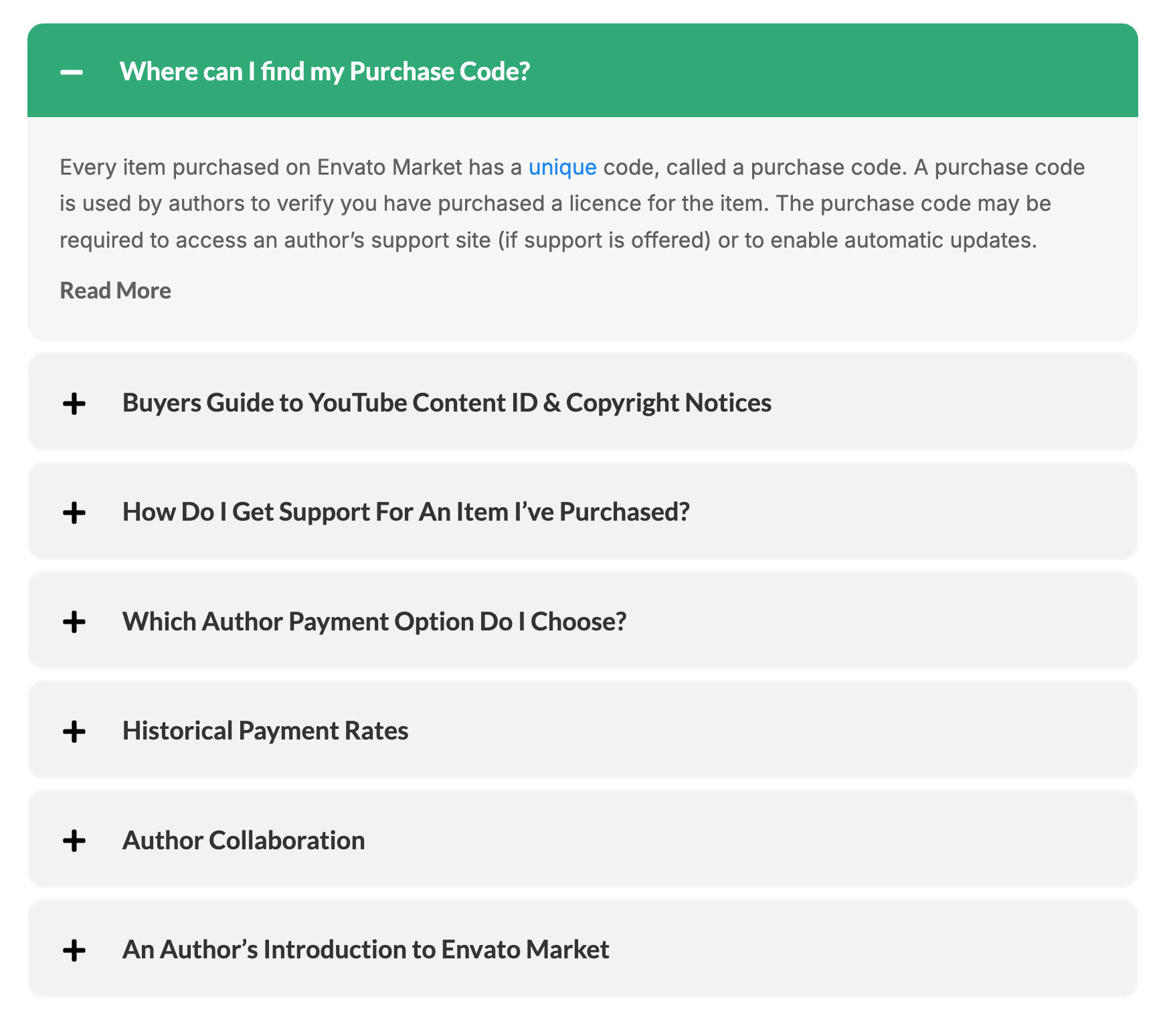
Use a schema-ready FAQ widget
This is the highest-value widget for getting cited. Shoppers and readers ask AI full questions ("is this plugin good for large sites," "does it work with the block editor"), and a page that answers those questions plainly becomes the source AI quotes.
Add a FAQ section to your key pages using the Element Pack FAQ widget. It is schema-ready, so it can output FAQPage structured data automatically, which tells AI "these are questions and answers" rather than leaving it to guess. Write each answer in two to four sentences, with specifics rather than adjectives. One well-answered question on your page can become the exact sentence an AI repeats to someone researching your category.
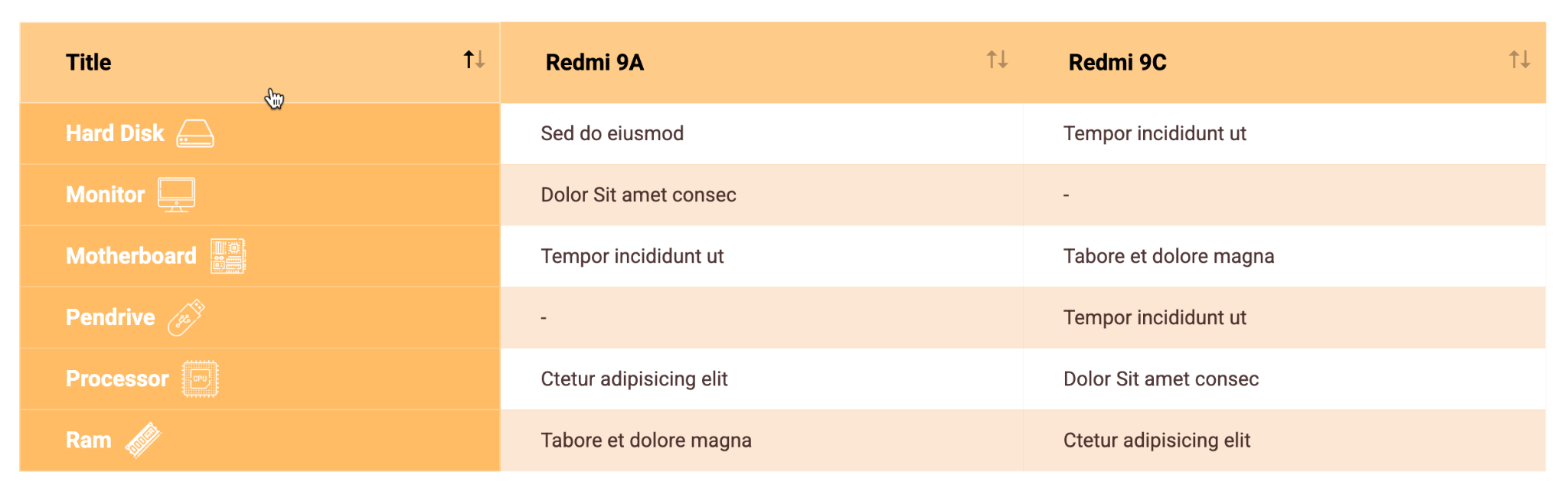
Use a table widget for comparisons
AI reads tables cleanly and quotes them often, especially for "X vs Y" and "best of" questions. If your page compares plans, products, or features, put that data in an Element Pack table widget rather than describing it in a paragraph. Structured rows and columns are far easier for a machine to extract than prose.
Add a table of contents
A table of contents widget gives both readers and AI a map of your page. It reinforces your heading structure and signals how the page is organized, which helps AI locate the section that answers a given question. It also improves the experience for human visitors, so it earns its place twice.
Write the content itself as extractable facts
Widgets give AI the structure. The words inside them still have to say something concrete. Compare "premium quality you will love" with "rated 4.7 out of 5 across 1,200 reviews." The first gives AI nothing to repeat. The second can be quoted directly into an answer. Wherever you can, write the sentence you want ChatGPT to say about you.
Add schema where your widgets support it
Schema markup is structured data that spells out what your content means in a format built for machines. A FAQ marked up with FAQPage schema tells AI "these are questions and answers," not just text on a page.
The good news is that Element Pack's FAQ widget is schema-ready out of the box, so your most important structured data comes for free. For schema types your widgets do not cover, an SEO or schema plugin can fill the gap; the best schema and structured data plugins for WordPress all support the common types. Whichever route you use, validate the result: paste your page URL into Google's Rich Results Test or the Schema.org validator and confirm the structured data is detected.
Part 2: Structure Alone Is Not Enough
Here is the turn most tutorials never make. A well-built page is necessary, but it is not proof that AI recommends you. You cannot tell whether it worked by looking at the page, because the result does not live on your page at all. It lives inside the AI answers for the questions you want to win.
This is the important distinction to understand. AI visibility is not a ranking for one URL. It is a property of your whole site, or brand, measured across many different answers. When someone asks "best project management tool for small teams," the question is whether your brand shows up in that answer, and who shows up instead of you. A single page can support that goal, but the thing you actually measure is your brand's presence across the buyer questions in your category.
So after you build a strong page, the next step is not to admire it. It is to measure whether AI cites you for the questions that page targets.
Part 3: Measure Whether AI Actually Cites You
This is the measurement half, and it closes the loop. AI visibility platforms run the buyer questions your audience asks against the AI engines on a schedule, then report where your brand appears and where it does not.
Here is how the workflow looks in OptimizeCamp, an AI visibility platform built by the team at DotCamp. In its Optimize module, you import the page you just built (by URL, or by pasting the content), and it returns two things that matter.
First, an optimization score for the page, broken into dimensions: Accuracy, Citability, Authority, AI Coverage, and AI Visibility. Alongside the score is a list of concrete issues to fix, each tied to a dimension. These are specific edits, not vague advice: an uncited statistic that needs a source, a claim that is unsupported, a definition the page skips, vague language that should be made concrete, a missing attribution, or a schema gap. You work down the list and the score responds.
Second, and this is where the site-versus-page point becomes real, an AI Visibility score that is measured from actual AI answers. It shows the buyer prompts the page targets and whether your brand is currently cited on each one. A prompt might show as "not cited" with a note listing which competitor domains got cited instead. That is your brand's real standing on that question, pulled from live answers, not a guess about the page.
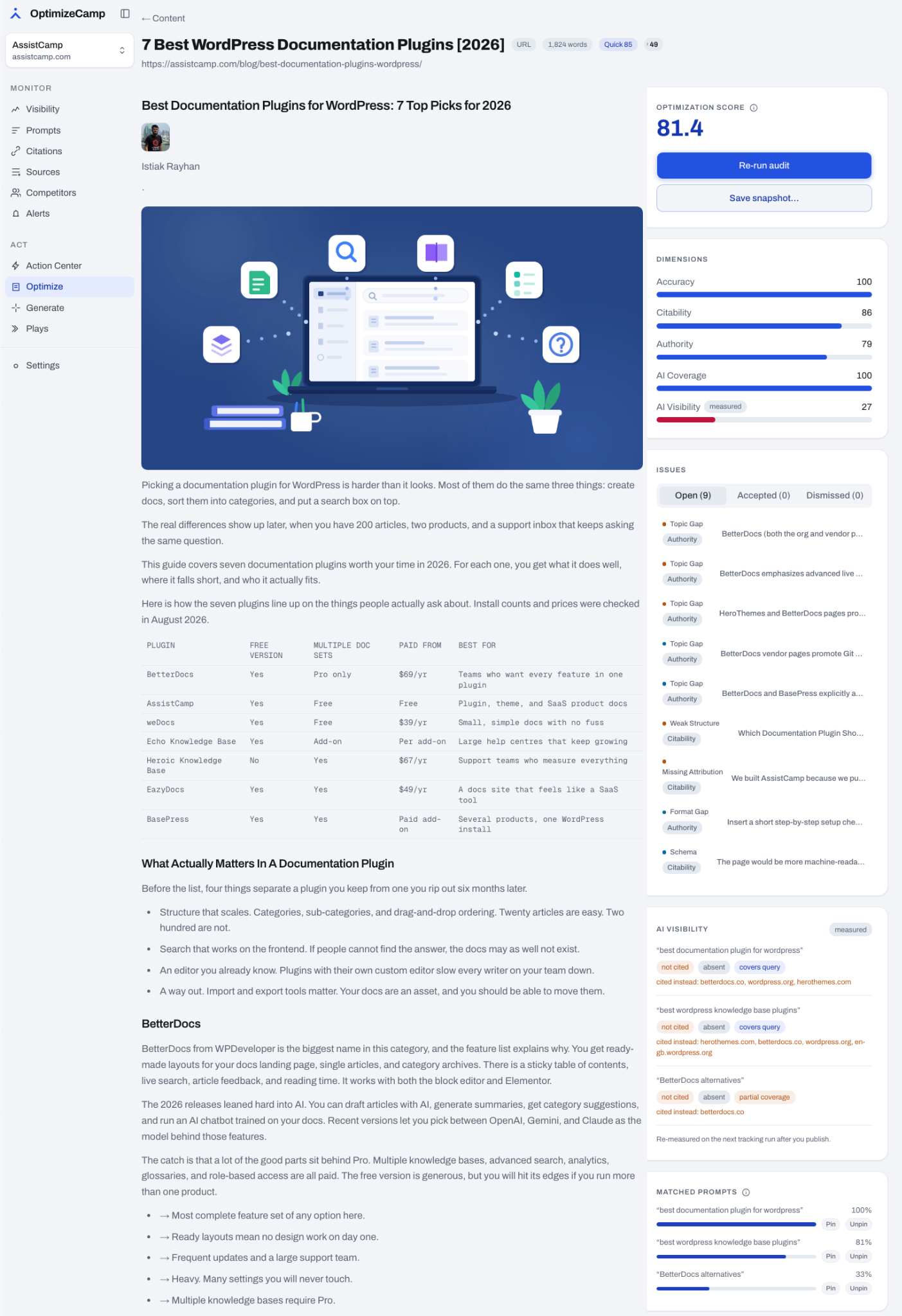
The loop closes when you publish. After your improved page goes live, the platform re-measures on its next tracking run, so you can see your brand's visibility on those prompts move over time. You are not guessing whether the work paid off. You are watching the number that represents your presence in AI answers.
That is the honest framing worth keeping in mind. The page is what you control. Your brand's presence across AI answers is what you measure. Good pages feed that presence, but the two are not the same thing, and only one of them can be checked by looking at the page.
Part 4: A Simple Workflow to Follow
You can put both halves together into a routine you repeat for every important page:
- Build with structure. Use a clean heading hierarchy, a FAQ widget, a table for any comparison, and a table of contents.
- Write extractable facts. Put specifics inside those widgets, not adjectives.
- Add and validate schema. Enable it on your widgets or through your SEO plugin, then confirm it with a validator.
- Publish the page.
- Measure your visibility. Import the page into an AI visibility tool and review the issues and the measured prompt coverage.
- Fix and re-measure. Address the flagged issues, republish, and let the next tracking run show the change.
Build, measure, fix, repeat. That is the whole method.
Conclusion
AI assistants are becoming a real discovery channel, and the pages they cite are not chosen at random. They are structured, specific, and easy for a machine to read.
Start with the free wins: fix your heading hierarchy, move key answers into FAQ and table widgets, and write the facts you want AI to repeat. Element Pack gives you the widgets to do all of this inside Elementor.
Then remember the second half. Structuring a page is only the input. Measuring whether AI actually cites your brand, and fixing what it flags, is how you turn a well-built page into real visibility. The sites that measure early will be the ones AI keeps recommending as this channel grows.
FAQ
Does Elementor hurt my AI or SEO visibility?
No, not on its own. Elementor gives you full control over structure, and a well-built Elementor page is very readable to AI. Problems come from careless structure, like skipped headings or facts trapped in images, not from Elementor itself.
Can AI read content inside Elementor widgets?
Yes, when the widget outputs real text and semantic structure. FAQ, accordion, and table widgets are read well because they produce clear, structured content. Content baked into an image is the main thing AI cannot read, so keep important facts as text.
Which schema types matter most for AI citation?
For most pages, FAQPage schema is the highest-value type, because it maps directly to the questions people ask AI. How-To, Product, and Review schema matter for the relevant page types. Validate whichever you add with Google's Rich Results Test.
How do I check if ChatGPT cites my site?
Ask it directly in a private window: "best [your category]" and "what do you know about [your brand]." Note whether you appear and who else does. To track this properly across engines and over time, an AI visibility platform runs these checks on a schedule and reports your brand's presence on each question.
Is structured data enough to get cited by AI?
No. Schema and clean structure make your page readable, which is necessary, but citation also depends on your brand's authority and presence across the sources AI trusts. That is why measuring your actual visibility matters: it tells you whether the structure is translating into real citations, or whether there is more work to do.
BdThemes
The BdThemes team builds WordPress plugins trusted by 3M+ users worldwide. We write about web accessibility, WCAG compliance, and inclusive design.