












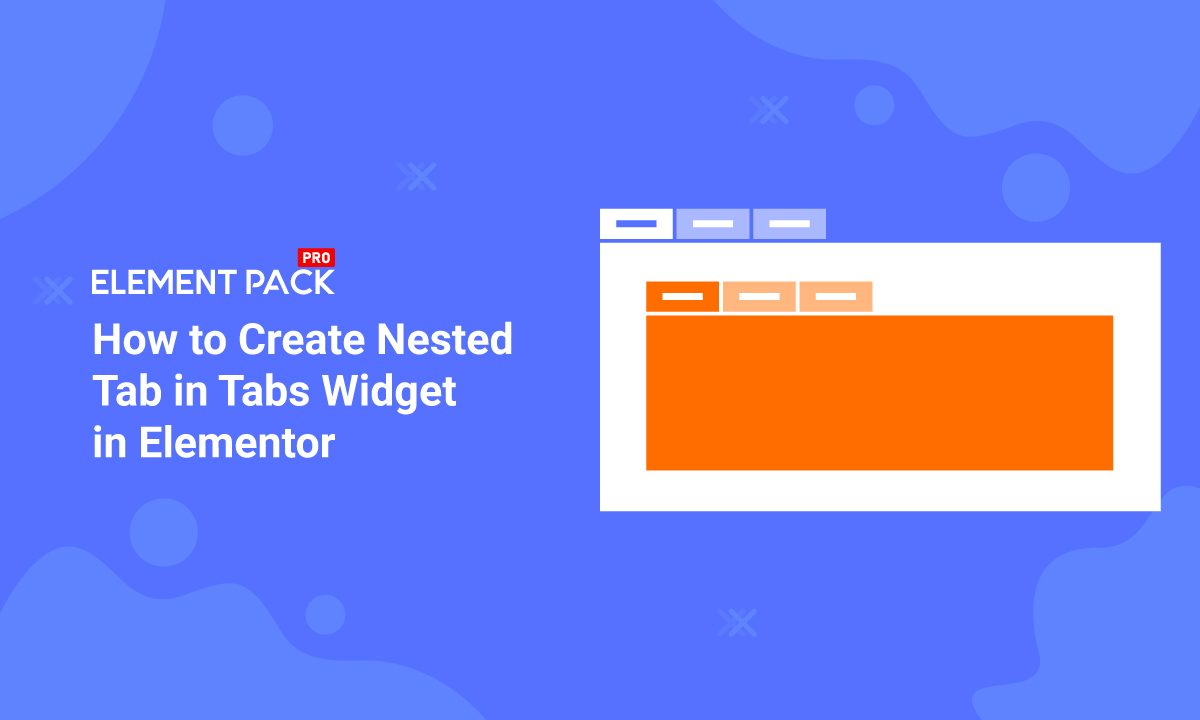
A nested tab is a tab inside another mother tab. It’s an easy-to-read presentation method. In Elementor, you can create a nested tab without going through any troubles at all.
In this blog, it will be all about how you can create a nested tab in minutes using free tools in Elementor. Let’s get going!
Create Nested tab with easy steps!
Elementor offers some free widget for designing your website. We will be needing only one widget and two consecutive pages for making a nested tab.
First
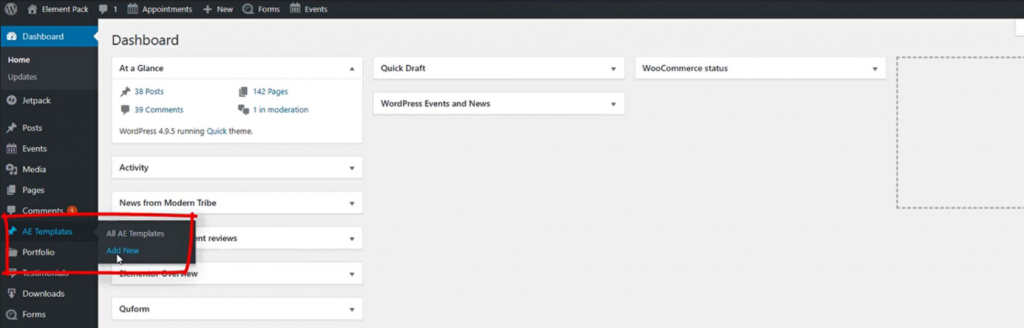
Go to your Dashboard> AE Templates> Add New and make a new template file.
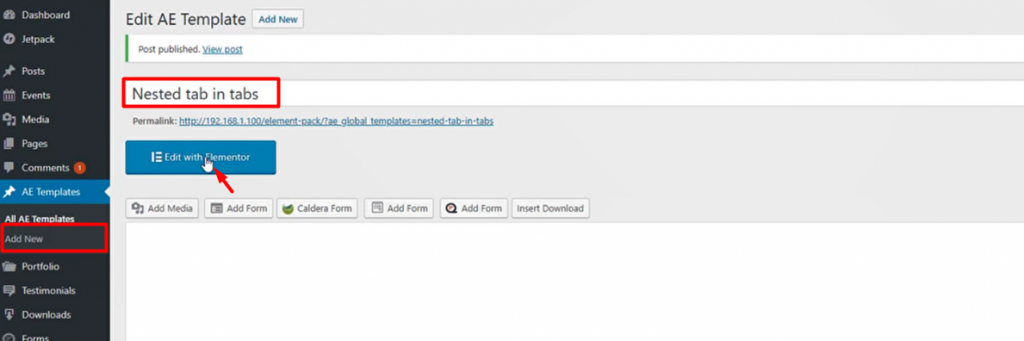
The title doesn’t need to be related but you can put it that way for easy navigation. Hit the Edit with Elementor button after that.
Second
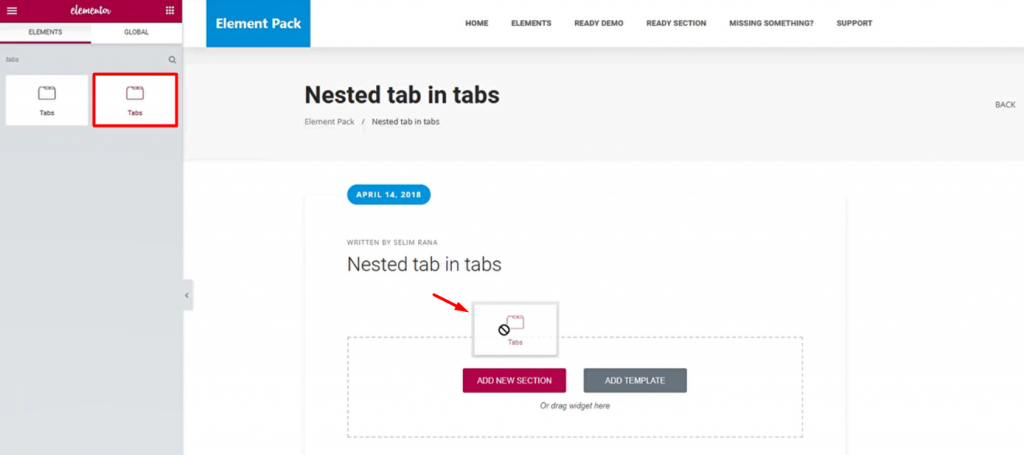
Grab the Tabs widget and put it inside the page.
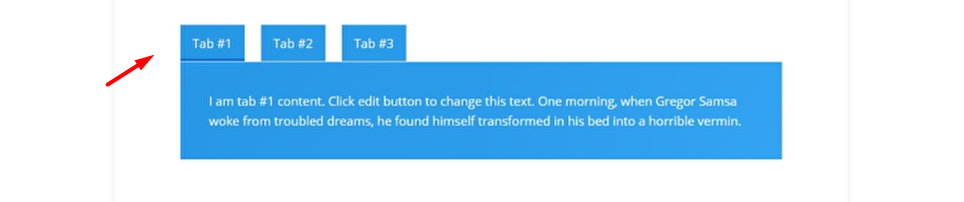
You can customize the tab as we have done it with ocean blue.
Popular blog
How to Use Iframe Widget in Elementor by Element Pack
Third – Finish creating the nested tab
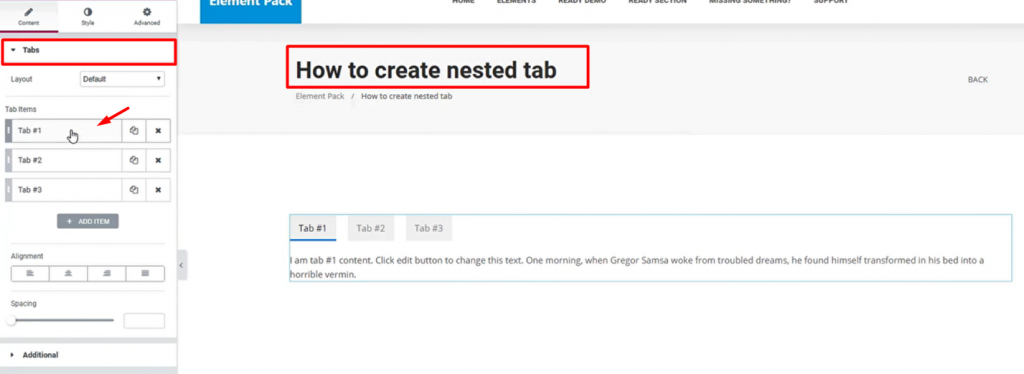
Create a new page and insert the Tabs widget. This page should be the target page where you want to create the nested tab.
After that, click on the Tab #1 section from the menu.
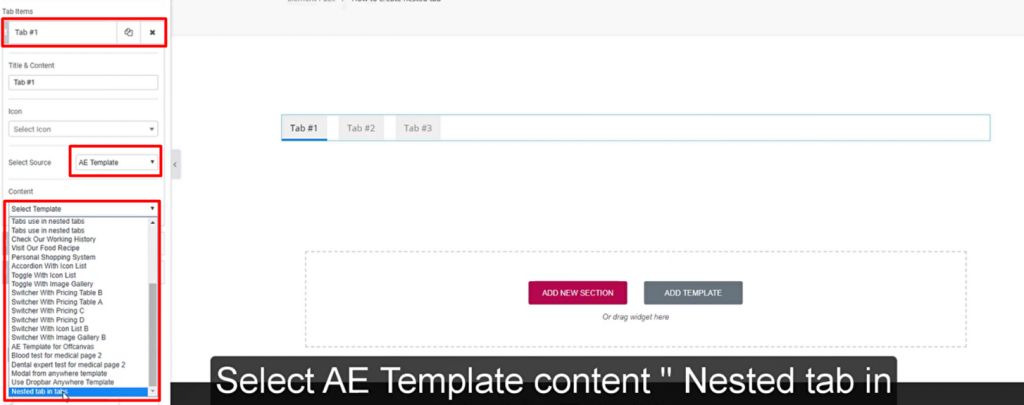
Now, from the Select Source option, select AE Templates then select the template you have just created from the Content option.
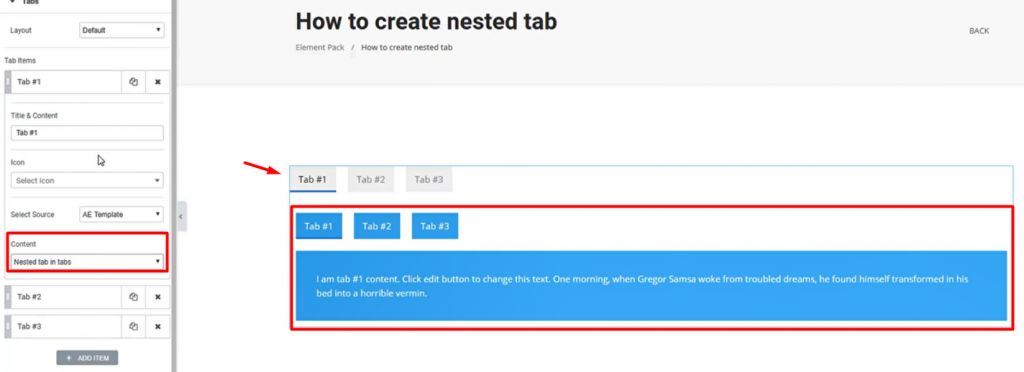
You will see the current tab showing the child tab inside the first tab. This means the job is done.
If you want, you can further customize the whole tab with color, border, padding, etc. It will look something like this.
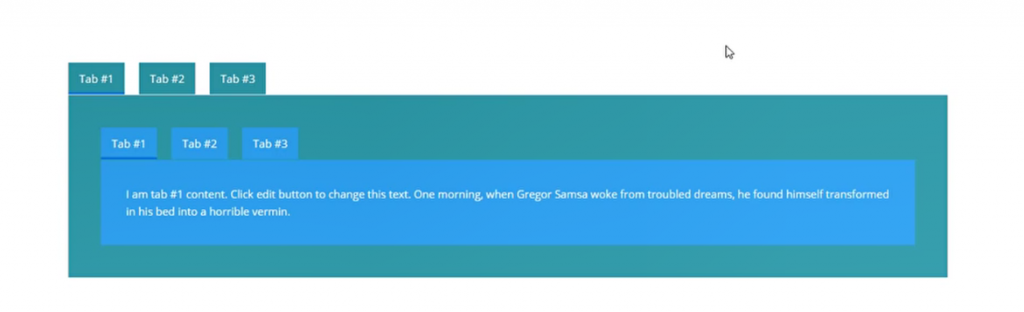
Looks okay to me! That’s how you can create a nested tab easily using Elementor.
Blog for youDaily doge of blogs
Learn more about WordPress
Conclusion
A nested tab a small Elementor trick that you can apply for creating an awesome interface for your visitors. Everything that makes the visitors happy will contribute to your page ranking and stuff.
So, if you want to make advanced website, with such widgtes and templates, then, the largest widgets and pre-built templates, then, you can use advanced Elementor addon library- ELEMENT PACK. This is a widget pack for using with the Elementor Page builder plugin. It will not charge you anything for a quick look into our inventory.
Feel free to comment your thoughts regarding this blog.
Thanks for staying up!
Share this blog:
Facebook
Twitter
Pinterest
WhatsApp
Vkontakte
Telegram

