
Enkel navigering med rika menyalternativ
Visuella produktval ökar försäljningen snabbt
Personanpassat innehåll anpassas i realtid
Sömlös scrollning för bättre UX-flöde
Omedelbar duplicering av innehåll sparar tid
Snabb åtkomst till kraftfulla designelement
Färdiga mallar snabbar upp designen
Avancerade anpassade fält för flexibla data
Klona webbplatser enkelt utan krångel
Skarp, skalbar grafik för alla skärmar
Omprofilera verktygen för ett professionellt utseende
Visa eller dölj innehåll med precision
Engagerande djup med mjuka rörelser
Lägg enkelt till tydliga anteckningar och kommentarer
Hjälpsamma tips förbättrar användarinteraktionen
Animera element med stilfull känsla
Se till att viktiga avsnitt alltid är synliga
Full kontroll med anpassade kodjusteringar
Optimera filer för att öka webbplatsens hastighet
Utformade sidmallar som hjälper dig att komma igång med din landningssida bara genom att släppa en startdesign
Ready Blocks levereras med en mängd olika layouter och designelement, t.ex. sidhuvud, sidfot och widgetar etc.
Fördesignade rubriker med lukrativa stilar som passar för olika nischade webbplatser och designsmaker
En användbar samling av sidfotsmönster som hjälper dig att skapa en attraktiv sidfot på din målsida
Vi står till tjänst 24/7. Vi är glada att kunna hjälpa dig.
Detaljerade riktlinjer finns tillgängliga för alla funktioner på BdThemes
Lär dig något nytt, håll dig informerad om WordPress, webbdesign och mycket mer
Här är några av de viktigaste milstolparna i min utveckling:
Lär dig mer om produktanvändning, WordPress-tips och tricks från våra videor
Tjäna rejäla provisioner genom att gå med oss i kampanjen
Widget Idea Share är ett bra sätt att hitta liknande widgetar som du kan förbättra.
Helt klart! Om du behöver komma i kontakt med oss är du välkommen att höra av dig
Skapa valfritt WordPress-formulär på några minuter med Sigma Forms.
Plugin för sidbyggare för kommande snart och underhållsläge
Gör enkelt webbplatser tillgängliga med One Accessibility
Visa kundutlåtanden för att öka förtroendet och trovärdigheten.
Zoloblocks hjälper dig att skapa fantastiska Gutenberg-baserade webbplatser.
Den mest överlägsna slidern i en tid av Elementor Slider
De enda kompatibla bloggwidgetarna i Elementor för alla bloggar
Bygg en nästa generations WordPress e-handelswebbplats för företag
Organisera dina foton i en ny ängel varje gång med Elementor
Öka engagemanget och öka försäljningen med hjälp av Spin Wheel.
Kraftfull AI Image Generator Plugin för WordPress av ChatGPT
Skaffa 360° Augmented Reality för WooCommerce idag!
Kopiera och klistra in vilken webbdesign du vill bara med 2 klick!
Ett fullt fungerande tema för elementor med obegränsade alternativ
Smart, rent och flexibelt blocktema för Gutenberg
Dark Reader plugin säkerställer ögonvänlig webbläsning.
WooCommerce kassa på en sida för att öka konverteringarna.
Find Nearby Stores Instantly with Sigma Store Locator
The Ultimate WordPress Media Library Organizer

Få tillgång till 100+ premiumplugins för WordPress med livstidsuppdateringar och dedikerad support.
 Swedish

Enkel navigering med rika menyalternativ
Visuella produktval ökar försäljningen snabbt
Personanpassat innehåll anpassas i realtid
Sömlös scrollning för bättre UX-flöde
Omedelbar duplicering av innehåll sparar tid
Snabb åtkomst till kraftfulla designelement
Färdiga mallar snabbar upp designen
Avancerade anpassade fält för flexibla data
Klona webbplatser enkelt utan krångel
Skarp, skalbar grafik för alla skärmar
Omprofilera verktygen för ett professionellt utseende
Visa eller dölj innehåll med precision
Engagerande djup med mjuka rörelser
Lägg enkelt till tydliga anteckningar och kommentarer
Hjälpsamma tips förbättrar användarinteraktionen
Animera element med stilfull känsla
Se till att viktiga avsnitt alltid är synliga
Full kontroll med anpassade kodjusteringar
Optimera filer för att öka webbplatsens hastighet
Utformade sidmallar som hjälper dig att komma igång med din landningssida bara genom att släppa en startdesign
Ready Blocks levereras med en mängd olika layouter och designelement, t.ex. sidhuvud, sidfot och widgetar etc.
Fördesignade rubriker med lukrativa stilar som passar för olika nischade webbplatser och designsmaker
En användbar samling av sidfotsmönster som hjälper dig att skapa en attraktiv sidfot på din målsida
Vi står till tjänst 24/7. Vi är glada att kunna hjälpa dig.
Detaljerade riktlinjer finns tillgängliga för alla funktioner på BdThemes
Lär dig något nytt, håll dig informerad om WordPress, webbdesign och mycket mer
Här är några av de viktigaste milstolparna i min utveckling:
Lär dig mer om produktanvändning, WordPress-tips och tricks från våra videor
Tjäna rejäla provisioner genom att gå med oss i kampanjen
Widget Idea Share är ett bra sätt att hitta liknande widgetar som du kan förbättra.
Helt klart! Om du behöver komma i kontakt med oss är du välkommen att höra av dig
Skapa valfritt WordPress-formulär på några minuter med Sigma Forms.
Plugin för sidbyggare för kommande snart och underhållsläge
Gör enkelt webbplatser tillgängliga med One Accessibility
Visa kundutlåtanden för att öka förtroendet och trovärdigheten.
Zoloblocks hjälper dig att skapa fantastiska Gutenberg-baserade webbplatser.
Den mest överlägsna slidern i en tid av Elementor Slider
De enda kompatibla bloggwidgetarna i Elementor för alla bloggar
Bygg en nästa generations WordPress e-handelswebbplats för företag
Organisera dina foton i en ny ängel varje gång med Elementor
Öka engagemanget och öka försäljningen med hjälp av Spin Wheel.
Kraftfull AI Image Generator Plugin för WordPress av ChatGPT
Skaffa 360° Augmented Reality för WooCommerce idag!
Kopiera och klistra in vilken webbdesign du vill bara med 2 klick!
Ett fullt fungerande tema för elementor med obegränsade alternativ
Smart, rent och flexibelt blocktema för Gutenberg
Dark Reader plugin säkerställer ögonvänlig webbläsning.
WooCommerce kassa på en sida för att öka konverteringarna.
Find Nearby Stores Instantly with Sigma Store Locator
The Ultimate WordPress Media Library Organizer
Få tillgång till 100+ premiumplugins för WordPress med livstidsuppdateringar och dedikerad support.
Swedish
Previously, we have talked about how important your website is to your business and why, when you create one, you should be using WordPress to build it. One of the good things concerning WordPress is that there are actually tens of thousands of Essential WordPress plugins that you just will install to your web site to fill a variety of different roles.
As you probably already know, plugins are one of the most important benefits that WordPress offers to its users as they offer an improvement in the performance of the site or blog in different areas such as email marketing, social networks, SEO, traffic, loading speed, design and much more.
Therefore, in this tutorial, we will see some of the most important Essential WordPress plugins for your blog or WordPress website. There are some more necessary than the others and there are also those who already depend much more on the type of blog that you are looking to create, but all of these are undoubtedly useful and help to have better results.
There are some specific plugins that should always be installed in any WordPress blog, regardless of whether it is business, personal or any other topic. They are related to security issues, SEO, traffic, social networks and much more.
Here is the list of essential plugins for WordPress blog:
First few plugins that we are mentioning is related to the search engine optimization (SEO) for your WordPress Blog/Website. Let’s have a look at them.
This plugin helps to configure your blog with the most important aspects of SEO and search engine positioning, especially Google. In it, you can change things like the title of the blog, the description that appears in the search results, the keywords to which you want to position yourself and many other elements to consider to generate organic traffic.
Another SEO plugin that has had a lot of popularity recently is All in One SEO Pack. Also very recommended. Choose between this and Yoast SEO Plugin. Both of them offer great options.
Link: Yoast SEO
Link: All in One SEO pack
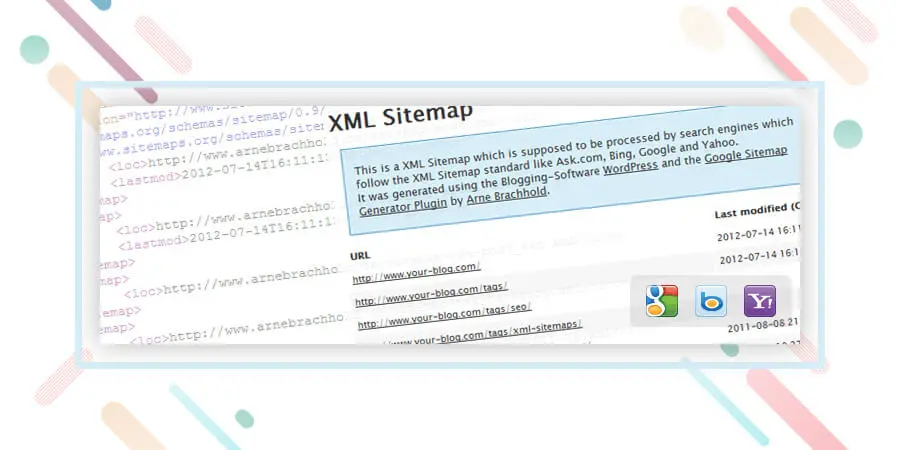
It is a fact that very few know about programming and codes. This essential WordPress plugin helps to automatically generate a Sitemap, which consists of a document in XML format that serves as a “map” that tells Google the entire structure of your website or blog. This way, it indexes you in a much better way and also faster.
Simply install and automatically send a sitemap to major search engines such as Google, Yahoo! and Bing. Remember to also add your sitemap in the Google Webmaster tools.
Uppdatering: You can make the sitemap even using any of the SEO plugins listed above. I.e Yoast and All in One SEO pack. But having a separate sitemap sometime helps! And it is totally on your use case scenario.
Next block of essential plugins for WordPress we are going to mention is related to contact you by your visitors. These two are our favorite communication tools.

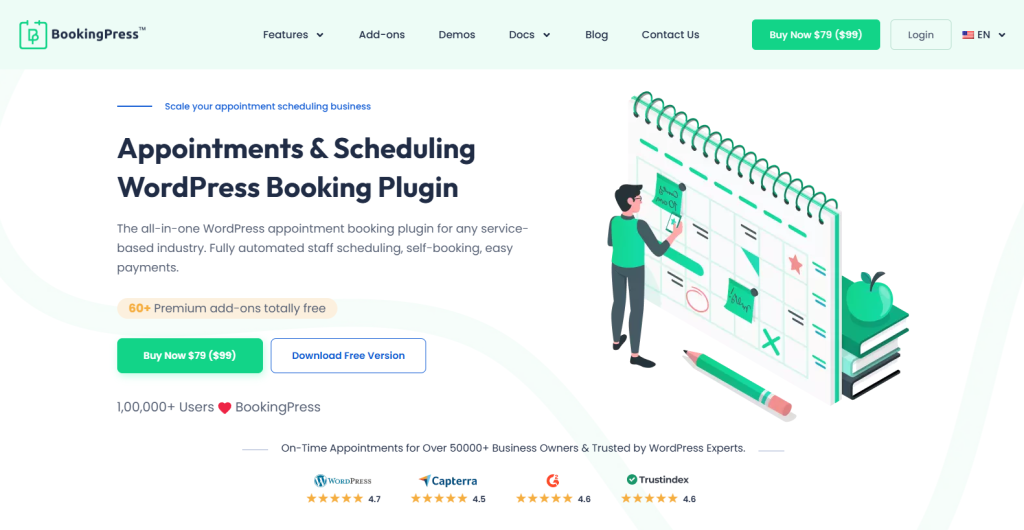
If you are a business looking to streamline customer communication and appointment management, the all-in-one WordPress booking plugin, BookingPress, is the best choice. This plugin not only automates appointment management and keeps it clutter-free, but its advanced features also help you upsell your services.
BookingPress is like the digital receptionist of your company. Customers can select services, choose available time slots, and confirm bookings in just a few clicks. On the other hand, you get instant SMS, WhatsApp, email, or Telegram notifications and can manage everything from a simple, user-friendly dashboard.
This plugin is a must-have for all types of businesses, especially service-based ones that have WordPress websites.
Link: BookingPress
A form of contact is always essential in any blog and with Contact Form 7 you can create one in a matter of a few minutes without the need to struggle with codes or other methods too complicated.
Link: Kontaktformulär 7
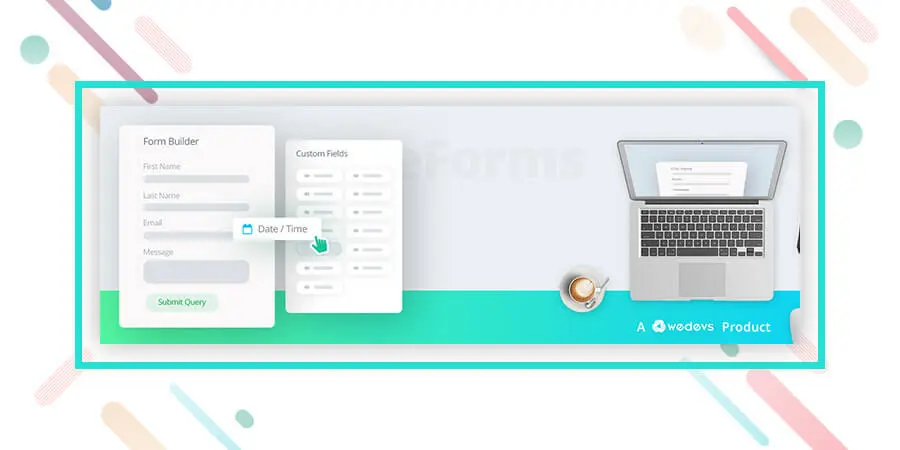
The next plugin that we are going to mention is super easy to use and have drag and drop form builder to make a contact form. It also has integration with a bunch of communication tools. Super easy and an essential plugin to consider. Have a look at it.
Link: weForms – Easy Drag & Drop Contact Form Builder For WordPress
We have made a separate block of optimization plugins which are also essentials but you can choose whether you want to use those or not. But we recommend you using these also. Okay, let’s begin.

When we add images to our blog they do not come optimized with the correct labels and names in terms of SEO. Many times doing this manually represents a great job that can take a lot of time. With SEO Friendly Images you will be able to automatically configure the images that you have and that you are going to add in the future to your blog for SEO and positioning of your blog.
Link: PB SEO Friendly Images
Google Analytics is one of the tools that will help you measure the number of visitors to your blog or website. It is completely free and to install it you only need to insert a small code in your site and it is ready.
However, many people do not know how to get into the codes or it is complicated to insert them successfully. Thanks to this plugin, installing Google Analytics can be achieved with a couple of clicks in a matter of seconds.
Link: Google Analytics for WordPress
Alternative: Simple Google Analytics
This plugin is very useful since it checks all the links of your blog that may be “broken” or not working. Many times we create posts, articles, pages or any other type of link that after we stop using and delete. Most importantly, with Broken Link Checker you will be able to detect which links of your blog no longer work, in this way you improve the SEO positioning and the navigation of your WordPress.
In this segment of essential plugins for WordPress, we are going to address the issue of security of your blog and also how to prevent spammers by simply using a plugin. Let’s begin.

Another plugin related to the security of our blog. With Wordfence Security – Firewall & Malware Scan
you will have a diagnosis about the status of your blog and how to improve it to prevent attacks by spammers or hackers. It is very useful and helps to correct many errors that otherwise we would not know exist in our installation of WordPress.
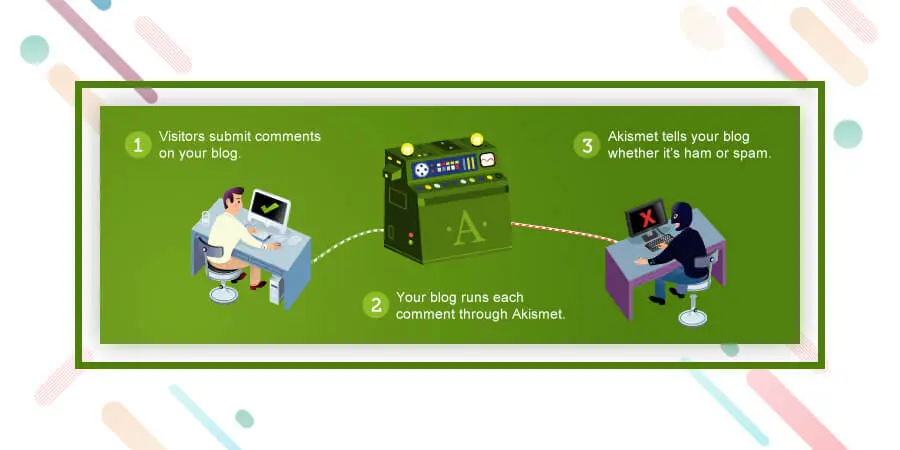
Akismet is essential since it helps to avoid spam comments on the blog. If it is not installed, messages start arriving that have nothing to do with the topic of the blog and that in many cases are robots that send spam all over the Internet. Akismet helps us avoid these types of situations and keeps our blog clean at all times.
Link: Akismet
Caching refers to the method of making static versions of your content, and serving that to the website visitors. You should have a caching plugin and also some caching mechanism to serve your visitor with a fast loading site. You can read the importance of caching from this article. Okay let’s include our favorite caching plugins for you.
With W3 Total Cache you will make your blog load faster and accelerate the performance of all your posts and each section of the blog in general. The loading time is one of the factors that Google takes into account to position sites, so do not hesitate to take into account the use of this plugin.
Link: W3 Total Cache
Without social signals, it is quite impossible to outrank your competitor. It also helps to reach your audience on social media. Let’s include social sharing plugin on the website.
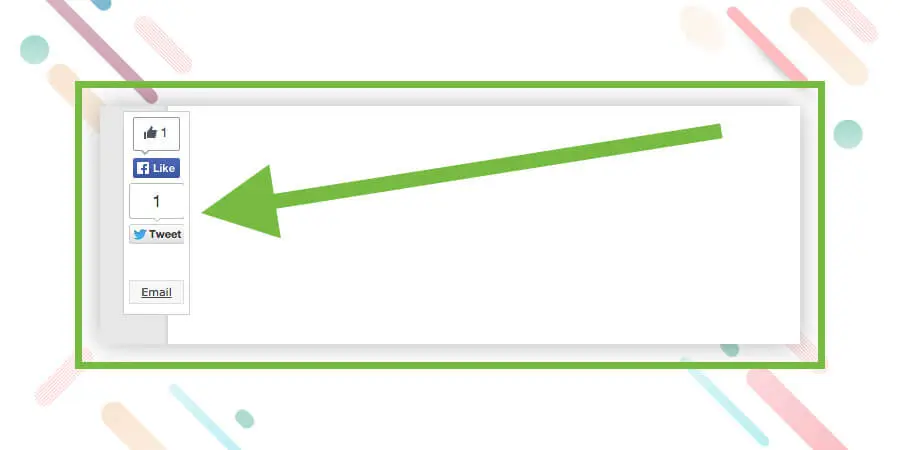
When you install Sharebar, a vertical bar will appear on the left side of your articles where your visitors can share your content on Twitter, Facebook, Stumbleupon, by mail or on other social networks. This way you increase your presence in social networks and facilitate the viral propagation of your content.
Link: Sharebar
In conclusion, Remember that your site or blog does not need so many plugins. If you fill your WordPress installation with an excess of plugins can be encouraged and have a poor performance. The best thing is only to focus on the basics and the most important ones. These essential WordPress plugins are important and as we saw, some are more important and essential than others, such as security or SEO.
Soon we will be sharing more useful plugins for different types of blogs and Web pages.
For now, install these and keep checking Element pack Pro for more tutorials and information on the world of WordPress.
Vi kör ett give-away-program till våra älskade konsumenter och prenumeranter som är anslutna till vår officiella webbplats BDthemes.com
Besök Element Pack eller Prime Slider och dela dina tankar med oss. Lyckliga vinnare kommer att få en livstidslicens värd $100. Det tar bara en minut att delta.

Största paketet med Elementor-mallar med det mest användarvänliga gränssnittet och 300+ användbara Elementor widgets. Bygg webbplatser från noll till 100% perfektion på nolltid.
Denna webbplats drivs av Element Pack Pro och Rooten Tema.
Copyright © 2026 BdTema. Alla rättigheter reserverade.









