
Navegação sem esforço com opções de menu avançadas
Opções visuais de produtos aumentam as vendas rapidamente
O conteúdo personalizado se adapta em tempo real
Rolagem contínua para um melhor fluxo de experiência do usuário
A duplicação instantânea de conteúdo economiza tempo
Acesso rápido a elementos de design avançados
Modelos prontos agilizam o design
Campos personalizados avançados para dados flexíveis
Clone sites facilmente, sem complicações
Gráficos nítidos e dimensionáveis para todas as telas
Renove a marca das ferramentas para obter uma aparência profissional
Mostrar ou ocultar conteúdo com precisão
Envolvendo a profundidade com movimentos suaves
Adicione facilmente notas e anotações claras
As dicas úteis melhoram a interação com o usuário
Animar elementos com um toque de estilo
Mantenha as seções importantes sempre visíveis
Controle total com ajustes de código personalizados
Otimize os arquivos para aumentar a velocidade do site
Modelos de página elaborados para ajudá-lo a começar a criar sua página de destino apenas com um design inicial
O Ready Blocks vem com uma variedade de layouts e elementos de design, como cabeçalhos, rodapés, widgets etc.
Cabeçalhos pré-projetados com estilos lucrativos que são adequados para vários sites de nicho e gostos de design
Uma coleção útil de designs de rodapé para ajudá-lo a criar um rodapé instantaneamente atraente em sua página de destino
Encontre-nos 24 horas por dia, 7 dias por semana, à sua disposição. Teremos prazer em ajudar.
Diretrizes detalhadas disponíveis para cada recurso na BdThemes
Aprenda algo novo, mantenha-se informado sobre WordPress, Web Design e muito mais
Aqui estão alguns dos principais marcos em meu desenvolvimento:
Aprenda a usar o produto, dicas e truques do WordPress com nossos vídeos
Ganhe comissões pesadas ao se juntar a nós na promoção
O Widget Idea Share é uma ótima maneira de encontrar widgets semelhantes que você pode melhorar.
Com certeza! Se precisar entrar em contato conosco, sinta-se à vontade para falar conosco
Crie qualquer formulário do WordPress em minutos com o Sigma Forms.
Plug-in do Page Builder para o modo de manutenção e em breve
Torne os sites acessíveis facilmente com o One Accessibility
Exiba depoimentos de clientes para aumentar a confiança e a credibilidade.
O Zoloblocks ajuda a criar sites incríveis baseados em Gutenberg.
O controle deslizante mais avançado na era do controle deslizante Elementor
Os únicos widgets de blog compatíveis com o Elementor para qualquer blog
Crie um site de comércio eletrônico WordPress de última geração para empresas
Organize suas fotos em um anjo diferente a cada vez com o Elementor
Impulsione o engajamento e aumente as vendas usando o Spin Wheel.
Poderoso plug-in de gerador de imagens de IA para WordPress por ChatGPT
Obtenha 360° Augmented Reality para WooCommerce hoje mesmo!
Copie e cole qualquer design da Web de sua preferência com apenas 2 cliques!
Um tema totalmente funcional para o elementor com opções ilimitadas
Tema de bloco inteligente, limpo e flexível para Gutenberg
O plug-in Dark Reader garante uma leitura da Web agradável aos olhos.
Checkout de uma página do WooCommerce para aumentar as conversões.
Find Nearby Stores Instantly with Sigma Store Locator
The Ultimate WordPress Media Library Organizer

Acesse mais de 100 plug-ins premium do WordPress com atualizações vitalícias e suporte dedicado.
 Portuguese

Navegação sem esforço com opções de menu avançadas
Opções visuais de produtos aumentam as vendas rapidamente
O conteúdo personalizado se adapta em tempo real
Rolagem contínua para um melhor fluxo de experiência do usuário
A duplicação instantânea de conteúdo economiza tempo
Acesso rápido a elementos de design avançados
Modelos prontos agilizam o design
Campos personalizados avançados para dados flexíveis
Clone sites facilmente, sem complicações
Gráficos nítidos e dimensionáveis para todas as telas
Renove a marca das ferramentas para obter uma aparência profissional
Mostrar ou ocultar conteúdo com precisão
Envolvendo a profundidade com movimentos suaves
Adicione facilmente notas e anotações claras
As dicas úteis melhoram a interação com o usuário
Animar elementos com um toque de estilo
Mantenha as seções importantes sempre visíveis
Controle total com ajustes de código personalizados
Otimize os arquivos para aumentar a velocidade do site
Modelos de página elaborados para ajudá-lo a começar a criar sua página de destino apenas com um design inicial
O Ready Blocks vem com uma variedade de layouts e elementos de design, como cabeçalhos, rodapés, widgets etc.
Cabeçalhos pré-projetados com estilos lucrativos que são adequados para vários sites de nicho e gostos de design
Uma coleção útil de designs de rodapé para ajudá-lo a criar um rodapé instantaneamente atraente em sua página de destino
Encontre-nos 24 horas por dia, 7 dias por semana, à sua disposição. Teremos prazer em ajudar.
Diretrizes detalhadas disponíveis para cada recurso na BdThemes
Aprenda algo novo, mantenha-se informado sobre WordPress, Web Design e muito mais
Aqui estão alguns dos principais marcos em meu desenvolvimento:
Aprenda a usar o produto, dicas e truques do WordPress com nossos vídeos
Ganhe comissões pesadas ao se juntar a nós na promoção
O Widget Idea Share é uma ótima maneira de encontrar widgets semelhantes que você pode melhorar.
Com certeza! Se precisar entrar em contato conosco, sinta-se à vontade para falar conosco
Crie qualquer formulário do WordPress em minutos com o Sigma Forms.
Plug-in do Page Builder para o modo de manutenção e em breve
Torne os sites acessíveis facilmente com o One Accessibility
Exiba depoimentos de clientes para aumentar a confiança e a credibilidade.
O Zoloblocks ajuda a criar sites incríveis baseados em Gutenberg.
O controle deslizante mais avançado na era do controle deslizante Elementor
Os únicos widgets de blog compatíveis com o Elementor para qualquer blog
Crie um site de comércio eletrônico WordPress de última geração para empresas
Organize suas fotos em um anjo diferente a cada vez com o Elementor
Impulsione o engajamento e aumente as vendas usando o Spin Wheel.
Poderoso plug-in de gerador de imagens de IA para WordPress por ChatGPT
Obtenha 360° Augmented Reality para WooCommerce hoje mesmo!
Copie e cole qualquer design da Web de sua preferência com apenas 2 cliques!
Um tema totalmente funcional para o elementor com opções ilimitadas
Tema de bloco inteligente, limpo e flexível para Gutenberg
O plug-in Dark Reader garante uma leitura da Web agradável aos olhos.
Checkout de uma página do WooCommerce para aumentar as conversões.
Find Nearby Stores Instantly with Sigma Store Locator
The Ultimate WordPress Media Library Organizer
Acesse mais de 100 plug-ins premium do WordPress com atualizações vitalícias e suporte dedicado.
Portuguese
Previously, we have talked about how important your website is to your business and why, when you create one, you should be using WordPress to build it. One of the good things concerning WordPress is that there are actually tens of thousands of Essential WordPress plugins that you just will install to your web site to fill a variety of different roles.
As you probably already know, plugins are one of the most important benefits that WordPress offers to its users as they offer an improvement in the performance of the site or blog in different areas such as email marketing, social networks, SEO, traffic, loading speed, design and much more.
Therefore, in this tutorial, we will see some of the most important Essential WordPress plugins for your blog or WordPress website. There are some more necessary than the others and there are also those who already depend much more on the type of blog that you are looking to create, but all of these are undoubtedly useful and help to have better results.
There are some specific plugins that should always be installed in any WordPress blog, regardless of whether it is business, personal or any other topic. They are related to security issues, SEO, traffic, social networks and much more.
Here is the list of essential plugins for WordPress blog:
First few plugins that we are mentioning is related to the search engine optimization (SEO) for your WordPress Blog/Website. Let’s have a look at them.

This plugin helps to configure your blog with the most important aspects of SEO and search engine positioning, especially Google. In it, you can change things like the title of the blog, the description that appears in the search results, the keywords to which you want to position yourself and many other elements to consider to generate organic traffic.
Another SEO plugin that has had a lot of popularity recently is All in One SEO Pack. Also very recommended. Choose between this and Yoast SEO Plugin. Both of them offer great options.
Link: Yoast SEO
Link: All in One SEO pack
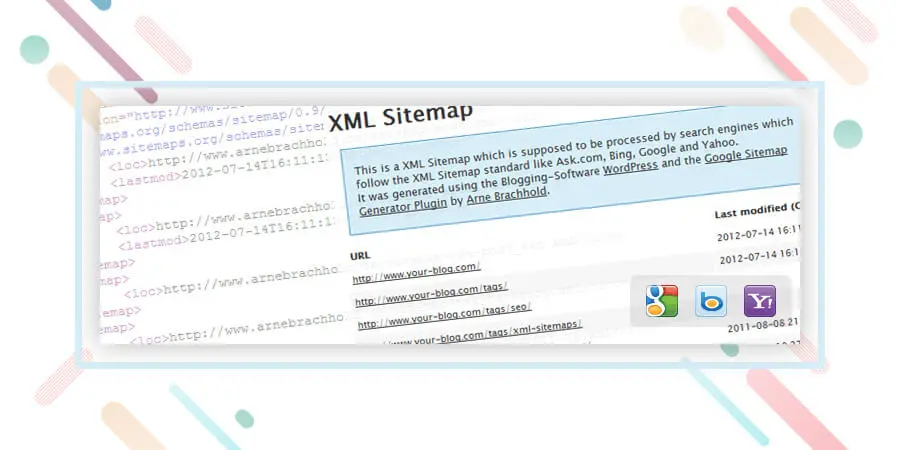
It is a fact that very few know about programming and codes. This essential WordPress plugin helps to automatically generate a Sitemap, which consists of a document in XML format that serves as a “map” that tells Google the entire structure of your website or blog. This way, it indexes you in a much better way and also faster.
Simply install and automatically send a sitemap to major search engines such as Google, Yahoo! and Bing. Remember to also add your sitemap in the Google Webmaster tools.
Atualização: You can make the sitemap even using any of the SEO plugins listed above. I.e Yoast and All in One SEO pack. But having a separate sitemap sometime helps! And it is totally on your use case scenario.
Next block of essential plugins for WordPress we are going to mention is related to contact you by your visitors. These two are our favorite communication tools.

If you are a business looking to streamline customer communication and appointment management, the all-in-one WordPress booking plugin, BookingPress, is the best choice. This plugin not only automates appointment management and keeps it clutter-free, but its advanced features also help you upsell your services.
BookingPress is like the digital receptionist of your company. Customers can select services, choose available time slots, and confirm bookings in just a few clicks. On the other hand, you get instant SMS, WhatsApp, email, or Telegram notifications and can manage everything from a simple, user-friendly dashboard.
This plugin is a must-have for all types of businesses, especially service-based ones that have WordPress websites.
Link: BookingPress
A form of contact is always essential in any blog and with Contact Form 7 you can create one in a matter of a few minutes without the need to struggle with codes or other methods too complicated.
Link: Formulário de contato 7
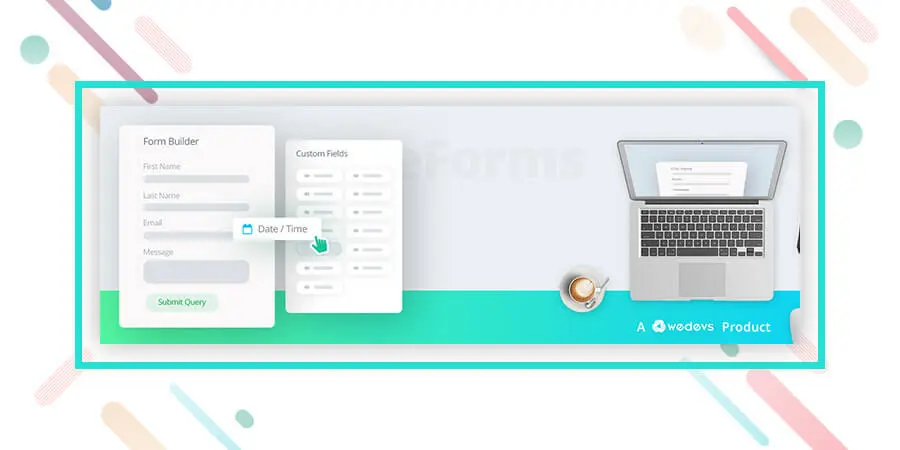
The next plugin that we are going to mention is super easy to use and have drag and drop form builder to make a contact form. It also has integration with a bunch of communication tools. Super easy and an essential plugin to consider. Have a look at it.
Link: weForms – Easy Drag & Drop Contact Form Builder For WordPress
We have made a separate block of optimization plugins which are also essentials but you can choose whether you want to use those or not. But we recommend you using these also. Okay, let’s begin.

When we add images to our blog they do not come optimized with the correct labels and names in terms of SEO. Many times doing this manually represents a great job that can take a lot of time. With SEO Friendly Images you will be able to automatically configure the images that you have and that you are going to add in the future to your blog for SEO and positioning of your blog.
Link: PB SEO Friendly Images
Google Analytics is one of the tools that will help you measure the number of visitors to your blog or website. It is completely free and to install it you only need to insert a small code in your site and it is ready.
However, many people do not know how to get into the codes or it is complicated to insert them successfully. Thanks to this plugin, installing Google Analytics can be achieved with a couple of clicks in a matter of seconds.
Link: Google Analytics for WordPress
Alternative: Simple Google Analytics
This plugin is very useful since it checks all the links of your blog that may be “broken” or not working. Many times we create posts, articles, pages or any other type of link that after we stop using and delete. Most importantly, with Broken Link Checker you will be able to detect which links of your blog no longer work, in this way you improve the SEO positioning and the navigation of your WordPress.
Link: Broken Link Checker
In this segment of essential plugins for WordPress, we are going to address the issue of security of your blog and also how to prevent spammers by simply using a plugin. Let’s begin.

Another plugin related to the security of our blog. With Wordfence Security – Firewall & Malware Scan
you will have a diagnosis about the status of your blog and how to improve it to prevent attacks by spammers or hackers. It is very useful and helps to correct many errors that otherwise we would not know exist in our installation of WordPress.
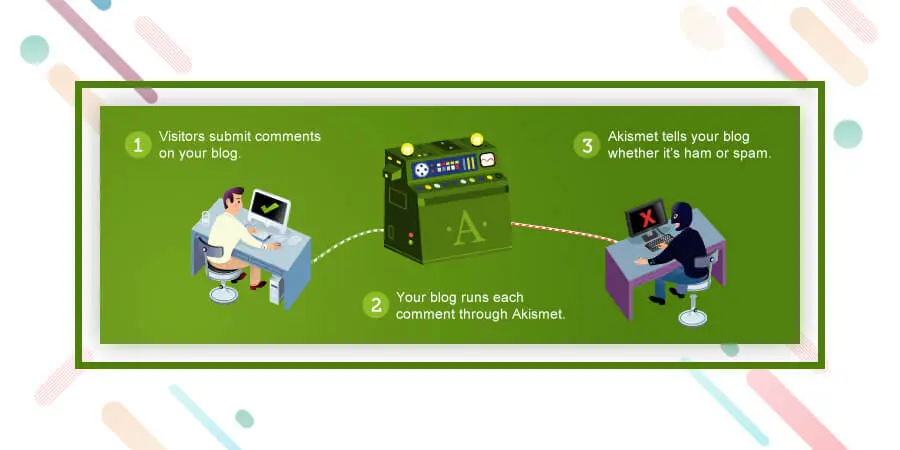
Akismet is essential since it helps to avoid spam comments on the blog. If it is not installed, messages start arriving that have nothing to do with the topic of the blog and that in many cases are robots that send spam all over the Internet. Akismet helps us avoid these types of situations and keeps our blog clean at all times.
Link: Akismet
Caching refers to the method of making static versions of your content, and serving that to the website visitors. You should have a caching plugin and also some caching mechanism to serve your visitor with a fast loading site. You can read the importance of caching from this article. Okay let’s include our favorite caching plugins for you.
With W3 Total Cache you will make your blog load faster and accelerate the performance of all your posts and each section of the blog in general. The loading time is one of the factors that Google takes into account to position sites, so do not hesitate to take into account the use of this plugin.
Link: W3 Total Cache
Without social signals, it is quite impossible to outrank your competitor. It also helps to reach your audience on social media. Let’s include social sharing plugin on the website.
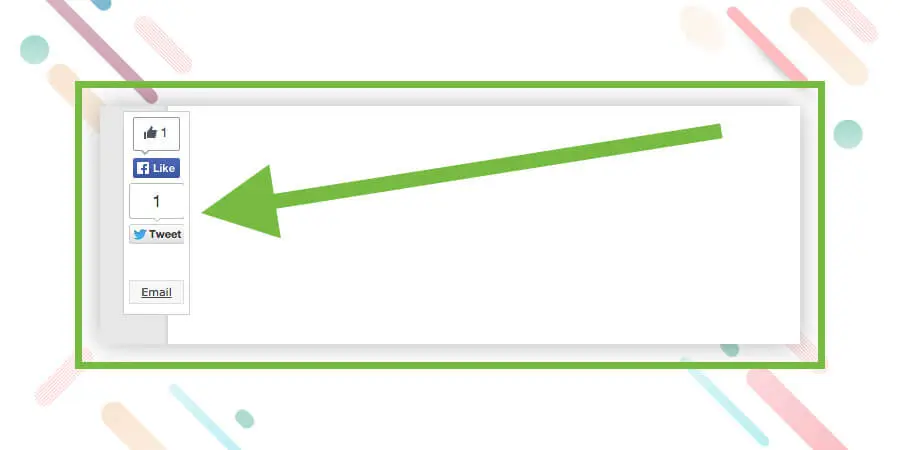
When you install Sharebar, a vertical bar will appear on the left side of your articles where your visitors can share your content on Twitter, Facebook, Stumbleupon, by mail or on other social networks. This way you increase your presence in social networks and facilitate the viral propagation of your content.
Link: Sharebar
In conclusion, Remember that your site or blog does not need so many plugins. If you fill your WordPress installation with an excess of plugins can be encouraged and have a poor performance. The best thing is only to focus on the basics and the most important ones. These essential WordPress plugins are important and as we saw, some are more important and essential than others, such as security or SEO.
Soon we will be sharing more useful plugins for different types of blogs and Web pages.
For now, install these and keep checking Element pack Pro for more tutorials and information on the world of WordPress.
Estamos realizando um programa de brindes para nossos amados consumidores e assinantes que estão conectados ao nosso site oficial BDthemes.com
Visitar Element Pack ou Controle deslizante principal e compartilhe conosco suas ideias. Os vencedores sortudos receberão uma licença vitalícia no valor de $100. Você só precisa de um minuto para participar.

O maior pacote de modelos Elementor com a interface de usuário mais fácil de usar e 300+ widgets úteis do Elementor. Crie sites de zero a 100% perfeição em pouco tempo.
Este site é alimentado por Element Pack Pro e Tema Rooten.
Copyright © 2026 BdThemes. Todos os direitos reservados.









