다양한 메뉴 옵션을 통한 손쉬운 탐색
시각적인 제품 선택으로 빠른 매출 증대
실시간으로 조정되는 개인화된 콘텐츠
원활한 스크롤로 UX 흐름 개선
즉각적인 콘텐츠 복제로 시간 절약
강력한 디자인 요소에 빠르게 액세스
기성 템플릿으로 디자인 속도 향상
유연한 데이터를 위한 고급 사용자 지정 필드
번거로움 없이 간편하게 사이트 복제
모든 화면에 적합한 선명하고 확장 가능한 그래픽
전문적인 룩을 위한 리브랜딩 도구
콘텐츠를 정확하게 표시하거나 숨기기
부드러운 모션으로 깊이 있는 몰입감
선명한 메모와 주석을 쉽게 추가하세요
유용한 힌트로 사용자 상호 작용 개선
세련된 감각으로 요소에 애니메이션 적용
중요한 섹션은 항상 표시되도록 유지
사용자 지정 코드 조정을 통한 완벽한 제어
파일 최적화를 통한 사이트 속도 향상
연중무휴 24시간 언제든지 문의하세요. 기꺼이 도와드리겠습니다.
모든 기능에 대한 자세한 가이드라인은 BdThemes에서 확인할 수 있습니다.
새로운 것을 배우고, 워드프레스, 웹 디자인 등에 대한 최신 정보를 확인하세요.
개발 과정의 주요 이정표는 다음과 같습니다:
동영상에서 제품 사용법, 워드프레스 팁과 요령 알아보기
프로모션에 참여하여 막대한 수수료를 받으세요.
위젯 아이디어 공유는 개선할 수 있는 유사한 위젯을 찾을 수 있는 좋은 방법입니다.
물론입니다! 문의 사항이 있으시면 언제든지 연락주세요.
시그마 폼으로 몇 분 만에 워드프레스 양식을 작성하세요.
곧 출시 예정 & 유지 관리 모드 페이지 빌더 플러그인
접근성 하나로 웹사이트에 쉽게 접근 가능
고객 추천글을 표시하여 신뢰와 공신력을 높이세요.
졸로블록은 구텐베르크 기반의 멋진 웹사이트를 제작하는 데 도움을 줍니다.
Elementor 슬라이더 시대에서 가장 우수한 슬라이더
Elementor에서 유일하게 호환되는 블로그 위젯은 모든 블로그에 사용할 수 있습니다.
비즈니스를 위한 차세대 워드프레스 전자상거래 웹사이트 구축하기
Elementor로 매번 다른 엔젤로 사진 정리하기
스핀 휠을 사용하여 참여도를 높이고 매출을 늘리세요.
ChatGPT의 강력한 워드프레스용 AI 이미지 생성기 플러그인
지금 바로 WooCommerce용 360° 증강 현실을 사용해보세요!
클릭 두 번으로 원하는 웹 디자인을 복사하여 붙여넣기하세요!
무제한 옵션으로 모든 기능을 갖춘 엘리멘터용 테마
구텐베르크를 위한 스마트하고 깔끔하며 유연한 블록 테마
다크 리더 플러그인은 눈에 편안한 웹 읽기를 보장합니다.
전환율을 높이는 WooCommerce 원페이지 결제.
Find Nearby Stores Instantly with Sigma Store Locator
The Ultimate WordPress Media Library Organizer
 Korean

다양한 메뉴 옵션을 통한 손쉬운 탐색
시각적인 제품 선택으로 빠른 매출 증대
실시간으로 조정되는 개인화된 콘텐츠
원활한 스크롤로 UX 흐름 개선
즉각적인 콘텐츠 복제로 시간 절약
강력한 디자인 요소에 빠르게 액세스
기성 템플릿으로 디자인 속도 향상
유연한 데이터를 위한 고급 사용자 지정 필드
번거로움 없이 간편하게 사이트 복제
모든 화면에 적합한 선명하고 확장 가능한 그래픽
전문적인 룩을 위한 리브랜딩 도구
콘텐츠를 정확하게 표시하거나 숨기기
부드러운 모션으로 깊이 있는 몰입감
선명한 메모와 주석을 쉽게 추가하세요
유용한 힌트로 사용자 상호 작용 개선
세련된 감각으로 요소에 애니메이션 적용
중요한 섹션은 항상 표시되도록 유지
사용자 지정 코드 조정을 통한 완벽한 제어
파일 최적화를 통한 사이트 속도 향상
연중무휴 24시간 언제든지 문의하세요. 기꺼이 도와드리겠습니다.
모든 기능에 대한 자세한 가이드라인은 BdThemes에서 확인할 수 있습니다.
새로운 것을 배우고, 워드프레스, 웹 디자인 등에 대한 최신 정보를 확인하세요.
개발 과정의 주요 이정표는 다음과 같습니다:
동영상에서 제품 사용법, 워드프레스 팁과 요령 알아보기
프로모션에 참여하여 막대한 수수료를 받으세요.
위젯 아이디어 공유는 개선할 수 있는 유사한 위젯을 찾을 수 있는 좋은 방법입니다.
물론입니다! 문의 사항이 있으시면 언제든지 연락주세요.
시그마 폼으로 몇 분 만에 워드프레스 양식을 작성하세요.
곧 출시 예정 & 유지 관리 모드 페이지 빌더 플러그인
접근성 하나로 웹사이트에 쉽게 접근 가능
고객 추천글을 표시하여 신뢰와 공신력을 높이세요.
졸로블록은 구텐베르크 기반의 멋진 웹사이트를 제작하는 데 도움을 줍니다.
Elementor 슬라이더 시대에서 가장 우수한 슬라이더
Elementor에서 유일하게 호환되는 블로그 위젯은 모든 블로그에 사용할 수 있습니다.
비즈니스를 위한 차세대 워드프레스 전자상거래 웹사이트 구축하기
Elementor로 매번 다른 엔젤로 사진 정리하기
스핀 휠을 사용하여 참여도를 높이고 매출을 늘리세요.
ChatGPT의 강력한 워드프레스용 AI 이미지 생성기 플러그인
지금 바로 WooCommerce용 360° 증강 현실을 사용해보세요!
클릭 두 번으로 원하는 웹 디자인을 복사하여 붙여넣기하세요!
무제한 옵션으로 모든 기능을 갖춘 엘리멘터용 테마
구텐베르크를 위한 스마트하고 깔끔하며 유연한 블록 테마
다크 리더 플러그인은 눈에 편안한 웹 읽기를 보장합니다.
전환율을 높이는 WooCommerce 원페이지 결제.
Find Nearby Stores Instantly with Sigma Store Locator
The Ultimate WordPress Media Library Organizer
Korean
In order to retain website traffic, site loading speed is very important. In this article, I bring you a very interesting list of the best plugins to optimize WordPress driven website. There is a special term known as WPO aka WordPress Optimization. It is actually the best practices that are involved in speeding up a website.
Since Google announced that website loading speed will be an SEO factor, you should focus on your site loading speed.
I recommend that your site not take longer to load more than 2 seconds.
If it exceeds that figure, you are losing visits, registration on the site and newsletter, sales and others.
You can take a look at our guide on 워드프레스 사이트 속도를 높이는 방법. In this article, I will be focusing mainly on plugin-based speeding solutions.
I’ve been optimizing WordPress websites since 2010 and I have learned everything that needs to speed up a site. ( Learning is a continuous process and I am still doing it)
There are 2 clear rules when installing plugins in WordPress:
The problem with many optimization plugins is that they consume more resources than they should. Some of them do the tasks they meant to be but takes more server resources. Most of the owners can’t afford such luxury!
That is why I have decided to make this list, so you can save all those hours of tests that I have done.
If any plugin is not here it is because I have discarded it or not used it yet.
For the sake of ease, I am going to categorize my list in separate groups.
A cache plugin is basically the one that creates static HTML copies of your content.
In this way, instead of requesting the server every time it actually serves static content most of the time. If needed, it updates the cache from time to time. Thus, the speed of the website faster.
After having tried many of the caching plugins, I am keeping the following in my lists.
Since I have discovered WP 로켓, it has been a before and after in the optimization of my sites.
The problem with cache plugins is that they are very simple or usually load the website a lot.
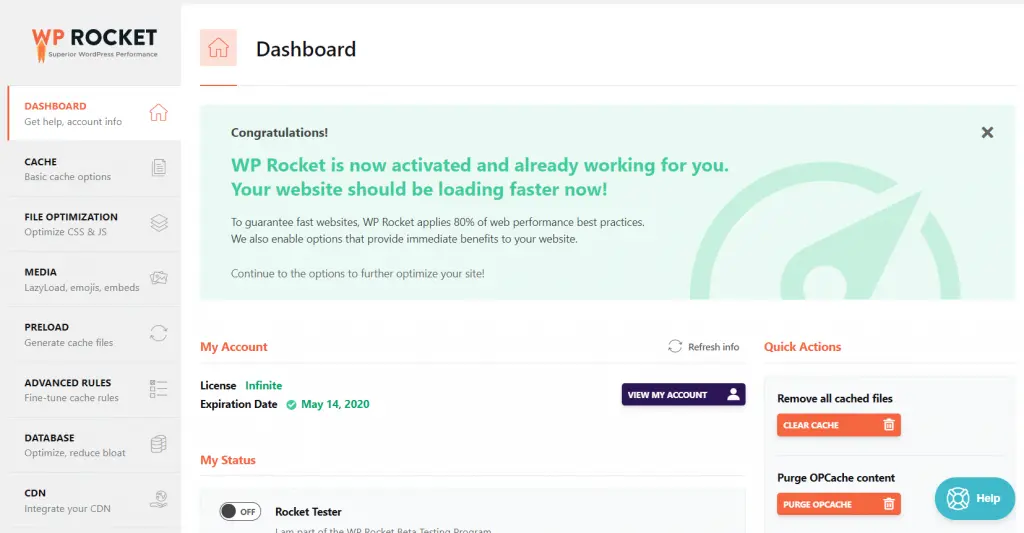
WP Rocket is paid, but it is very complete because it optimizes virtually everything for your WordPress site which includes:
But it is also very easy to use and does not eat almost any resources.
If you ask me to give a percentage of recommendation, I recommend it to 200%. It is the best plugins to optimize WordPress website at this moment.
WP 슈퍼 캐시 is a widely used cache plugin that I have used for years.
I changed it to WP Rocket because it only has the function of cache and CDN.
If you want to optimize other things you have to pull other plugins.
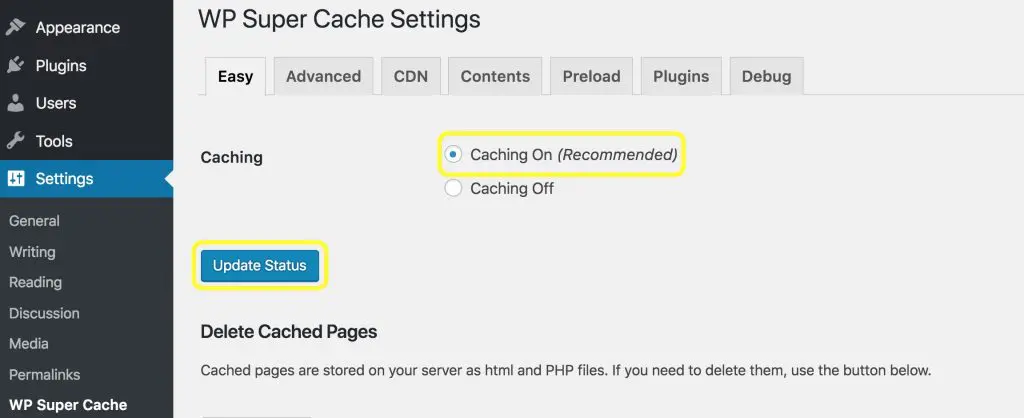
Honorable Mention: W3 Total Cache, I have also used W3 Total cache for years. It is also very powerful but seems complex for the common user. It also has paid version but WP Rocket is much easier to understand and use. So I have decided to shift into WP Rocket.
Images are one of the most common problems that usually slow down a website.
It basically does so because if the code of a site weighs 1MB and the images 10, then it is 11MB that have to be downloaded. ( Images is 10X time heavier than the code )
So these types of plugins are usually used to weigh images as little as possible.
Before thinking about optimizing your images you should think about resizing WordPress thumbnails.
For this, I recommend you to use Regenerate Thumbnails, a very simple plugin that will create all of the thumbnails of your website again.
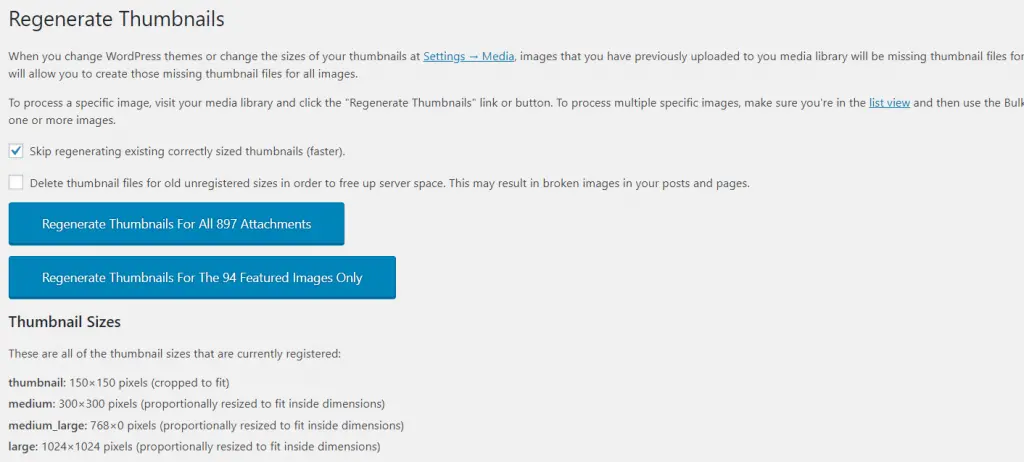
Another very common WPO optimization failure is to upload full-size images which are several megabytes of size.
If you are a photographer, you will surely know what I am talking about.
Theirs is to resize all images and this is done with Imsanity.
I recommend it 100%.
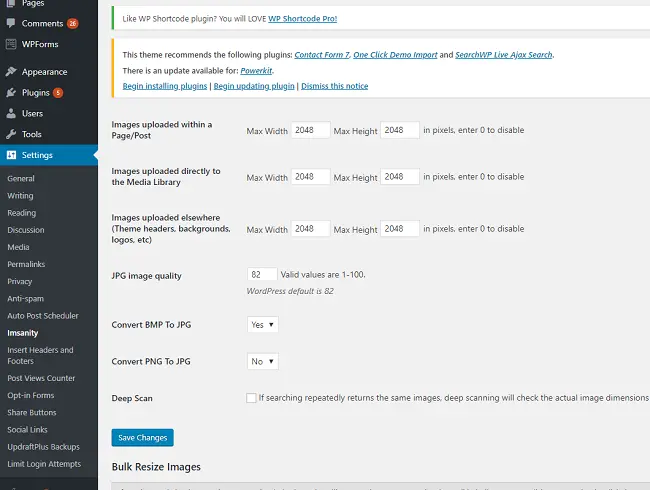
Once we have corrected the sizes, it is time to optimize the images.
For this, we can use plugins such as WP Smush that makes your images much lighter, but without losing quality.
The problem with this plugin is that it only optimizes 50 images every time you hit the button.
So I do not recommend it if you have many images.
One of my latest tools and of which I am very happy is Imagify.
It is paid, but it optimizes all the images at once, giving you a choice between different qualities.
But it also saves the originals in case you regret changing those.
The best investment you can make if you want to save time.
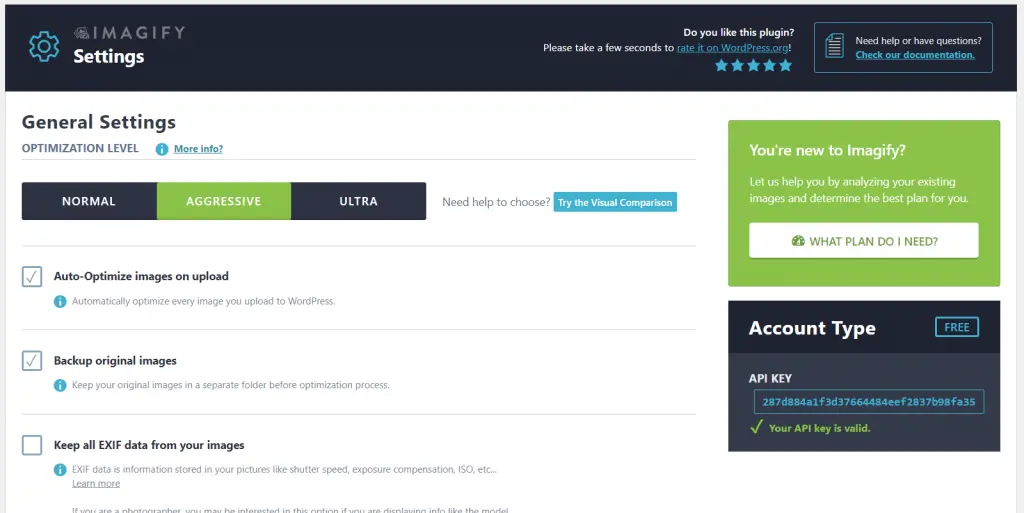
Update: It is providing 25MB free. So if your images are less than 25 MB, you can select the free plan.
WordPress Theme scripts (scripts that come with the theme) and plugins slow down your website considerably and you have to optimize them.
If you are using a theme that calls too many scripts, please consider using rooten.pro – faster and lighter WordPress theme built for you. You will love it especially if you are using the elementor page builder.
I don’t want to recommend specific plugins for this because every plugin that I’ve tried doesn’t convince me and I do it with WP Rocket.
But I’m going to tell you one in case you have no choice
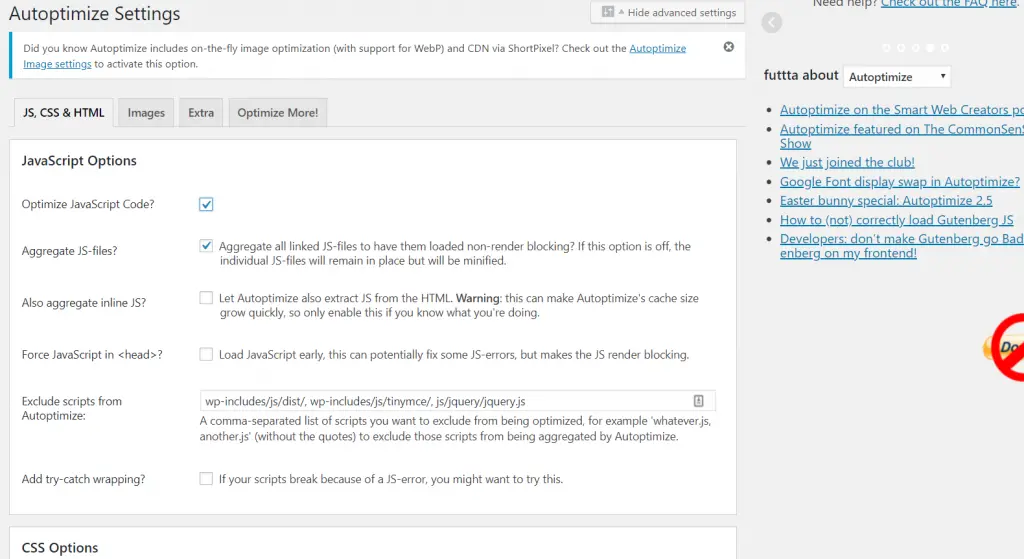
자동 최적화 helps you to optimize all WordPress scripts and markups – whether they are HTML, CSS or Javascript.
If you use WP Super Cache you will need a plugin of these characteristics.
What I don’t like is that I have noticed a higher than normal consumption of server resources and I have discarded it.
Be careful with this type of plugins.
If you don’t know how to use it, you may break the structure of your website.
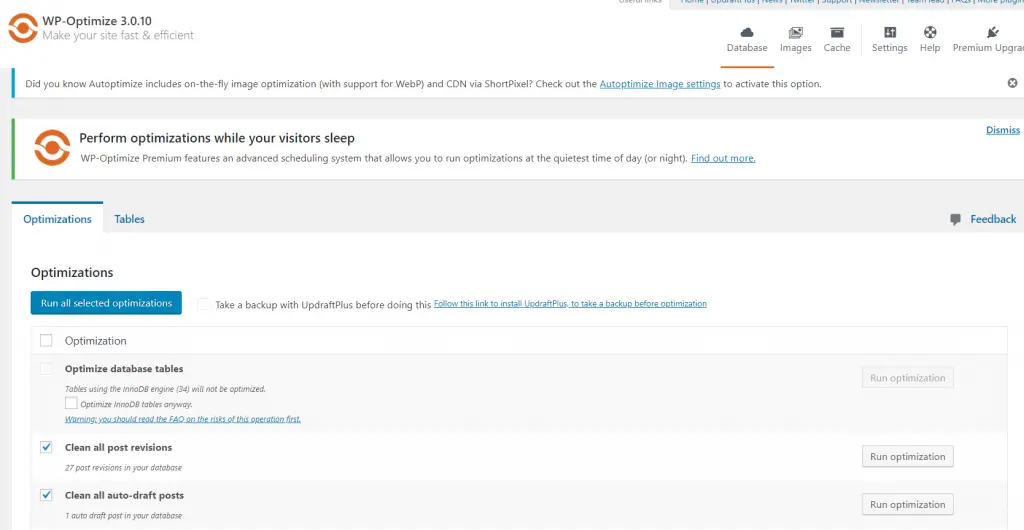
Let me tell you an ugly truth, WordPress driven sites save some craps in the database. You may differ in opinion with me but I will still say those are craps as most of the users don’t need them in the future.
This information might include:
It is advisable to have a good WordPress configuration – by configuration I mean server and optimized database server. And/or use a good plugin, although I do it with WP Rocket, I would like to recommend one.
WP-Optimize is responsible for removing revisions, drafts, spam and more from the WordPress database.
It is a fully recommended plugin and you use it at least once a month.
You might be thinking Miz has lost his mind. No, I haven’t!
If you want to have a fast site you will have to know which plugins are slow and for that there are very good tools available.
P3 Plugin Performance Profiler is the only one that helps you with this task.
Not only does it detect slow plugins, but it also helps you to detect the problems and other issues.
I recommend it 100%.
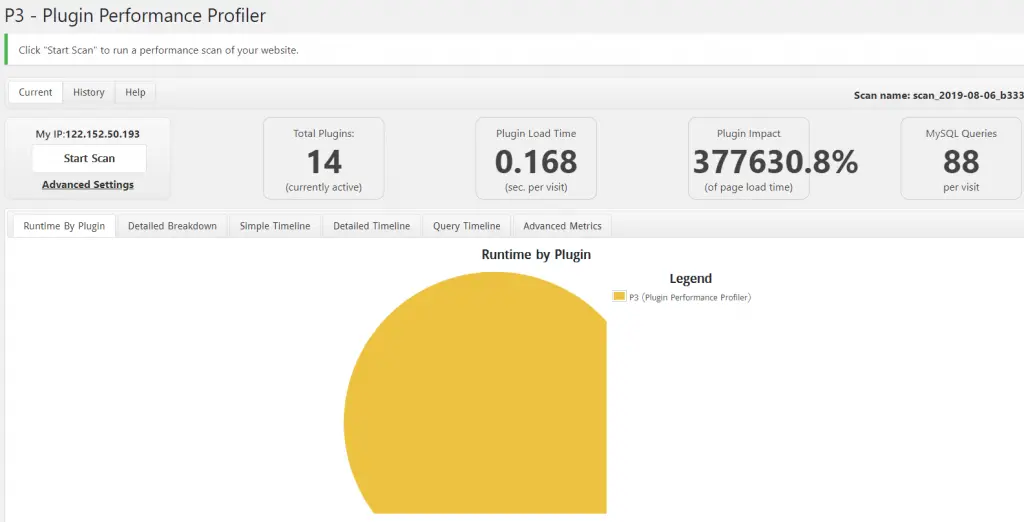
Update: This plugin hasn’t been tested with the latest 3 major releases of WordPress.But we have found that it works well in most of the cases. If you would like to latest well-maintained plugin, I would like to recommend Clearfy – WordPress optimization plugin and disable ultimate tweaker plugin.
Nowadays I only use a few plugins but choosing the right plugin/s depends upon the requirement of your website. Obviously, it depends on the site and the problems you have. Image centric website will need an image optimization plugin, the heavy data-driven site will need database optimization.
What has been your experience with these plugins?
Have you used them?
Please tell me what plugin do you use in your WordPress driven website. What are the best plugins to optimize WordPress website according to you?
Let’s start the conversation about optimization plugins in the comment.

가장 사용자 친화적인 UI를 갖춘 최대 규모의 Elementor 템플릿 팩과 300+ 유용한 Elementor 위젯. 제로에서 시작되는 웹사이트 구축 100% 완벽을 추구합니다.
이 웹사이트는 다음에 의해 구동됩니다. Element Pack Pro 그리고 루텐 테마.
Copyright © 2026 Bd테마. 모든 권리 보유.