豊富なメニューオプションによる容易なナビゲーション
視覚的な商品選択が売上を加速させる
パーソナライズされたコンテンツがリアルタイムで適応
UXフローを改善するシームレススクロール
瞬時にコンテンツを複製し、時間を節約
パワフルなデザイン要素に素早くアクセス
既製のテンプレートがデザインをスピードアップ
柔軟なデータのための高度なカスタムフィールド
手間をかけずに簡単にサイトをクローン
あらゆるスクリーンに対応する、鮮明でスケーラブルなグラフィック
ツールをリブランドしてプロフェッショナルな外観に
正確なコンテンツの表示・非表示
滑らかな動きで奥行きを魅せる
明確なメモや注釈を簡単に追加
役立つヒントがユーザーとのインタラクションを向上
スタイリッシュなアニメーション
重要なセクションは常に見えるようにしておく
カスタム・コードの微調整によるフル・コントロール
ファイルを最適化してサイトのスピードを上げる
年中無休で対応いたします。喜んでお手伝いいたします。
BdThemesで各機能の詳細なガイドラインをご覧いただけます。
ワードプレス、ウェブデザイン、その他について新しいことを学び、情報を得る。
私の成長における重要なマイルストーンをいくつか紹介しよう:
ビデオで製品の使い方、WordPressのヒントとコツを学ぶ
プロモーションに参加することで、高額なコミッションを得ることができます。
Widget Idea Shareは、あなたが改善できる類似ウィジェットを見つける素晴らしい方法です。
確かに!私たちと連絡を取る必要がある場合は、お気軽にご連絡ください。
Sigma Forms を使って WordPress のフォームを数分で作成しましょう。.
ページ・ビルダー・プラグイン
One Accessibilityでウェブサイトを簡単にアクセシブルに
信頼と信用を高めるために、顧客の声を表示する。.
Zoloblocksは、Gutenbergベースの魅力的なウェブサイトを作成するのに役立ちます。.
Elementorスライダー時代の最も優れたスライダー
Elementorで唯一互換性のあるブログ用ウィジェット
ビジネス向け次世代型WordPress eコマースサイトの構築
Elementorで毎回違うエンジェルで写真を整理する
スピンホイールを使ってエンゲージメントを高め、売上を増加させましょう。.
WordPress用AI画像生成プラグイン ChatGPT
WooCommerce用の360°拡張現実を今すぐ入手しましょう!
好きなウェブデザインを2クリックでコピー&ペースト!
無制限のオプションを備えたelementorのための完全に機能するテーマ
スマート、クリーン、フレキシブルなGutenberg用ブロックテーマ
Dark Readerプラグインは、目に優しいウェブ閲覧を保証します。.
コンバージョンを高めるWooCommerceのワンページチェックアウト。
Find Nearby Stores Instantly with Sigma Store Locator
The Ultimate WordPress Media Library Organizer
 Japanese

豊富なメニューオプションによる容易なナビゲーション
視覚的な商品選択が売上を加速させる
パーソナライズされたコンテンツがリアルタイムで適応
UXフローを改善するシームレススクロール
瞬時にコンテンツを複製し、時間を節約
パワフルなデザイン要素に素早くアクセス
既製のテンプレートがデザインをスピードアップ
柔軟なデータのための高度なカスタムフィールド
手間をかけずに簡単にサイトをクローン
あらゆるスクリーンに対応する、鮮明でスケーラブルなグラフィック
ツールをリブランドしてプロフェッショナルな外観に
正確なコンテンツの表示・非表示
滑らかな動きで奥行きを魅せる
明確なメモや注釈を簡単に追加
役立つヒントがユーザーとのインタラクションを向上
スタイリッシュなアニメーション
重要なセクションは常に見えるようにしておく
カスタム・コードの微調整によるフル・コントロール
ファイルを最適化してサイトのスピードを上げる
年中無休で対応いたします。喜んでお手伝いいたします。
BdThemesで各機能の詳細なガイドラインをご覧いただけます。
ワードプレス、ウェブデザイン、その他について新しいことを学び、情報を得る。
私の成長における重要なマイルストーンをいくつか紹介しよう:
ビデオで製品の使い方、WordPressのヒントとコツを学ぶ
プロモーションに参加することで、高額なコミッションを得ることができます。
Widget Idea Shareは、あなたが改善できる類似ウィジェットを見つける素晴らしい方法です。
確かに!私たちと連絡を取る必要がある場合は、お気軽にご連絡ください。
Sigma Forms を使って WordPress のフォームを数分で作成しましょう。.
ページ・ビルダー・プラグイン
One Accessibilityでウェブサイトを簡単にアクセシブルに
信頼と信用を高めるために、顧客の声を表示する。.
Zoloblocksは、Gutenbergベースの魅力的なウェブサイトを作成するのに役立ちます。.
Elementorスライダー時代の最も優れたスライダー
Elementorで唯一互換性のあるブログ用ウィジェット
ビジネス向け次世代型WordPress eコマースサイトの構築
Elementorで毎回違うエンジェルで写真を整理する
スピンホイールを使ってエンゲージメントを高め、売上を増加させましょう。.
WordPress用AI画像生成プラグイン ChatGPT
WooCommerce用の360°拡張現実を今すぐ入手しましょう!
好きなウェブデザインを2クリックでコピー&ペースト!
無制限のオプションを備えたelementorのための完全に機能するテーマ
スマート、クリーン、フレキシブルなGutenberg用ブロックテーマ
Dark Readerプラグインは、目に優しいウェブ閲覧を保証します。.
コンバージョンを高めるWooCommerceのワンページチェックアウト。
Find Nearby Stores Instantly with Sigma Store Locator
The Ultimate WordPress Media Library Organizer
Japanese
In order to retain website traffic, site loading speed is very important. In this article, I bring you a very interesting list of the best plugins to optimize WordPress driven website. There is a special term known as WPO aka WordPress Optimization. It is actually the best practices that are involved in speeding up a website.
Since Google announced that website loading speed will be an SEO factor, you should focus on your site loading speed.
I recommend that your site not take longer to load more than 2 seconds.
If it exceeds that figure, you are losing visits, registration on the site and newsletter, sales and others.
You can take a look at our guide on WordPressサイトを高速化する方法. In this article, I will be focusing mainly on plugin-based speeding solutions.
I’ve been optimizing WordPress websites since 2010 and I have learned everything that needs to speed up a site. ( Learning is a continuous process and I am still doing it)
There are 2 clear rules when installing plugins in WordPress:
The problem with many optimization plugins is that they consume more resources than they should. Some of them do the tasks they meant to be but takes more server resources. Most of the owners can’t afford such luxury!
That is why I have decided to make this list, so you can save all those hours of tests that I have done.
If any plugin is not here it is because I have discarded it or not used it yet.
For the sake of ease, I am going to categorize my list in separate groups.
A cache plugin is basically the one that creates static HTML copies of your content.
In this way, instead of requesting the server every time it actually serves static content most of the time. If needed, it updates the cache from time to time. Thus, the speed of the website faster.
After having tried many of the caching plugins, I am keeping the following in my lists.
Since I have discovered WPロケット, it has been a before and after in the optimization of my sites.
The problem with cache plugins is that they are very simple or usually load the website a lot.
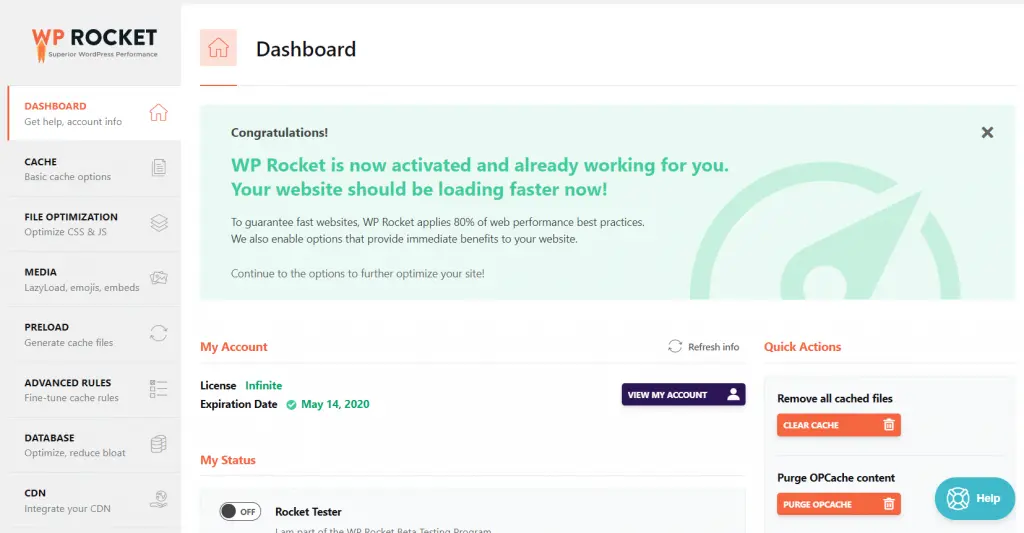
WP Rocket is paid, but it is very complete because it optimizes virtually everything for your WordPress site which includes:
But it is also very easy to use and does not eat almost any resources.
If you ask me to give a percentage of recommendation, I recommend it to 200%. It is the best plugins to optimize WordPress website at this moment.
WPスーパーキャッシュ is a widely used cache plugin that I have used for years.
I changed it to WP Rocket because it only has the function of cache and CDN.
If you want to optimize other things you have to pull other plugins.
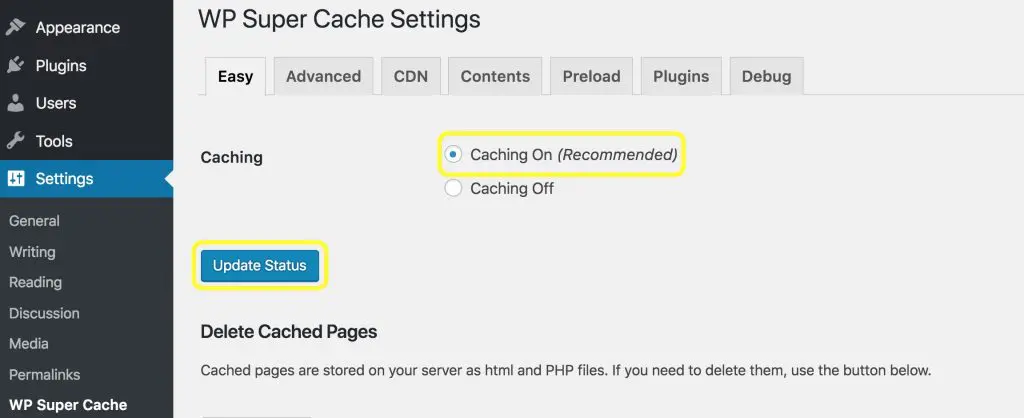
Honorable Mention: W3 Total Cache, I have also used W3 Total cache for years. It is also very powerful but seems complex for the common user. It also has paid version but WP Rocket is much easier to understand and use. So I have decided to shift into WP Rocket.
Images are one of the most common problems that usually slow down a website.
It basically does so because if the code of a site weighs 1MB and the images 10, then it is 11MB that have to be downloaded. ( Images is 10X time heavier than the code )
So these types of plugins are usually used to weigh images as little as possible.
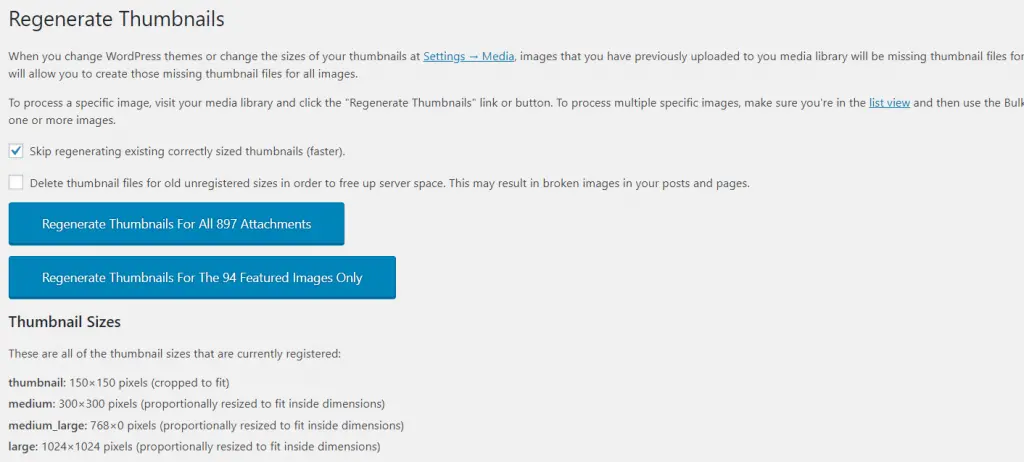
Before thinking about optimizing your images you should think about resizing WordPress thumbnails.
For this, I recommend you to use Regenerate Thumbnails, a very simple plugin that will create all of the thumbnails of your website again.
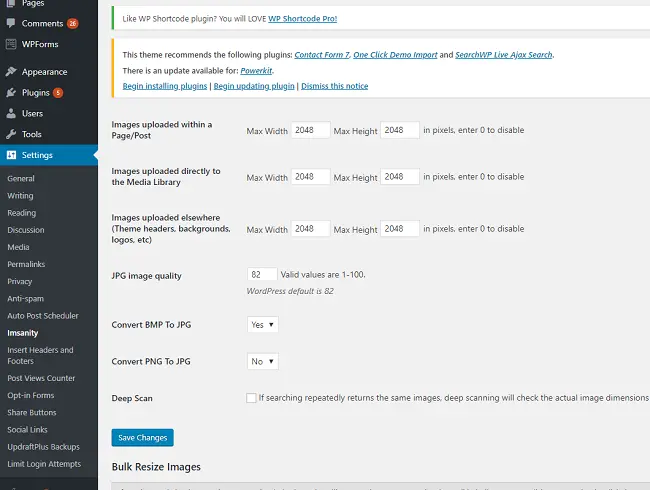
Another very common WPO optimization failure is to upload full-size images which are several megabytes of size.
If you are a photographer, you will surely know what I am talking about.
Theirs is to resize all images and this is done with Imsanity.
I recommend it 100%.
Once we have corrected the sizes, it is time to optimize the images.
For this, we can use plugins such as WP Smush that makes your images much lighter, but without losing quality.
The problem with this plugin is that it only optimizes 50 images every time you hit the button.
So I do not recommend it if you have many images.
One of my latest tools and of which I am very happy is イマジファイ.
It is paid, but it optimizes all the images at once, giving you a choice between different qualities.
But it also saves the originals in case you regret changing those.
The best investment you can make if you want to save time.
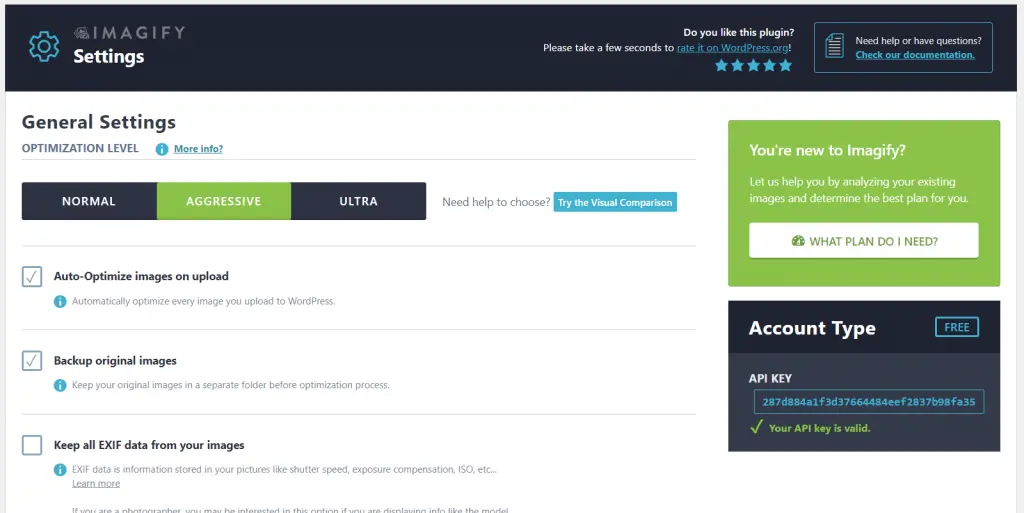
Update: It is providing 25MB free. So if your images are less than 25 MB, you can select the free plan.
WordPress Theme scripts (scripts that come with the theme) and plugins slow down your website considerably and you have to optimize them.
If you are using a theme that calls too many scripts, please consider using rooten.pro – faster and lighter WordPress theme built for you. You will love it especially if you are using the elementor page builder.
I don’t want to recommend specific plugins for this because every plugin that I’ve tried doesn’t convince me and I do it with WP Rocket.
But I’m going to tell you one in case you have no choice
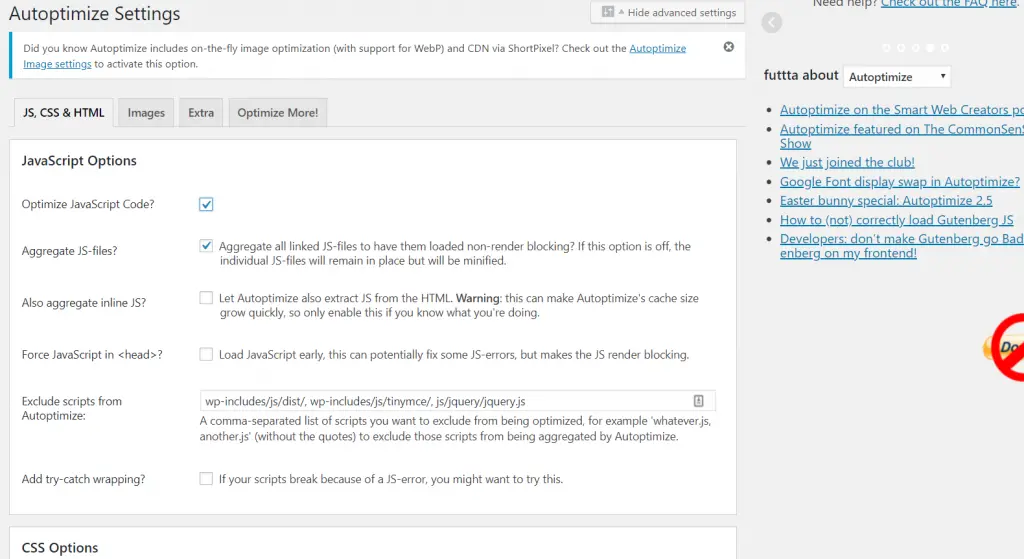
自動最適化 helps you to optimize all WordPress scripts and markups – whether they are HTML, CSS or Javascript.
If you use WP Super Cache you will need a plugin of these characteristics.
What I don’t like is that I have noticed a higher than normal consumption of server resources and I have discarded it.
Be careful with this type of plugins.
If you don’t know how to use it, you may break the structure of your website.
Let me tell you an ugly truth, WordPress driven sites save some craps in the database. You may differ in opinion with me but I will still say those are craps as most of the users don’t need them in the future.
This information might include:
It is advisable to have a good WordPress configuration – by configuration I mean server and optimized database server. And/or use a good plugin, although I do it with WP Rocket, I would like to recommend one.
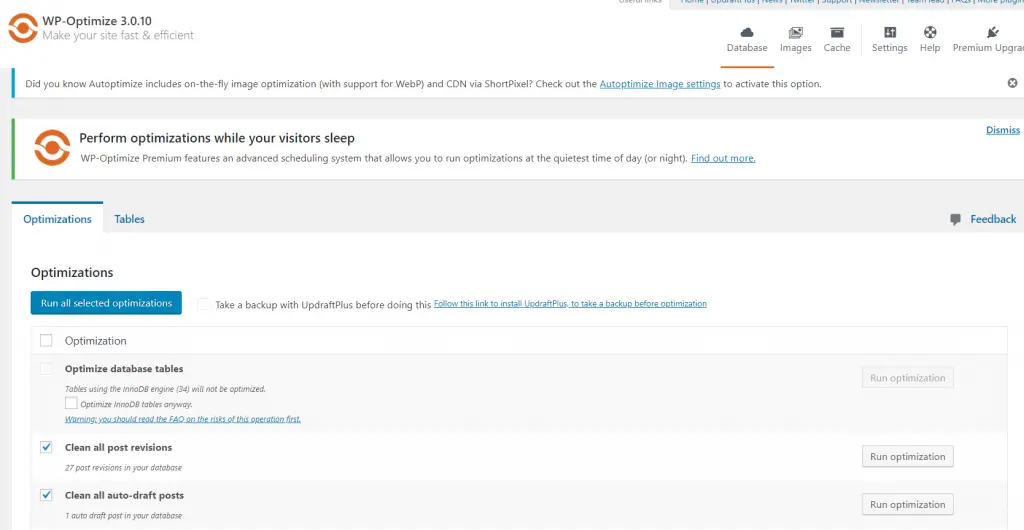
WP-最適化 is responsible for removing revisions, drafts, spam and more from the WordPress database.
It is a fully recommended plugin and you use it at least once a month.
You might be thinking Miz has lost his mind. No, I haven’t!
If you want to have a fast site you will have to know which plugins are slow and for that there are very good tools available.
P3 Plugin Performance Profiler is the only one that helps you with this task.
Not only does it detect slow plugins, but it also helps you to detect the problems and other issues.
I recommend it 100%.
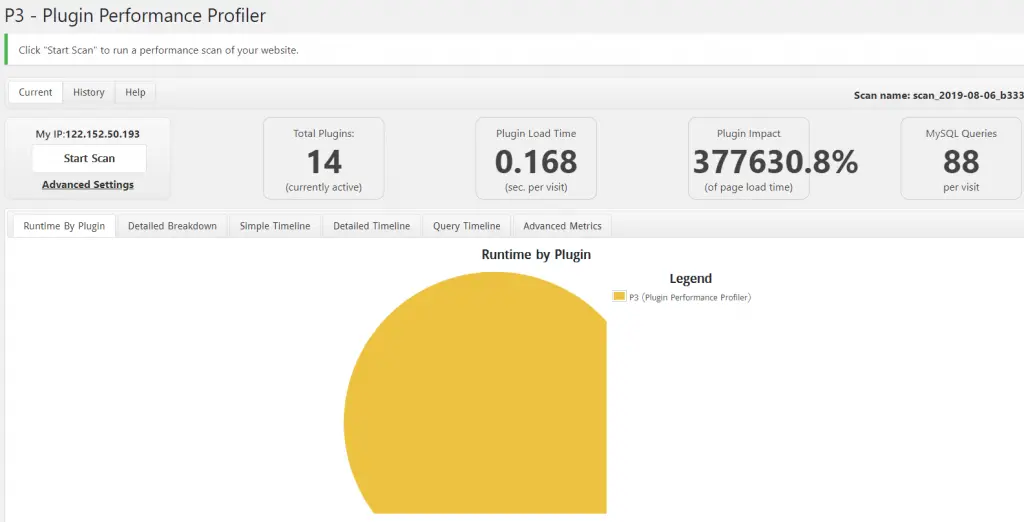
Update: This plugin hasn’t been tested with the latest 3 major releases of WordPress.But we have found that it works well in most of the cases. If you would like to latest well-maintained plugin, I would like to recommend Clearfy – WordPress optimization plugin and disable ultimate tweaker plugin.
Nowadays I only use a few plugins but choosing the right plugin/s depends upon the requirement of your website. Obviously, it depends on the site and the problems you have. Image centric website will need an image optimization plugin, the heavy data-driven site will need database optimization.
What has been your experience with these plugins?
Have you used them?
Please tell me what plugin do you use in your WordPress driven website. What are the best plugins to optimize WordPress website according to you?
Let’s start the conversation about optimization plugins in the comment.

最大のElementorテンプレートパックは、最もユーザーフレンドリーなUIと 300+ 便利なElementorウィジェット。ゼロからウェブサイトを構築 100% あっという間に完璧になる。
このウェブサイトは Element Pack Pro そして ルーテンのテーマ
Copyright © 2026 Bdテーマ. 無断複写・転載を禁じます。