












The printing option in 2020 is a rare sight and on the declining site day by day. But, the truth is, many people still love to hold a printed copy of the content available on the site. Thanks to WordPress to add click to print option at Elementor page builder. Now, let’s see how to make it work.
Why should we add click to print button on elementor page
Today, most of the contents available on the earth has been converted into a digital copy. Giant offices, mega industries -all now operate their tasks through tabs or computers. That’s why the printed paper is reducing day by day. But still, some tasks need a hard copy of the content, such as; painting, woodshop, lathe machine, etc. The work area gets messy, and you can’t bring your precious device to a mess.
So, we know that there is an option in elementor to click to print any webpage instantly. But in case it is not there, what should you do? That is where we are going to help you. To be able to grasp the whole process, please read the full blog without missing anything.
Blog populaire
Comment utiliser le widget Iframe dans Elementor by Element Pack
Methods of adding click to print button on elementor
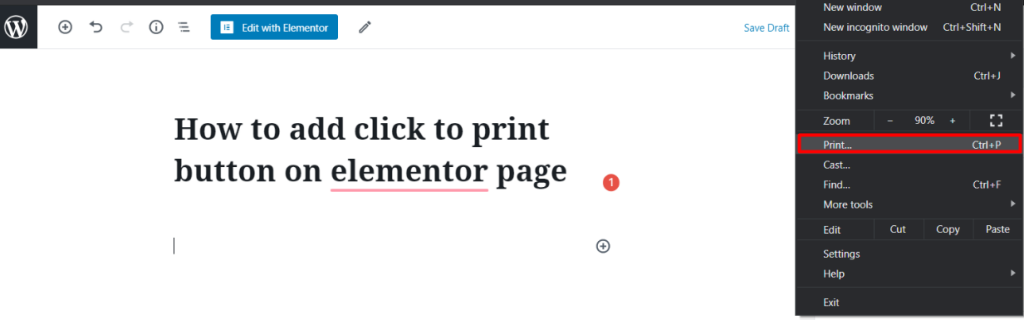
Firstly, you need to check that if your page is printable or not. In many cases, the theme or layout of a website may content complex parts that breaks the page while printing. So, to check that out, you can use your browser’s print option. Click on your browsers click to print button on the current elementor page.
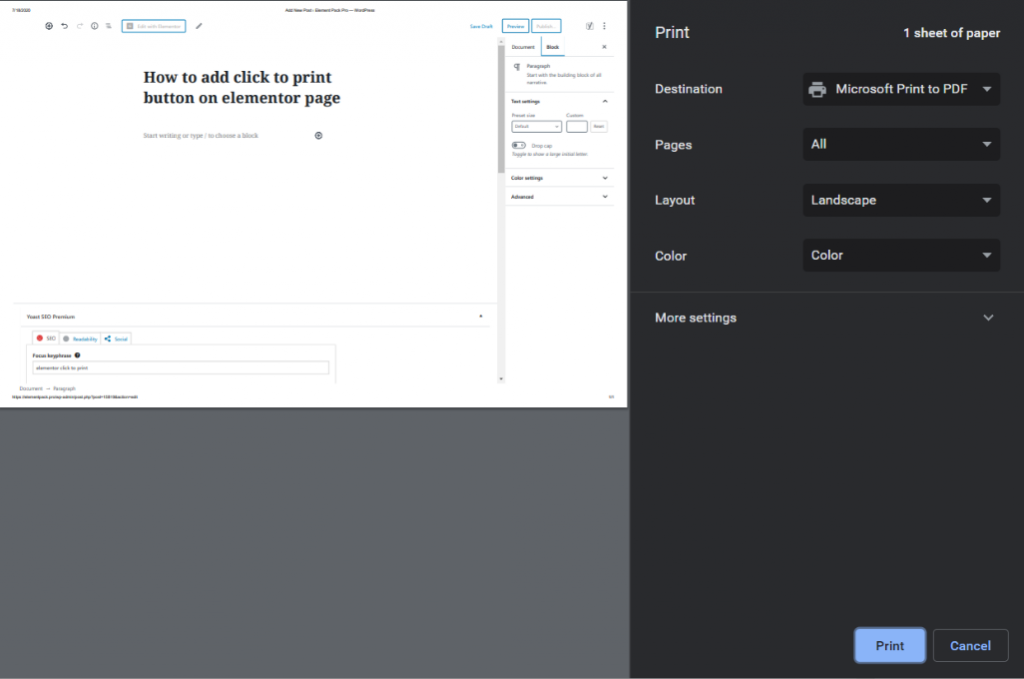
If it shows the exact copy of the page in the preview mode, consider that your page is ready-to-print.
Now, you can get the click to print button from a Médias sociaux plugin in elementor. There are quite a lot among them in the market. If you have one then that is great. But what if you don’t have one?
In that case, you need to install a third-party plugin. Simply, go to dashboard> Plugins> Add New.
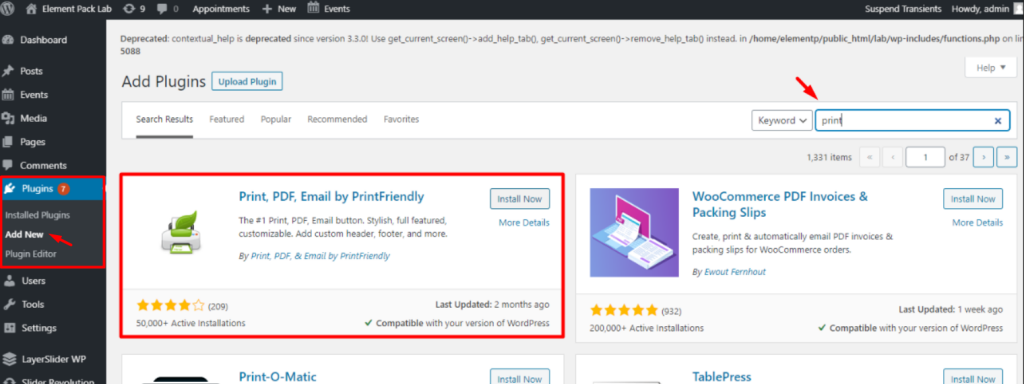
In the search box above, search and install Print, PDF, Email by PrintFriendly plugin. Note that, there may be more than a hundred plugin for adding a click to print button on elementor. However, you can add the one you prefer most. Now, let’s see the base settings for the plugin to work.
Plugin settings for printing
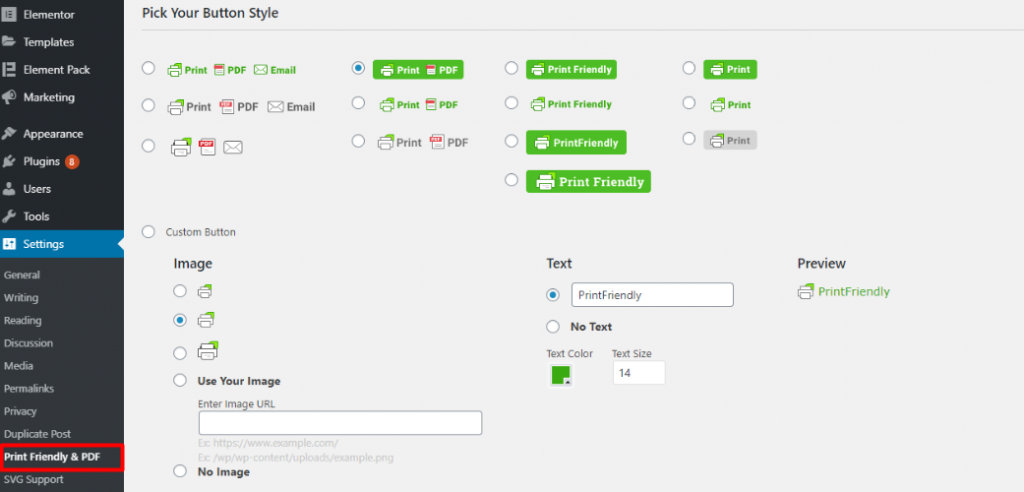
After activating the plugin, go to its settings from dashboard> Settings and click on the plugin’s name. The plugin has a very simple layout. You can basically adjust those little settings by seeing their labels. Once done, your elementor click to print button is ready for action.
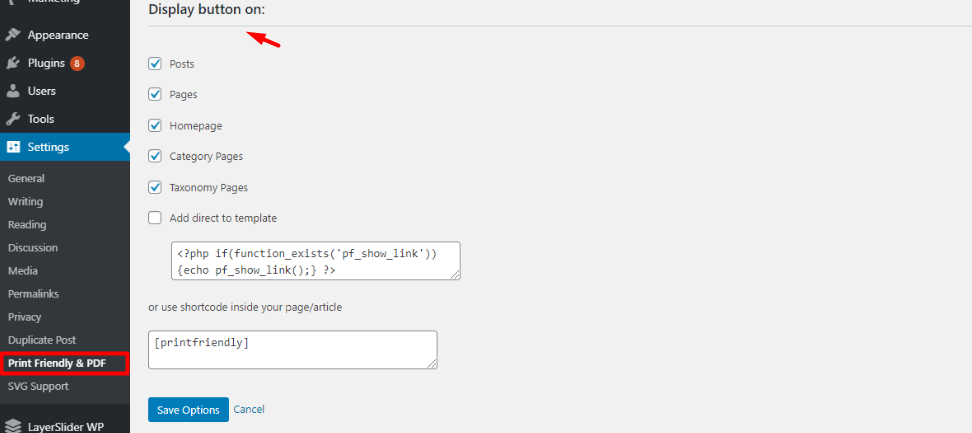
One more thing, the plugin has options to select which elementor pages will show the click to print button. Of course, not all of your webpages need a printing option. So, you can choose precisely.
See the print button in action!
Alright! Your plugin is now ready. Now, open a page(must select from the plugin settings) and you can see a printing option on it.
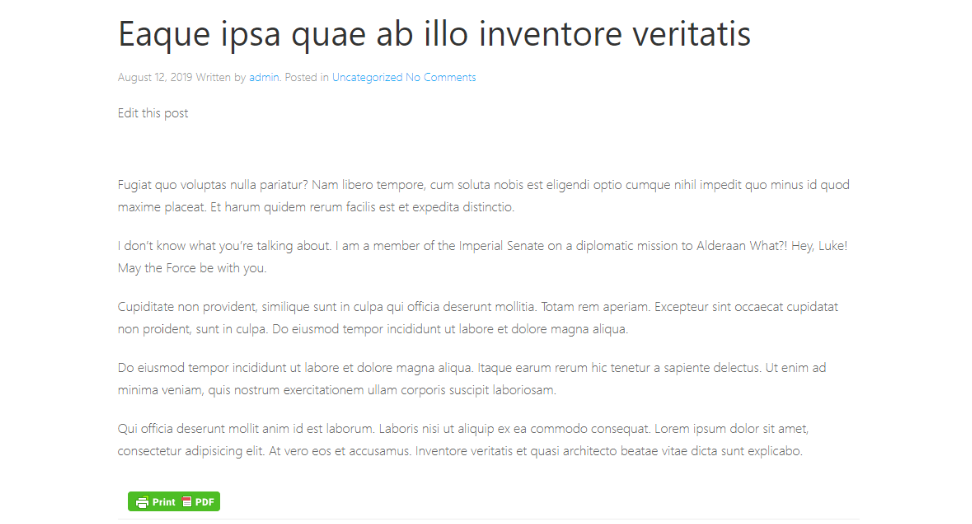
On the page, you will see the print button at the bottom. However, you can move it up from the settings.
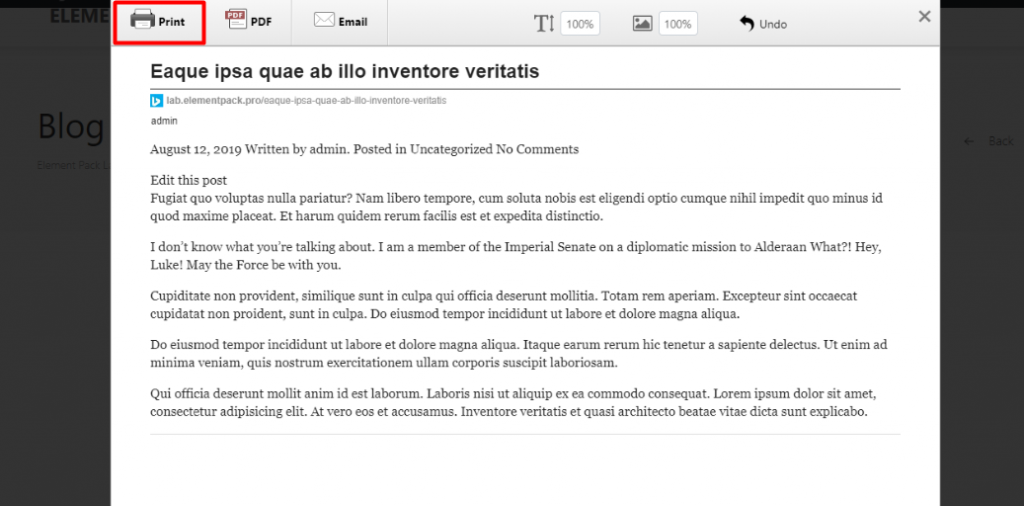
Finally, after clicking the print button, you can see a popup window with your printing details. Now, you can choose your print copy, adjust height/width, etc, and hit Print. Simple as water!
Conclusion
This blog intends to inform you about tricks and tips for using WordPress easily. Your benefit is our satisfaction. Feel free to let us know if you have any suggestions. Don’t forget to comment down below.
Again, if you want to build your site, you’ll get hundreds of Elementor addons in the Element Pack tool, the all-in-one widget pack solution for Elementor. Thank you for reading this blog.
Adios!
Obtenir une licence EP & PS gratuite (à vie)
Nous organisons un programme de cadeaux pour nos consommateurs et abonnés bien-aimés qui sont connectés à notre site web officiel. BDthemes.com
Visiter Element Pack ou Prime Slider et partagez avec nous vos impressions. Les heureux gagnants recevront une licence à vie d'une valeur de $100. Cela ne vous prendra qu'une minute pour participer.
Rejoindre le programme Give Away
Partager ce blog :
Facebook
Twitter
Pinterest
WhatsApp
Vkontakte
Télégramme

