Navegación sin esfuerzo con opciones de menú enriquecidas
Las opciones visuales de productos aceleran las ventas
Los contenidos personalizados se adaptan en tiempo real
Desplazamiento fluido para mejorar la experiencia del usuario
La duplicación instantánea de contenidos ahorra tiempo
Acceso rápido a potentes elementos de diseño
Las plantillas listas para usar agilizan el diseño
Campos personalizados avanzados para datos flexibles
Clonar sitios fácilmente sin complicaciones
Gráficos nítidos y escalables para todas las pantallas
Cambie el nombre de las herramientas para darles un aspecto profesional
Mostrar u ocultar contenidos con precisión
Captar la profundidad con un movimiento suave
Añade notas y anotaciones claras fácilmente
Los consejos útiles mejoran la interacción con el usuario
Anime elementos con estilo
Mantenga siempre visibles las secciones importantes
Control total con ajustes de código personalizados
Optimizar archivos para aumentar la velocidad del sitio
Plantillas de página elaboradas para ayudarle a empezar con su página de aterrizaje con sólo soltar un diseño inicial
Ready Blocks incluye una gran variedad de diseños y elementos de diseño, como encabezados, pies de página, widgets, etc.
Encabezados prediseñados con estilos lucrativos que se adaptan a varios nichos de sitios web y gustos de diseño.
Una útil colección de diseños de pie de página que te ayudarán a crear un pie de página atractivo al instante en tu página de aterrizaje.
Encuéntrenos 24 horas al día, 7 días a la semana, a su servicio. Estaremos encantados de ayudarle.
Guías detalladas disponibles para cada característica en BdThemes
Aprenda algo nuevo, manténgase informado sobre WordPress, diseño web y mucho más
He aquí algunos de los hitos clave de mi desarrollo:
Aprenda a utilizar los productos, consejos y trucos de WordPress con nuestros vídeos
Gana sustanciosas comisiones uniéndote a nosotros en la promoción
Widget Idea Share es una gran manera de encontrar widgets similares que puedes mejorar.
Por supuesto. Si necesita ponerse en contacto con nosotros, no dude en hacerlo.
Cree cualquier formulario de WordPress en cuestión de minutos con Sigma Forms.
Plugin constructor de páginas Coming Soon & Maintenance Mode
Facilite el acceso a los sitios web con One Accessibility
Muestre testimonios de clientes para aumentar la confianza y la credibilidad.
Zoloblocks ayuda a crear impresionantes sitios web basados en Gutenberg.
Slider más superior en la Era del Slider Elementor
Los únicos widgets compatibles en Elementor para cualquier blog
Crear un sitio web WordPress de comercio electrónico de última generación para empresas
Organiza tus fotos en un ángel diferente cada vez con Elementor
Impulse el compromiso y aumente las ventas con Spin Wheel.
Potente plugin AI Image Generator para WordPress por ChatGPT
¡Consigue hoy la Realidad Aumentada 360° para WooCommerce!
¡Copia y pega cualquier diseño web que te guste con sólo 2 clics!
Un tema totalmente funcional para elementor con opciones ilimitadas
Tema de bloques inteligente, limpio y flexible para Gutenberg
El plugin Dark Reader garantiza una lectura de la web respetuosa con los ojos.
Pago en una página de WooCommerce para aumentar las conversiones.
Find Nearby Stores Instantly with Sigma Store Locator
The Ultimate WordPress Media Library Organizer

Acceda a más de 100 plugins premium para WordPress con actualizaciones de por vida y soporte dedicado.
 Spanish

Navegación sin esfuerzo con opciones de menú enriquecidas
Las opciones visuales de productos aceleran las ventas
Los contenidos personalizados se adaptan en tiempo real
Desplazamiento fluido para mejorar la experiencia del usuario
La duplicación instantánea de contenidos ahorra tiempo
Acceso rápido a potentes elementos de diseño
Las plantillas listas para usar agilizan el diseño
Campos personalizados avanzados para datos flexibles
Clonar sitios fácilmente sin complicaciones
Gráficos nítidos y escalables para todas las pantallas
Cambie el nombre de las herramientas para darles un aspecto profesional
Mostrar u ocultar contenidos con precisión
Captar la profundidad con un movimiento suave
Añade notas y anotaciones claras fácilmente
Los consejos útiles mejoran la interacción con el usuario
Anime elementos con estilo
Mantenga siempre visibles las secciones importantes
Control total con ajustes de código personalizados
Optimizar archivos para aumentar la velocidad del sitio
Plantillas de página elaboradas para ayudarle a empezar con su página de aterrizaje con sólo soltar un diseño inicial
Ready Blocks incluye una gran variedad de diseños y elementos de diseño, como encabezados, pies de página, widgets, etc.
Encabezados prediseñados con estilos lucrativos que se adaptan a varios nichos de sitios web y gustos de diseño.
Una útil colección de diseños de pie de página que te ayudarán a crear un pie de página atractivo al instante en tu página de aterrizaje.
Encuéntrenos 24 horas al día, 7 días a la semana, a su servicio. Estaremos encantados de ayudarle.
Guías detalladas disponibles para cada característica en BdThemes
Aprenda algo nuevo, manténgase informado sobre WordPress, diseño web y mucho más
He aquí algunos de los hitos clave de mi desarrollo:
Aprenda a utilizar los productos, consejos y trucos de WordPress con nuestros vídeos
Gana sustanciosas comisiones uniéndote a nosotros en la promoción
Widget Idea Share es una gran manera de encontrar widgets similares que puedes mejorar.
Por supuesto. Si necesita ponerse en contacto con nosotros, no dude en hacerlo.
Cree cualquier formulario de WordPress en cuestión de minutos con Sigma Forms.
Plugin constructor de páginas Coming Soon & Maintenance Mode
Facilite el acceso a los sitios web con One Accessibility
Muestre testimonios de clientes para aumentar la confianza y la credibilidad.
Zoloblocks ayuda a crear impresionantes sitios web basados en Gutenberg.
Slider más superior en la Era del Slider Elementor
Los únicos widgets compatibles en Elementor para cualquier blog
Crear un sitio web WordPress de comercio electrónico de última generación para empresas
Organiza tus fotos en un ángel diferente cada vez con Elementor
Impulse el compromiso y aumente las ventas con Spin Wheel.
Potente plugin AI Image Generator para WordPress por ChatGPT
¡Consigue hoy la Realidad Aumentada 360° para WooCommerce!
¡Copia y pega cualquier diseño web que te guste con sólo 2 clics!
Un tema totalmente funcional para elementor con opciones ilimitadas
Tema de bloques inteligente, limpio y flexible para Gutenberg
El plugin Dark Reader garantiza una lectura de la web respetuosa con los ojos.
Pago en una página de WooCommerce para aumentar las conversiones.
Find Nearby Stores Instantly with Sigma Store Locator
The Ultimate WordPress Media Library Organizer
Acceda a más de 100 plugins premium para WordPress con actualizaciones de por vida y soporte dedicado.
Spanish
Designing a Pet Shop website is super fun. As a lover of the mother nature, we love pets as much as you do. And love should be shared.
That’s why we designed a page just for making it into an online pet shop anytime. But, we won’t keep it to ourselves.
Be ready, cause this blog will be about a step-by-step construction of our ideal pet shop website. Let’s begin!
Designing any website using Elementor is easy. As you don’t have to deal with codes, you can stay relaxed.
But the thing is, the more feature you want to add to your page, the more complicated things become. Elementor doesn’t offer a variety of widgets. That’s why you might want to take a 3rd party widget pack.
Anyway, we are going to use the free version of Elementor y Element Pack to design our pet shop. Now, the cause of using the Element Pack plugin is:
Unlike bloated costly plugin with limited features, Element Pack is cheap and full of features. Get it from here.
A website consists of several segments that you can consider as sections. The homepage contains the maximum number of sections to display the whole purpose of the website.
To keep your visitors engaged with your content, you have to design a decent information flow on your pet shop website.
An ideal website has these sections on their homepage:
So, if you design a Pet Shop website in this manner, you will hit the perfect score. Now, let us begin.
First of all, make sure you have Elementor y Element Pack plugin installed on your dashboard.
Then, access your WordPress Panel de control> Páginas> Añadir nueva and create a new page. We named our website ‘Tienda de mascotas‘.
Estamos llevando a cabo un programa de regalos para nuestros queridos consumidores y suscriptores que están conectados a nuestro sitio web oficial BDthemes.com
Visite Element Pack o Prime Slider y comparte con nosotros tus opiniones. Los afortunados ganadores recibirán una licencia vitalicia por valor de $100. Participar sólo te llevará un minuto.
The hero section has two parts, the header and the body.
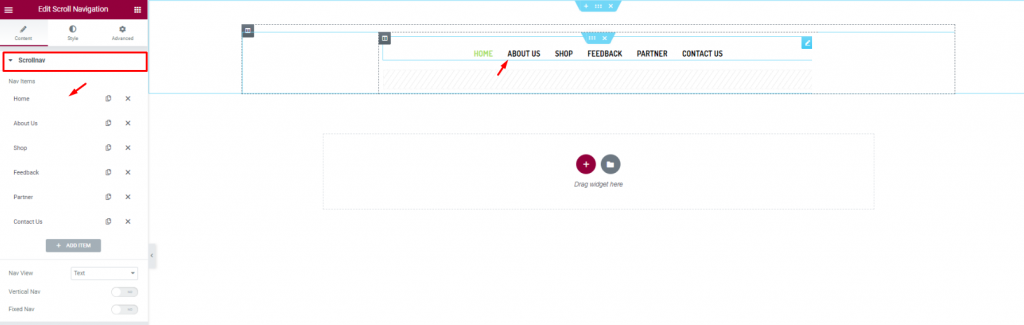
Let’s first insert the Scroll Navigation widget de Element Pack on our page. This will be the front navigation system for our website. Change the name of the menu items as you prefer from the content tab.
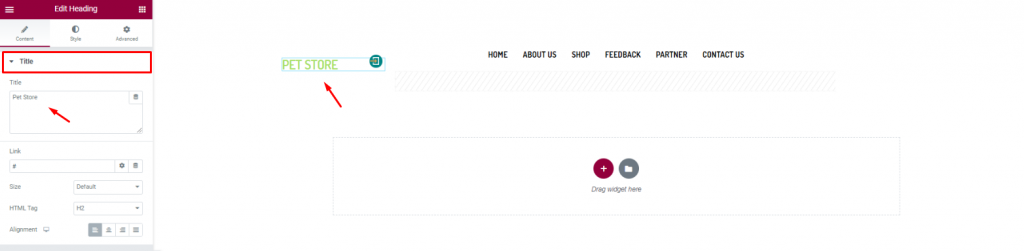
Insert the shop name/logo on the top left corner of the header. We inserted the Heading widget de Elementor and put the shop name in texts.
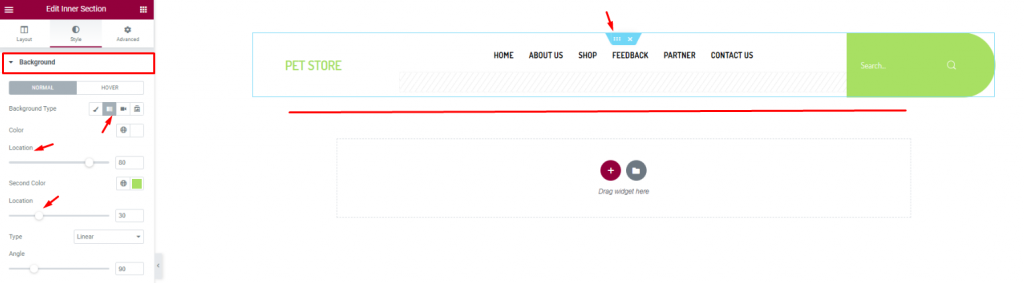
Finish the header design of the pet shop website by using a gradient background color from the section settings. Don’t forget to put a Buscar en widget on the top-right corner.
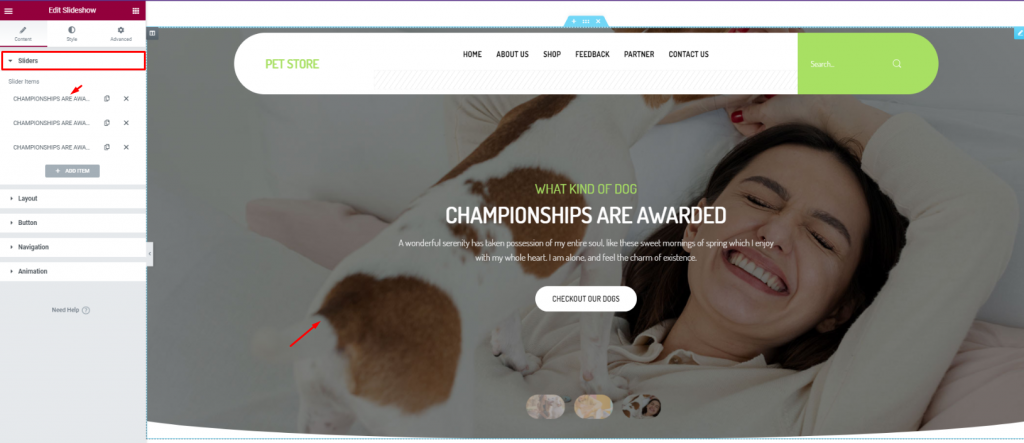
For the body of the hero section, simply insert the Presentación de diapositivas widget. The widget lets you combine stunning background images, texts, and a CTA.
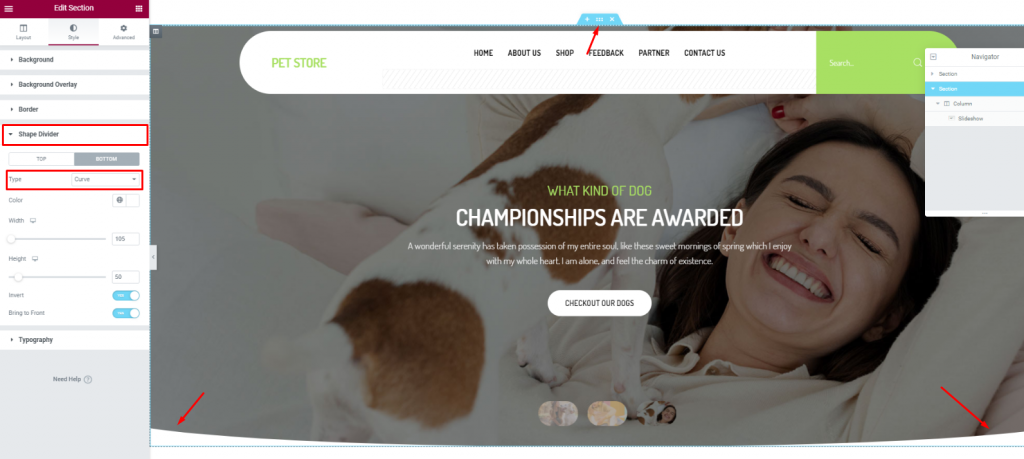
To add more style to the slider image, you can try to curl up the edges. To do that, you need to go to the section settings> Shape divider> and choose Curve from the Option Tipo.
After the hero section, we need to design the features section. This part will highlight our service capabilities and deliver deeper info about our pet shop website.
Now, more features will bring out more info spontaneously. But no need to overdo it. So, we will stick to 2 sections for displaying features.
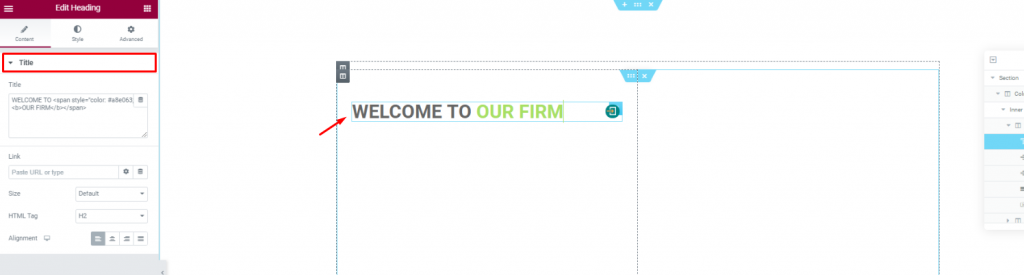
Create a double-column section. Insert the Heading widget on the left column.
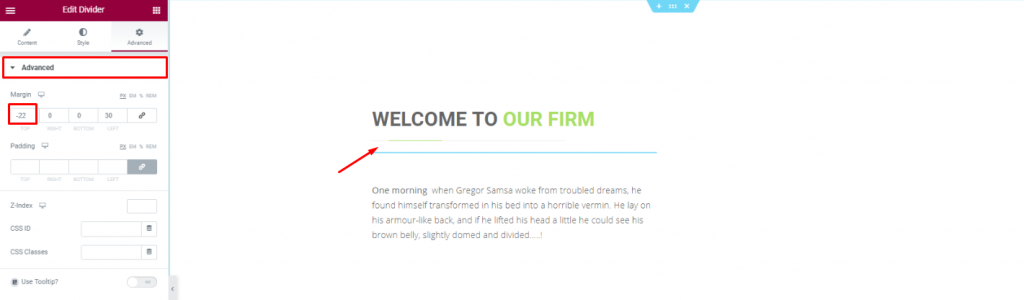
Put a Divider widget under the title to boost its look. Place a short description of the company below.
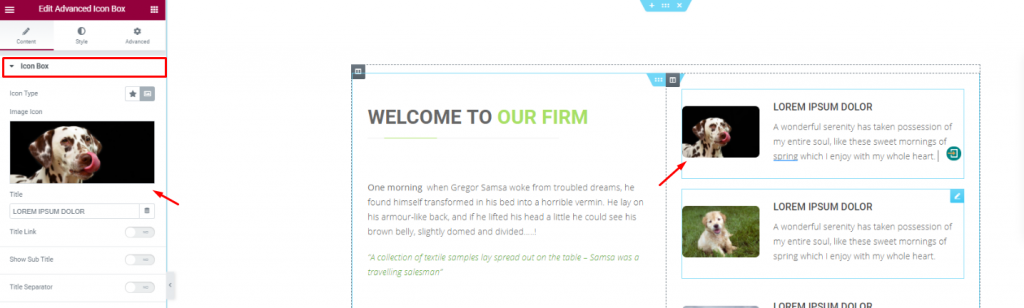
Placing the Cuadro de iconos avanzado widget on the right side of the column for pet descriptions.
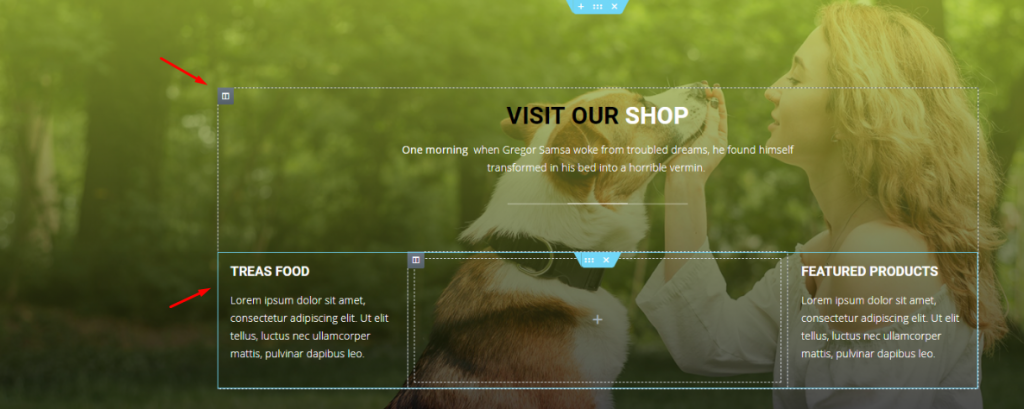
With a decent background image, create a multi-column section and fill it with more shop related details. You can do that much simply using a Cabecera widget and the Editor de texto widget.
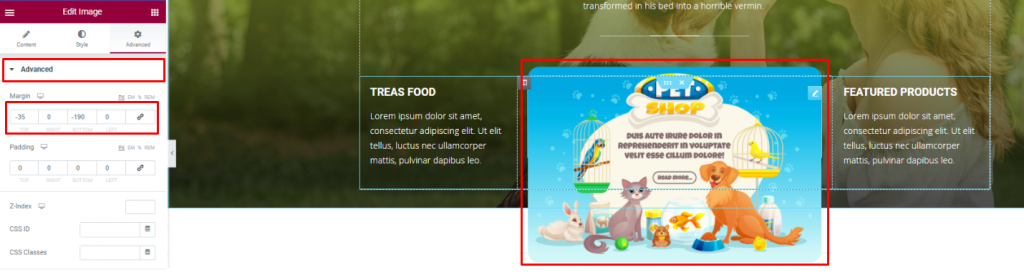
Insert an Imagen widget and displace its position using the Avanzado ficha.
You can not design a pet shop website without a pet gallery, right? To make it look decent, you can cover an entire section with an image gallery or merge it with the features.
We did the later but in a more creative way.
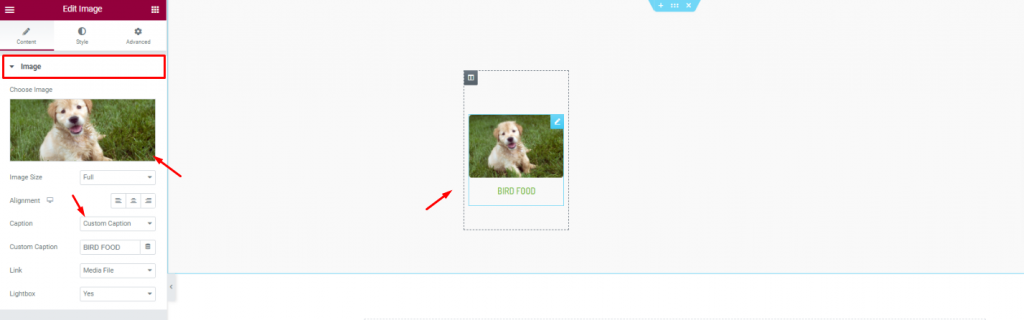
First, create a 6 column section and insert the Imagen widget in them.
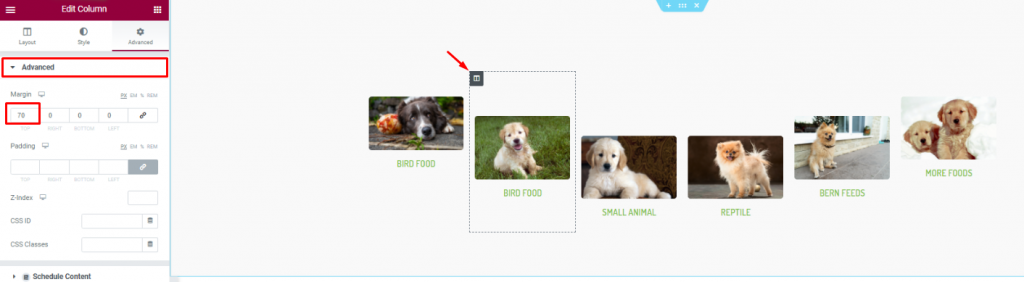
Second, go to column settings and in the Avanzado tab, consecutively adjust their margin. Just then, you will get a nice curved pet image gallery.
Positive reviews from customers is always a good addition to your website. A pet website is not different. As your customer will put more trust upon seeing those good reviews, it’s best to put a testimonial section on your website.
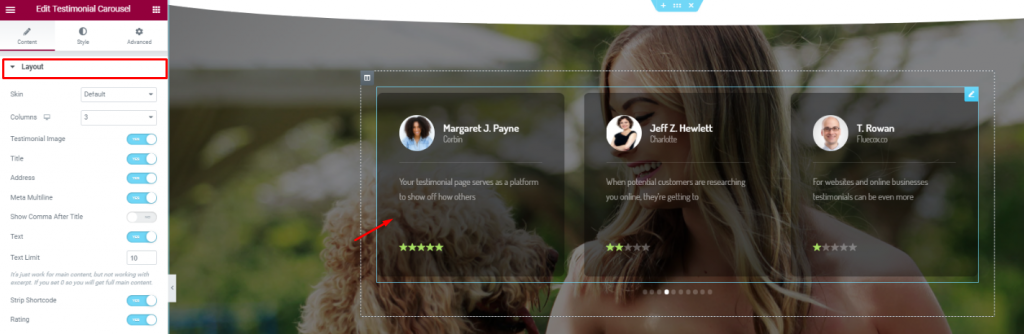
On a new section, insert the Carrusel de testimonios widget in the middle of the section. Make the color a bit transparent from the Style tab.
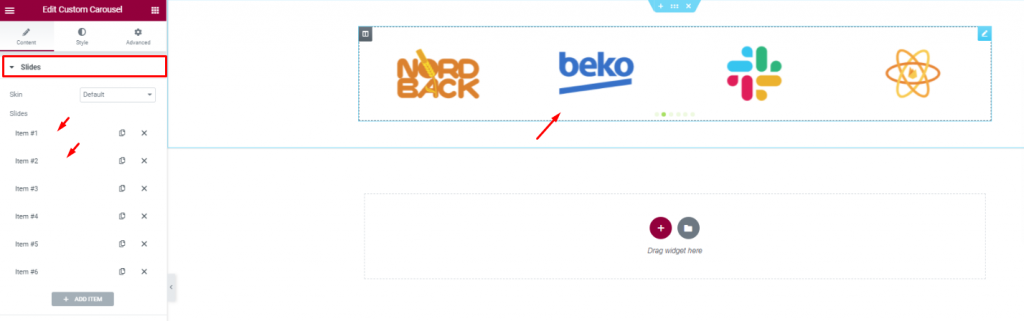
Insert all affiliate websites, partners, sponsors through the Carrusel personalizado widget. And, that covers up for the testimonials.
In this part, we will create a section to display events/offers related to our pet shop.
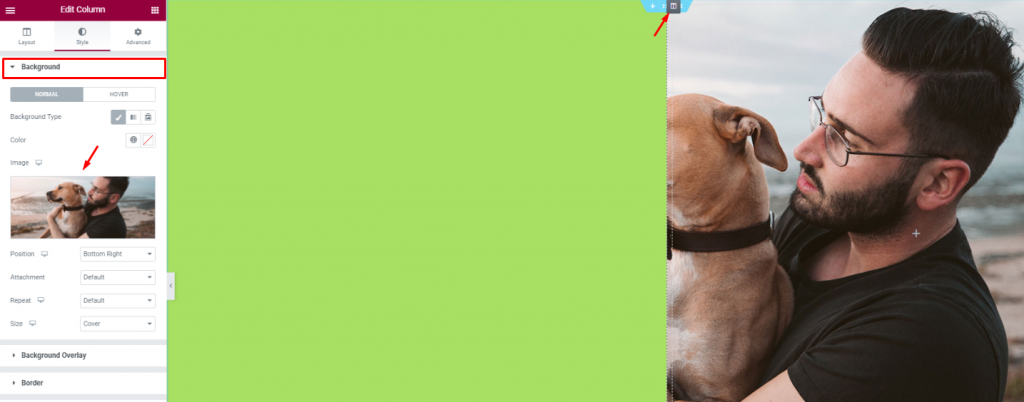
Create 2 column section and add a decent image as a background on the right column. Put a light-green color on the left column.
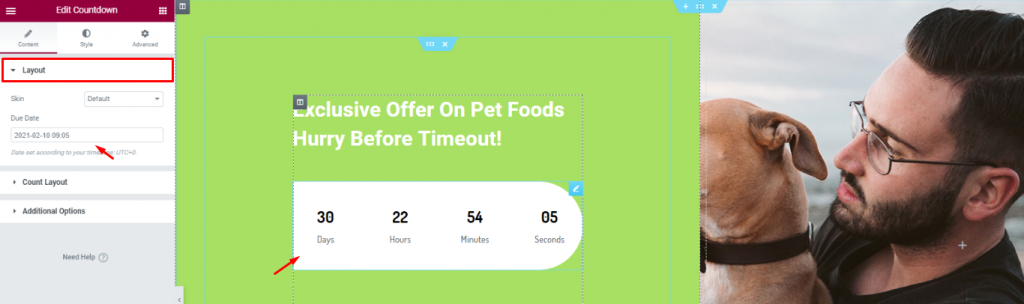
Add a title and the Cuenta atrás widget to show remaining time for your offer.
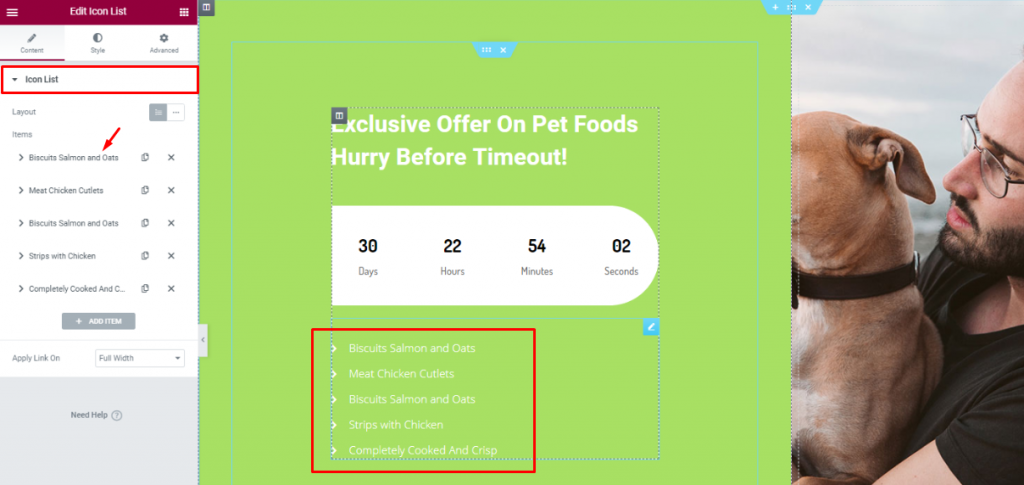
Insert the Lista de iconos widget below the counter to show the offer contents.
Lastly, you need to design a footer part containing contact info, locations, social media links, etc.
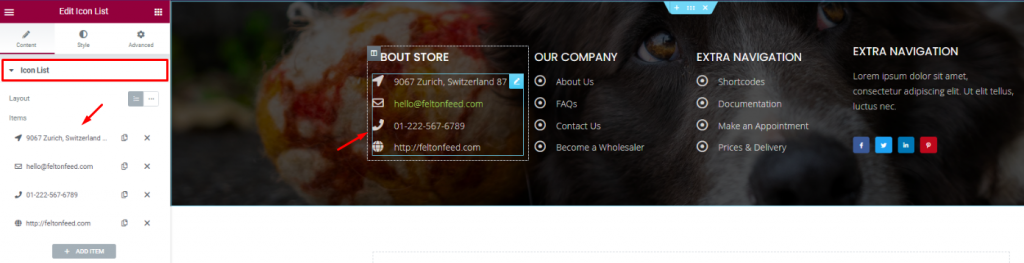
For the footer, make a section with a decent background and divide it into 3 or 4 columns. You can use the Cabecera and the Lista de iconos widgets for the footer.
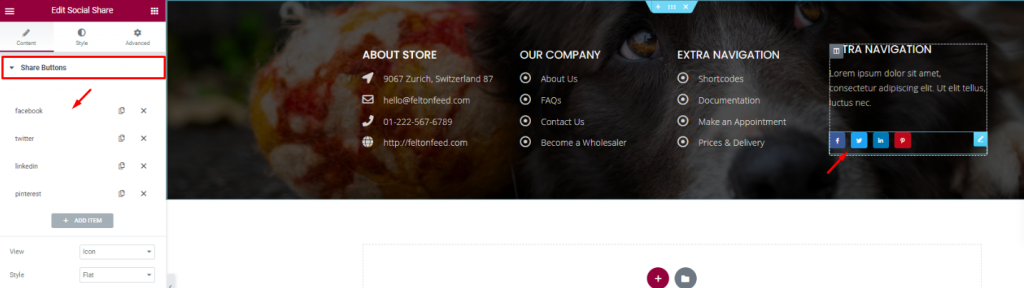
Put your social media links using the Participación social widget at the end of the footer. That’s it!
Like that, you can design a unique pet shop website and start your new business today.
Thank you for staying with us.

El mayor paquete de plantillas Elementor con la interfaz de usuario más fácil de usar y 300+ widgets útiles de Elementor. Cree sitios web de cero a 100% perfección en poco tiempo.
Este sitio web funciona con Element Pack Pro y Tema Rooten.
Copyright © 2026 BdThemes. Todos los derechos reservados.