
Ubesværet navigation med rige menupunkter
Visuelle produktvalg øger salget hurtigt
Personligt indhold tilpasser sig i realtid
Sømløs scrolling for bedre UX-flow
Øjeblikkelig duplikering af indhold sparer tid
Hurtig adgang til kraftfulde designelementer
Færdige skabeloner gør designet hurtigere
Avancerede brugerdefinerede felter til fleksible data
Klon sites nemt uden besvær
Skarp, skalerbar grafik til alle skærme
Rebrand værktøjer til et professionelt look
Vis eller skjul indhold med præcision
Engagerende dybde med jævn bevægelse
Tilføj nemt tydelige noter og anmærkninger
Nyttige hints forbedrer brugernes interaktion
Animer elementer med stilfuld flair
Hold vigtige sektioner altid synlige
Fuld kontrol med brugerdefinerede kodejusteringer
Optimer filer for at øge sidens hastighed
Udarbejdede sideskabeloner, der hjælper dig med at komme i gang med din landingsside bare ved at droppe et startdesign
Ready Blocks leveres med en række forskellige layouts og designelementer, f.eks. overskrifter, sidefødder og widgets osv.
Foruddesignede overskrifter med lukrative stilarter, der passer til forskellige nichewebsteder og designsmag
En nyttig samling af footer-designs, der hjælper dig med at skabe en attraktiv footer på din landingsside.
Find os 24/7 til din rådighed. Vi er glade for at kunne hjælpe.
Detaljerede retningslinjer tilgængelige for alle funktioner på BdThemes
Lær noget nyt, bliv informeret om WordPress, webdesign og meget mere
Her er nogle af de vigtigste milepæle i min udvikling:
Lær produktbrug, WordPress-tips og -tricks fra vores videoer
Tjen store provisioner ved at deltage i kampagnen.
Widget Idea Share er en god måde at finde lignende widgets på, som du kan forbedre.
Helt sikkert! Hvis du har brug for at komme i kontakt med os, er du velkommen til at kontakte os
Byg enhver WordPress-formular på få minutter med Sigma Forms.
Coming Soon & Maintenance Mode Page Builder Plugin
Gør nemt hjemmesider tilgængelige med One Accessibility
Vis kundeudtalelser for at øge tilliden og troværdigheden.
Zoloblocks hjælper med at skabe fantastiske Gutenberg-baserede hjemmesider.
Den mest overlegne slider i Elementor-sliderens æra
De eneste kompatible blogging-widgets i Elementor til enhver blog
Byg et next-gen WordPress eCommerce-website til virksomheder
Organiser dine fotos i en ny engel hver gang med Elementor
Styrk engagementet og øg salget ved hjælp af Spin Wheel.
Kraftfuld AI-billedgenerator-plugin til WordPress af ChatGPT
Få 360° Augmented Reality til WooCommerce i dag!
Kopier og indsæt ethvert webdesign, du kan lide, bare med 2 klik!
Et fuldt fungerende tema til elementor med ubegrænsede muligheder
Smart, rent og fleksibelt bloktema til Gutenberg
Dark Reader-plugin sikrer øjenvenlig weblæsning.
WooCommerce one-page checkout for at øge konverteringer.
Find Nearby Stores Instantly with Sigma Store Locator
The Ultimate WordPress Media Library Organizer

Få adgang til 100+ premium WordPress-plugins med livstidsopdateringer og dedikeret support.
 Danish

Ubesværet navigation med rige menupunkter
Visuelle produktvalg øger salget hurtigt
Personligt indhold tilpasser sig i realtid
Sømløs scrolling for bedre UX-flow
Øjeblikkelig duplikering af indhold sparer tid
Hurtig adgang til kraftfulde designelementer
Færdige skabeloner gør designet hurtigere
Avancerede brugerdefinerede felter til fleksible data
Klon sites nemt uden besvær
Skarp, skalerbar grafik til alle skærme
Rebrand værktøjer til et professionelt look
Vis eller skjul indhold med præcision
Engagerende dybde med jævn bevægelse
Tilføj nemt tydelige noter og anmærkninger
Nyttige hints forbedrer brugernes interaktion
Animer elementer med stilfuld flair
Hold vigtige sektioner altid synlige
Fuld kontrol med brugerdefinerede kodejusteringer
Optimer filer for at øge sidens hastighed
Udarbejdede sideskabeloner, der hjælper dig med at komme i gang med din landingsside bare ved at droppe et startdesign
Ready Blocks leveres med en række forskellige layouts og designelementer, f.eks. overskrifter, sidefødder og widgets osv.
Foruddesignede overskrifter med lukrative stilarter, der passer til forskellige nichewebsteder og designsmag
En nyttig samling af footer-designs, der hjælper dig med at skabe en attraktiv footer på din landingsside.
Find os 24/7 til din rådighed. Vi er glade for at kunne hjælpe.
Detaljerede retningslinjer tilgængelige for alle funktioner på BdThemes
Lær noget nyt, bliv informeret om WordPress, webdesign og meget mere
Her er nogle af de vigtigste milepæle i min udvikling:
Lær produktbrug, WordPress-tips og -tricks fra vores videoer
Tjen store provisioner ved at deltage i kampagnen.
Widget Idea Share er en god måde at finde lignende widgets på, som du kan forbedre.
Helt sikkert! Hvis du har brug for at komme i kontakt med os, er du velkommen til at kontakte os
Byg enhver WordPress-formular på få minutter med Sigma Forms.
Coming Soon & Maintenance Mode Page Builder Plugin
Gør nemt hjemmesider tilgængelige med One Accessibility
Vis kundeudtalelser for at øge tilliden og troværdigheden.
Zoloblocks hjælper med at skabe fantastiske Gutenberg-baserede hjemmesider.
Den mest overlegne slider i Elementor-sliderens æra
De eneste kompatible blogging-widgets i Elementor til enhver blog
Byg et next-gen WordPress eCommerce-website til virksomheder
Organiser dine fotos i en ny engel hver gang med Elementor
Styrk engagementet og øg salget ved hjælp af Spin Wheel.
Kraftfuld AI-billedgenerator-plugin til WordPress af ChatGPT
Få 360° Augmented Reality til WooCommerce i dag!
Kopier og indsæt ethvert webdesign, du kan lide, bare med 2 klik!
Et fuldt fungerende tema til elementor med ubegrænsede muligheder
Smart, rent og fleksibelt bloktema til Gutenberg
Dark Reader-plugin sikrer øjenvenlig weblæsning.
WooCommerce one-page checkout for at øge konverteringer.
Find Nearby Stores Instantly with Sigma Store Locator
The Ultimate WordPress Media Library Organizer
Få adgang til 100+ premium WordPress-plugins med livstidsopdateringer og dedikeret support.
Danish
Previously, we have talked about how important your website is to your business and why, when you create one, you should be using WordPress to build it. One of the good things concerning WordPress is that there are actually tens of thousands of Essential WordPress plugins that you just will install to your web site to fill a variety of different roles.
As you probably already know, plugins are one of the most important benefits that WordPress offers to its users as they offer an improvement in the performance of the site or blog in different areas such as email marketing, social networks, SEO, traffic, loading speed, design and much more.
Therefore, in this tutorial, we will see some of the most important Essential WordPress plugins for your blog or WordPress website. There are some more necessary than the others and there are also those who already depend much more on the type of blog that you are looking to create, but all of these are undoubtedly useful and help to have better results.
There are some specific plugins that should always be installed in any WordPress blog, regardless of whether it is business, personal or any other topic. They are related to security issues, SEO, traffic, social networks and much more.
Here is the list of essential plugins for WordPress blog:
First few plugins that we are mentioning is related to the search engine optimization (SEO) for your WordPress Blog/Website. Let’s have a look at them.
This plugin helps to configure your blog with the most important aspects of SEO and search engine positioning, especially Google. In it, you can change things like the title of the blog, the description that appears in the search results, the keywords to which you want to position yourself and many other elements to consider to generate organic traffic.
Another SEO plugin that has had a lot of popularity recently is All in One SEO Pack. Also very recommended. Choose between this and Yoast SEO Plugin. Both of them offer great options.
Link: Yoast SEO
Link: All in One SEO pack
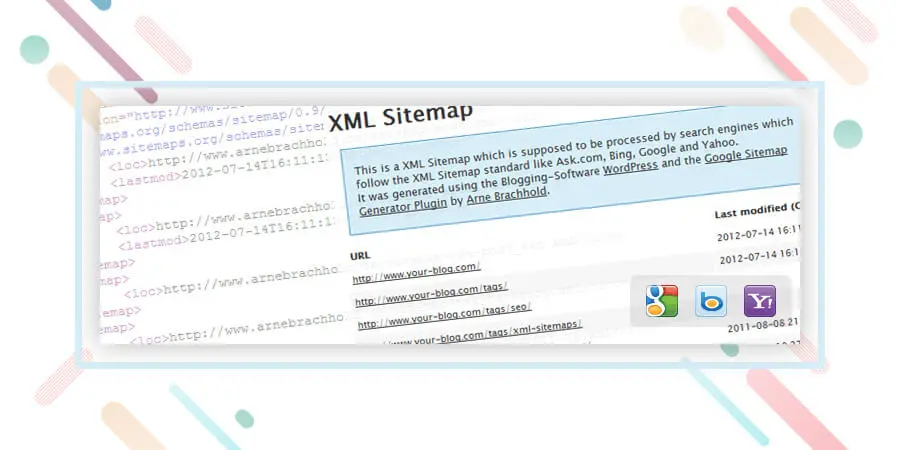
It is a fact that very few know about programming and codes. This essential WordPress plugin helps to automatically generate a Sitemap, which consists of a document in XML format that serves as a “map” that tells Google the entire structure of your website or blog. This way, it indexes you in a much better way and also faster.
Simply install and automatically send a sitemap to major search engines such as Google, Yahoo! and Bing. Remember to also add your sitemap in the Google Webmaster tools.
Opdatering: You can make the sitemap even using any of the SEO plugins listed above. I.e Yoast and All in One SEO pack. But having a separate sitemap sometime helps! And it is totally on your use case scenario.
Next block of essential plugins for WordPress we are going to mention is related to contact you by your visitors. These two are our favorite communication tools.

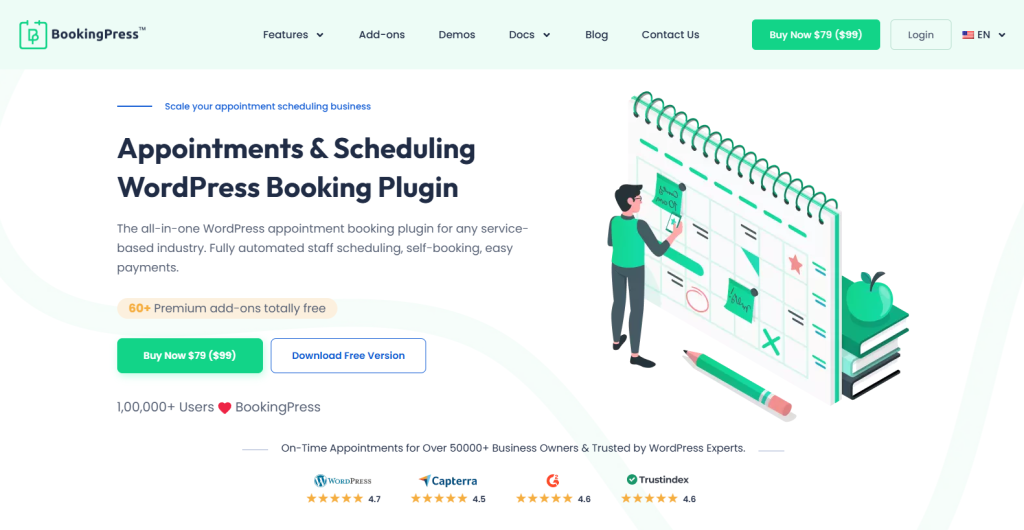
If you are a business looking to streamline customer communication and appointment management, the all-in-one WordPress booking plugin, BookingPress, is the best choice. This plugin not only automates appointment management and keeps it clutter-free, but its advanced features also help you upsell your services.
BookingPress is like the digital receptionist of your company. Customers can select services, choose available time slots, and confirm bookings in just a few clicks. On the other hand, you get instant SMS, WhatsApp, email, or Telegram notifications and can manage everything from a simple, user-friendly dashboard.
This plugin is a must-have for all types of businesses, especially service-based ones that have WordPress websites.
Link: BookingPress
A form of contact is always essential in any blog and with Contact Form 7 you can create one in a matter of a few minutes without the need to struggle with codes or other methods too complicated.
Link: Kontaktformular 7
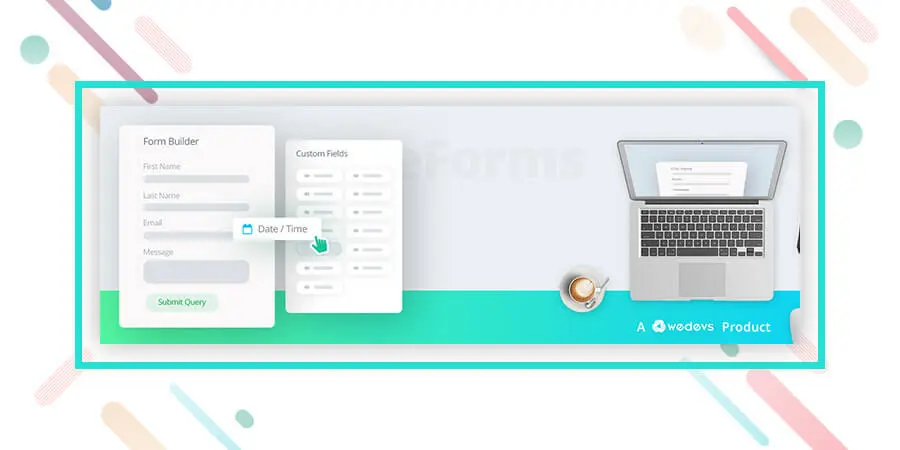
The next plugin that we are going to mention is super easy to use and have drag and drop form builder to make a contact form. It also has integration with a bunch of communication tools. Super easy and an essential plugin to consider. Have a look at it.
Link: weForms – Easy Drag & Drop Contact Form Builder For WordPress
We have made a separate block of optimization plugins which are also essentials but you can choose whether you want to use those or not. But we recommend you using these also. Okay, let’s begin.

When we add images to our blog they do not come optimized with the correct labels and names in terms of SEO. Many times doing this manually represents a great job that can take a lot of time. With SEO Friendly Images you will be able to automatically configure the images that you have and that you are going to add in the future to your blog for SEO and positioning of your blog.
Link: PB SEO Friendly Images
Google Analytics is one of the tools that will help you measure the number of visitors to your blog or website. It is completely free and to install it you only need to insert a small code in your site and it is ready.
However, many people do not know how to get into the codes or it is complicated to insert them successfully. Thanks to this plugin, installing Google Analytics can be achieved with a couple of clicks in a matter of seconds.
Link: Google Analytics for WordPress
Alternative: Simple Google Analytics
This plugin is very useful since it checks all the links of your blog that may be “broken” or not working. Many times we create posts, articles, pages or any other type of link that after we stop using and delete. Most importantly, with Broken Link Checker you will be able to detect which links of your blog no longer work, in this way you improve the SEO positioning and the navigation of your WordPress.
In this segment of essential plugins for WordPress, we are going to address the issue of security of your blog and also how to prevent spammers by simply using a plugin. Let’s begin.
Another plugin related to the security of our blog. With Wordfence Security – Firewall & Malware Scan
you will have a diagnosis about the status of your blog and how to improve it to prevent attacks by spammers or hackers. It is very useful and helps to correct many errors that otherwise we would not know exist in our installation of WordPress.
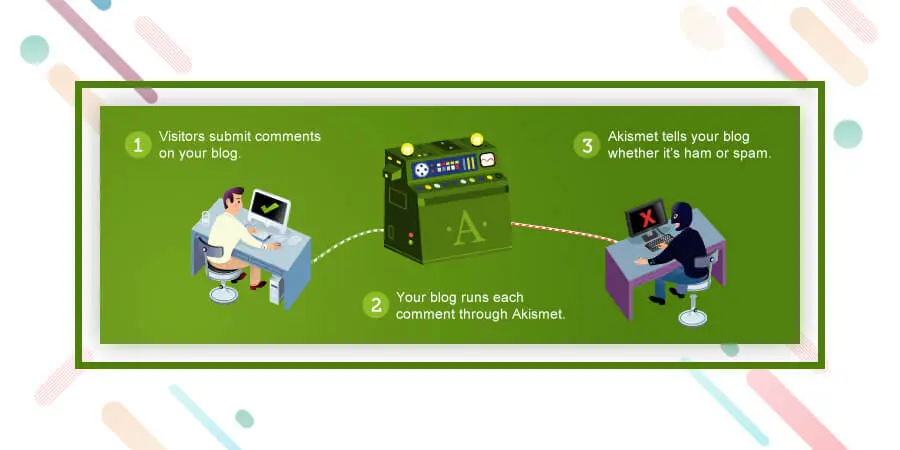
Akismet is essential since it helps to avoid spam comments on the blog. If it is not installed, messages start arriving that have nothing to do with the topic of the blog and that in many cases are robots that send spam all over the Internet. Akismet helps us avoid these types of situations and keeps our blog clean at all times.
Link: Akismet
Caching refers to the method of making static versions of your content, and serving that to the website visitors. You should have a caching plugin and also some caching mechanism to serve your visitor with a fast loading site. You can read the importance of caching from this article. Okay let’s include our favorite caching plugins for you.
With W3 Total Cache you will make your blog load faster and accelerate the performance of all your posts and each section of the blog in general. The loading time is one of the factors that Google takes into account to position sites, so do not hesitate to take into account the use of this plugin.
Link: W3 Total Cache
Without social signals, it is quite impossible to outrank your competitor. It also helps to reach your audience on social media. Let’s include social sharing plugin on the website.
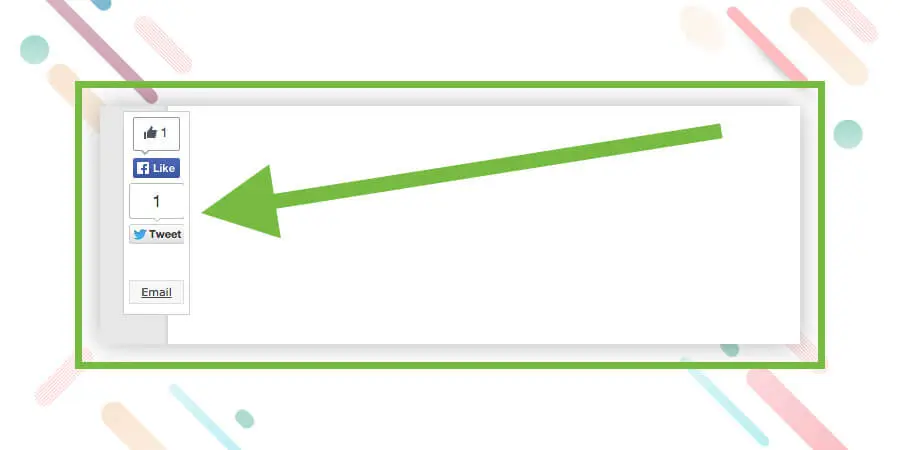
When you install Sharebar, a vertical bar will appear on the left side of your articles where your visitors can share your content on Twitter, Facebook, Stumbleupon, by mail or on other social networks. This way you increase your presence in social networks and facilitate the viral propagation of your content.
Link: Sharebar
In conclusion, Remember that your site or blog does not need so many plugins. If you fill your WordPress installation with an excess of plugins can be encouraged and have a poor performance. The best thing is only to focus on the basics and the most important ones. These essential WordPress plugins are important and as we saw, some are more important and essential than others, such as security or SEO.
Soon we will be sharing more useful plugins for different types of blogs and Web pages.
For now, install these and keep checking Element pack Pro for more tutorials and information on the world of WordPress.
Vi kører et give-away-program til vores elskede forbrugere og abonnenter, der er forbundet med vores officielle hjemmeside BDthemes.com
Besøg Element Pack eller Prime Slider og del dine tanker med os. De heldige vindere får en livstidslicens til en værdi af $100. Det tager kun et minut at deltage.

Største Elementor-skabelonpakke med den mest brugervenlige brugergrænseflade og 300+ nyttige Elementor-widgets. Byg hjemmesider fra nul til 100% Perfektion på ingen tid.
Denne hjemmeside er drevet af Element Pack Pro og Rooten Tema.
Copyright © 2026 BdTemaer. Alle rettigheder forbeholdes.









