












A WordPress page builder is the primary tool for building a WordPress website. The performance, features, functionality, and limitations of the chosen page builder influence the design and development of a website.
If you’re looking to build a WordPress site and need best WordPress page builders that looks professional, is easy to customize, and powerful enough for beginners with no coding experience, this blog is for you.
In this blog, we’ll discuss the best options, helping you find a tool that strikes a balance between functionality and simplicity so that you can create a stunning website without the technical headaches.
A Brief on WordPress Page Builder
A WordPress page builder, commonly known as a website builder, is a plugin designed to augment the default website editing functionalities of WordPress. It facilitates the creation of pages or entire websites customization.
Some page builder plugins call themselves theme or website builders since they allow editing beyond pages, including the menu, header, footer, and sidebar.
If you struggle with using WordPress, utilizing a site builder might be a suitable alternative. The majority of WordPress website builders feature a drag-and-drop capability, enabling you to arrange your content elements with ease and according to your specifications.
Websites that rely exclusively on WordPress’s built-in functionalities may appear less distinctive, which can hinder their ability to stand out from the crowd. Many page builders offer many customization options, such as Element Pack, allowing you to create a genuinely custom theme.
To get to know a page builder better, we need to know what features an ideal page builder has.
Ideal Features of Best WordPress Page Builders
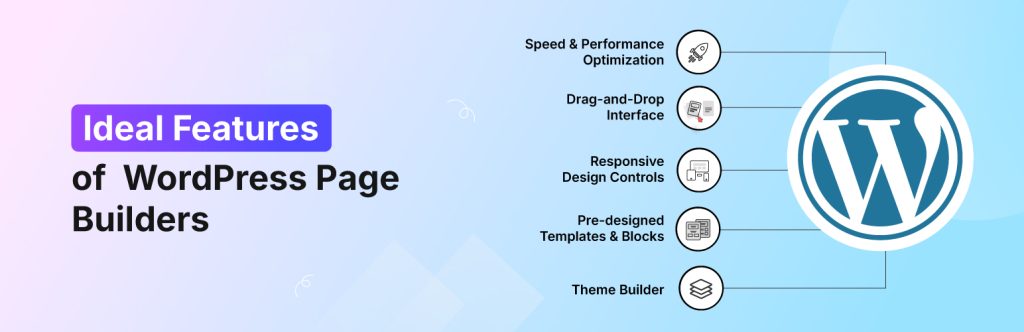
A WordPress page builder should ideally possess an easy-to-navigate drag-and-drop interface, a wide array of pre-built templates, responsive design, and a strong emphasis on both performance and user experience.
It’s also important for a good page builder to allow for customization, integrate with popular plugins, and provide excellent support.
Here’s a more detailed look at some key features:
- Drag-and-drop interface: The core of a good page builder should be its user-friendly interface, allowing users to easily drag and drop elements onto the page.
- Visual editing: Ideally, users can see changes in real-time as they build their pages, without having to write code manually.
- Templates and pre-built layouts: A variety of professionally designed templates and layouts can save time and effort, especially for users without extensive design experience.
- Customization options: The ability to customize every aspect of the design, from fonts and colors to spacing and layout, is essential for creating unique and branded websites.
- Global styles and presets: Saving design elements and applying them globally across multiple pages or even the entire site can streamline the design process.
- Responsive design: The page builder should ensure that the website looks and functions flawlessly on all devices, including desktops, tablets, and mobile phones.
- Performance optimization: A focus on clean code and optimization can help ensure the website loads quickly, which is crucial for SEO and user experience.
- Integration with popular plugins: Compatibility with popular plugins like WooCommerce for online stores and contact forms is essential.
- eCommerce integration: For those building online stores, seamless integration with WooCommerce and dedicated WooCommerce-specific widgets is highly desirable.
- Advanced features: Some page builders offer advanced features like split testing, pop-up builders, and theme builders, providing even more control and flexibility.
10 Best Page Builders for WordPress
With a wide variety of WordPress page builders available, it can be difficult to determine which one is the best for you.
After comprehensive testing, we have curated a list of the 10 Best Page Builders for WordPress, considering their performance, features, pricing, and overall user-friendliness.
Elementor
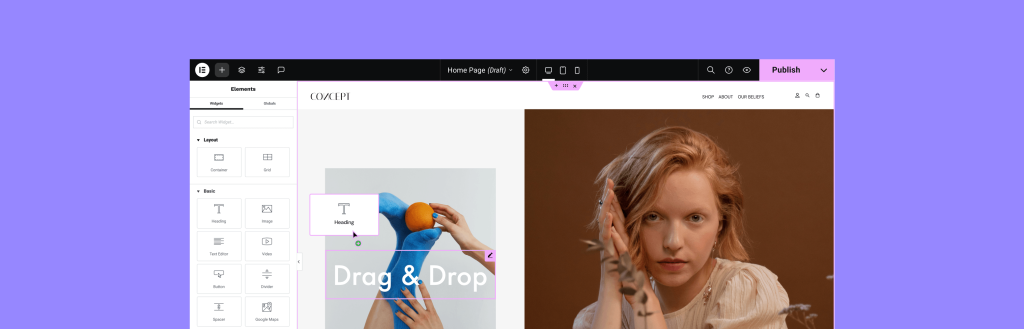
Elementor is a popular WordPress page builder that allows users to create visually stunning websites without coding. It features a drag-and-drop interface, making design simple and intuitive.
With a vast library of pre-designed templates, widgets, and customization options, Elementor is ideal for both beginners and advanced users. It supports responsive design, ensuring sites look great on all devices.
Additionally, its compatibility with various plugins and advanced styling options makes it a powerful tool for building professional websites efficiently.
Highlighted Features
- Drag-and-drop editor: Easily design pages without coding by dragging and dropping elements.
- Live preview editing: See changes instantly as you edit, eliminating the need to switch between preview modes.
- Responsive design controls: Optimize your site for desktops, tablets, and mobile devices.
- Pre-designed templates and blocks: Access a vast library of professionally designed templates to speed up the design process.
- Theme builder: Customize every part of your WordPress theme, including headers, footers, and archive pages.
- WooCommerce integration: Build and customize online store pages with WooCommerce widgets.
- Global widgets: Create reusable widgets for multiple pages to maintain design consistency.
- Third-party add-ons: Extend Elementor’s functionality with additional integrations and plugins.
- AI capabilities: Utilize AI-powered tools for design and content creation.
- Free version.
Price and Plan
| Planera | Price (Billed Annually) | Funktioner |
| Essential | $41.99/month ($499/year) | 1 site, 57 Pro widgets, theme builder, popup builder, custom code & CSS |
| Avancerad | $16.99/month ($199/year) | 1 site, 86 Pro widgets, additional design & marketing features |
| Expert | $8.25/month ($99/year) | Up to 3 sites, all Advanced features, plus more customization options |
| Studio | $6.99/month ($84/year) | Up to 3 sites, all Advanced features, plus more customization options |
| Byrån | $4.99/month ($60/year) | Up to 25 sites, premium support, and collaborative tools |
Best for what?
Elementor can be helpful for beginners, ranging from designers and businesses looking for an easy-to-use WordPress page builder. It offers a drag-and-drop interface, pre-designed templates, and advanced customization options, making it ideal for users who want to create professional websites without needing to code.
Element Pack
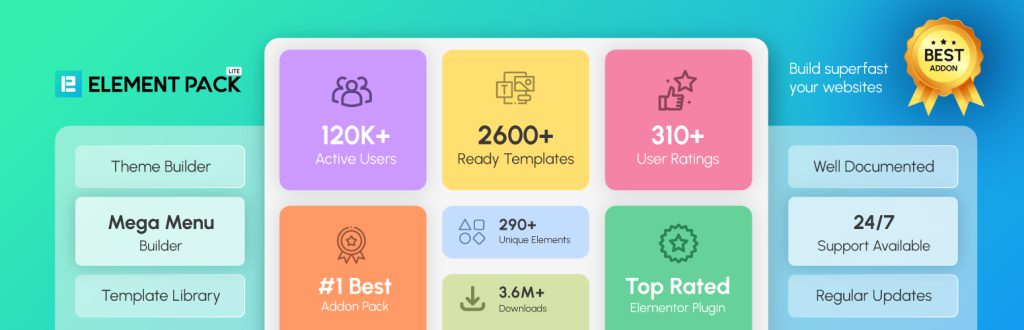
Element Pack är den kompletta verktygslådan för någon som använder Elementor, från nybörjare och icke-kodare till professionella designers, utvecklare och byråer. Det tar din Elementor-upplevelse till nästa nivå och låter dig bygga praktiskt taget alla typer av webbplatser, från enkla bloggar till komplexa e-handelsplattformar.
Detta kraftfulla tilläggspaket ger en massiv samling av over 300+ widgets, and 2,600 ready-made templates. Dessa verktyg ger avancerade sidbyggnadsfunktioner som inte finns i Elementor: s gratisversion, och till och med några som går utöver Elementor Pro.
Med Element Pack får du tillgång till viktiga verktyg som en omfattande Mega Menybyggare, slät Kopiera och klistra in i realtid funktionalitet för att flytta design mellan olika platser, och djup WooCommerce-integration. Det är det bästa valet för att skapa banbrytande, funktionsrika WordPress-webbplatser med oöverträffad anpassning.
Highlighted Features
- 300+ advanced widgets: Expands Elementor’s capabilities with interactive and dynamic elements.
- 2600+ ready-made templates: Pre-designed layouts for faster website creation.
- Live copy-paste: Easily transfer content between websites.
- Mega menu builder: Create advanced navigation menus.
- Widget tooltip & notation: Add tooltips and highlights for a better user experience.
- WooCommerce integration: Dedicated widgets for eCommerce sites.
- Post grid & dynamic grid: Display content in structured layouts.
- Floating effects & animations: Enhance design with creative motion effects.
- Advanced buttons & countdowns: Improve engagement with interactive elements.
Price and Plan
| Planera | Price (Billed Annually) | Funktioner |
| Personlig | $49/år | 1 site license, 300+ widgets, 2600+ templates, live copy-paste, WooCommerce integration |
| Företag | $99/år | 5 site licenses, all Personal features, plus additional customization options |
| Utvecklare | $199/år | Unlimited site licenses, advanced features, priority support |
| Byrån | $699 (livstid) | Unlimited site licenses, lifetime updates & support, white-label branding |
Best for what?
Element Pack is best for users who want to extend Elementor’s functionality with additional widgets, templates, and advanced features.
WordPress Editor

Den WordPress Block Editor, also known as Gutenberg, is the default content editor introduced in WordPress 5.0. It replaces the classic editor with a block-based system, allowing users to create and format content more visually and flexibly.
Highlighted Features
- Blocks for everything: Each element (text, images, videos, buttons, etc.) is a separate block, making customization easier.
- Drag-and-drop editing: Arrange blocks effortlessly for a structured layout.
- Reusable blocks: Save and reuse custom blocks across different pages or posts.
- Pre-designed patterns: Use ready-made block patterns for faster design.
- Full-site editing: Customize headers, footers, and templates directly within the editor.
- Improved media handling: Easily embed videos, galleries, and social media content.
- SEO-Friendly Structure: Helps maintain clean code and better search engine optimization.
Price and Plan
Den WordPress Block Editor (Gutenberg) is included free of charge with WordPress, meaning there are no separate pricing plans for using it.
However, some premium plugins and block add-ons enhance its functionality and may come with different pricing structures.
Best for what?
The WordPress Block Editor (Gutenberg) is ideal for users who prefer a straightforward, built-in editing experience that doesn’t rely on third-party page builders.
ZoloBlock

ZoloBlock is a WordPress Gutenberg plugin designed to enhance the block editor experience. It offers 65+ blocks, 80+ more premium blocks, 50+ ready-made pages, 250+ patterns, custom CSS, dynamic content, pre-made templates, and patterns, making website creation faster and more flexible.
Highlighted Features
- 65+ free blocks: Mega menu, Advanced Heading, Accordion, and more
- 500+ pre-built templates: Professionally designed layouts for quick customization.
- Block extension: 15+ blog extensions available.
- Mega menu builder: Create interactive, multi-level navigation menus.
- Query loop builder: Customize content display dynamically.
- AI text generation: Speed up content creation with AI-powered tools.
- Animation & effects: Add smooth transitions and visual enhancements.
- Pattern import & export: Save and reuse design patterns across multiple pages.
- Responsive editing: Optimize layouts for different screen sizes.
Price and Plan
| Planera | Price (Billed Annually) | Funktioner |
| Personlig | $49/år | 1 site license, 80+ blocks, 50+ ready-made pages, 250+ patterns, custom CSS, 1-year support & updates |
| Företag | $69/year | 5 site licenses, all Personal features, plus additional customization options |
| Utvecklare | $149/year | 1000 site licenses, advanced features, priority support |
Best for what?
ZoloBlocks is ideal for users who want to enhance the WordPress Block Editor with advanced features and greater customization options. It is ideal for designers, developers, content creators, e-commerce sites, agencies, and businesses looking for a more flexible Gutenberg experience.
Divi Builder
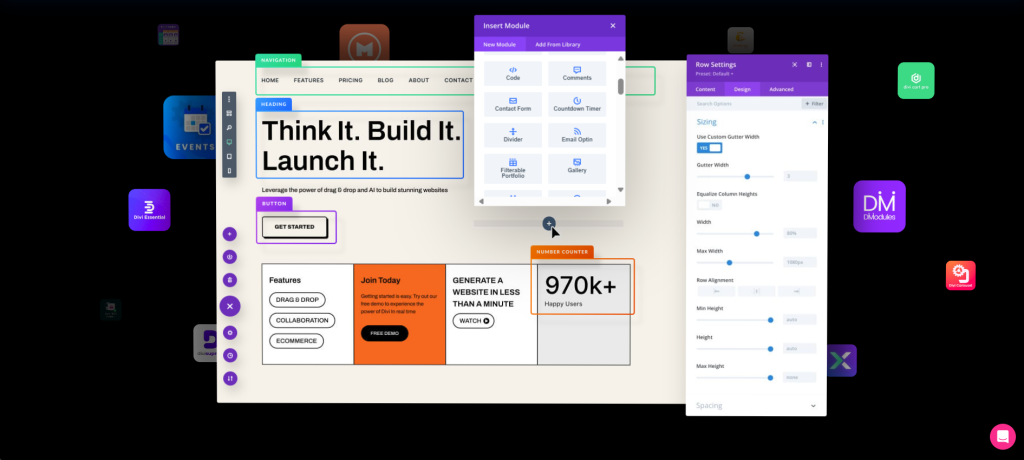
Divi Builder is a powerful WordPress page builder that provides a visual drag-and-drop interface, enabling users to design websites without requiring coding skills. It provides full theme-building support, enabling customization of headers, footers, and templates.
With hundreds of content elements, advanced design controls, and AI-powered tools, Divi simplifies website creation while maintaining flexibility. It also includes A/B testing, global design settings, and performance optimization to ensure fast-loading pages.
Highlighted Features
- Visual site building: Design pages in real-time with a front-end editor.
- Drag & drop interface: Easily move elements without coding.
- Responsive editing: Optimize designs for different screen sizes.
- Thousands of pre-made layouts: Access professionally designed templates.
- Global styles & elements: Maintain consistency across your site.
- 200+ content elements: Includes buttons, sliders, forms, and more.
- Hover state styling: Customize elements when users hover over them.
- Filters & effects: Enhance visuals with advanced styling options.
Price and Plan
| Planera | Price (Billed Annually) | Funktioner |
| Divi | $89/år | Unlimited websites, 300+ website packs, Divi theme & builder, Bloom & Monarch plugins |
| Divi Pro | $287/year | All Divi features plus Divi AI for image and text generation |
Best for what?
Divi Builder can be beneficial for designers, agencies, and businesses looking for a highly customizable WordPress page builder with a visual drag-and-drop interface.
It is ideal for users who want full theme-building capabilities, advanced design controls, and AI-powered tools to create professional websites without coding.
WPBakery Page Builder
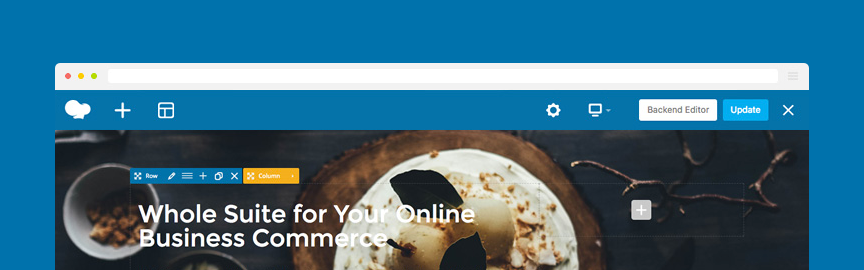
WPBakery Page Builder is a popular WordPress page builder plugin that allows users to create and customize websites using a drag-and-drop interface. It features both frontend and backend editors, making it easy to design pages visually or work in a structured layout mode.
WPBakery is compatible with any WordPress theme, ensuring flexibility without requiring coding skills. It includes 50+ content elements, pre-designed templates, and AI-powered design assistance to streamline website creation.
Highlighted Features
- Intuitive frontend editor: Allows real-time editing with a WYSIWYG interface.
- Backend editor: Provides a structured layout mode for content-rich designs.
- Works with any WordPress theme: Ensures compatibility without switching builders.
- Template library: Offers a collection of pre-designed layouts for quick page creation.
- 50+ content elements: Includes buttons, sliders, grids, and more for customization.
- AI-Powered design assistance: Helps automate content creation and styling.
- Advanced grid builder: Enables structured post and portfolio displays.
- Responsive design controls: Ensures mobile-friendly layouts.
- Extensive add-ons: Supports 200+ unique extensions for enhanced functionality.
Price and Plan
| Planera | Price (Lifetime License) | Funktioner |
| Single Site | $69 | 1 site license, free updates, 1-year access to WPBakery AI, 1-year premium support, 1-year access to the template library |
| 5 platser | $256 | Up to 5 site licenses, all Single Site features |
| 10 Sites | $499 | Up to 10 site licenses, all Single Site features |
| WPBakery Hosting | From $17.40/month | Up to 10 site licenses, all Single Site features |
Best for what?
WPBakery Page Builder can be useful for users who want a flexible and widely compatible WordPress page builder. It’s ideal for businesses, developers, and designers looking for a drag-and-drop interface with both frontend and backend editing.
Since it works with any WordPress theme, it’s a great choice for those who need a customizable and scalable solution without needing to switch themes.
Beaver Builder

Beaver Builder is a drag-and-drop WordPress page builder designed for creating professional websites without coding. It offers a visual editor, allowing users to design pages in real time.
With pre-built templates, custom modules, and responsive editing, Beaver Builder streamlines website creation for both beginners and advanced users. It’s compatible with any WordPress theme, ensuring flexibility and seamless integration.
The builder also supports global rows and saved modules, making it easy to maintain consistent designs across multiple pages.
Highlighted Features
- Frontend editing: Design pages in real time with a live preview.
- Pre-Built templates: Access professionally designed layouts for faster site building.
- Custom modules: Buttons, sliders, galleries, and more for enhanced customization.
- Global rows & saved Modules: Maintain consistency across multiple pages.
- Works with any WordPress theme: Ensures seamless integration without compatibility issues.
- SEO-friendly & fast loading: Optimized for performance and search rankings.
- Mobile responsive design: Ensures pages look great on all devices.
- Developer-friendly: Clean code and extendable features for advanced customization.
Price and Plan
| Planera | Price (Billed Annually) | Funktioner |
| Start | $89/år | 1 site license, Beaver Builder plugin, Beaver Builder theme, Beaver Themer, multisite support, white labeling, priority email support |
| Professional | $299/year | 50 site licenses, all Starter features, plus advanced courses and Assistant Pro (6 months free) |
| Obegränsad | $546/year | Unlimited site licenses, all Professional features, plus multisite network settings |
Best for what?
Beaver Builder is ideal for users who want a reliable, fast, and flexible WordPress page builder. It is suitable for businesses, agencies, and freelancers looking for a drag-and-drop interface with frontend editing, pre-built templates, and custom modules.
Visual Composer
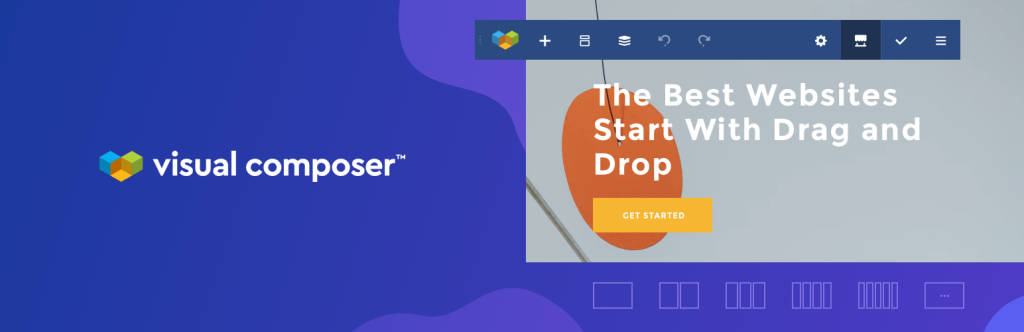
Visual Composer is a drag-and-drop WordPress website builder that enables users to create professional-looking websites without requiring coding skills.
It features an intuitive editor, pre-designed templates, and customizable content elements, making website creation fast and easy.
Visual Composer supports WooCommerce integration, SEO optimization, and responsive design, ensuring that websites perform well across all devices.
It also features a cloud-based marketplace with over 500 elements, templates, and add-ons, offering users extensive customization options.
Highlighted Features
- Live frontend editing: Design pages visually with real-time updates.
- Cloud marketplace (Visual Composer Hub): Access 500+ elements, templates, and extensions.
- Theme builder: Customizes headers, footers, and sidebars for full-site editing.
- Popup builder: Creates engaging popups to boost conversions.
- SEO optimization: Ensures fast-loading pages with clean code.
- Responsive design: Builds mobile-friendly websites effortlessly.
- Advanced design options: Adds parallax effects, background videos, and gradients.
- WooCommerce integration: Enhances e-commerce sites with specialized elements.
Price and Plan
| Planera | Price (Billed Annually) | Funktioner |
| Singel | $49/år | 1 website license, drag-and-drop builder, 300+ content elements, 200+ templates, font manager, theme builder, popup builder, insights, free stock images, premium support |
| Plus | $99/år | 5 website licenses, all Single features |
| Accelerate | $149/year | 20 website licenses, all Plus features |
| Byrån | $349 (Lifetime) | 1000 website licenses, all Accelerate features |
Best for what?
Visual Composer can help business owners, designers, marketers, and developers who need a flexible and feature-rich WordPress website builder.
Oxygen
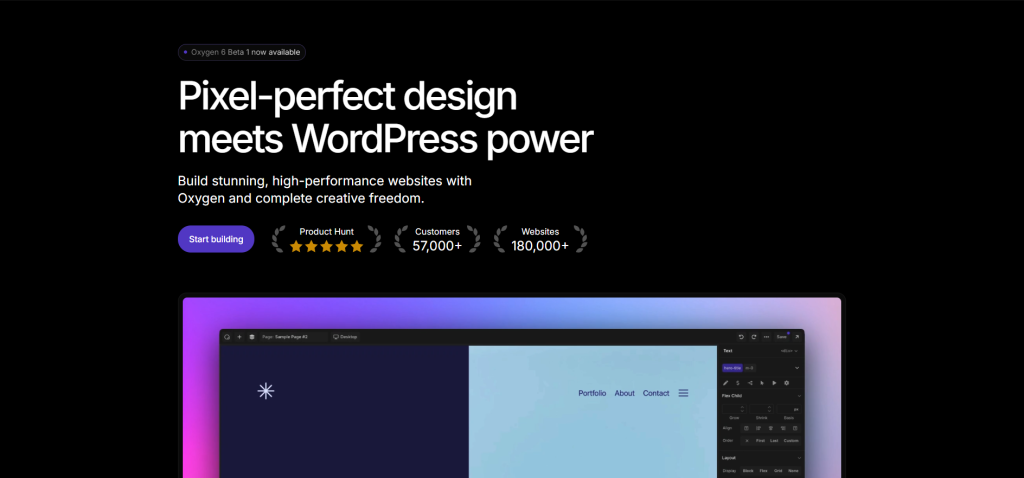
Oxygen is a powerful WordPress website builder that provides full control over site design with a visual editing interface. Unlike traditional page builders, Oxygen replaces the WordPress theme system, allowing users to build custom layouts without restrictions.
It features pixel-level customization, prebuilt components, and advanced coding capabilities, making it ideal for developers and designers who want complete flexibility.
Oxygen supports WooCommerce integration, dynamic content, and responsive design, ensuring high-performance websites.
Highlighted Features
- Drag-and-drop interface: Allows effortless website design without coding.
- Extensive collection of elements: Provides a variety of components for custom layouts.
- Global styling capabilities: Ensures consistent design across the entire website.
- Dynamic data integration: Enables personalized and dynamic content.
- Conditional logic: Controls element visibility based on specific conditions.
- Pixel-level customization: Offers precise control over every design element.
- Prebuilt components: Includes 160+ page blocks and 50+ fully responsive pages.
- Live previews: Allows real-time editing without needing to refresh.
- Custom code support: Enables advanced customization using CSS, HTML, PHP, and JavaScript.
Price and Plan
| Planera | Price (Lifetime License) | Funktioner |
| Grundläggande | $129 | Unlimited site license, WooCommerce integration, Gutenberg block builder, simplified client UI |
| WooCommerce | $149 | All Basic features, plus extended WooCommerce customization options |
| Ultimate | $179 | All WooCommerce features, plus access to the Composite Elements library for pre-designed components |
Best for what?
Oxygen is best for developers, designers, and advanced WordPress users who need complete control over website design. Unlike traditional page builders, Oxygen replaces the WordPress theme system, allowing users to build fully custom layouts without restrictions.
Droip
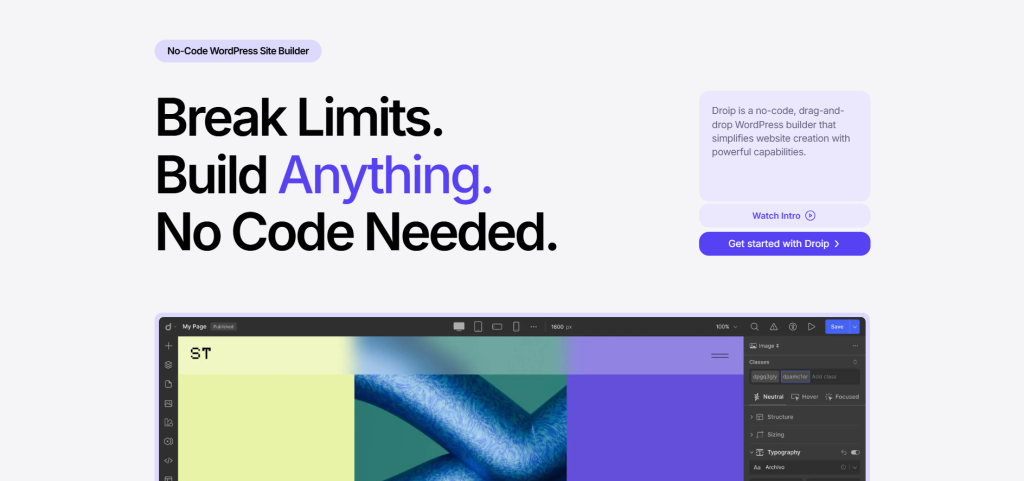
Droip is a no-code WordPress website builder that provides complete creative freedom without requiring coding skills. It features an intuitive drag-and-drop editor, allowing users to build interactive and pixel-perfect websites effortlessly.
Droip includes advanced typography controls, CSS grids, adaptive design, and animation tools, making it ideal for designers and businesses looking for highly customizable layouts.
It also offers SEO optimization, a built-in content manager, and a media manager, ensuring streamlined workflow and performance. Droip eliminates the need for excessive plugins, providing an all-in-one solution for WordPress site creation.
Highlighted Features
- Drag-and-drop editor: Build websites visually without writing code.
- Advanced typography controls: Customize fonts, spacing, and styles for precise branding.
- CSS grids & layouts: Create complex structures with multi-directional alignment.
- Adaptive design: Ensure flawless responsiveness across all devices.
- Interaction & animation tools: Design engaging animations with timeline-based controls.
- SEO optimization: Dynamically update SEO content for better search rankings.
- Media manager: Organize and edit assets, including SVGs and Lottie animations.
- Content manager: Handle dynamic data with centralized content management.
- Popup builder: Create visually appealing popups for marketing and engagement.
- Figma to droip conversion: Turn static designs into live websites seamlessly.
Price and Plan
| Planera | Price (Billed Annually) | Funktioner |
| Start | $34.50/year (Normally $69) | 1 site license, all features, 1-year updates & support, 60-day money-back guarantee |
| Tillväxt | $74.50/year (Normally $149) | 10 site licenses, all Starter features |
| Skala | $149.50/year (Normally $299) | Unlimited site licenses, all Growth features |
| Ultimate | $299.50 (Lifetime) | Unlimited site licenses, all Scale features, lifetime updates & support, 6-month money-back guarantee |
Best for what?
Droip can be useful for designers, businesses, and marketers who want a no-code WordPress website builder with freedom.
It is ideal for users who need advanced typography controls, CSS grids, adaptive design, and animation tools to create interactive and pixel-perfect websites.
SeedProd
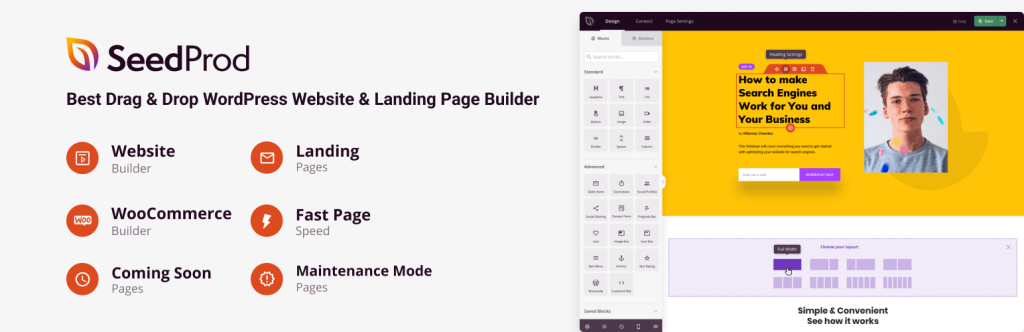
SeedProd is a drag-and-drop WordPress page builder designed for creating high-converting landing pages and full website designs without coding. It features a fast and lightweight editor, making it ideal for users who want a streamlined experience.
SeedProd includes a theme builder, allowing customization of headers, footers, and WooCommerce pages. It offers 90+ pro blocks, 300+ templates, and AI-powered design assistance to simplify website creation.
Highlighted Features
- Theme builder: Customize headers, footers, pages, and WooCommerce layouts without coding.
- Fast drag & drop editor: Lightweight and responsive for smooth editing.
- 90+ pro blocks: Includes dynamic content, buttons, forms, countdown timers, and more.
- 300+ pre-built templates: Professionally designed layouts for quick customization.
- SEO optimization: Ensures fast-loading pages with clean, bloat-free code.
- AI-Powered design assistance: Helps automate content creation and styling.
- Email marketing integrations: Works with MailChimp, ConvertKit, and other services.
- responsive & mobile-ready: Ensures pages look great on all devices.
- Revision history & undo/redo: Allows easy changes and version tracking.
Price and Plan
| Planera | Price (Billed Annually) | Funktioner |
| Grundläggande | $31.60/year (Normally $79) | 50+ templates, 90+ page blocks, drag-and-drop builder, subscriber management, access controls |
| Plus | $79.60/year (Normally $199) | 3 sites, full website kits, theme builder, 100+ templates, email marketing integrations |
| Pro | $159.60/year (Normally $399) | 5 sites, all Plus features, dynamic text, 3000+ Zapier integrations, 2M stock photos |
| Elite | $239.60/year (Normally $599) | 100 sites, all Pro features, WooCommerce support, Easy Digital Downloads, domain mapping |
Best for what?
SeedProd can be a good fit is best for users who need a fast, lightweight, and conversion-focused WordPress page builder. It is ideal for marketers, businesses, and developers looking to create high-converting landing pages, sales funnels, and full website designs without coding.
Which builder is better for you?
Each WordPress builder has strengths, depending on the user’s needs. SeedProd and Divi Builder are great choices if you’re looking for ease of use and pre-built templates.
For developers wanting complete control, Oxygen offers pixel-perfect customization and full-site editing without WordPress theme limitations.
Droip stands out for its no-code capabilities, while WPBakery and Visual Composer are excellent for users who want frontend and backend editing.
Also, choosing the right builder depends on your workflow preferences. If you’re using Elementor, Element Pack Pro is a powerful addon with 60+ customizable widgets, a mega menu builder, and advanced design tools that enhance your Elementor experience.
On the other hand, if you prefer working with Gutenberg, ZoloBlock provides 65+ advanced blocks, AI text generation, and dynamic content capabilities, making it a versatile option for WordPress sites using the block editor.
Slutsats
Ultimately, the choice of the ideal WordPress page builder depends on your specific needs and preferences. We have carefully curated a list of some of the most widely used and highly rated builders available in the market.
To assist you in making an informed decision, we have provided a comprehensive overview of their key features, pricing, and overall quality. Selecting the right page builder should align with your design goals, functionality requirements, and ease of use, ensuring a seamless website-building experience.
Feel free to leave a comment below if you have any inquiries. If you liked this article, don’t forget to subscribe to our newsletter to get more exciting articles, news, and offers right in your inbox. Also, follow us on Facebook, Twitter, och LinkedIn to stay updated.

