













Animated WordPress gallery is not a new thing but, is one of the coolest things for a website. Images bring life to anything. If you combine it with animation effects, it creates more impact on the viewers.
WordPress has more ways to add animation to images or image galleries. You can use custom codes or use a good widget. Either way, the best way is to do this using a good plugin, compatible with WordPress.
In this blog, we will make you an animated image gallery using the popular plugins Elementor e Element Pack. Let’s get started!
Introducing Elementor

Elementor is a page builder plugin based on WordPress. It is a system that allows you to create a ton of websites without any prior coding knowledge.
Instead of codes, there are widgets you can drag and drop to add features to your website. This is the easiest page building system available for WordPress with 5M+ active installations.
We made our systems based on Elementor and similarly will create the animated WordPress gallery.
Element Pack plugin for Elementor
Element Pack plugin is a bundle of widgets. As Elementor has only a handful of widgets in its inventory, we need additional support from a 3rd party plugin. Element Pack is the perfect 3rd party plugin that has more than 185 essential widgets.
In this blog, we will use the Element Pack‘s widget to create our animated WordPress gallery. Check out the plugin aqui.
Create An Animated WordPress Gallery on Your Website
An animated gallery is basically an image gallery with animation effects. We can create such an animated WordPress gallery using just the Galeria de imagens avançada widget por Element Pack.
This widget is far better than the one provided by Elementor. You can set different gallery skin, use masonry or justified style as well as lightboxes.
Overall, the widget lets you customize images with masking options and animations. That’s why it is the best tool for creating an animated gallery.
So, let create one right away!
Etapa 1
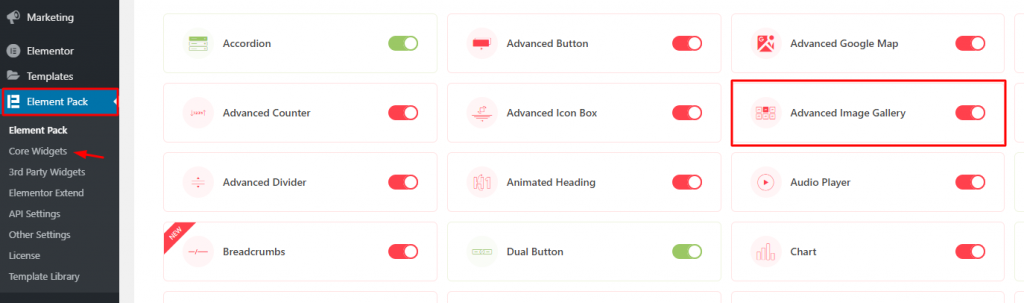
First, make sure you have installed the Element Pack plugin on your website. Then go to Dashboard> Element Pack> Core Widgets and turn on the Galeria de imagens avançada widget.
Etapa 2
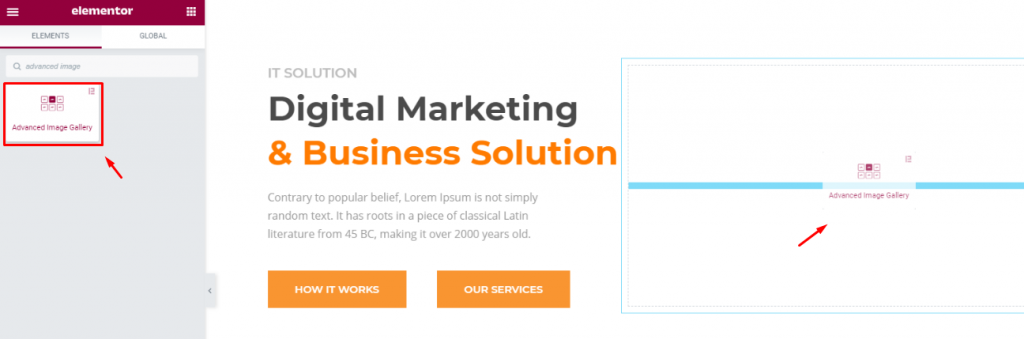
Inside a new page, create a section with 2 columns. Put all the info or texts you want inside one column and drag the Galeria de imagens avançada widget on the other column.
Etapa 3
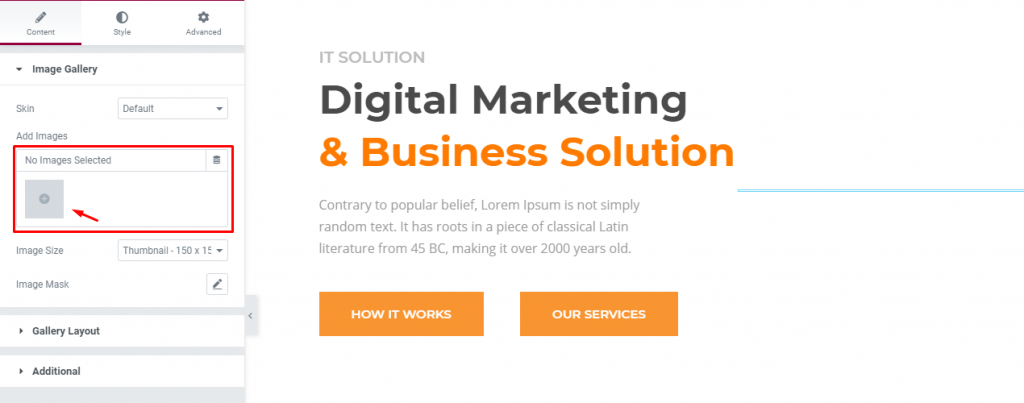
To create an animated WordPress Gallery, let’s select the images. Click on the gray box under the Content Tab> Image Gallery seção.
Etapa 4
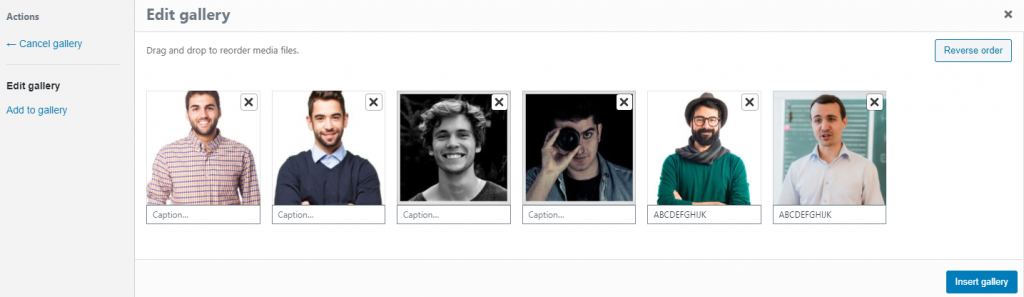
Once you select all the images, they will pop into a new window where you can choose to delete or add more images. After you are done, click the Insert gallery botão.
Step-5

Always select the Tamanho da imagem para Full in order to preserve the image quality.
Step-6

Select a masking style for enhancing the visual of your image gallery from the Máscara de imagem opção.
Step-7

On the section Gallery Layout, adjust the image gallery to suit your requirements. Set the number of columns up to 6 and then adjust the column & row gaps.
Step-8

Now, we will create the first layer of animation for our animated WordPress gallery. In the 3rd section named Adicional, turn on the Efeito de inclinação switcher.
With it, each image on the image gallery will show a tilt animation upon hover. By the way, you can adjust the tilt scale from the scroll bar below.
Step-9

Next, let’s add a 2nd layer of animation effect. Go to the Avançado tab and click on the Efeitos de movimento section. Then turn on the Parallax Effect switcher and apply any effect.
Step-10

Now on the same section below, select an entrance animation. Set the animation speed or adjust the delay. That will be our 3rd layer of animation.
Prévia

After you save everything you have done so far, your animated WordPress gallery will look something like this. Amazing, right?
Conclusão
Animated galleries boost user experience to another level. So, it is a great element to be added to a stylish website. Like we have shown you, animated galleries can be made within minutes easily.
Thank you for staying with us.

