












A WordPress page builder is the primary tool for building a WordPress website. The performance, features, functionality, and limitations of the chosen page builder influence the design and development of a website.
If you’re looking to build a WordPress site and need best WordPress page builders that looks professional, is easy to customize, and powerful enough for beginners with no coding experience, this blog is for you.
In this blog, we’ll discuss the best options, helping you find a tool that strikes a balance between functionality and simplicity so that you can create a stunning website without the technical headaches.
A Brief on WordPress Page Builder
A WordPress page builder, commonly known as a website builder, is a plugin designed to augment the default website editing functionalities of WordPress. It facilitates the creation of pages or entire websites customization.
Some page builder plugins call themselves theme or website builders since they allow editing beyond pages, including the menu, header, footer, and sidebar.
If you struggle with using WordPress, utilizing a site builder might be a suitable alternative. The majority of WordPress website builders feature a drag-and-drop capability, enabling you to arrange your content elements with ease and according to your specifications.
Websites that rely exclusively on WordPress’s built-in functionalities may appear less distinctive, which can hinder their ability to stand out from the crowd. Many page builders offer many customization options, such as Element Pack, allowing you to create a genuinely custom theme.
To get to know a page builder better, we need to know what features an ideal page builder has.
Ideal Features of Best WordPress Page Builders
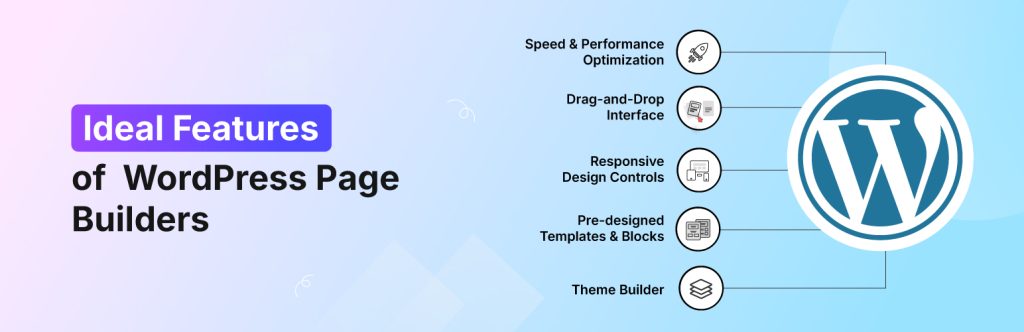
A WordPress page builder should ideally possess an easy-to-navigate drag-and-drop interface, a wide array of pre-built templates, responsive design, and a strong emphasis on both performance and user experience.
It’s also important for a good page builder to allow for customization, integrate with popular plugins, and provide excellent support.
Here’s a more detailed look at some key features:
- Drag-and-drop interface: The core of a good page builder should be its user-friendly interface, allowing users to easily drag and drop elements onto the page.
- Visual editing: Ideally, users can see changes in real-time as they build their pages, without having to write code manually.
- Templates and pre-built layouts: A variety of professionally designed templates and layouts can save time and effort, especially for users without extensive design experience.
- Customization options: The ability to customize every aspect of the design, from fonts and colors to spacing and layout, is essential for creating unique and branded websites.
- Global styles and presets: Saving design elements and applying them globally across multiple pages or even the entire site can streamline the design process.
- Responsive design: The page builder should ensure that the website looks and functions flawlessly on all devices, including desktops, tablets, and mobile phones.
- パフォーマンスの最適化: A focus on clean code and optimization can help ensure the website loads quickly, which is crucial for SEO and user experience.
- Integration with popular plugins: Compatibility with popular plugins like WooCommerce for online stores and contact forms is essential.
- eCommerce integration: For those building online stores, seamless integration with WooCommerce and dedicated WooCommerce-specific widgets is highly desirable.
- Advanced features: Some page builders offer advanced features like split testing, pop-up builders, and theme builders, providing even more control and flexibility.
10 Best Page Builders for WordPress
With a wide variety of WordPress page builders available, it can be difficult to determine which one is the best for you.
After comprehensive testing, we have curated a list of the 10 Best Page Builders for WordPress, considering their performance, features, pricing, and overall user-friendliness.
Elementor
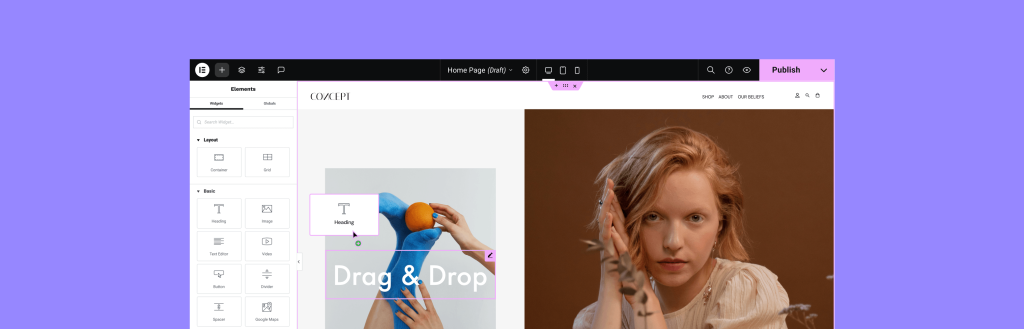
Elementor is a popular WordPress page builder that allows users to create visually stunning websites without coding. It features a drag-and-drop interface, making design simple and intuitive.
With a vast library of pre-designed templates, widgets, and customization options, Elementor is ideal for both beginners and advanced users. It supports responsive design, ensuring sites look great on all devices.
Additionally, its compatibility with various plugins and advanced styling options makes it a powerful tool for building professional websites efficiently.
Highlighted Features
- Drag-and-drop editor: Easily design pages without coding by dragging and dropping elements.
- Live preview editing: See changes instantly as you edit, eliminating the need to switch between preview modes.
- Responsive design controls: Optimize your site for desktops, tablets, and mobile devices.
- Pre-designed templates and blocks: Access a vast library of professionally designed templates to speed up the design process.
- Theme builder: Customize every part of your WordPress theme, including headers, footers, and archive pages.
- WooCommerce integration: Build and customize online store pages with WooCommerce widgets.
- Global widgets: Create reusable widgets for multiple pages to maintain design consistency.
- Third-party add-ons: Extend Elementor’s functionality with additional integrations and plugins.
- AI capabilities: Utilize AI-powered tools for design and content creation.
- Free version.
Price and Plan
| プラン | Price (Billed Annually) | 特徴 |
| Essential | $41.99/month ($499/year) | 1 site, 57 Pro widgets, theme builder, popup builder, custom code & CSS |
| 上級 | $16.99/month ($199/year) | 1 site, 86 Pro widgets, additional design & marketing features |
| Expert | $8.25/month ($99/year) | Up to 3 sites, all Advanced features, plus more customization options |
| Studio | $6.99/month ($84/year) | Up to 3 sites, all Advanced features, plus more customization options |
| 代理店 | $4.99/month ($60/year) | Up to 25 sites, premium support, and collaborative tools |
Best for what?
Elementor can be helpful for beginners, ranging from designers and businesses looking for an easy-to-use WordPress page builder. It offers a drag-and-drop interface, pre-designed templates, and advanced customization options, making it ideal for users who want to create professional websites without needing to code.
Element Pack
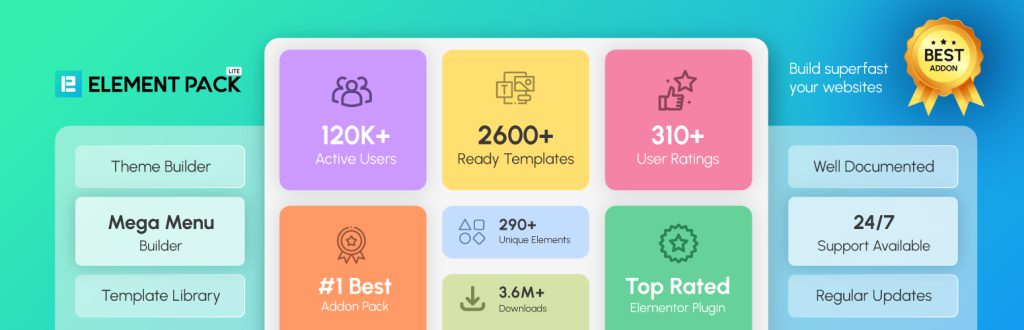
Element Packは、以下のための完全なツールキットです。 Elementorをお使いの方初心者やノンコーダーからプロのデザイナー、デベロッパー、エージェンシーまで。シンプルなブログから複雑なEコマースプラットフォームまで、事実上あらゆる種類のウェブサイトを構築することができます。
この強力なアドオンパッケージは、以下の膨大なコレクションを提供する。 over 300+ widgets, and 2,600 ready-made templates.これらのツールは、Elementorの無料版にはない高度なページ構築機能をもたらし、さらにはElementor Proを超えるものもあります。
Element Packでは、以下のような重要なツールにアクセスできます。 メガメニュービルダースムーズ ライブ・コピー・ペースト サイト間でデザインを移動するための機能、そして深い WooCommerceの統合.比類のないカスタマイズ性で、最先端の機能豊富なWordPressサイトを作成するための最良の選択です。
Highlighted Features
- 300+ advanced widgets: Expands Elementor’s capabilities with interactive and dynamic elements.
- 2600+ ready-made templates: Pre-designed layouts for faster website creation.
- Live copy-paste: Easily transfer content between websites.
- Mega menu builder: Create advanced navigation menus.
- Widget tooltip & notation: Add tooltips and highlights for a better user experience.
- WooCommerce integration: Dedicated widgets for eCommerce sites.
- Post grid & dynamic grid: Display content in structured layouts.
- Floating effects & animations: Enhance design with creative motion effects.
- Advanced buttons & countdowns: Improve engagement with interactive elements.
Price and Plan
| プラン | Price (Billed Annually) | 特徴 |
| 個人 | $49/年 | 1 site license, 300+ widgets, 2600+ templates, live copy-paste, WooCommerce integration |
| ビジネス | $99/年 | 5サイトライセンス、すべてのパーソナル機能、および追加のカスタマイズオプション |
| 開発者 | $199/年 | 無制限のサイトライセンス、高度な機能、優先サポート |
| 代理店 | $699(ライフタイム) | 無制限のサイトライセンス、生涯アップデートとサポート、ホワイトレーベルのブランディング |
Best for what?
Element Packは、追加ウィジェット、テンプレート、高度な機能でElementorの機能を拡張したいユーザーに最適です。.
WordPressエディタ

について WordPressブロックエディター, WordPress5.0で導入されたデフォルトのコンテンツエディター。従来のエディタをブロックベースのシステムに置き換え、より視覚的で柔軟なコンテンツの作成と書式設定を可能にした。.
Highlighted Features
- 何でもブロック: 各要素(テキスト、画像、動画、ボタンなど)が独立したブロックになっているため、カスタマイズが簡単です。.
- ドラッグ&ドロップ編集: ブロックを簡単に配置して、構造化されたレイアウトを実現。.
- 再利用可能なブロック: カスタムブロックを保存して、異なるページや投稿で再利用できます。.
- あらかじめデザインされたパターン: 既成のブロックパターンを使えば、より早くデザインできる。.
- フルサイト編集: ヘッダー、フッター、テンプレートをエディター内で直接カスタマイズ。.
- メディアの取り扱いを改善: ビデオ、ギャラリー、ソーシャルメディアコンテンツを簡単に埋め込むことができます。.
- SEOに適した構造: きれいなコードを維持し、より良い検索エンジン最適化を支援します。.
Price and Plan
について WordPressブロックエディター(Gutenberg) はWordPressに無料で含まれており、使用するための個別の料金プランはありません。.
しかし、中には プレミアムプラグインとブロックアドオン 機能性を向上させ、さまざまな 価格構造.
Best for what?
WordPressのブロックエディター(Gutenberg)は、サードパーティのページビルダーに依存しない、わかりやすいビルトインの編集体験を好むユーザーに最適です。.
ゾロブロック
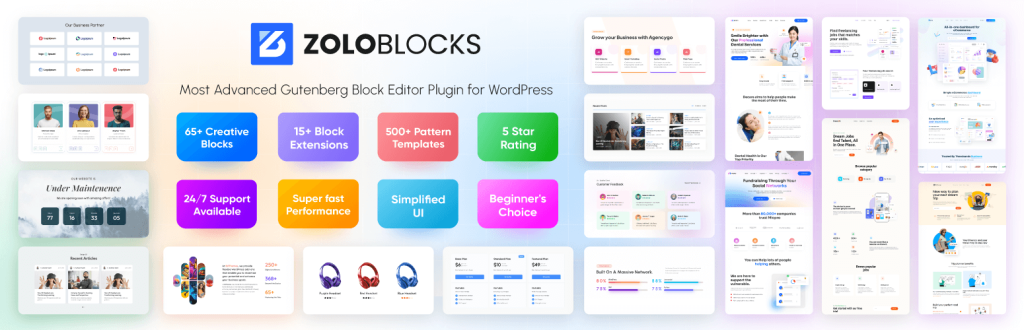
ゾロブロック は WordPress Gutenbergプラグイン ブロックエディター体験を強化するために設計されました。65以上のブロック、80以上のプレミアムブロック、50以上のレディメイドページ、250以上のパターン、カスタムCSS、ダイナミックコンテンツ、プリメイドテンプレート、パターンを提供し、ウェブサイト作成をより速く、より柔軟にします。.
Highlighted Features
- 65以上のフリーブロック: メガメニュー、高度な見出し、アコーディオンなど
- 500以上のテンプレート 素早くカスタマイズできる、プロフェッショナルなデザインのレイアウト。.
- ブロックの拡張: 15以上のブログ拡張機能が利用可能。.
- Mega menu builder: インタラクティブなマルチレベルナビゲーションメニューの作成。.
- クエリ・ループ・ビルダー:コンテンツ表示を動的にカスタマイズ.
- AIによるテキスト生成: AI搭載ツールでコンテンツ制作をスピードアップ。.
- アニメーションとエフェクト: スムーズなトランジションとビジュアル強化.
- パターンのインポートとエクスポート: 複数のページにまたがるデザインパターンを保存し、再利用する。.
- レスポンシブ編集: さまざまな画面サイズにレイアウトを最適化。.
Price and Plan
| プラン | Price (Billed Annually) | 特徴 |
| 個人 | $49/年 | 1サイトライセンス、80以上のブロック、50以上の既製ページ、250以上のパターン、カスタムCSS、1年間のサポート&アップデート |
| ビジネス | $69/年 | 5サイトライセンス、すべてのパーソナル機能、および追加のカスタマイズオプション |
| 開発者 | $149/year | 1000 site licenses, advanced features, priority support |
Best for what?
ZoloBlocks is ideal for users who want to enhance the WordPress Block Editor with advanced features and greater customization options. It is ideal for designers, developers, content creators, e-commerce sites, agencies, and businesses looking for a more flexible Gutenberg experience.
Divi Builder
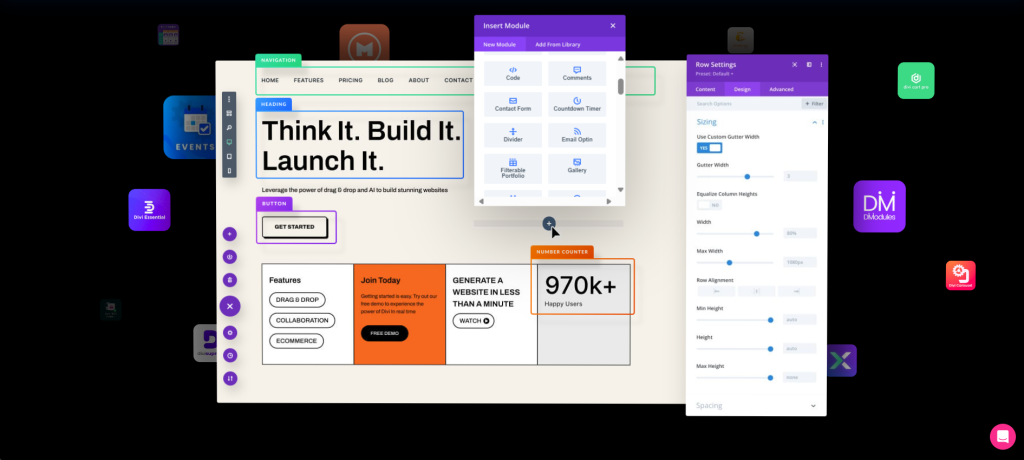
Divi Builder is a powerful WordPress page builder that provides a visual drag-and-drop interface, enabling users to design websites without requiring coding skills. It provides full theme-building support, enabling customization of headers, footers, and templates.
With hundreds of content elements, advanced design controls, and AI-powered tools, Divi simplifies website creation while maintaining flexibility. It also includes A/B testing, global design settings, and performance optimization to ensure fast-loading pages.
Highlighted Features
- Visual site building: Design pages in real-time with a front-end editor.
- Drag & drop interface: Easily move elements without coding.
- レスポンシブ編集: Optimize designs for different screen sizes.
- Thousands of pre-made layouts: Access professionally designed templates.
- Global styles & elements: Maintain consistency across your site.
- 200+ content elements: Includes buttons, sliders, forms, and more.
- Hover state styling: Customize elements when users hover over them.
- Filters & effects: Enhance visuals with advanced styling options.
Price and Plan
| プラン | Price (Billed Annually) | 特徴 |
| ディビ | $89/年 | Unlimited websites, 300+ website packs, Divi theme & builder, Bloom & Monarch plugins |
| Divi Pro | $287/year | All Divi features plus Divi AI for image and text generation |
Best for what?
Divi Builder can be beneficial for designers, agencies, and businesses looking for a highly customizable WordPress page builder with a visual drag-and-drop interface.
It is ideal for users who want full theme-building capabilities, advanced design controls, and AI-powered tools to create professional websites without coding.
WPBakery Page Builder
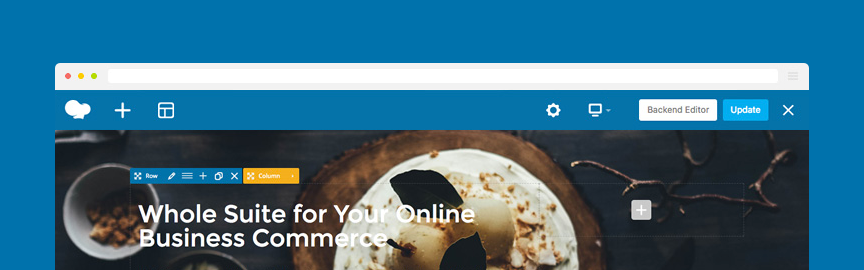
WPBakery Page Builder is a popular WordPress page builder plugin that allows users to create and customize websites using a drag-and-drop interface. It features both frontend and backend editors, making it easy to design pages visually or work in a structured layout mode.
WPBakery is compatible with any WordPress theme, ensuring flexibility without requiring coding skills. It includes 50+ content elements, pre-designed templates, and AI-powered design assistance to streamline website creation.
Highlighted Features
- Intuitive frontend editor: Allows real-time editing with a WYSIWYG interface.
- Backend editor: Provides a structured layout mode for content-rich designs.
- Works with any WordPress theme: Ensures compatibility without switching builders.
- Template library: Offers a collection of pre-designed layouts for quick page creation.
- 50+ content elements: Includes buttons, sliders, grids, and more for customization.
- AI-Powered design assistance: Helps automate content creation and styling.
- Advanced grid builder: Enables structured post and portfolio displays.
- Responsive design controls: Ensures mobile-friendly layouts.
- Extensive add-ons: Supports 200+ unique extensions for enhanced functionality.
Price and Plan
| プラン | Price (Lifetime License) | 特徴 |
| Single Site | $69 | 1 site license, free updates, 1-year access to WPBakery AI, 1-year premium support, 1-year access to the template library |
| 5 サイト | $256 | 最大5サイトライセンス、すべてのシングルサイト機能 |
| 10サイト | $499 | 最大10サイトライセンス、すべてのシングルサイト機能 |
| WPBakeryホスティング | $17.40~/月 | 最大10サイトライセンス、すべてのシングルサイト機能 |
Best for what?
WPBakeryページビルダーは、柔軟で幅広い互換性のあるWordPressページビルダーを求めるユーザーに役立ちます。フロントエンドとバックエンドの両方で編集できるドラッグアンドドロップのインターフェイスを探しているビジネス、開発者、デザイナーに最適です。.
どのWordPressテーマでも動作するため、テーマを切り替える必要がなく、カスタマイズ可能で拡張性の高いソリューションを必要とする方には最適な選択肢です。.
ビーバービルダー

Beaver Builderは、コーディングなしでプロフェッショナルなウェブサイトを作成するために設計されたドラッグ&ドロップ式のWordPressページビルダーです。ビジュアルエディタを提供し、ユーザーはリアルタイムでページをデザインすることができます。.
あらかじめ用意されたテンプレート、カスタムモジュール、レスポンシブ編集機能を備えた Beaver Builder は、初心者から上級者までウェブサイト制作を効率化します。どのWordPressテーマとも互換性があり、柔軟性とシームレスな統合を保証します。.
ビルダーはまた、グローバル行と保存されたモジュールをサポートしており、複数のページで一貫したデザインを維持するのが簡単です。.
Highlighted Features
- フロントエンドの編集: ライブプレビューでリアルタイムにページをデザイン。.
- 既成のテンプレート: プロがデザインしたレイアウトにアクセスして、サイト構築を迅速化。.
- カスタムモジュール: ボタン、スライダー、ギャラリーなど、カスタマイズの幅が広がります。.
- グローバル行と保存されたモジュール: 複数のページで一貫性を保つ。.
- Works with any WordPress theme: 互換性の問題のないシームレスな統合を保証します。.
- SEOフレンドリー&高速ローディング: パフォーマンスと検索順位のために最適化されています。.
- モバイル・レスポンシブ・デザイン: すべてのデバイスでページが美しく見えるようにします。.
- 開発者に優しい: 高度なカスタマイズのためのクリーンなコードと拡張可能な機能。.
Price and Plan
| プラン | Price (Billed Annually) | 特徴 |
| スターター | $89/年 | 1サイトライセンス, Beaver Builderプラグイン, Beaver Builderテーマ, Beaver Themer, マルチサイトサポート, ホワイトラベル, 優先Eメールサポート |
| プロフェッショナル | $299/年 | 50サイトライセンス、Starterの全機能、上級コース、Assistant Pro(6ヶ月無料) |
| 無制限 | $546/年 | 無制限のサイトライセンス、すべてのProfessional機能、マルチサイト・ネットワーク設定 |
Best for what?
Beaver Builderは、信頼性が高く、高速で柔軟なWordPressページビルダーを求めるユーザーに最適です。フロントエンド編集、ビルド済みテンプレート、カスタムモジュールを備えたドラッグアンドドロップのインターフェイスを探している企業、代理店、フリーランサーに適しています。.
ビジュアル・コンポーザー
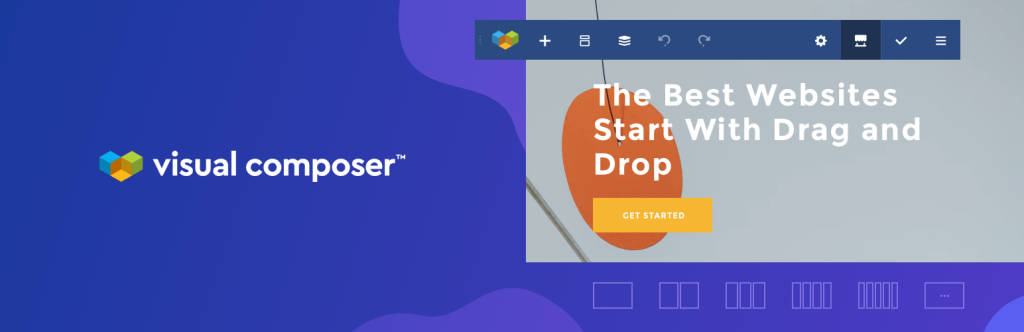
Visual Composerは、ドラッグ&ドロップでWordPressのウェブサイトを作成することができ、ユーザーはコーディングのスキルを必要とせずにプロフェッショナルな外観のウェブサイトを作成することができます。.
直感的なエディター、あらかじめデザインされたテンプレート、カスタマイズ可能なコンテンツエレメントを備え、ウェブサイト制作を素早く簡単に行うことができます。.
Visual Composerは、WooCommerceの統合、SEOの最適化、レスポンシブ・デザインをサポートしており、あらゆるデバイスでウェブサイトが優れたパフォーマンスを発揮することを保証します。.
また、クラウドベースのマーケットプレイスには500以上のエレメント、テンプレート、アドオンがあり、ユーザーに幅広いカスタマイズオプションを提供している。.
Highlighted Features
- フロントエンドのライブ編集: リアルタイム更新でビジュアルにページをデザイン。.
- クラウドマーケットプレイス(Visual Composer Hub): 500以上のエレメント、テンプレート、エクステンションにアクセス。.
- Theme builder: ヘッダー、フッター、サイドバーをフルサイト編集用にカスタマイズ。.
- ポップアップ・ビルダー コンバージョンを高める魅力的なポップアップを作成します。.
- SEOの最適化: クリーンなコードで高速ロードを保証します。.
- Responsive design: モバイルフレンドリーなウェブサイトを簡単に構築。.
- 高度な設計オプション: 視差効果、背景動画、グラデーションを追加。.
- WooCommerce integration: 特殊な要素でeコマースサイトを強化。.
Price and Plan
| プラン | Price (Billed Annually) | 特徴 |
| シングル | $49/年 | 1ウェブサイトライセンス、ドラッグ&ドロップビルダー、300以上のコンテンツ要素、200以上のテンプレート、フォントマネージャー、テーマビルダー、ポップアップビルダー、インサイト、無料ストックイメージ、プレミアムサポート |
| プラス | $99/年 | 5ウェブサイトライセンス、全シングル機能 |
| 加速する | $149/year | 20ウェブサイトライセンス、すべてのPlus機能 |
| 代理店 | $349(ライフタイム) | 1000ウェブサイトライセンス、Accelerateの全機能 |
Best for what?
Visual Composerは、柔軟で機能豊富なWordPressウェブサイト・ビルダーを必要とする企業経営者、デザイナー、マーケティング担当者、開発者を支援します。.
酸素
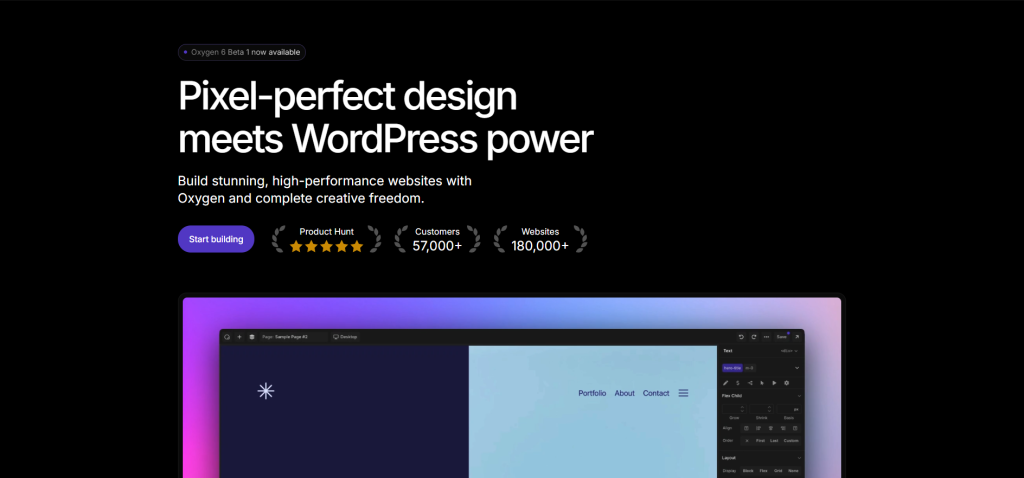
Oxygenは強力なWordPressウェブサイト・ビルダーで、ビジュアルな編集インターフェースでサイトデザインを完全にコントロールすることができます。従来のページ・ビルダーとは異なり、OxygenはWordPressのテーマ・システムを置き換えるため、ユーザーは制限なくカスタムレイアウトを構築することができます。.
ピクセルレベルのカスタマイズ、ビルド済みコンポーネント、高度なコーディング機能を備えており、完全な柔軟性を求める開発者やデザイナーに最適です。.
OxygenはWooCommerceの統合、ダイナミック・コンテンツ、レスポンシブ・デザインをサポートしており、高性能なウェブサイトを実現します。.
Highlighted Features
- Drag-and-drop interface: コーディングなしで簡単にウェブサイトをデザインできます。.
- 豊富なエレメントのコレクション: カスタムレイアウトのための様々なコンポーネントを提供。.
- グローバルなスタイリング能力 ウェブサイト全体の一貫したデザインを確保する。.
- ダイナミックなデータ統合: パーソナライズされたダイナミックなコンテンツを可能にする。.
- 条件論理: 特定の条件に基づいて要素の可視性を制御する。.
- ピクセルレベルのカスタマイズ: あらゆるデザイン要素を正確にコントロール。.
- 組み立て済みコンポーネント: 160以上のページブロックと50以上の完全レスポンシブページが含まれています。.
- ライブプレビュー リフレッシュすることなくリアルタイム編集が可能。.
- カスタムコードのサポート: CSS、HTML、PHP、JavaScriptを使用した高度なカスタマイズが可能。.
Price and Plan
| プラン | Price (Lifetime License) | 特徴 |
| ベーシック | $129 | 無制限サイトライセンス、WooCommerce統合、Gutenbergブロックビルダー、簡素化されたクライアントUI |
| ウーコマース | $149 | すべての基本機能に加え、WooCommerceの拡張カスタマイズオプション |
| アルティメット | $179 | WooCommerceの全機能に加え、デザイン済みコンポーネントのComposite Elementsライブラリにアクセスできます。 |
Best for what?
Oxygenは、ウェブサイト・デザインを完全にコントロールする必要のある開発者、デザイナー、上級WordPressユーザーに最適です。従来のページ・ビルダーとは異なり、OxygenはWordPressのテーマ・システムを置き換えるため、ユーザーは制限なく完全にカスタム化されたレイアウトを構築することができます。.
ドロップ
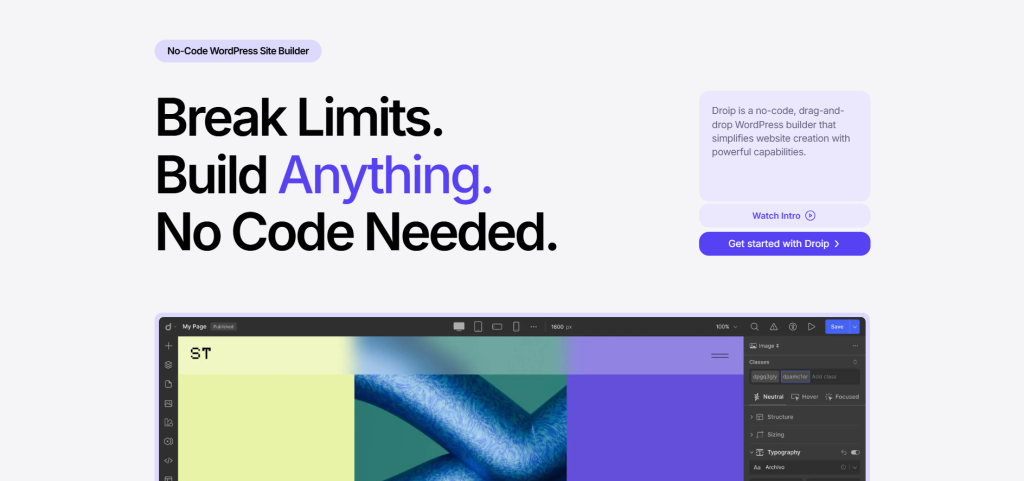
Droipは、コーディングスキルを必要とせず、完全な創造的自由を提供するノーコードのWordPressウェブサイトビルダーです。直感的なドラッグアンドドロップエディターにより、インタラクティブでピクセルパーフェクトなウェブサイトを簡単に構築することができます。.
Droipは高度なタイポグラフィコントロール、CSSグリッド、アダプティブデザイン、アニメーションツールを備えており、高度にカスタマイズ可能なレイアウトを求めるデザイナーやビジネスに最適です。.
また、SEO最適化、ビルトインコンテンツマネージャー、メディアマネージャーを提供し、合理的なワークフローとパフォーマンスを保証します。Droipは過剰なプラグインを不要にし、WordPressサイト制作のためのオールインワンソリューションを提供します。.
Highlighted Features
- Drag-and-drop editor: コードを書かずに視覚的にウェブサイトを構築する。.
- 高度な組版コントロール: フォント、間隔、スタイルをカスタマイズして、正確なブランディングを実現。.
- CSSグリッドとレイアウト: 多方向アライメントで複雑な構造を作成します。.
- アダプティブ・デザイン: すべてのデバイスで完璧な応答性を確保します。.
- インタラクション&アニメーションツール: タイムラインベースのコントロールで魅力的なアニメーションをデザイン。.
- SEOの最適化: 検索順位を上げるためにSEOコンテンツを動的に更新します。.
- メディア・マネージャー SVGやLottieアニメーションを含むアセットの整理と編集。.
- コンテンツ・マネージャー: 一元化されたコンテンツ管理で動的なデータを扱う。.
- ポップアップ・ビルダー マーケティングとエンゲージメントのための視覚的に訴えるポップアップを作成します。.
- フィグマからドロッピングへの変換: 静的なデザインをシームレスにライブウェブサイトに。.
Price and Plan
| プラン | Price (Billed Annually) | 特徴 |
| スターター | $34.50/年(通常$69) | 1サイトライセンス、全機能、1年間のアップデート&サポート、60日間返金保証 |
| 成長 | $74.50/年(通常$149) | 10サイトライセンス、すべてのStarter機能 |
| スケール | $149.50/年(通常$299) | 無制限のサイトライセンス、すべての成長機能 |
| アルティメット | $299.50(ライフタイム) | 無制限サイトライセンス、すべてのスケール機能、生涯アップデート&サポート、6ヶ月返金保証 |
Best for what?
Droipは、自由度の高いノーコードのWordPressウェブサイトビルダーを求めるデザイナー、企業、マーケティング担当者に役立ちます。.
高度なタイポグラフィ・コントロール、CSSグリッド、アダプティブ・デザイン、そしてインタラクティブでピクセルパーフェクトなウェブサイトを作成するためのアニメーション・ツールを必要とするユーザーに最適です。.
シードプロ
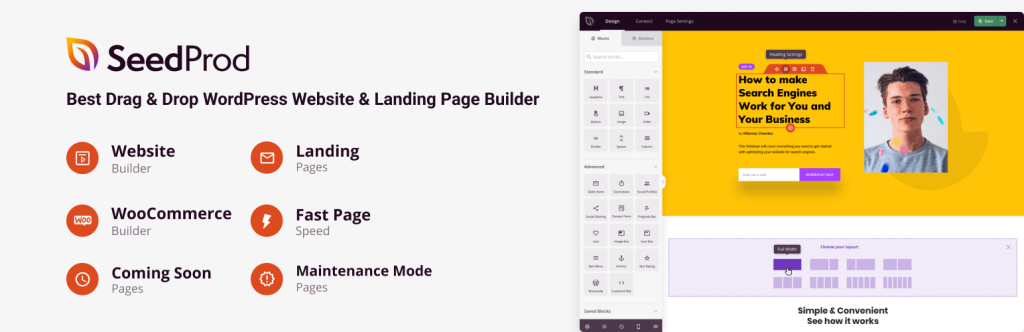
SeedProdは、コーディングなしで高コンバージョンのランディングページや完全なウェブサイトデザインを作成するために設計されたドラッグアンドドロップWordPressページビルダーです。高速で軽量なエディタが特徴で、合理的な体験を求めるユーザーに最適です。.
SeedProdにはテーマビルダーがあり、ヘッダー、フッター、WooCommerceページのカスタマイズが可能です。90種類以上のプロブロック、300種類以上のテンプレート、AIを利用したデザイン支援により、ウェブサイト作成を簡素化します。.
Highlighted Features
- Theme builder: コーディングなしでヘッダー、フッター、ページ、WooCommerceレイアウトをカスタマイズできます。.
- ドラッグ&ドロップの高速エディター: スムーズな編集を可能にする軽量性と応答性。.
- 90以上のプロブロック: ダイナミックコンテンツ、ボタン、フォーム、カウントダウンタイマーなどが含まれます。.
- 300以上のテンプレート 素早くカスタマイズできる、プロフェッショナルなデザインのレイアウト。.
- SEOの最適化: クリーンで無駄のないコードで、高速にページをロードします。.
- AI-Powered design assistance: Helps automate content creation and styling.
- メールマーケティングの統合 MailChimp、ConvertKit、その他のサービスと連動。.
- レスポンシブ&モバイル対応: すべてのデバイスでページが美しく見えるようにします。.
- リビジョン履歴とアンドゥ/リドゥ: 簡単な変更とバージョン追跡が可能。.
Price and Plan
| プラン | Price (Billed Annually) | 特徴 |
| ベーシック | $31.60/年(通常$79) | 50以上のテンプレート、90以上のページブロック、ドラッグ&ドロップビルダー、購読者管理、アクセスコントロール |
| プラス | $79.60/年(通常$199) | 3サイト、フルウェブサイトキット、テーマビルダー、100以上のテンプレート、Eメールマーケティング統合 |
| プロ | $159.60/年(通常$399) | 5つのサイト、すべてのPlus機能、ダイナミックテキスト、3000以上のZapier統合、2Mのストックフォト |
| エリート | $239.60/年(通常$599) | 100サイト、すべてのPro機能、WooCommerceサポート、Easy Digital Downloads、ドメインマッピング |
Best for what?
SeedProdは、高速、軽量、コンバージョンに焦点を当てたWordPressページビルダーを必要とするユーザーに最適です。マーケティング担当者、企業、開発者が、コーディングなしでコンバージョンの高いランディングページ、セールスファネル、完全なウェブサイトデザインを作成したい場合に最適です。.
どのビルダーが良いか?
それぞれのWordPressビルダーには、ユーザーのニーズに応じて強みがある。SeedProdとDivi Builderは、使いやすさとあらかじめ用意されたテンプレートを探しているなら、最適な選択だ。.
完全にコントロールしたい開発者のために、OxygenはWordPressテーマの制限なしにピクセルパーフェクトなカスタマイズとフルサイト編集を提供します。.
WPBakeryとVisual Composerは、フロントエンドとバックエンドの編集が必要なユーザーにとって優れている。.
また、適切なビルダーを選ぶかどうかは、次のような点にも左右される。 ワークフロー設定. .もし Elementor, Element Pack Pro を備えた強力なアドオンである。 60以上のカスタマイズ可能なウィジェット、メガメニュービルダー、高度なデザインツール Elementorの体験をより充実したものにする。.
一方で、もしあなたが グーテンベルク, ゾロブロック 提供する 65以上の高度なブロック、AIテキスト生成、ダイナミックコンテンツ機能, ブロックエディターを使用するWordPressサイトのための多用途なオプションです。.
結論
最終的に、理想的なWordPressページビルダーの選択は、あなたの特定のニーズや好みに依存します。私たちは、市場で最も広く使用され、高く評価されているビルダーのリストを慎重にキュレーションしました。.
十分な情報に基づいた決定を支援するために、主要な機能、価格、および全体的な品質の包括的な概要を提供しています。適切なページビルダーを選ぶには、デザイン目標、必要な機能、使いやすさを考慮し、シームレスなウェブサイト構築を実現する必要があります。.
お問い合わせは下記までお気軽にどうぞ。この記事が気に入ったら、ニュースレターの購読をお忘れなく。また フェイスブック, ツイッターそして LinkedIn をクリックしてください。

