
Navigazione agevole grazie a menu ricchi di opzioni
Le scelte visive dei prodotti aumentano rapidamente le vendite
I contenuti personalizzati si adattano in tempo reale
Scorrimento senza soluzione di continuità per un flusso UX migliore
La duplicazione istantanea dei contenuti fa risparmiare tempo
Accesso rapido a potenti elementi di design
I modelli pronti per l'uso velocizzano la progettazione
Campi personalizzati avanzati per dati flessibili
Clonare siti in modo semplice e senza problemi
Grafica nitida e scalabile per tutti gli schermi
Rebranding degli strumenti per un look professionale
Mostrare o nascondere i contenuti con precisione
Profondità coinvolgente con movimenti fluidi
Aggiungere facilmente note e annotazioni chiare
I suggerimenti utili migliorano l'interazione con l'utente
Animate gli elementi con stile
Mantenere sempre visibili le sezioni importanti
Pieno controllo con modifiche personalizzate del codice
Ottimizzare i file per aumentare la velocità del sito
Modelli di pagina realizzati per aiutarvi a iniziare la vostra pagina di destinazione con un semplice design iniziale
Ready Blocks è dotato di una varietà di layout ed elementi di design, come intestazioni, piè di pagina, widget ecc.
Intestazioni pre-progettate con stili vantaggiosi, adatte a vari siti web di nicchia e ai gusti di design.
Un'utile raccolta di design di piè di pagina per aiutarvi a creare un piè di pagina immediatamente attraente sulla vostra pagina di destinazione.
Siamo a vostra disposizione 24 ore su 24, 7 giorni su 7. Siamo lieti di aiutarvi.
Linee guida dettagliate disponibili per ogni caratteristica su BdThemes
Imparate qualcosa di nuovo, rimanete informati su WordPress, Web Design e molto altro.
Ecco alcune delle tappe fondamentali del mio sviluppo:
Imparate l'uso dei prodotti, i suggerimenti e i trucchi di WordPress grazie ai nostri video.
Guadagnate ingenti commissioni unendovi a noi nella promozione
Widget Idea Share è un ottimo modo per trovare widget simili che si possono migliorare.
Certamente! Se avete bisogno di mettervi in contatto con noi, non esitate a contattarci.
Costruite qualsiasi modulo WordPress in pochi minuti con Sigma Forms.
Plugin Page Builder in modalità Coming Soon e Maintenance
Rendete facilmente accessibili i siti web con One Accessibility
Mostrate le testimonianze dei clienti per aumentare la fiducia e la credibilità.
Zoloblocks aiuta a creare siti web straordinari basati su Gutenberg.
Il cursore più avanzato nell'era del cursore Elementor
Gli unici widget di blogging compatibili in Elementor per qualsiasi blog
Costruite un sito eCommerce WordPress di ultima generazione per le imprese
Organizzate le vostre foto in un angelo diverso ogni volta con Elementor
Aumentate il coinvolgimento e le vendite con Spin Wheel.
Potente plugin generatore di immagini AI per WordPress di ChatGPT
Ottenete la realtà aumentata a 360° per WooCommerce oggi stesso!
Copiate e incollate qualsiasi design web che vi piace con soli 2 clic!
Un tema completamente funzionante per elementor con opzioni illimitate
Tema a blocchi intelligente, pulito e flessibile per Gutenberg
Il plugin Dark Reader garantisce una lettura del web rispettosa degli occhi.
WooCommerce one-page checkout per aumentare le conversioni.
Accesso a 100+ plugin premium per WordPress con aggiornamenti a vita e supporto dedicato.
 Italian

Navigazione agevole grazie a menu ricchi di opzioni
Le scelte visive dei prodotti aumentano rapidamente le vendite
I contenuti personalizzati si adattano in tempo reale
Scorrimento senza soluzione di continuità per un flusso UX migliore
La duplicazione istantanea dei contenuti fa risparmiare tempo
Accesso rapido a potenti elementi di design
I modelli pronti per l'uso velocizzano la progettazione
Campi personalizzati avanzati per dati flessibili
Clonare siti in modo semplice e senza problemi
Grafica nitida e scalabile per tutti gli schermi
Rebranding degli strumenti per un look professionale
Mostrare o nascondere i contenuti con precisione
Profondità coinvolgente con movimenti fluidi
Aggiungere facilmente note e annotazioni chiare
I suggerimenti utili migliorano l'interazione con l'utente
Animate gli elementi con stile
Mantenere sempre visibili le sezioni importanti
Pieno controllo con modifiche personalizzate del codice
Ottimizzare i file per aumentare la velocità del sito
Modelli di pagina realizzati per aiutarvi a iniziare la vostra pagina di destinazione con un semplice design iniziale
Ready Blocks è dotato di una varietà di layout ed elementi di design, come intestazioni, piè di pagina, widget ecc.
Intestazioni pre-progettate con stili vantaggiosi, adatte a vari siti web di nicchia e ai gusti di design.
Un'utile raccolta di design di piè di pagina per aiutarvi a creare un piè di pagina immediatamente attraente sulla vostra pagina di destinazione.
Siamo a vostra disposizione 24 ore su 24, 7 giorni su 7. Siamo lieti di aiutarvi.
Linee guida dettagliate disponibili per ogni caratteristica su BdThemes
Imparate qualcosa di nuovo, rimanete informati su WordPress, Web Design e molto altro.
Ecco alcune delle tappe fondamentali del mio sviluppo:
Imparate l'uso dei prodotti, i suggerimenti e i trucchi di WordPress grazie ai nostri video.
Guadagnate ingenti commissioni unendovi a noi nella promozione
Widget Idea Share è un ottimo modo per trovare widget simili che si possono migliorare.
Certamente! Se avete bisogno di mettervi in contatto con noi, non esitate a contattarci.
Costruite qualsiasi modulo WordPress in pochi minuti con Sigma Forms.
Plugin Page Builder in modalità Coming Soon e Maintenance
Rendete facilmente accessibili i siti web con One Accessibility
Mostrate le testimonianze dei clienti per aumentare la fiducia e la credibilità.
Zoloblocks aiuta a creare siti web straordinari basati su Gutenberg.
Il cursore più avanzato nell'era del cursore Elementor
Gli unici widget di blogging compatibili in Elementor per qualsiasi blog
Costruite un sito eCommerce WordPress di ultima generazione per le imprese
Organizzate le vostre foto in un angelo diverso ogni volta con Elementor
Aumentate il coinvolgimento e le vendite con Spin Wheel.
Potente plugin generatore di immagini AI per WordPress di ChatGPT
Ottenete la realtà aumentata a 360° per WooCommerce oggi stesso!
Copiate e incollate qualsiasi design web che vi piace con soli 2 clic!
Un tema completamente funzionante per elementor con opzioni illimitate
Tema a blocchi intelligente, pulito e flessibile per Gutenberg
Il plugin Dark Reader garantisce una lettura del web rispettosa degli occhi.
WooCommerce one-page checkout per aumentare le conversioni.
Accesso a 100+ plugin premium per WordPress con aggiornamenti a vita e supporto dedicato.
Italian
To run a successful eCommerce business, you can’t help but optimize WooCommerce for better site speed.
While online businesses are making hype among all netizens, the competition is getting worse day by day.
To get a good foothold in this situation, you need a WooCommerce website that can compete.
Speed means money.
The quick you are, the quicker you get to do business.
That’s why a lot of people are trying to boost their websites.
As you reached here, we may tell you about the most necessary steps to improve your WooCommerce site speed.

In this digital era, people love to shop online instead of stepping out of their comfort zones.
That’s why an online business gets to eat the honey quickly.
As to attract customers, they need to display all kinds of images & details about each product they sell.
This causes a spike in site data size.
Before 2015, nobody bothered with the site loading speed.
But now, even a 3-second site loading delay leads to a 53% bounce rate.
Meaning that, if your business gets 1000 customers a day, each second delay will cost you about 170 leaving customers.
A slow website may lead to a steep downfall and might not return to business.
As the WooCommerce platform is getting bigger and bigger, the competition gets tougher.
That’s a reason why you need to optimize WooCommerce webstore now.
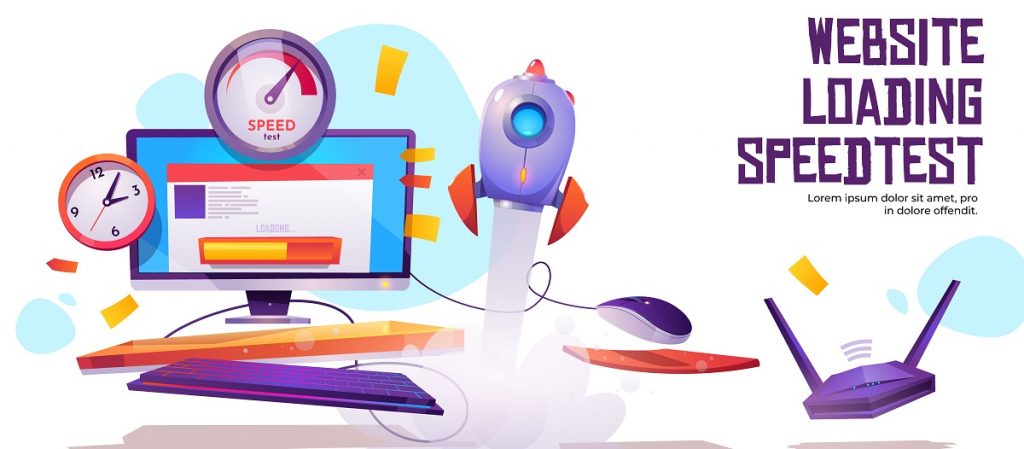
Now that you understand how important site speed is, it’s time to check whether you are on the safe side or not.
It’s a relief that many free site insight tools will measure your overall site performance and hint you for improvements.
Using the insight tools, you can gauge the development of your website.
You can use these tools-
Some of the speed measurement tools use live graphs & feedback, while some use pie-charts for the result.
You can also deduce the speed data for specific web browsers.
With all that, you can hunt for the reasons behind your slow WooCommerce website and optimize woocommerce easily.
Now, let’s get your WooCommerce website speeded up step-by-step.

A better hosting service means quality site speed.
Any WooCommerce website needs such a hosting platform that got its back all the moment.
As hosting provides the foundation of the site, you need the best one out there to optimize WooCommerce.
It directly affects your service, user experience, traffic, conversion rate, & ranking too.
So, in order to secure the best spot for business, get good hosting for your website.
You may pick a hosting platform that is:
As long as you choose your hosting with these standards, there should be no major problem with your WooCommerce site loading speed.

WordPress has a memory limit of 32MB by default.
This memory is responsible for handing the code execution on your website.
Certainly, the bigger the site, the more memory it consumes.
Any typical WooCommerce website easily crosses the 64MB mark often.
So, to optimize WooCommerce for better speed, you need to increase the memory limit to the maximum of 256MB.
This can be done by contacting your hosting provider.
For manual operation, you can follow these steps:
If you can’t get the codes to work, try getting any developer to do that for you.
It should be easy as pie.
Every WordPress website comes with a common login interface that looks like this: sitename.com/wp-admin
While it is okay to keep the login interface like this, hackers always try the brute force login method to get your system crashed.
Due to this, too many server requests may occur at the same time.
This results in a slow site as well as HTTP login errors.
So, try changing the login URL into something unique to optimize WooCommerce properly.
You can use any 3rd party plugin for this task.

Every WooCommerce website contains a massive amount of images for displaying products, services, promotions, etc.
With every image loaded on the site, it only gets heavier & heavier.
So, it’s important to optimize WooCommerce site images to reduce the time needed for loading the page.
You can use tools like WPsmush, Ewww image optimizer, Optimole, o Imagify.

As you know, a theme lays the foundation of a website and holds all the features together.
With a speed-optimized theme, you can make your WooCommerce site faster by several folds.
There are many themes like Rooten, GeneratePress, OceanWP that can make your website faster.
Be sure to pick themes with fewer features & a clean code structure for better performance.
For the features, you can always add more in the future using plugins.
One of the most important things for a WooCommerce site is the choice of plugins.
The plugin adds features to a website to increase the user experience and enhances the site’s appearance.
As there are more than 60,000+ plugins available in WordPress, you can hardly choose one that’s perfect for you.
No matter what, the plugin you choose must not drop your sites’ performance.
Due to some poorly coded plugins, you can face major speed issues on your website.
To optimize WooCommerce for speed, you must choose plugins carefully.
You can go for Element Pack, Happy Addons, Essential addons as they don’t harm your site speed at all.
Rather, some 0f them even boost your site internally.
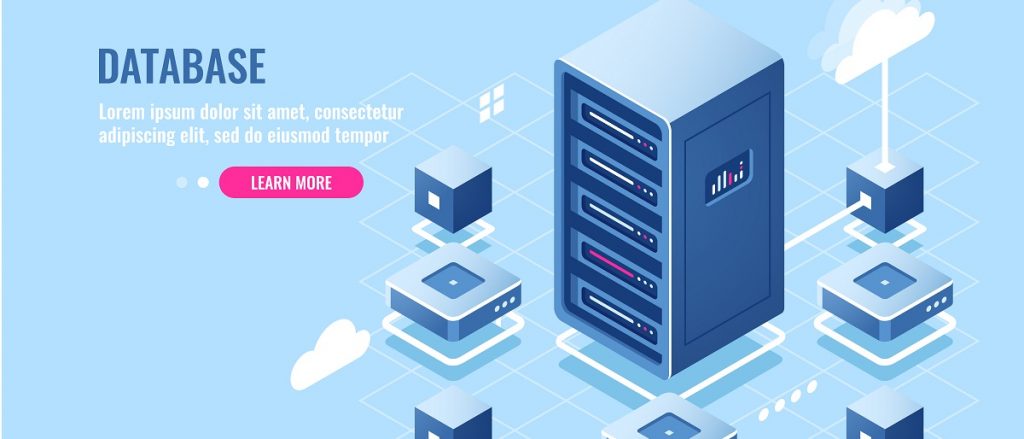
A medium-sized WooCommerce website may transmit millions of data lines each day.
As the database contains product images, catalogs, tags, user data, order details, and more, it can cause major speed issues if handled poorly.
To optimize WooCommerce website, you need to clean up the database every once in a while.
Cleanup involves-
Once you get things right in your database, your customers will experience a huge boost in site speed & performance.

Using static CDN is a smart move to optimize WooCommerce website for speed.
With CDN, you can store your site data on several servers across the world.
Then your customers abroad can access your WooCommerce products quickly within their closest server area.
CDN stores data like images, HTML files, & CSS.
General CDN service only provides static data storage while some top CDN servers provide dynamic content too.
You can always go for Sucuri CDN, Cloudflare, Cloudways, ecc.
Using caching, the server stores the current site data on the users’ device and loads the site from the saved data, causing a super-fast loading speed.
You can try caching your WooCommerce website to increase its speed.
As caching stores all the static site data into the server, the site only needs to execute the dynamic script instead of the whole code.
It reduces the time needed for the site to load by a huge degree.
È possibile utilizzare WProcket, WP Super Cache, W3 Total Cache, or similar plugins for this task.
Lazy load system is a proven solution to optimize WooCommerce site speed.
Not all images or media files need to be loaded instantly upon a user visits the site.
To reduce the maximum loading time, you can stop the media files from loading earlier and only load when the user reached that section of the site.
You can try using Smush, Optimole, Lazy Load by WP Rocket.
You can significantly reduce the site loading speed with this technique.
Now, this is another important matter.
Don’t directly upload media files to your website.
Yes, media files play dirty by increase the total site weight & loading time.
Although your server can take a lot of media files, don’t feed it.
Instead, try using YouTube or other cloud platforms to display video & audio content on your website.
It is a necessary step to optimize WooCommerce.
WooCommerce has a dynamic cart function that operates with the AJAX cart fragment feature.
It constantly refreshes the user cart to adjust the total amount of purchased products.
Although it’s a nice feature, it can cause a decrease in site speed.
It even causes the cache data to get refreshed by it.
So, you can try disabling this function to optimize WooCommerce site speed.
Get any developer to tweak into the “wc-ajax=get_refreshed_fragments” function for this task.
Are you done with the steps?
Try the page speed insight tools to get a look into your newly optimized website.
Surely, you will find a leap in performance and better site speed.
If you have any suggestions, please comment below the article.
Contact us if you face any issues.
We are here to help you.

Il più grande pacchetto di modelli Elementor con l'interfaccia utente più facile da utilizzare e 300+ utili widget Elementor. Costruire siti web da zero a 100% perfezione in pochissimo tempo.
Questo sito web è alimentato da Element Pack Pro e Tema di Rooten.
Copyright © 2025 BdThemes. Tutti i diritti riservati.









